

CDJ-1000MK3
Before the gig: know this deck, bring your music on CD, and check the SD card for your cue points.
- Released
- 2006
- Width
- 32 cm · 12.6 in
- Depth
- 37 cm · 14.6 in
- Height
- 10.5 cm · 4.1 in
- Weight
- 4.2 kg · 9.3 lb
Know the deckbefore you pack
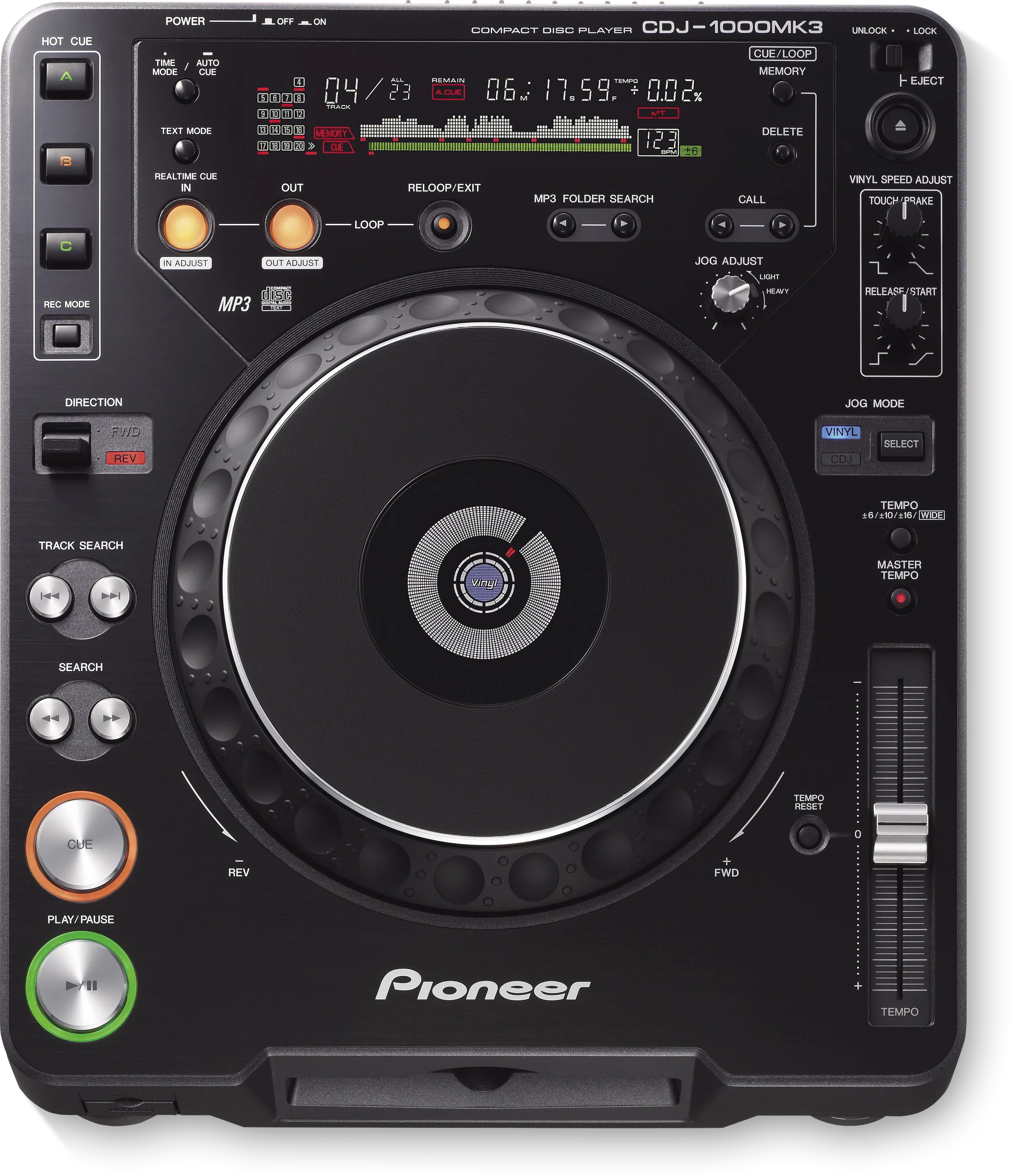
MediaCD, CD-R and CD-RW, and MP3 burned to CD-ROM. No USB.
ADiscThe disc slot on the front.
BEjectEJECT, top right, with a LOCK switch.
SD cardStores cue and loop points. It plays no music.
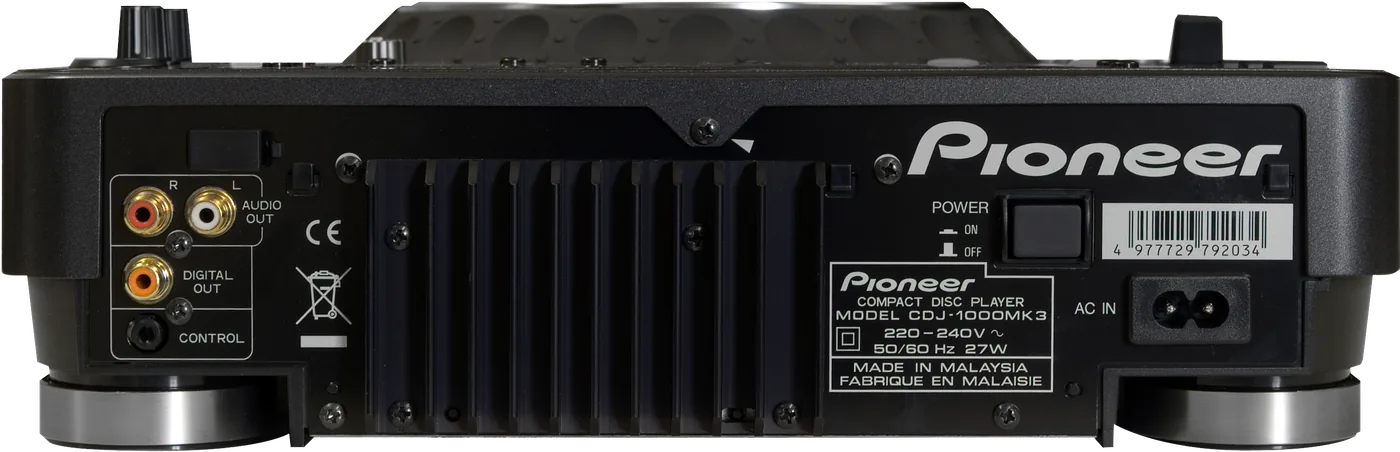
Connectionson the back
CAnalog audio outAUDIO OUT, left and right
DDigital audio outOne DIGITAL OUT socket
ECONTROLFor fader start from a Pioneer mixer
FPOWERThe switch on the back
Five things that can affect your gig
1MP3 plays from a burned CD-ROM, and search is locked to the folder that is playing.
2Cue and loop points save to an SD card, not to the disc. An old MMC card will not carry over.
3A card needs its write-protect tab off and the door closed to save anything.
4The disc stops after 100 minutes idle in pause. PLAY/PAUSE resumes it.
5No USB, no network link. Bring your music on CD.
Based on the Save My Gig guide for this model and Pioneer DJ's own documents.