

DJM-2000NXS
Before the gig: know this mixer, check its firmware (the mixer's software), and check the settings the last DJ left.
- Released
- 2012
- Width
- 43 cm · 16.9 in
- Depth
- 40.4 cm · 15.9 in
- Height
- 10.8 cm · 4.2 in
- Weight
- 8.6 kg · 19 lb
Know the mixerbefore you play
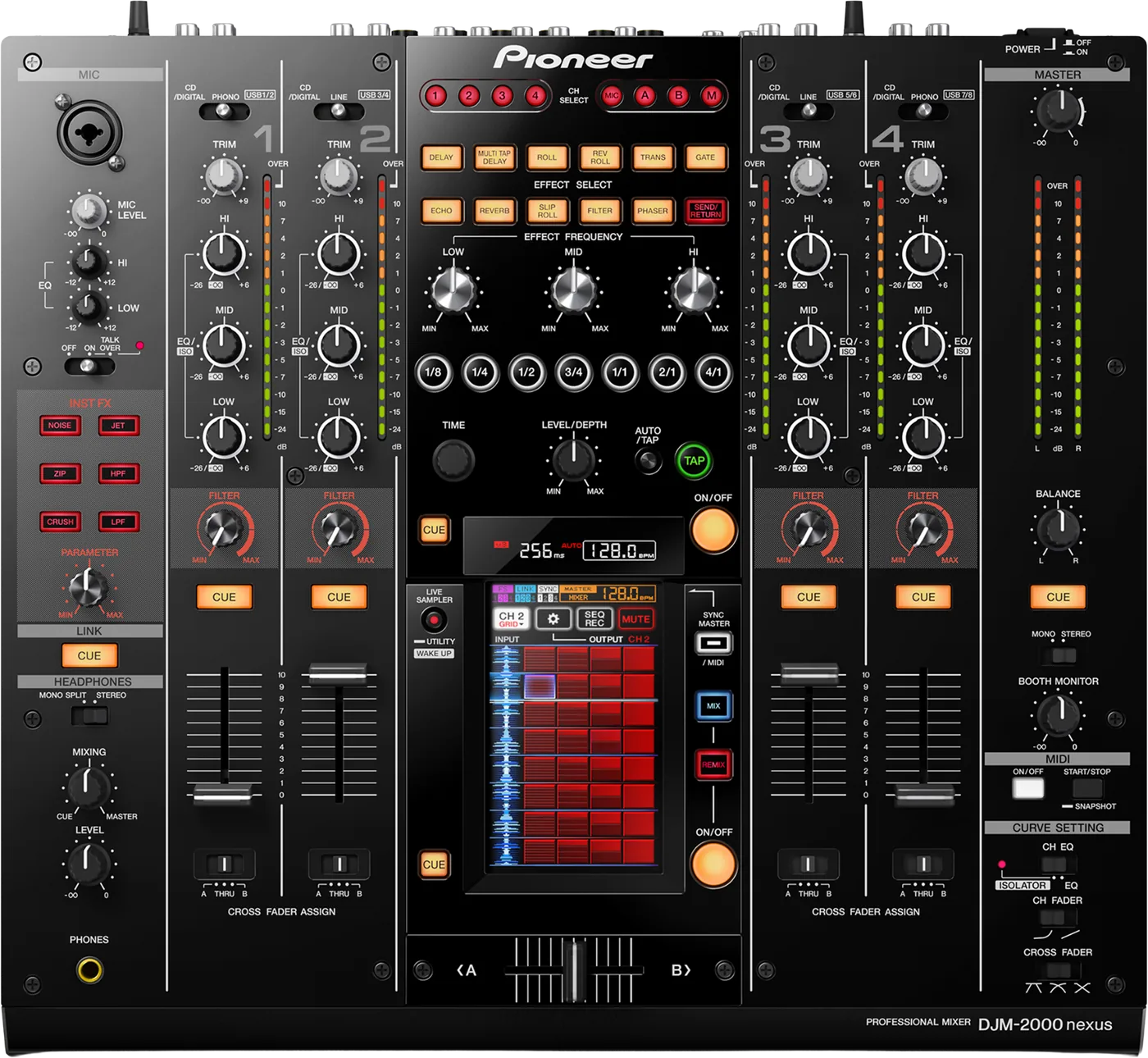
ChannelsFour, and USB from a laptop on every one.
APhonesOne 1/4 in jack, front left.
BMicXLR or jack, on top.
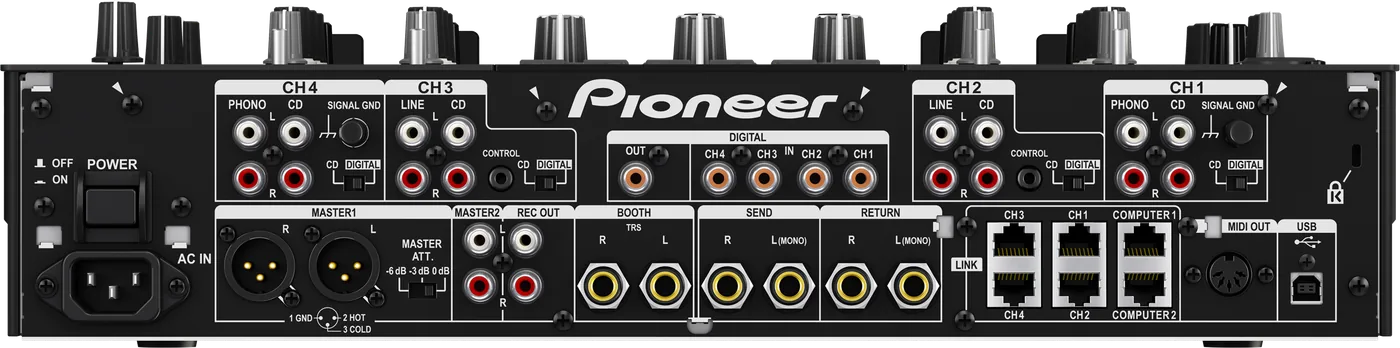
LINKSix LAN ports: the mixer is the booth's hub.
Connectionson the back
Five things that can affect your gig
1The mixer is the network hub. Players plug straight into its LINK ports.
2A Mac needs the DJM-2000NXS driver. macOS Sonoma is the highest version supported.
3Windows: the driver stops at Windows 10.
4MASTER ATT. on the back can cut the master by 3 or 6 dB.
5Firmware 3.21 is the last. It fixed recording on macOS 10.13.2.
Also good to know
FirmwareOn a Mac, right-click the installer and choose Open.
DJM-2000A different model. Never flash its firmware here.
UpdatesDo not update the firmware just before a gig.
Based on the Save My Gig guide for this model and Pioneer DJ's own documents.