

CDJ-1000MK2
Before the gig: know this deck, bring your music on CD, and check the rear DJ/NORMAL switch.
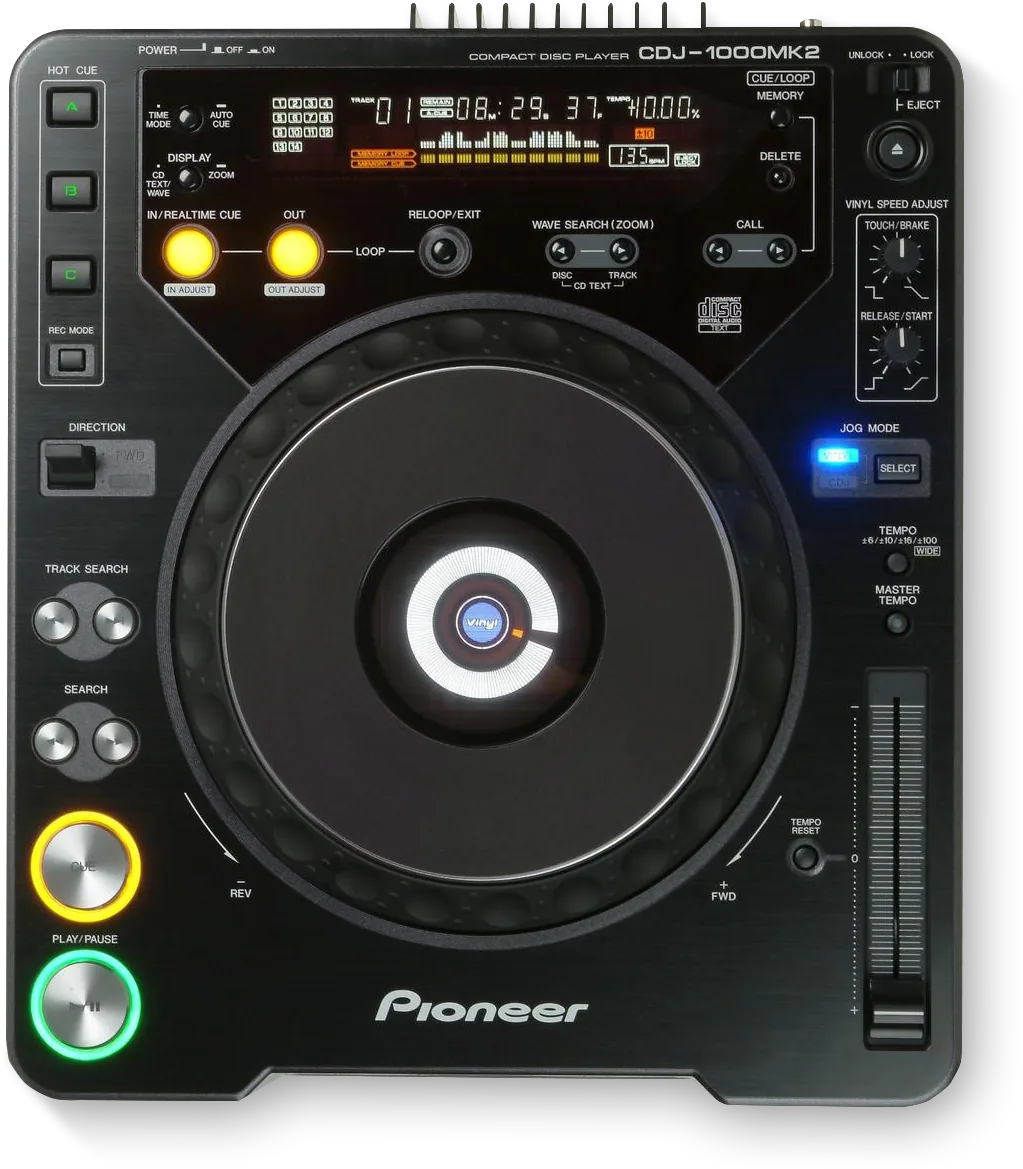
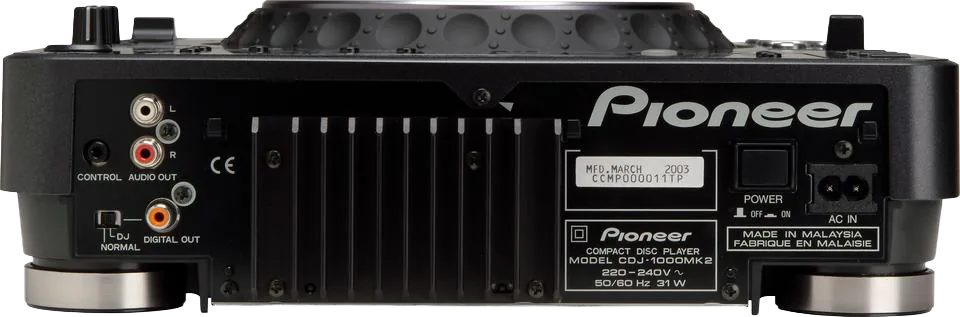
- Released
- 2003
- Width
- 32 cm · 12.6 in
- Depth
- 37 cm · 14.6 in
- Height
- 10.5 cm · 4.1 in
- Weight
- 4.2 kg · 9.3 lb
Know the deckbefore you pack
Connectionson the back
CAUDIO OUTInto LINE or AUX, not PHONO
DDIGITAL OUTWith a DJ/NORMAL switch
EPOWERThe switch on the back
FPowerAC IN
Five things that can affect your gig
1No MP3, no USB. Bring audio CDs or finalised CD-R/RW.
2AUDIO OUT into a PHONO input distorts. Use LINE or AUX.
3NORMAL on the rear switch freezes the jog, cue, loop and tempo. Keep it on DJ.
4Fader start needs the CONTROL cable to a compatible Pioneer mixer.
5Auto Cue is on by default. A loaded track waits at the first sound.
Also good to know
Hot cuesThree, A to C.
Tempo±6, ±10, ±16 or ±100 (WIDE).
RelayTwo decks linked by CONTROL play one after the other.
Based on the Save My Gig guide for this model and Pioneer DJ's own documents.