

DJM-700
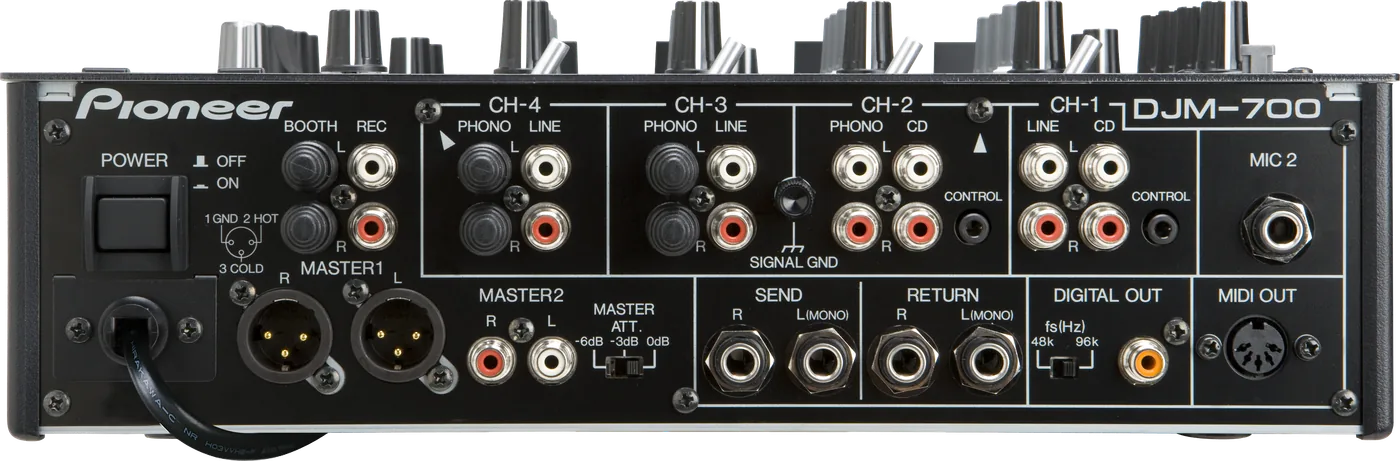
Before the gig: know this mixer, check the rear switches, and check the settings the last DJ left.
- Width
- 32 cm · 12.6 in
- Depth
- 37.8 cm · 14.9 in
- Height
- 10.8 cm · 4.3 in
- Weight
- 6.6 kg · 14.6 lb
Know the mixerbefore you play
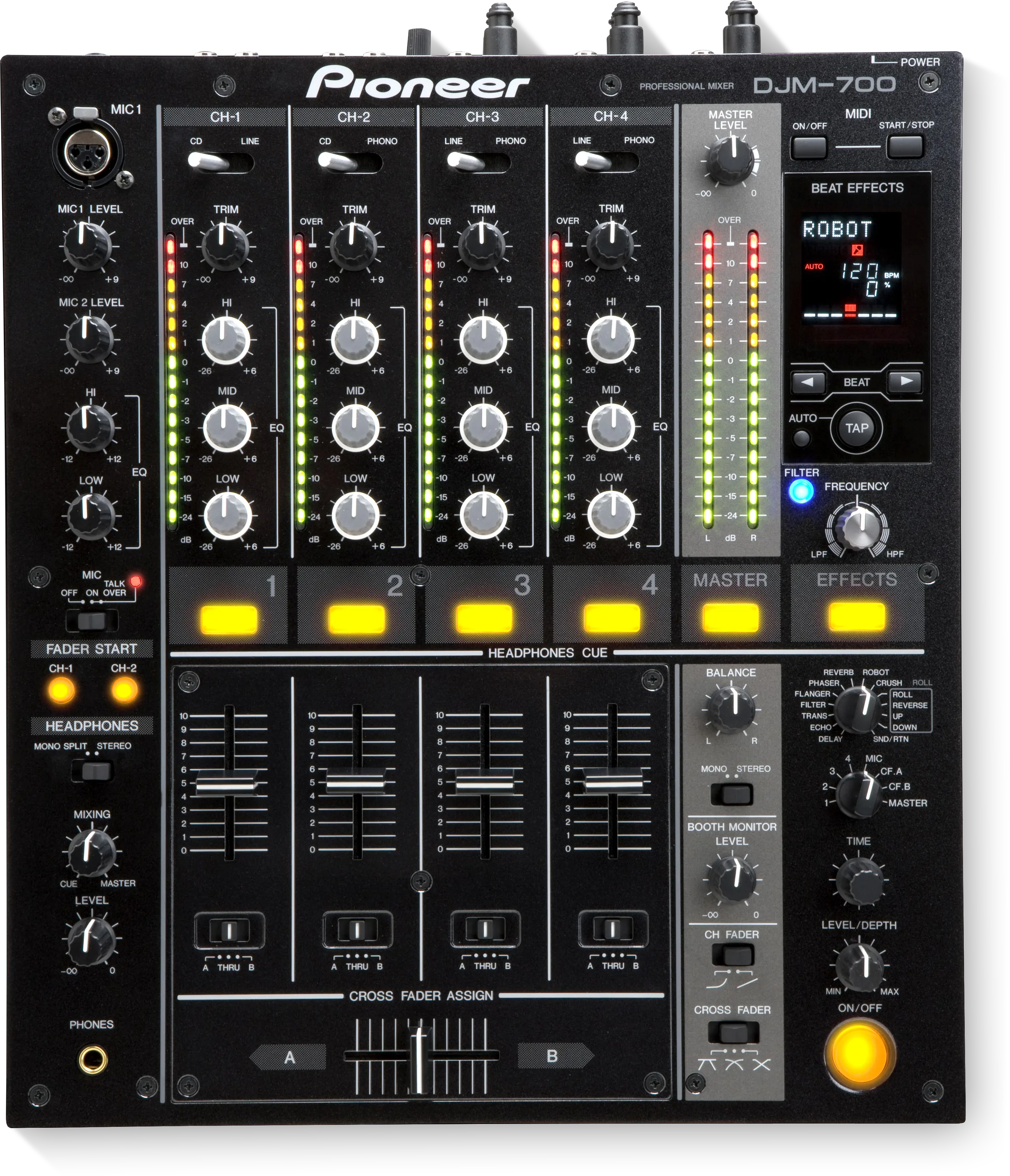
ChannelsFour: PHONO on 2, 3, 4. CD on 1 and 2. LINE on 1, 3, 4.
APhonesOne PHONES socket, front left.
BMicsMIC 1 on top. MIC 2 on the back.
ComputerNo USB. MIDI OUT on the back.
Connectionson the back
Five things that can affect your gig
1MASTER ATT. on the back can cut the master by 6 dB. A quiet master: check it first.
2Fader start on CH-1 and CH-2 only, with the CONTROL cable and the audio cable.
3SND/RTN with nothing in RETURN is silent.
4No USB. A laptop needs its own audio interface.
Also good to know
Effects13 Beat Effects and a Manual Filter.
MIDIA sequencer must be in slave mode with MIDI timing clock.
Power33 W.
Based on the Save My Gig guide for this model and Pioneer DJ's own documents.