
Pioneer DJ

DJM-800

PREPARATION ROUTEPREP

Before the gig: know this mixer, check the rear switches, and check the settings the last DJ left.
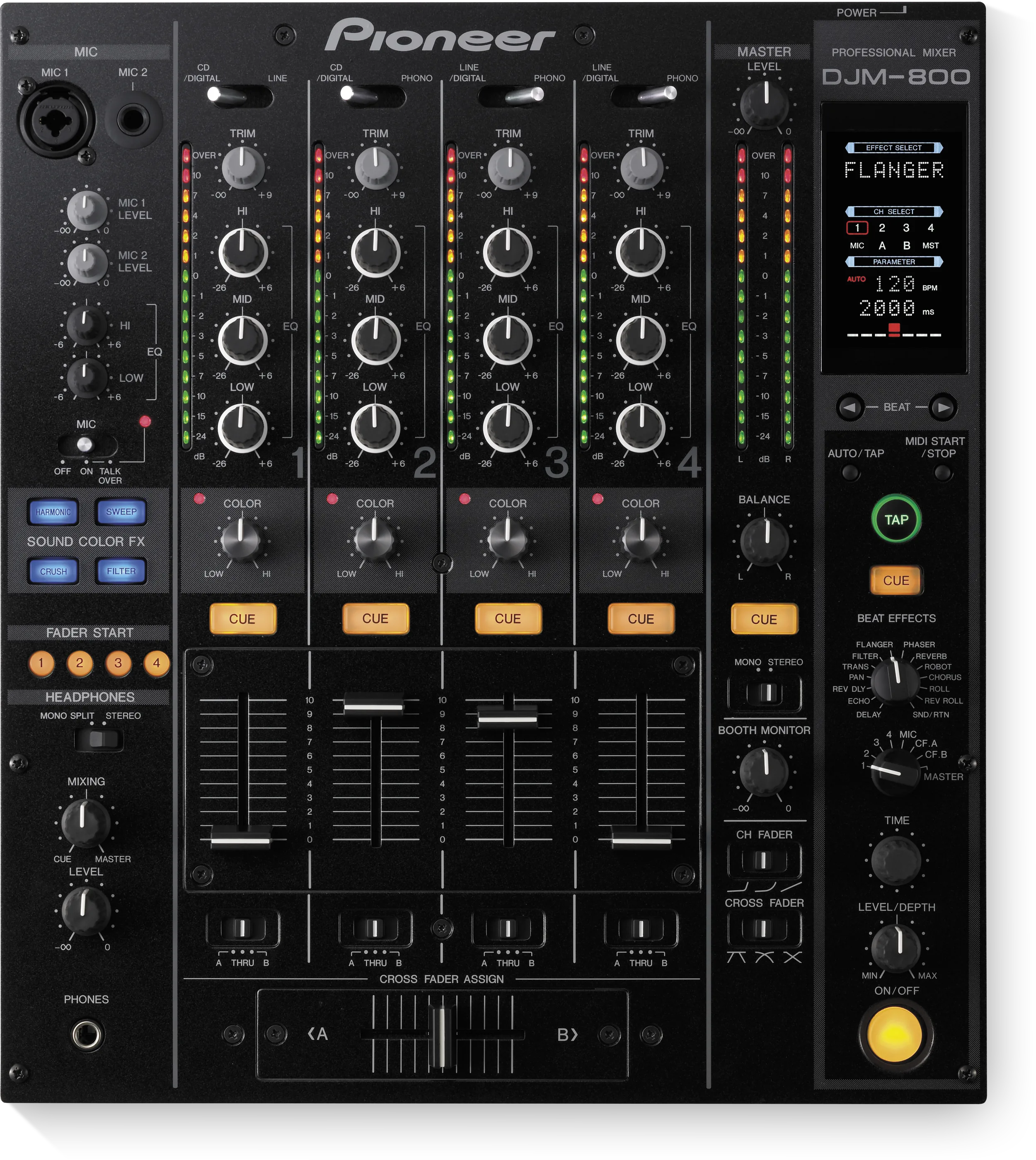
DJM-800 top panelAB
Top. The PHONES socket and the mics.
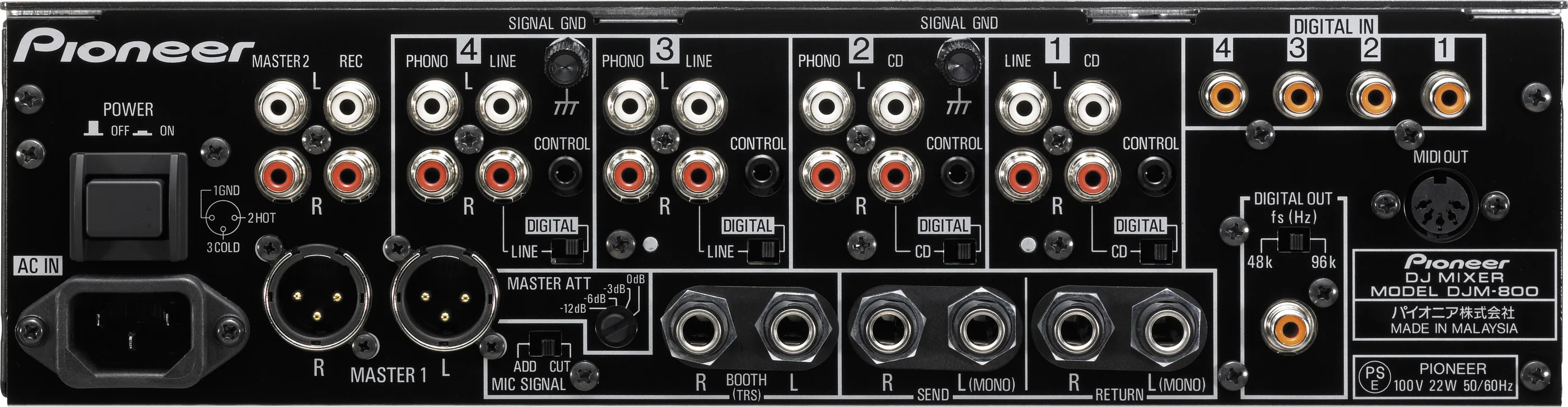
DJM-800 rear panelCDEFGHI
Rear. Inputs, outputs, digital, send and return.
Released
2006
Width
32 cm · 12.6 in
Depth
38.1 cm · 15 in
Height
10.8 cm · 4.3 in
Weight
7.5 kg · 16.5 lb

Know the mixerbefore you play

ChannelsFour, each with HI, MID, LOW and a COLOR knob.
APhonesOne PHONES socket, front left.
BMicsMIC 1 (XLR or jack) and MIC 2 (jack), on top.
ComputerNo USB. MIDI OUT on the back.

Connectionson the back

CChannel inputsPHONO on 2, 3, 4. CD or LINE on all four
DMASTER 1 and 2Balanced XLR, and an RCA pair
EBOOTHTwo 1/4 in jacks (TRS)
FDIGITAL INFour coaxial inputs
GDIGITAL OUTOne coaxial, 48 or 96 kHz
HSEND / RETURN1/4 in jacks for an external effect
IMASTER ATT0, -3, -6 or -12 dB

Five things that can affect your gig

1MASTER ATT on the back can cut the master by 12 dB. A quiet master: check it first.
2Fader start needs two cables: CONTROL and the audio cable together.
3DIGITAL/CD and DIGITAL/LINE rear switches must match what is plugged in.
4BOOTH has its own mic switch. MIC SIGNAL on CUT keeps the mic out of the booth.
5Archived model. No firmware or driver downloads are listed.

Also good to know

BPMTRIM near 0 dB on the meter helps the BPM reading.
COLOR FXOne effect for all four. Turn each COLOR knob.
MIDIA sequencer must be in slave mode with MIDI timing clock.
The DJM-800 field manual: every fact and fix, kept up to date. Free, no account needed.Want more? Open the field manual Print the Prep CardA4 PDF, white or black background

Based on the Save My Gig guide for this model and Pioneer DJ's own documents.