

DJM-900NXS
Before the gig: know this mixer, check its firmware (the mixer's software), and check the settings the last DJ left.
- Released
- 2011
- Width
- 33.1 cm · 13 in
- Depth
- 40.9 cm · 16.1 in
- Height
- 10.8 cm · 4.2 in
- Weight
- 7.1 kg · 15.7 lb
Know the mixerbefore you play
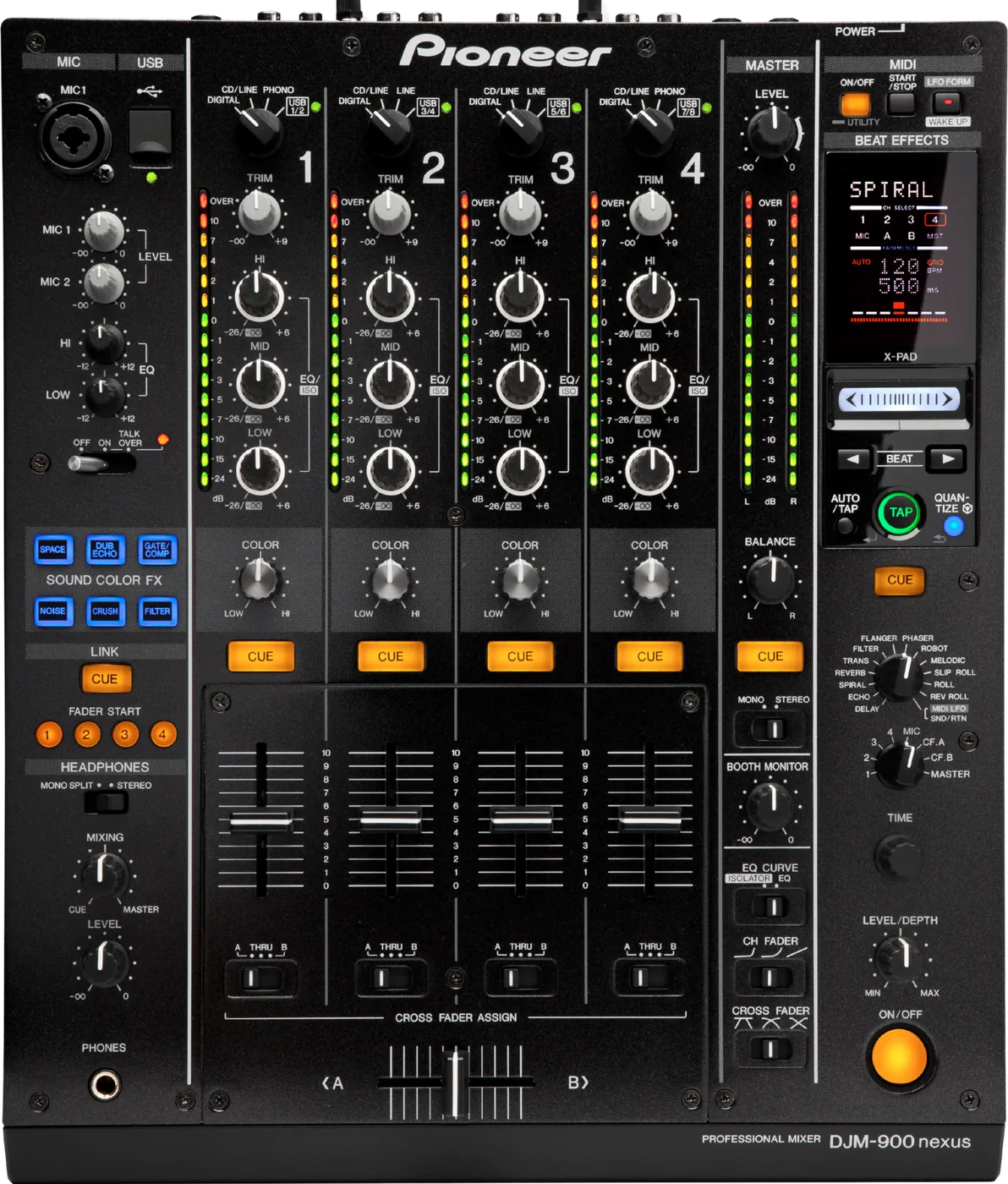
ChannelsFour, each with HI, MID, LOW and a COLOR knob.
AUSBOne USB port for a computer. Needs Pioneer DJ's driver.
BPhonesOne PHONES socket, front left.
Firmware1.32 is the last version. Nothing newer is coming.
Connectionson the back
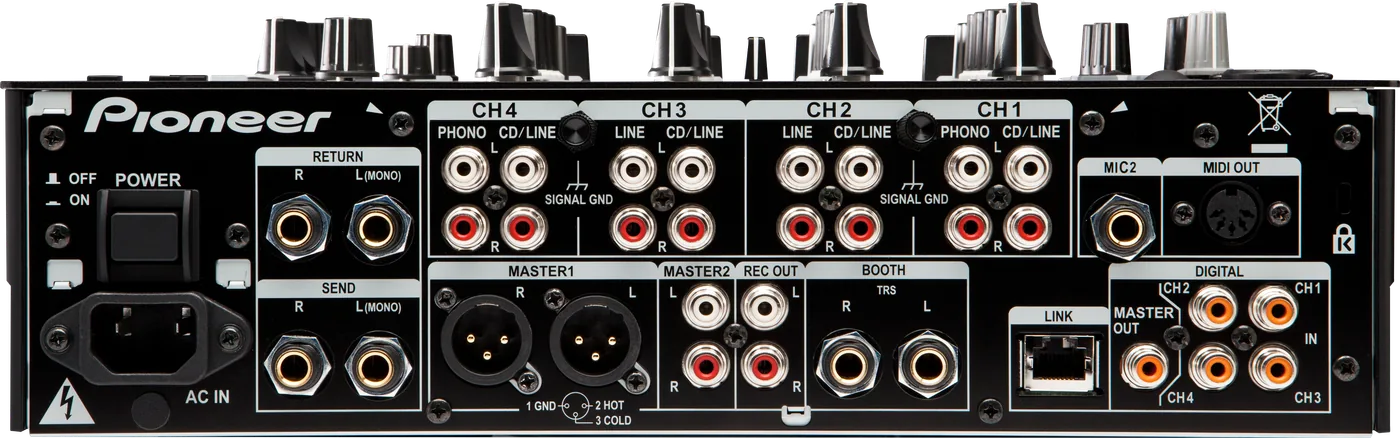
CChannel inputsCD/LINE on all four, PHONO on CH1 and CH4
EBOOTHTwo 1/4 in jacks, balanced
FDIGITALCoaxial master out, four coaxial in
GMIC 21/4 in. MIC 1 is on top
HSEND / RETURN1/4 in jacks for an external effect
ILINKOne network socket (PRO DJ LINK)
Five things that can affect your gig
1No newer firmware is waiting. Plan around the version this mixer is on.
2Firmware below 1.28: it can switch itself off mid-set, and takes the master with it.
3Standby after 4 untouched hours. LFO FORM (WAKE UP) cancels it.
4Cueing some Beat FX plays no effect. Judge MELODIC and the ROLLs in the mix.
5QUANTIZE silently skips REVERB, ROBOT, MELODIC and SND/RTN. The GRID light does not warn you.
Also good to know
LimiterFirmware 1.30 added a peak limiter, on by default.
COLOR FXOne effect for all four. Turn each COLOR knob.
StandbyAUTOSTB in USER SETUP switches standby off.
Based on the Save My Gig guide for this model and Pioneer DJ's own documents.