

DJM-900NXS2
Before the gig: know this mixer, check its firmware (the mixer's software), and check the settings the last DJ left.
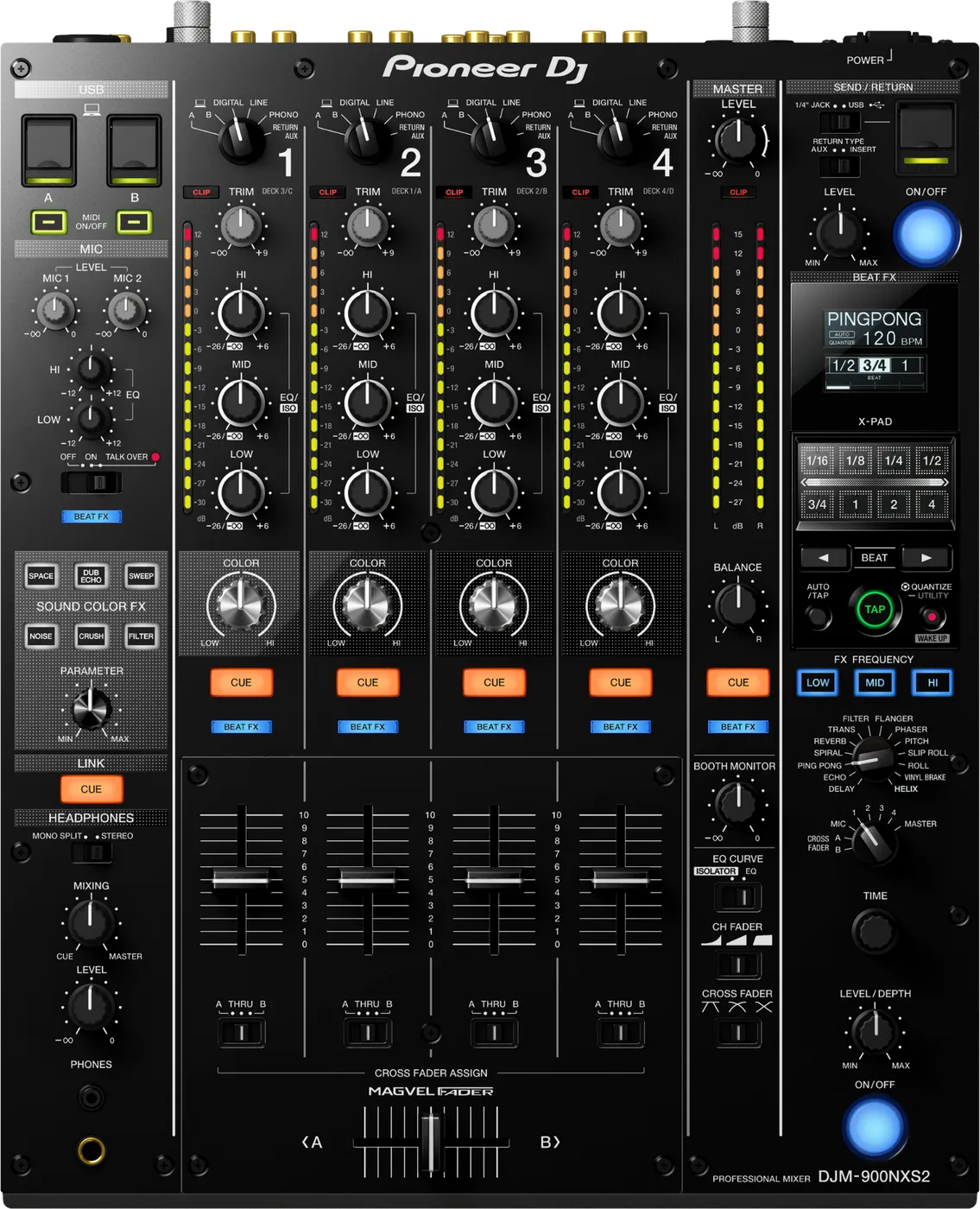
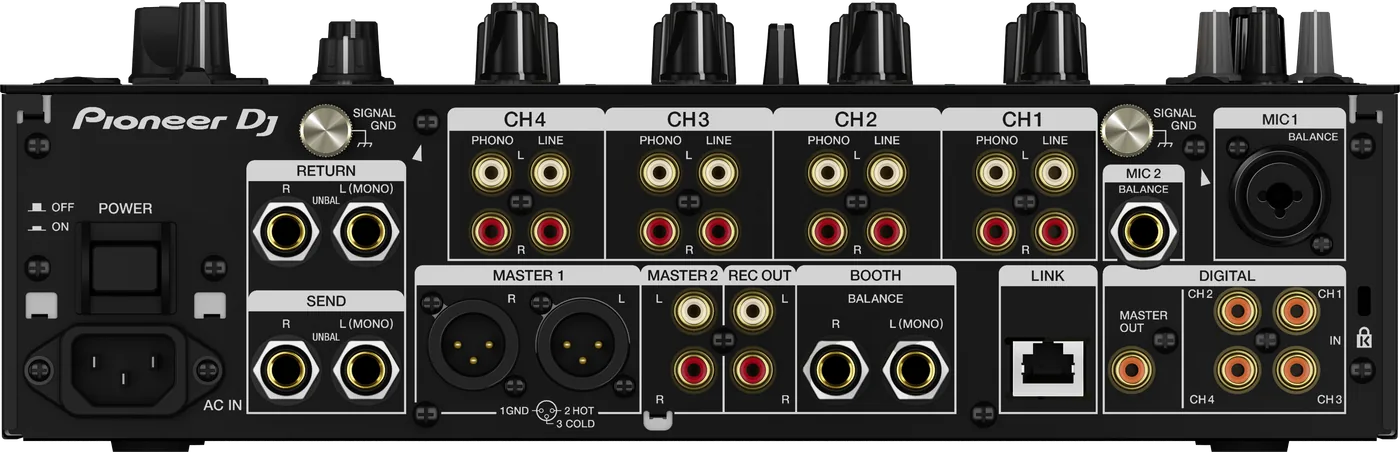
- Released
- 2016
- Width
- 33.3 cm · 13.1 in
- Depth
- 41.4 cm · 16.3 in
- Height
- 10.8 cm · 4.3 in
- Weight
- 8 kg · 17.6 lb
Know the mixerbefore you play
Connectionson the back
CChannel inputsPHONO and LINE on all four
EBOOTHTwo 1/4 in jacks, balanced
FDIGITALCoaxial master out, four coaxial in
GMIC 1 and 2XLR or 1/4 in, and 1/4 in
HSEND / RETURN1/4 in jacks for an external effect
ILINKOne network socket (PRO DJ LINK)
Five things that can affect your gig
1Firmware below 1.09: audio could drop out with DIGITAL selected.
2Firmware below 2.01: the EQ/ISO knob could pop on ISOLATOR.
3Standby after 10 hours with no audio, controls or LINK. Wake it with QUANTIZE.
4MASTER OUT attenuation in UTILITY (to -12 dB) makes the master quiet, unseen on the panel.
5One LINK socket. More players need a switching hub. Never pull the LAN cable while you play.
Also good to know
EQ CURVEOn ISOLATOR, a knob turned down cuts its band.
COLOR FXOne effect for all four. Turn each COLOR knob.
BEAT FXThe X-PAD plays the effect only while you touch it.
UpdatesDo not update the firmware just before a gig.
Based on the Save My Gig guide for this model and Pioneer DJ's own documents.