

DJM-V10
Before the gig: know this mixer, check its firmware (the mixer's software), and check the settings the last DJ left.
- Released
- 2020
- Width
- 43.8 cm · 17.2 in
- Depth
- 46.7 cm · 18.4 in
- Height
- 10.8 cm · 4.2 in
- Weight
- 11.9 kg · 26.2 lb
Know the mixerbefore you play
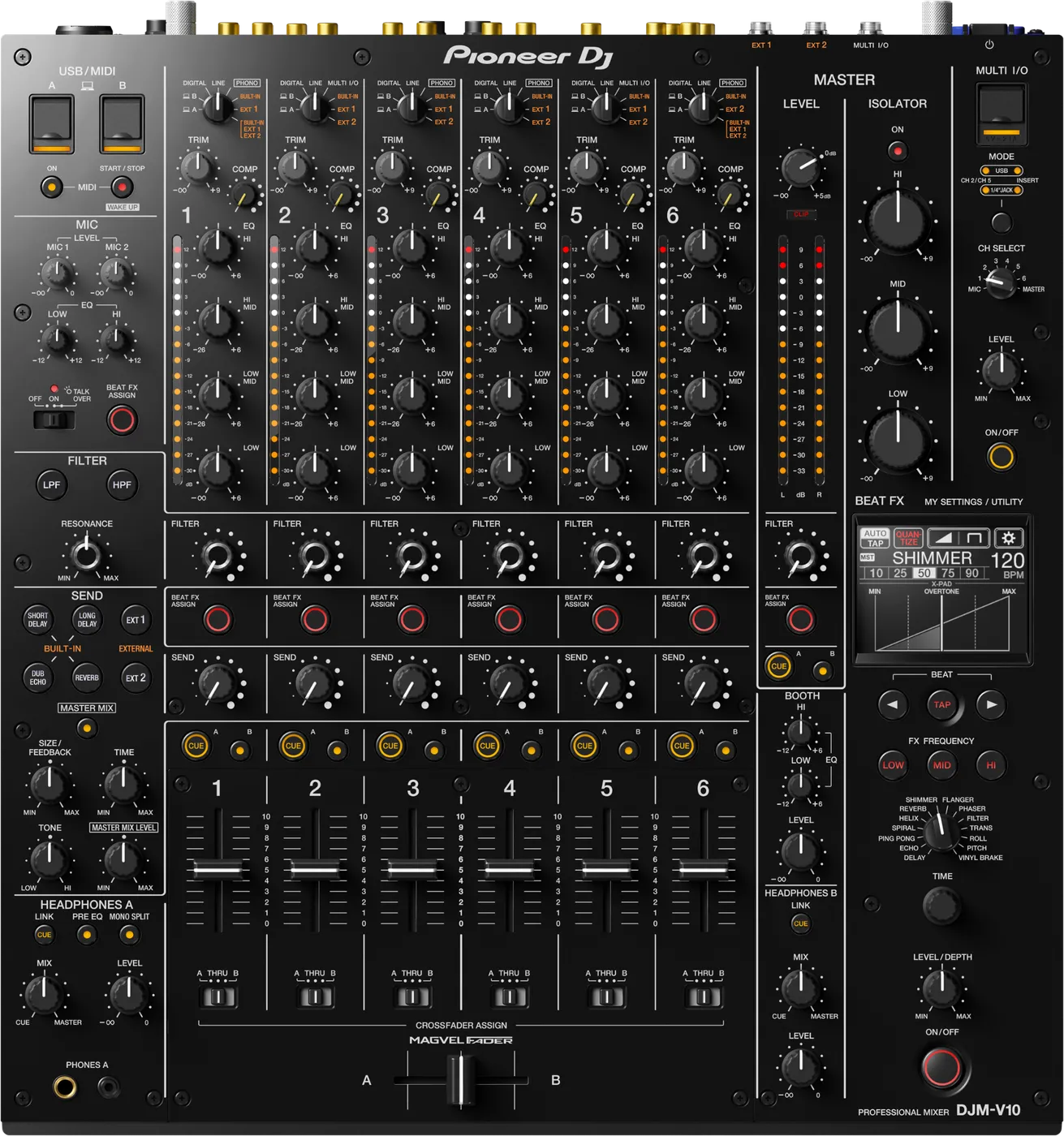
ChannelsSix, each with four EQ bands and a COMP knob.
AUSBUSB A and B for two computers. Needs the DJM-V10 audio driver. No USB hub.
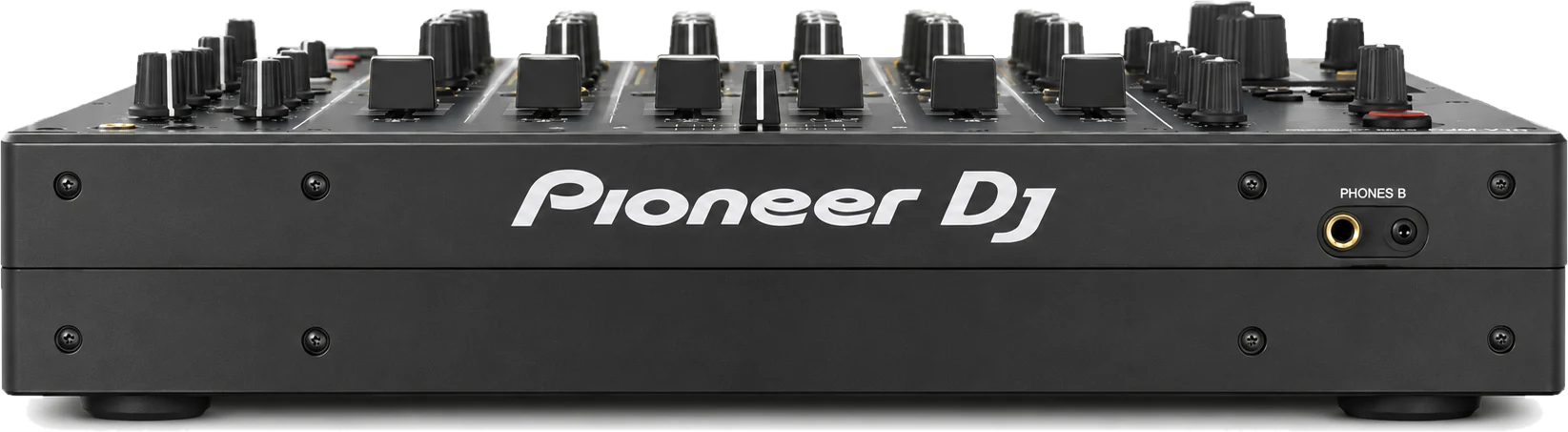
BPhonesPHONES A on top, PHONES B in front. Two DJs can cue.
FirmwareSee the version in Setting Utility on the laptop, About tab.
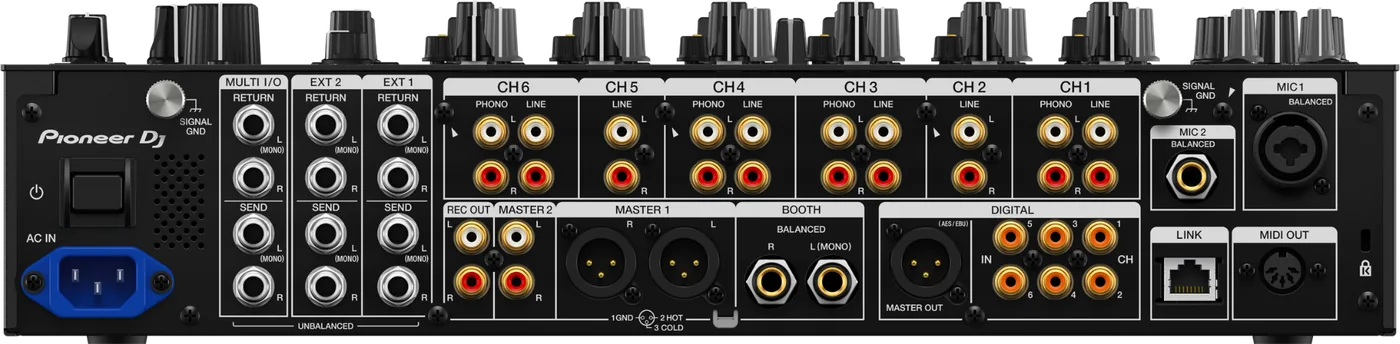
Connectionson the back
CChannel inputsLINE on all six, PHONO on 1, 3, 4, 6
EBOOTHTwo 1/4 in TRS, balanced
FDIGITALAES/EBU XLR out, six coaxial in
GMIC 1 and 2XLR or 1/4 in, and 1/4 in
HSEND / RETURNEXT1, EXT2, MULTI I/O
ILINKOne network socket (PRO DJ LINK)
Five things that can affect your gig
1Firmware below 1.12: audio could cut out with CDJ-3000s on PRO DJ LINK. Never pull the LAN cable while you play.
2Firmware below 1.16: it cannot see UASP USB drives. Update it from a non-UASP stick.
3Firmware below 1.04: audio sometimes did not reach a channel. Use another channel.
4Switches itself off after 20 minutes with no audio and no LINK. Wake it with MIDI START/STOP.
5UTILITY settings (ATT., BALANCE, MONO) can make the master quiet. A venue can LOCK them.
Also good to know
EQFour bands, not three. HI and LOW turn down to silence.
BalancedMASTER 1 and BOOTH: an adapter to RCA gives noise.
MY SETTINGSSave your settings to a USB stick, load them in the booth.
UpdatesDo not update the firmware just before a gig.
Based on the Save My Gig guide for this model and Pioneer DJ's own documents.