

SL-1200MK7
Before the gig: know this turntable, check the earth lead and the headshell, and set the pitch range.
- Released
- 2019
- Width
- 45.3 cm · 17.8 in
- Depth
- 35.3 cm · 13.9 in
- Height
- 16.9 cm · 6.7 in
- Weight
- 9.6 kg · 21.2 lb
Know the deckbefore you play
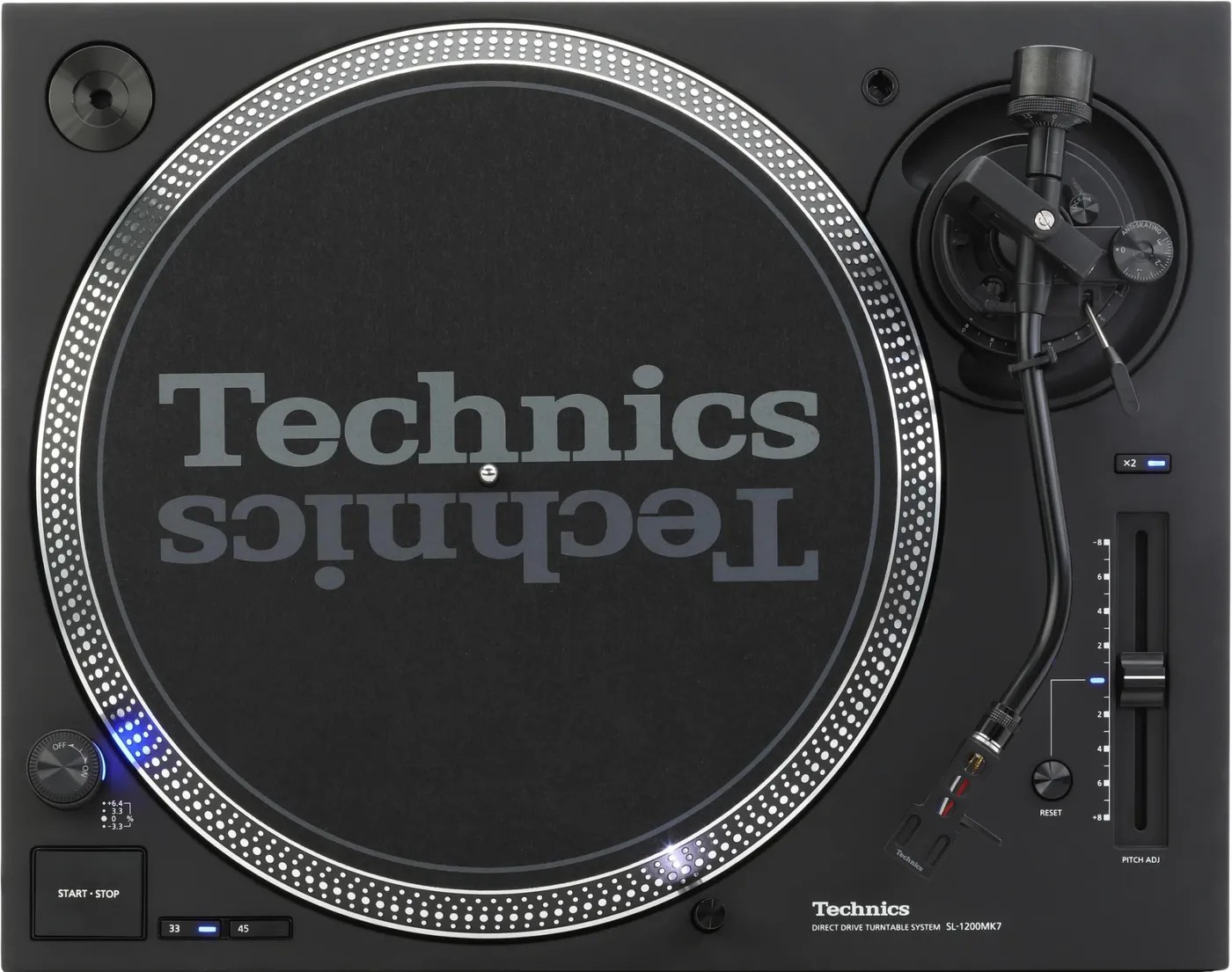
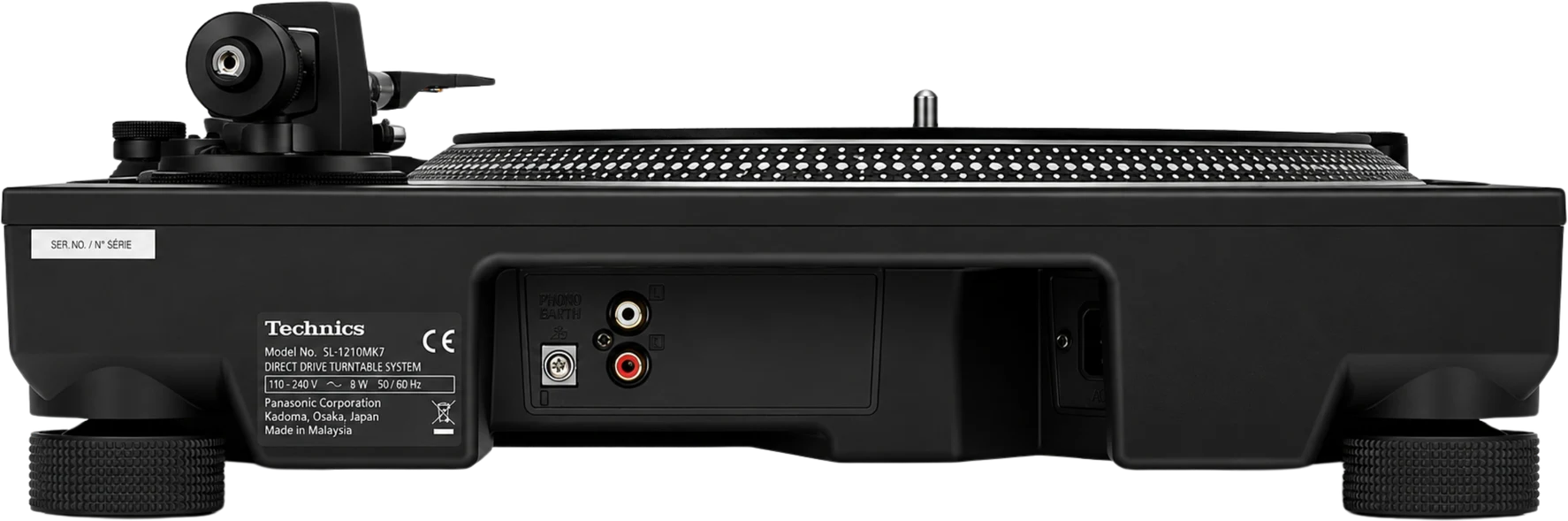
OutputPhono only: one pair of RCA sockets and an earth terminal. No line out, no USB.
Speeds33 and 45. 78 rpm is a setting.
APitch±8%, or ±16% with x2 lit.
BResetRESET lit: pitch fixed at zero.
SwitchesTorque, brake and reverse are switch settings, not top panel controls.
Connectionson the back
CPhono outPHONO OUT, left and right
DEarthThe earth lead screws on here
EPowerAC IN, 110 to 240 V
Five things that can affect your gig
1The hum is the earth lead. It is a separate part: check it is there and screwed to the mixer.
2Set the mixer channel to PHONO. This deck has no line output.
3A dead channel is mechanical. Headshell wires first, then the cartridge, then the phono lead.
4Check the pitch range before you blame the fader. ±16% doubles every move.
5A needle that jumps on the bass is the room. Level the deck and move it away from the speakers.
Also good to know
HeadshellCarry a spare headshell, wired and balanced.
VolumeTurn the volume down before you change a headshell.
StrobeThe strobe dots on the platter edge show the pitch.
SwitchesUnplug the deck before changing torque, brake or reverse.
Based on the Save My Gig guide for this model and Technics's own documents.