

Xone:92
Before the gig: know this mixer, and check the switches the last DJ left. It is analogue: no firmware, no USB audio.
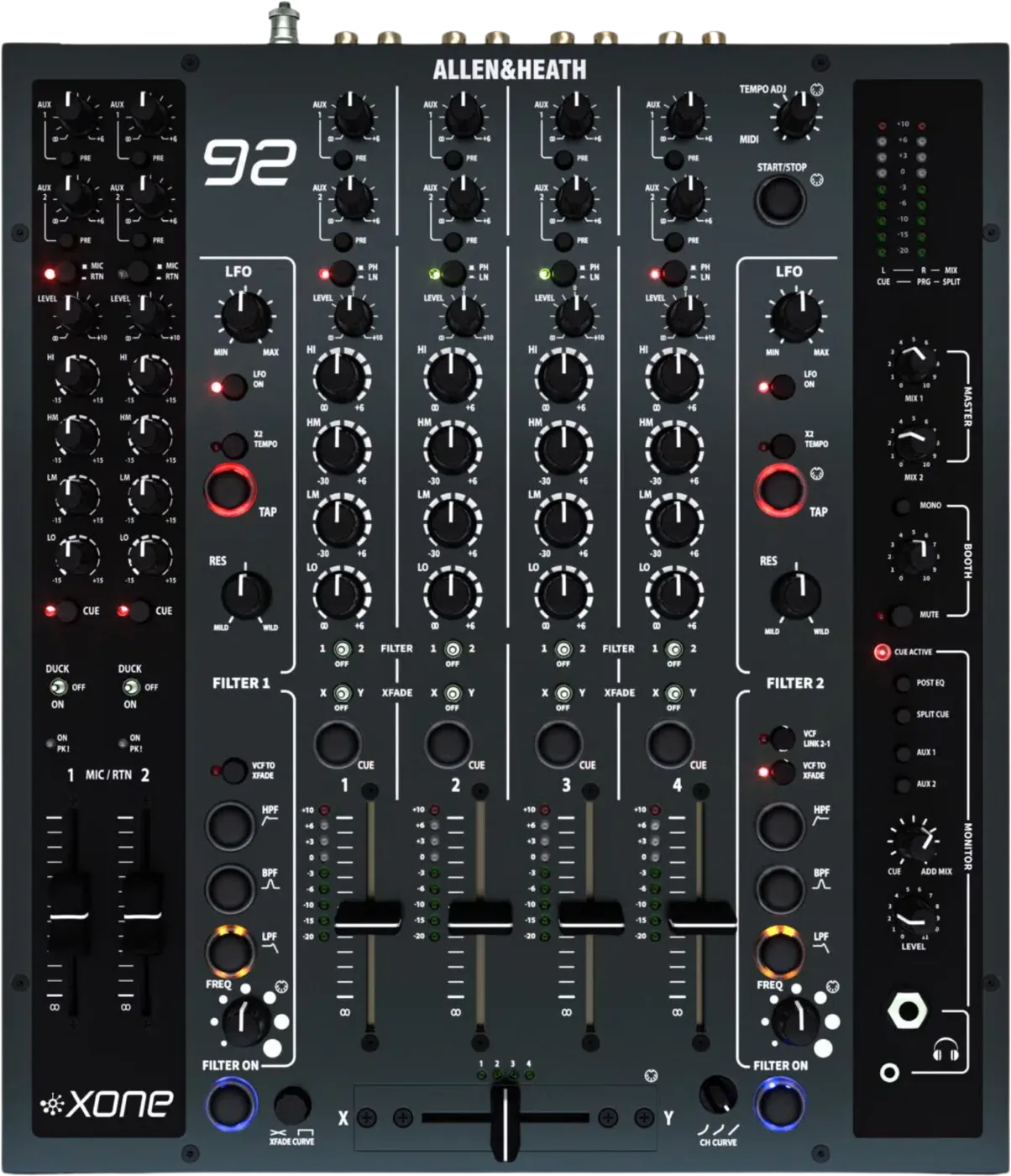
- Released
- 2004 · Mk2 shown
- Width
- 32 cm · 12.6 in
- Depth
- 37.6 cm · 14.8 in
- Height
- 10.6 cm · 4.2 in
- Weight
- 7 kg · 15.4 lb
Know the mixerbefore you play
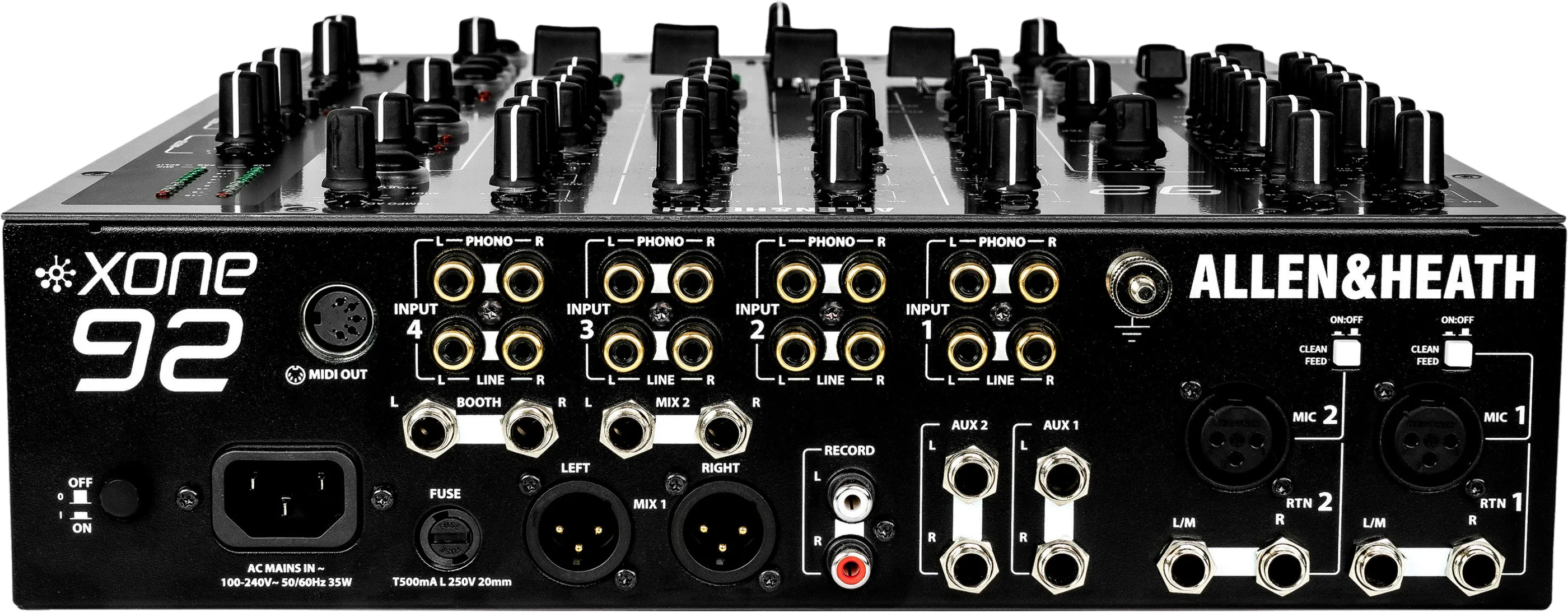
Connectionson the back
BInputs 1 to 4PHONO and LINE on each, RCA
CMIX 1 and 2Balanced XLR, and 1/4 in jacks above
DBOOTHTwo 1/4 in jacks
ERECORDRCA pair, not affected by MIX 1
FAUX 1 and 21/4 in sends for an effect
GMIC 1 and 2XLR, each with a CLEAN FEED switch
HRTN 1 and 21/4 in line returns
IMIDI OUT5-pin DIN: MIDI clock and controls
Five things that can affect your gig
1Mics skip the booth and the recording by default. Turn on each CLEAN FEED switch on the back.
2MIX 1 at maximum is unity, 0 dB. MIX 2 at maximum adds +10 dB.
3Centre is off. The XFADE switch centre takes the channel off the crossfader. The FILTER centre is dry.
4The filter type is not saved. After power up it is LPF.
5Hum: never remove the mains earth. Check the laptop and its cables first.
Also good to know
DUCKMic switch up: the music drops 15 dB while you hold it. Down is ON.
SPLIT CUECue in the left ear, the mix in the right.
CurvesXFADE CURVE knob and CH CURVE switch. Centre is the default.
LFOEach filter has an LFO with TAP tempo.
Based on the Save My Gig guide for this model and Allen & Heath's own documents.