

Xone:96
Before the gig: know this mixer, check the master insert, and check the switches the last DJ left.
- Released
- 2018
- Width
- 33.6 cm · 13.2 in
- Depth
- 41 cm · 16.1 in
- Height
- 10.9 cm · 4.3 in
- Weight
- 7 kg · 15.4 lb
Know the mixerbefore you play
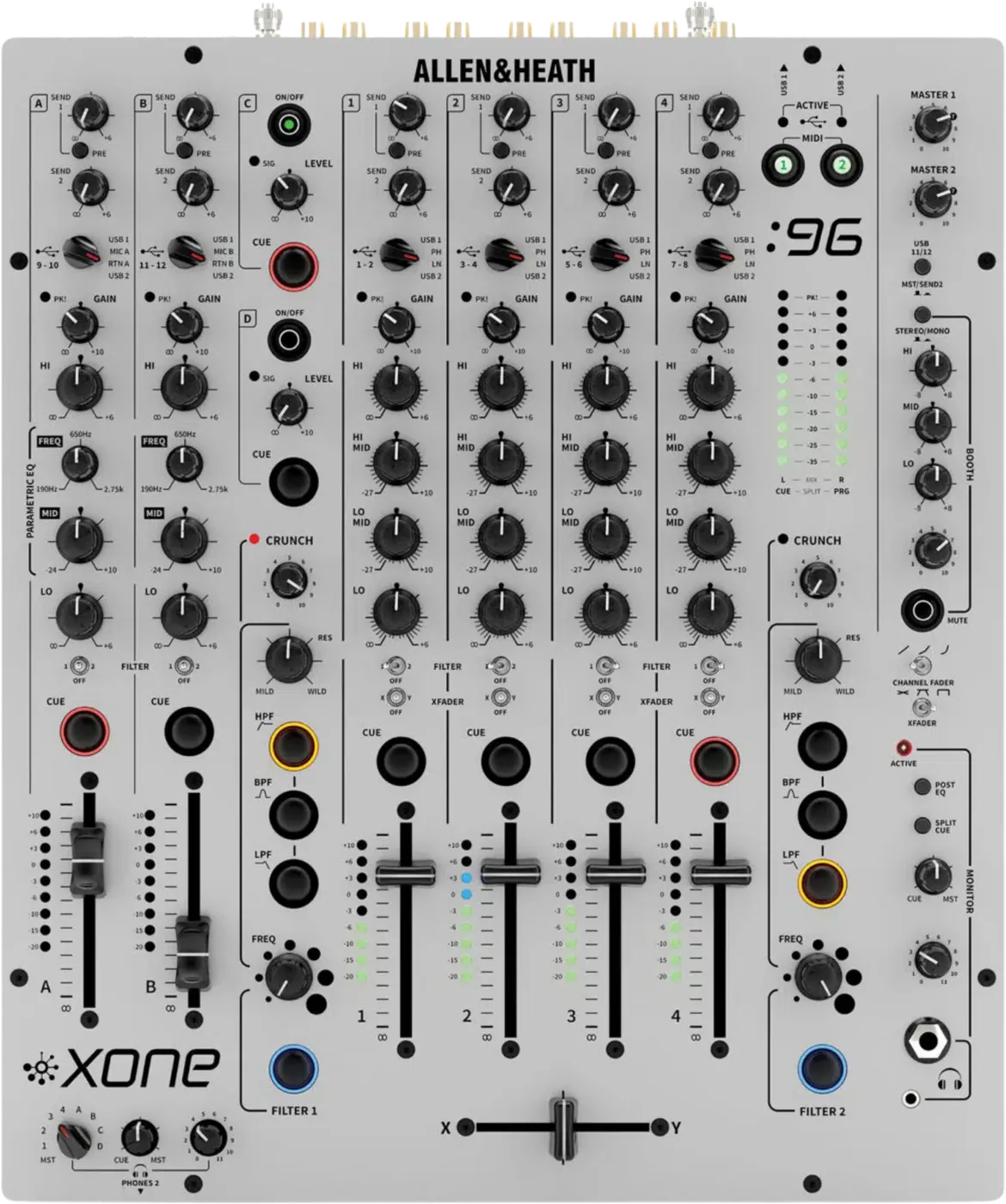
ChannelsFour stereo, A and B (mic or return), returns C and D.
USBTwo soundcards. Mac: no driver. Windows: the Xone:96 driver.
APhonesTwo systems: MONITOR, and PHONES 2 (B).
FiltersTwo, with HPF, BPF, LPF and CRUNCH. No LFO.
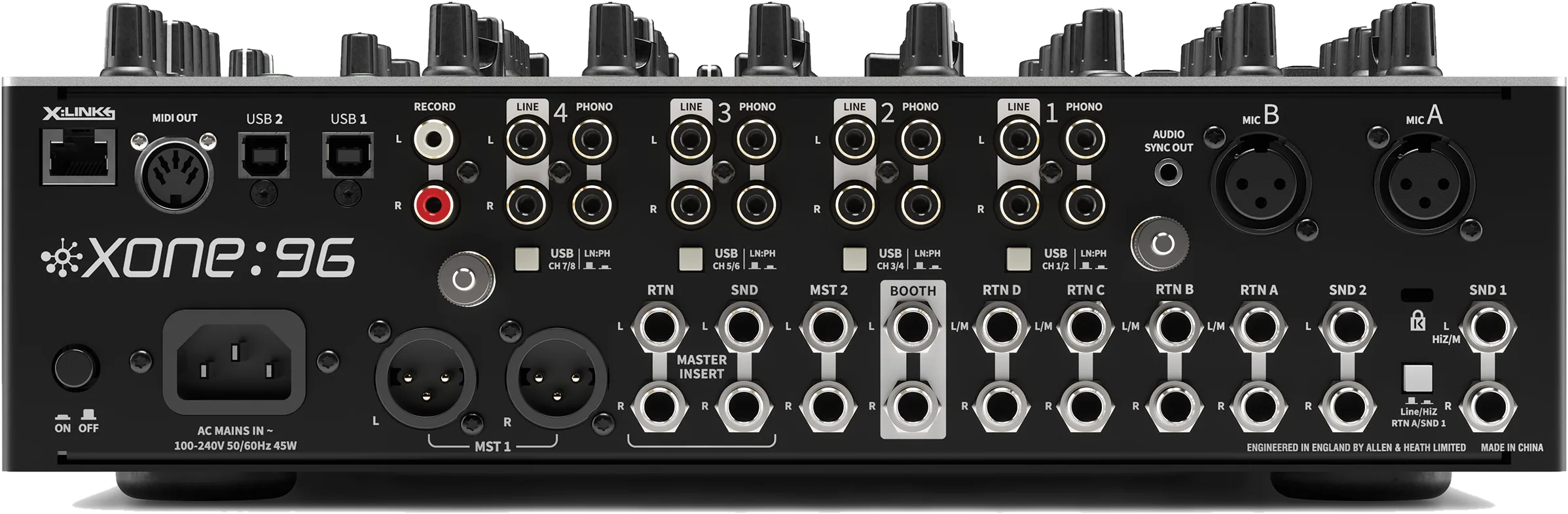
Connectionson the back
CUSB 1 and 2Two USB-B soundcards
DInputs 1 to 4LINE and PHONO on each, RCA
EMST 1Balanced XLR, to the PA
FMASTER INSERTSND and RTN jacks on MST 1
GMST 21/4 in jacks, a second zone
HBOOTH1/4 in jacks, balanced
IMIC A and BXLR, dynamic mics only
JRTN A to D1/4 in line returns
KRECORDRCA pair, before the master
Five things that can affect your gig
1The master insert is in the path. A device that is off, or a jack left in RTN, silences MST 1.
2The meters read before MASTER 1. Healthy meters and a silent room: check the master.
3Mics never reach the booth by default. Only internal jumpers change it.
4No phantom power. Bring a dynamic mic, not a condenser.
5X:LINK is for Xone:K controllers only. Other network gear on it can damage hardware.
Also good to know
CUEAuto-cancel. Latching: hold all six filter type buttons.
CentreThe XFADER and FILTER switch centre is off.
CurvesCHANNEL FADER and XFADER curve switches, top right.
RTN AA rear switch sets Line or Hi-Z for SND/RTN A.
Based on the Save My Gig guide for this model and Allen & Heath's own documents.