

CDJ-850
Before the gig: know this deck, check its firmware (the deck's software), and prepare your USB stick.
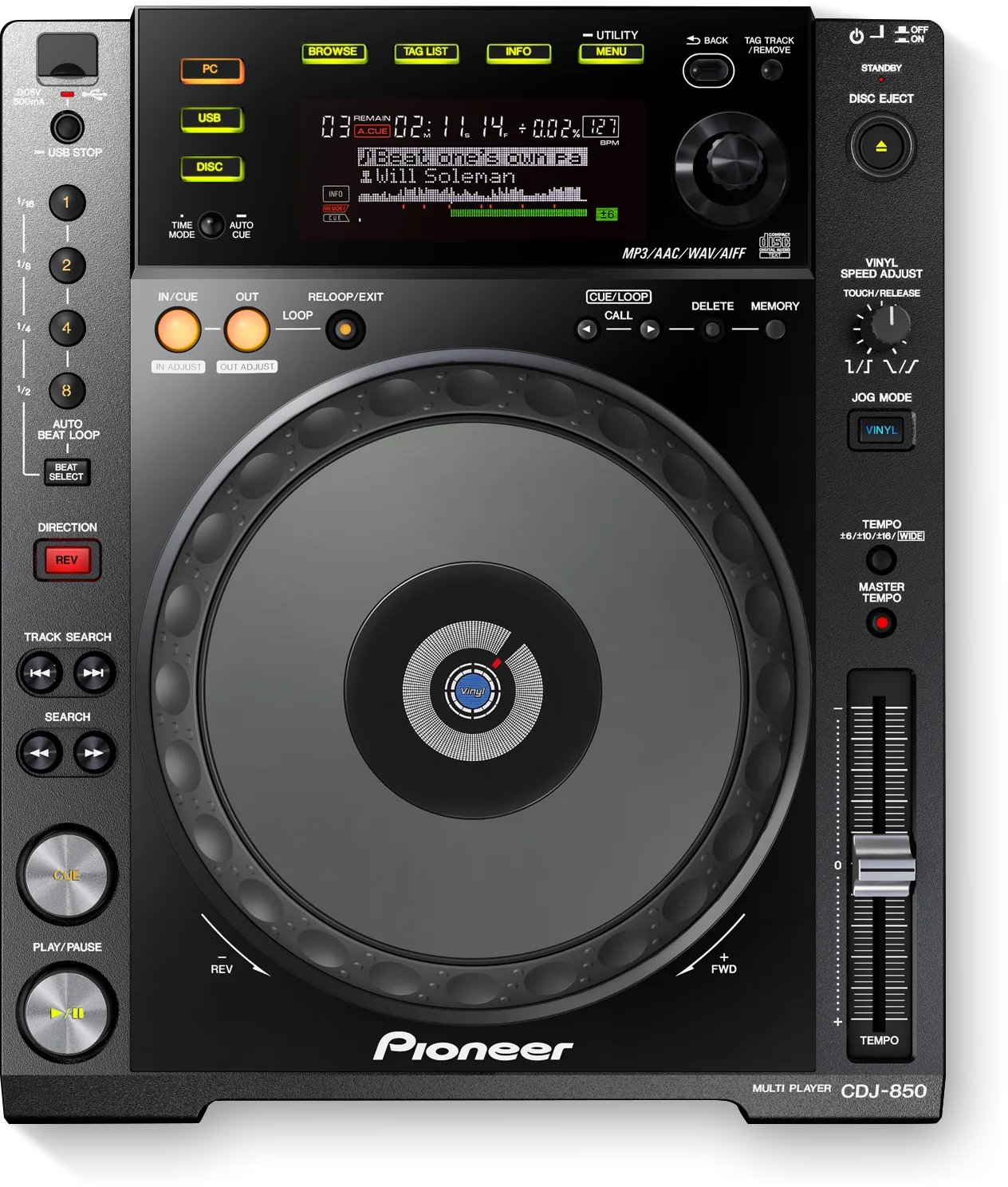
- Released
- 2010
- Width
- 30.5 cm · 12 in
- Depth
- 36.4 cm · 14.3 in
- Height
- 10.6 cm · 4.2 in
- Weight
- 3.3 kg · 7.3 lb
Know the deckbefore you pack
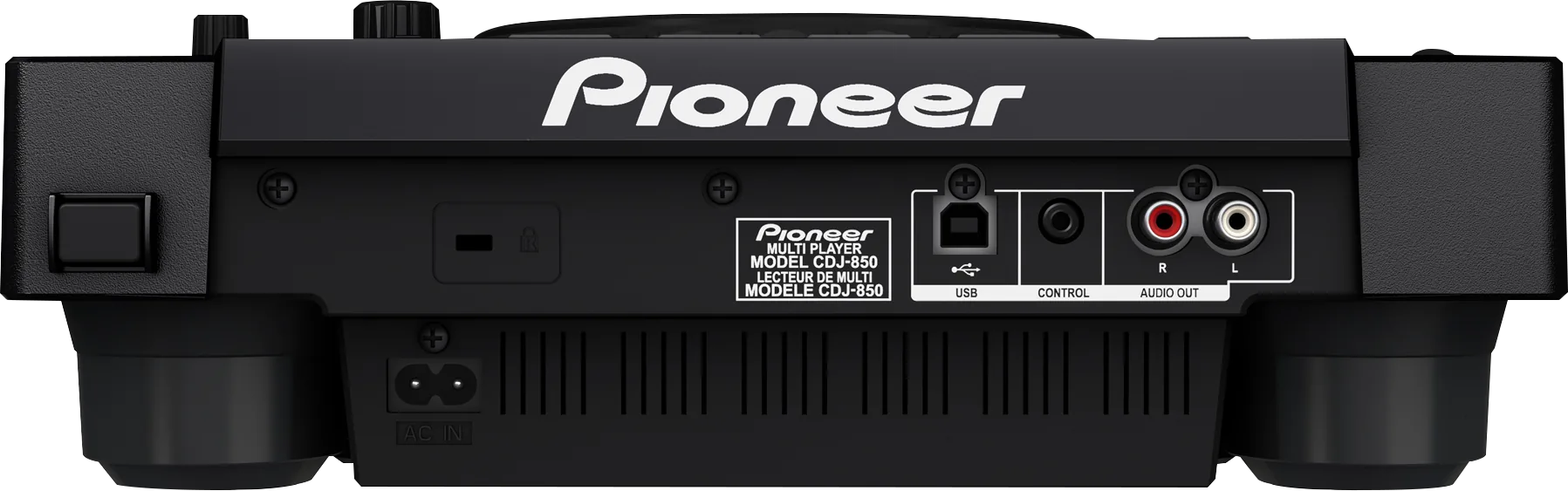
Connectionson the back
CAnalog audio outAUDIO OUT, left and right
DCONTROLMini jack, for fader start from a mixer
EUSB to computerFor DJ software: control and sound card
Five things that can affect your gig
1No hubs, 500 mA at most. A big bus-powered drive can fail. Use a self-powered one.
2No rekordbox library on the drive means plain folder browsing. Not a fault.
3Press USB STOP before you pull the stick. Pulled too soon, saved points may not show.
4Copyright-protected files will not play. There is no workaround on the deck.
5Firmware 1.13 fixed long tracks stopping with TRAKTOR, and some USB 3.0 sticks.
Also good to know
Firmware1.13, February 2018, is the highest version confirmed.
StandbyAUTO STANDBY is on from the factory.
Cue pointsUp to 10 per track on a stick, 100 per disc.
Based on the Save My Gig guide for this model and Pioneer DJ's own documents.