

DJM-V10-LF
Before the gig: know this mixer, check the UTILITY settings, and check the settings the last DJ left.
- Released
- 2020
- Width
- 43.8 cm · 17.2 in
- Depth
- 46.7 cm · 18.4 in
- Height
- 10.8 cm · 4.2 in
- Weight
- 12.1 kg · 26.7 lb
Know the mixerbefore you play
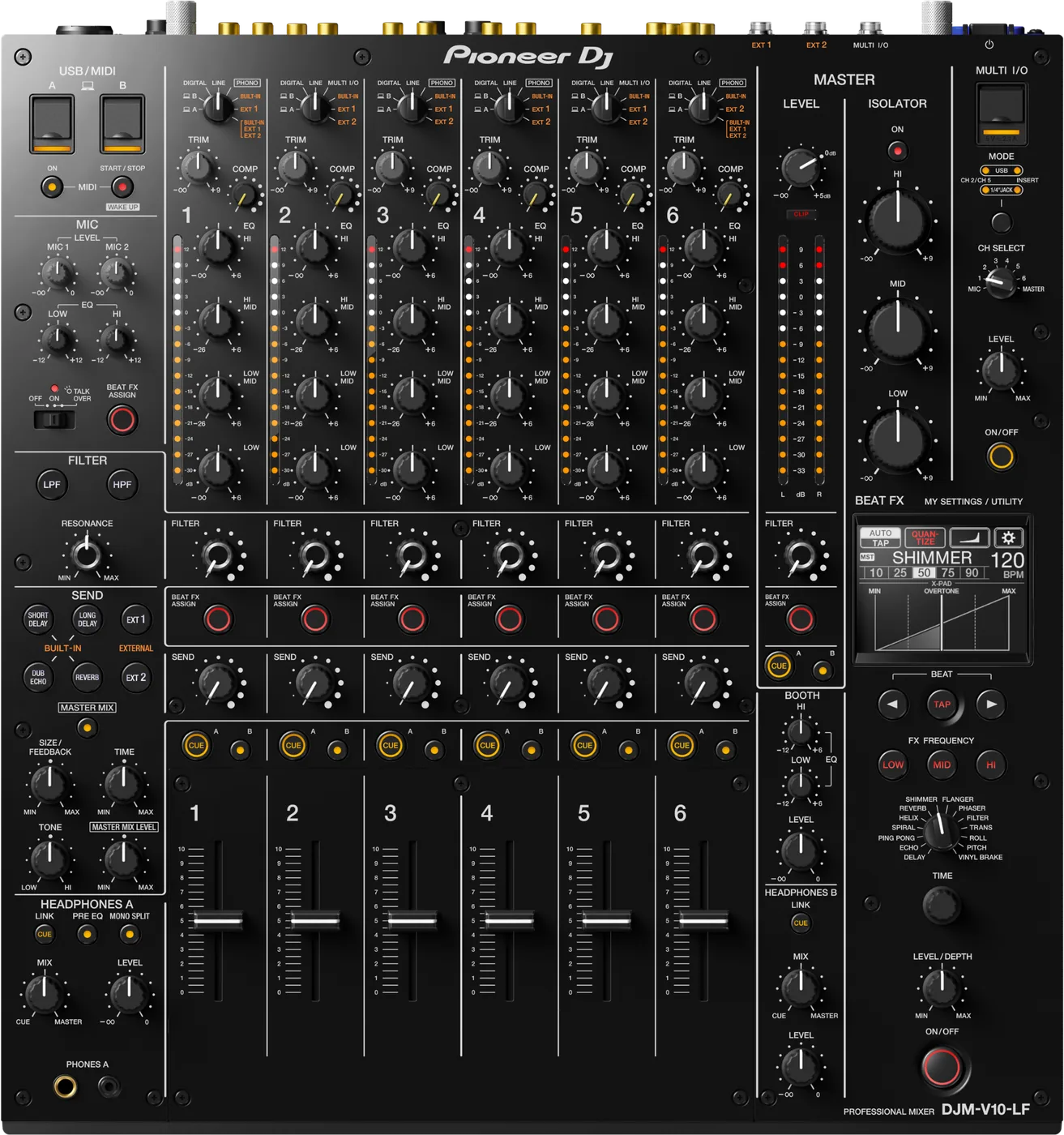
ChannelsSix, each with four EQ bands and a COMP knob.
Faders60 mm channel faders. No crossfader.
AUSBUSB A and B for two computers. Needs Pioneer DJ's audio driver. No USB hub.
BPhonesPHONES A and PHONES B. Two DJs can cue.
Connectionson the back
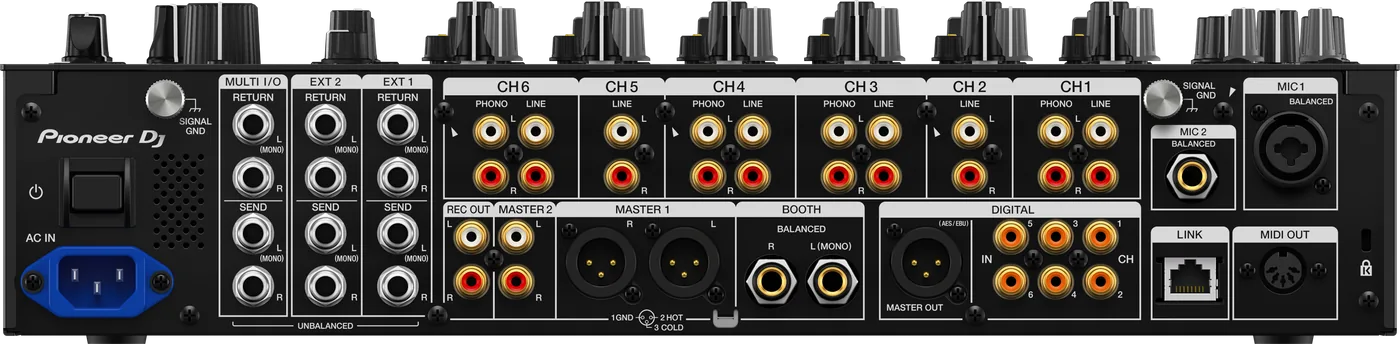
CChannel inputsLINE on all six, PHONO on 1, 3, 4, 6
EBOOTHTwo 1/4 in TRS, balanced
FDIGITALAES/EBU XLR out, six coaxial in
GMIC 1 and 2XLR or 1/4 in, and 1/4 in
HSEND / RETURNEXT1, EXT2, MULTI I/O
ILINKOne network socket (PRO DJ LINK)
Five things that can affect your gig
1No crossfader. If your set depends on one, this is not your mixer.
2Channel faders run 60 mm, not the DJM-V10's 45 mm. Expect slower cuts.
3Everything else is the DJM-V10. Same EQ, effects, LINK and UTILITY.
4Switches itself off after 20 minutes with no audio and no LINK. Wake it with MIDI START/STOP.
5UTILITY settings (ATT., BALANCE, MONO) can make the master quiet. A venue can LOCK them.
Also good to know
EQFour bands, not three. HI and LOW turn down to silence.
BalancedMASTER 1 and BOOTH: an adapter to RCA gives noise.
MY SETTINGSSave your settings to a USB stick, load them in the booth.
Based on the Save My Gig guide for this model and Pioneer DJ's own documents.