

MP2015
Before the gig: know this mixer, check its firmware (the mixer's software), and check the settings the last DJ left.
- Released
- 2015
- Width
- 33.3 cm · 13.1 in
- Depth
- 35.5 cm · 14.0 in
- Height
- 8.3 cm · 3.3 in
- Weight
- 5.8 kg · 12.7 lb
Know the mixerbefore you play
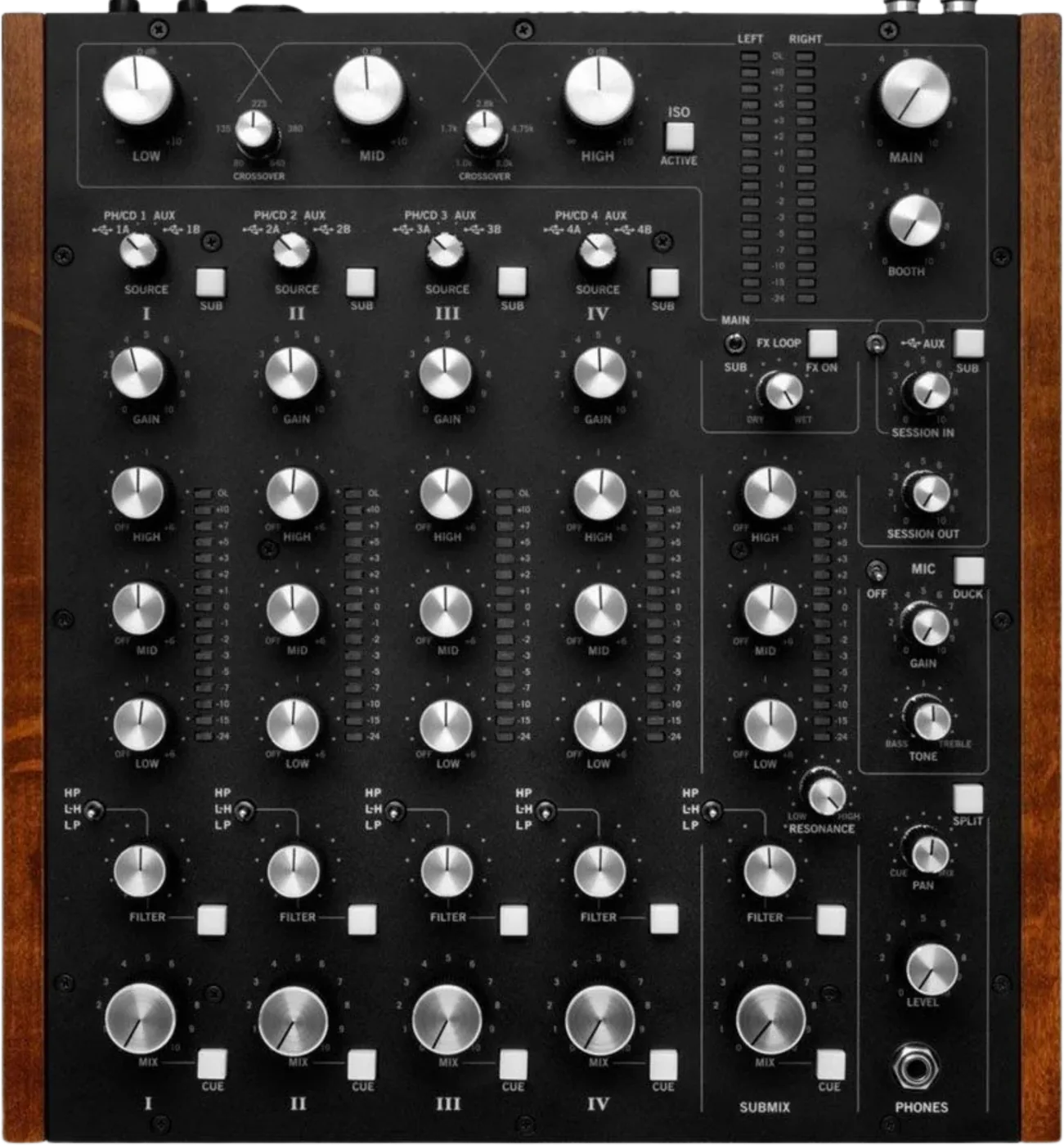
ChannelsFour rotary, plus Submix and Session In.
AIsolatorThree bands on the main, crossovers on top.
FilterHP, L-H or LP per channel, shared RESONANCE.
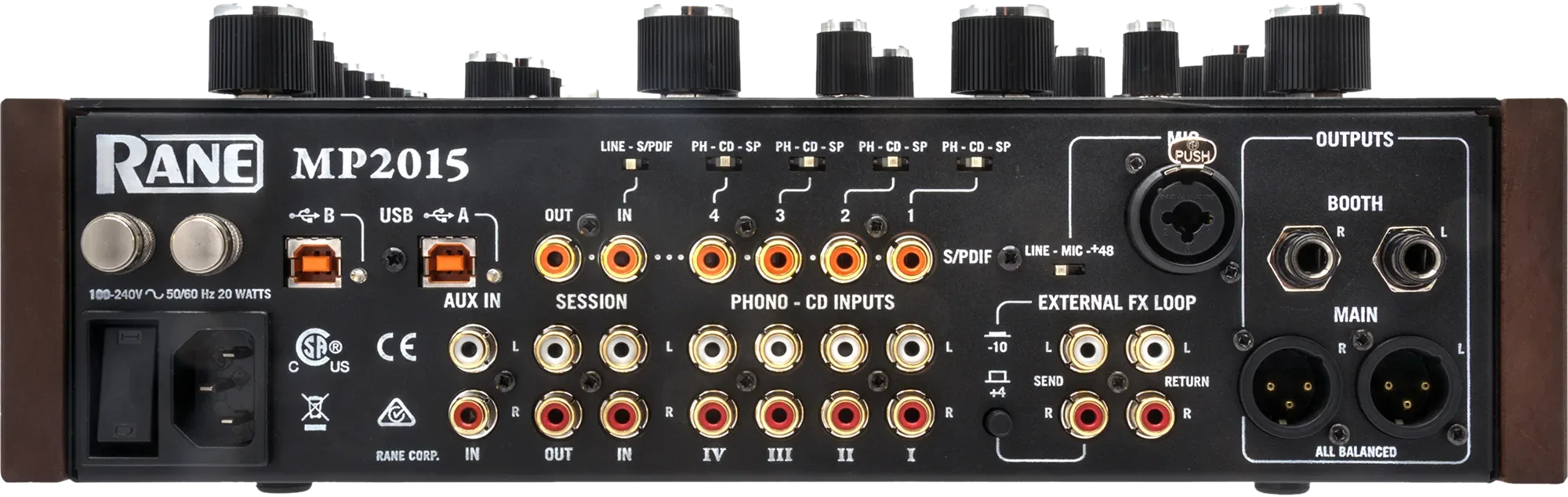
USBTwo ports, two computers. No Mac driver.
Connectionson the back
Five things that can affect your gig
1Set each rear PH-CD-SP switch. Unused inputs on CD.
2SUB lit sends a channel to the Submix, not the main.
3Isolator is main only. You do not hear it in the headphones.
4Unbalanced booth or session runs: under 3 m.
5Power last. Connect everything, then plug it in.
Also good to know
Phones1/4 in on top, 1/4 in and 3.5 mm at the front.
MicDUCK drops the other inputs by 10 dB.
SettingsSaved in the mixer, not on the laptop.
UpdatesDo not update the firmware just before a gig.
Based on the Save My Gig guide for this model and RANE's own documents.