

DJM-250MK2
Before the gig: know this mixer, check its firmware (the mixer's software), and check the settings the last DJ left.
- Released
- 2017
- Width
- 23 cm · 9.1 in
- Depth
- 31.9 cm · 12.6 in
- Height
- 10.8 cm · 4.2 in
- Weight
- 3 kg · 6.6 lb
Know the mixerbefore you play
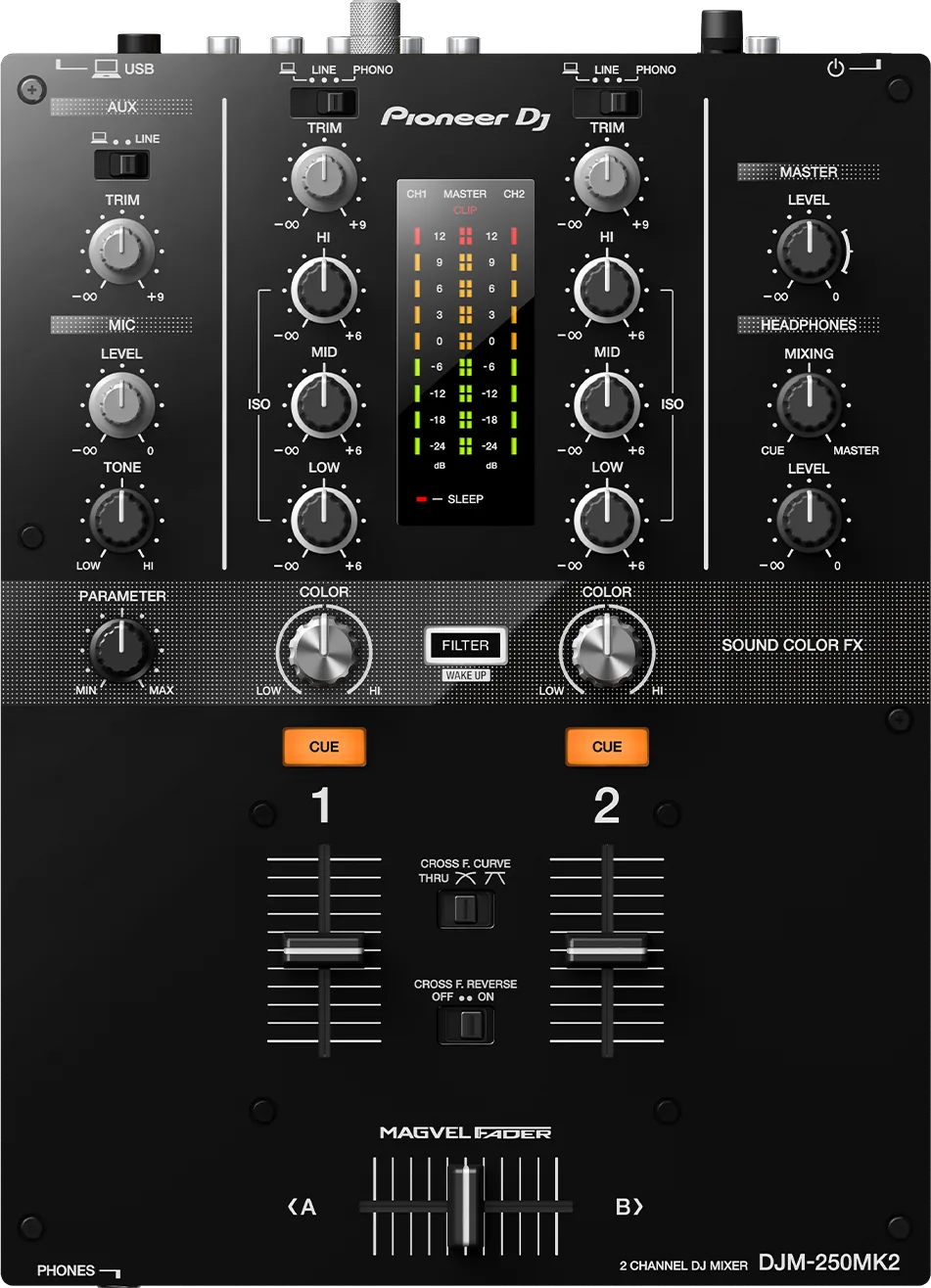
ChannelsTwo, each PHONO or LINE, plus USB. One AUX input.
APhones1/4 in and 3.5 mm sockets on the front.
EffectsOne filter per channel. No Beat FX, no screen.
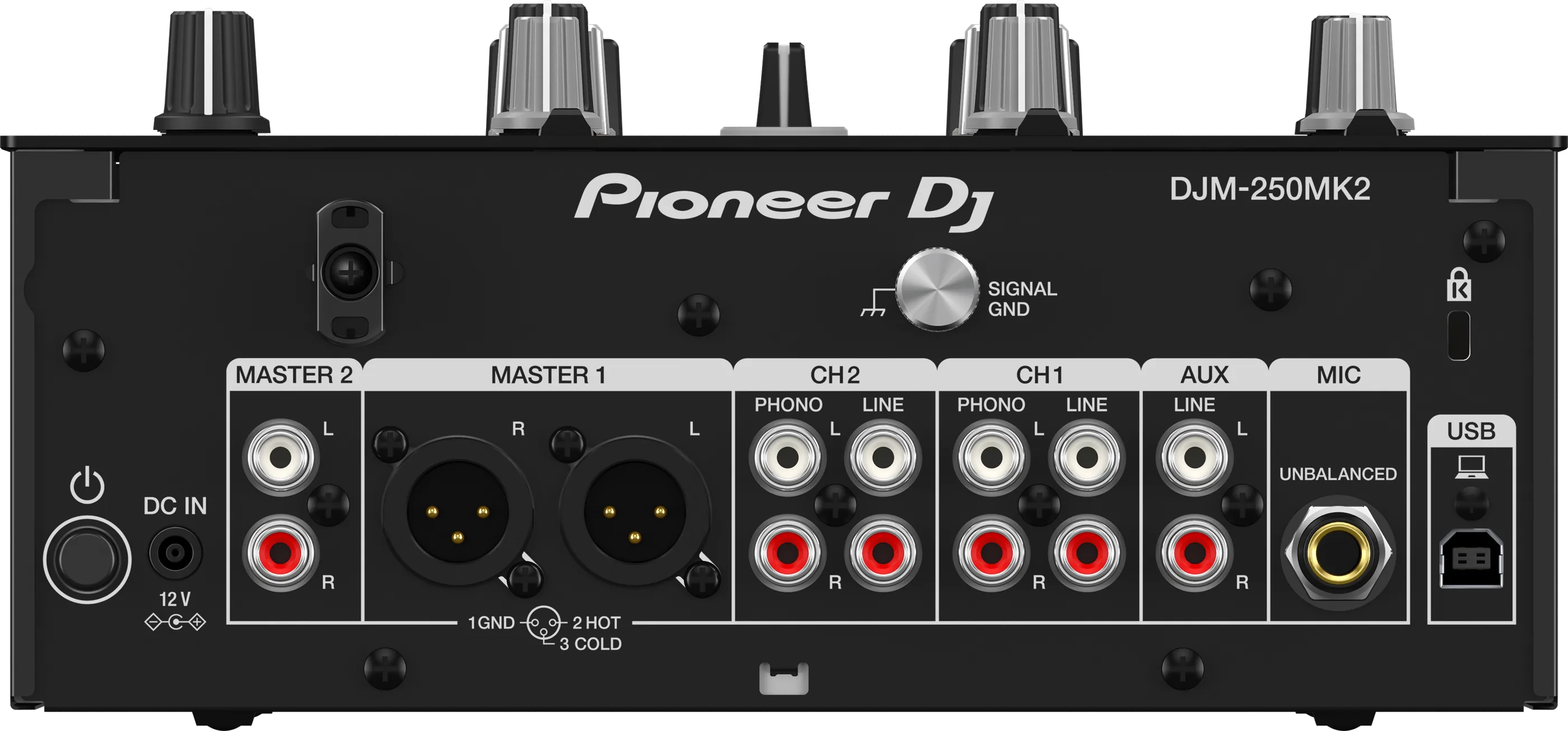
OutputsMASTER 1 and 2. No booth output.
Connectionson the back
BChannel inputsPHONO and LINE on both
DAUXOne RCA pair, line level
EMICOne 1/4 in jack, unbalanced
FUSBFor the laptop (sound card)
GPower12 V adaptor. Use the one that came with it.
Five things that can affect your gig
1It switches itself off after 20 minutes of quiet. Press FILTER to wake it.
2CROSS F. CURVE on THRU turns the crossfader off for both channels.
3No screen. Settings like MASTER OUT ATT. show only on the meters. Write down what you change.
4No booth output. A booth monitor has to come from MASTER 2.
5Carry the power adaptor in your bag. A venue cannot lend you one.
Also good to know
Firmware1.07 fixed timecode dropping out under TRAKTOR.
LINKNo PRO DJ LINK. Players connect by audio only.
SeratoSupported from Serato DJ Pro 4.0.6, as a paid upgrade.
UpdatesDo not update the firmware just before a gig.
Based on the Save My Gig guide for this model and Pioneer DJ's own documents.