

Serato DJ Pro, the field manual
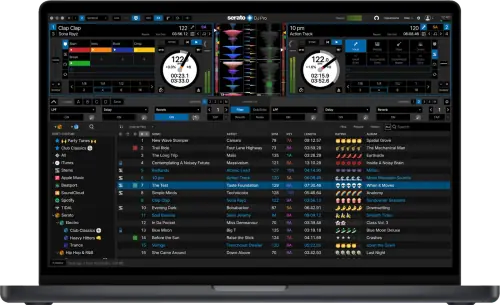
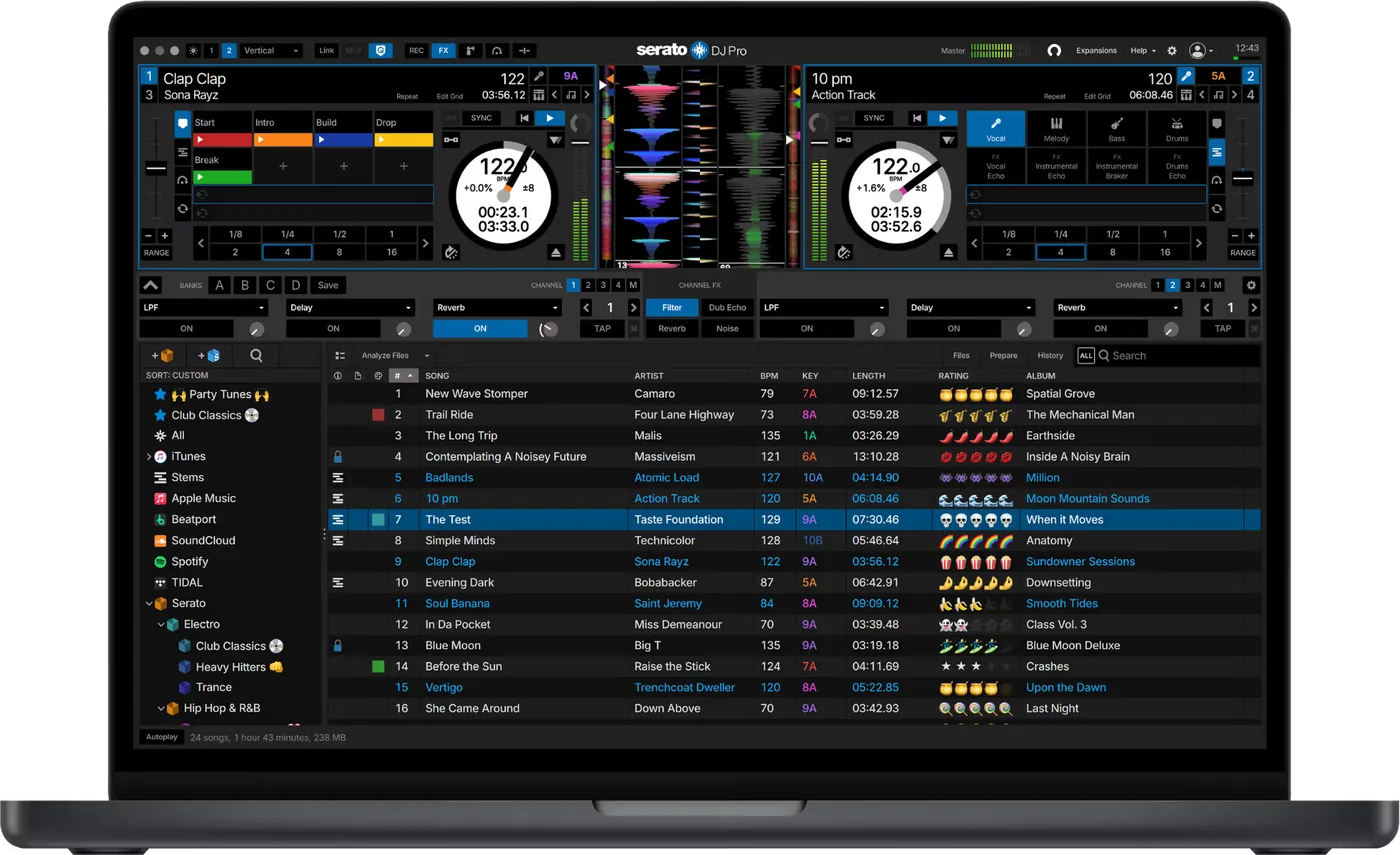
Booth briefing. Serato DJ Pro is Serato's full DJ software, the tier above Serato DJ Lite, and it is unlocked in more than one way: by supported hardware, where no account or activation is involved and the internet is not in the chain, or by a licence or a subscription tied to an account. Lite already includes Stems, and Pro adds Stems FX on top. Club mixers on Serato's Club Kit list are unlocked by the full Serato DJ Suite rather than by a Pro licence on its own. Which unlock you hold decides what the software needs from you at the booth.
Understanding the unit
The five unlock states, in Serato's own words
Short answer. There is no single question "does this unlock Serato". There are two axes, software and DVS, and your hardware carries one state on each:
- Serato DJ Pro Hardware Unlocked: connect it and Pro runs. Serato state that no additional activation or upgrade licences are required.
- Serato DJ Lite Hardware Unlocked: these work plug and play with Serato DJ Lite, and Pro features need a Pro licence. Serato state that one Pro licence works with all your Lite hardware unlocked devices.
- Paid Upgrade to Serato DJ Pro: Serato word this as a licence being required, and activated, before the device can be used at all, not merely before Pro features work. Their own description of this category includes the Club Kit mixers and the Lite hardware unlocked devices.
- Serato DVS Hardware Unlocked: Serato state these devices automatically activate DVS features when connected to a computer with Serato DJ Pro.
- Paid Upgrade to Serato DVS: Serato state these devices require a Serato DJ Suite licence to enable DVS functionality in Serato DJ Pro.
Why the split catches people. A controller can unlock Serato DJ Pro with no licence at all and still not be DVS unlocked. Those are different badges on Serato's own hardware pages, and a DJ arriving with control vinyl, a working controller and a Pro licence can find timecode is simply not available to them.
The part that decides whether you need the internet. Serato state that Pro-native hardware does not require activation. Activation is required only for Serato DJ Lite controllers upgrading to Pro, and for Club Kit mixers.
And a fourth category, which is not on either axis. Serato publish a fourth category, Serato Official Accessories, which they describe as supplementary devices that cannot function independently. They must have compatible primary hardware connected, that primary hardware must itself be Pro hardware unlocked or a paid upgrade device carrying a valid Pro licence, and Serato state an accessory cannot be used with Serato DJ Lite at all. So an accessory is never the thing that gets you playing: it is something you add to hardware that already has.
What Pro does not include
Short answer. Each of these is a separate purchase, individually or bundled in Serato DJ Suite:
- Serato DVS, on hardware that is not already DVS hardware unlocked
- Serato Pitch 'n Time DJ, which is what Key Shift and Key Sync need
- Serato Flip, which records cue point automation into the file
- Serato Video
- Serato Play, which is laptop-only DJing and cannot be used with hardware connected
- Serato FX, the additional effects pack
- Serato DJ Club Kit, the Club Kit mixer entitlement
- Serato Studio, the production software
The one that ends routines. Pitch Play needs Pitch 'n Time DJ. A DJ who has built a routine around Pitch Play on somebody else's rig, then buys Pro and a mixer, finds the pad mode there and the feature greyed out.
Three Serato pages, three different pictures of Suite. Serato DJ Pro's product page names three expansions and then says "and more". Their expansions page lists seven. Their licence page lists nine components, Serato Studio among them. Same site, same day. Read the licence page rather than the marketing page before you buy, because it is the only one of the three that enumerates.
And the effects, which nobody can reconcile. The Pro product page markets "50+ built in FX" and "20+ Pro FX" as separate counts. Serato's own DJ-FX article says only that the Effect Select menu "may be expanded if you have a Serato DJ Suite license or subscription". Serato publish no list of which effect belongs to which set, so this page does not guess at one.
The one on that list that is misread most. Serato state the offline player is available when Serato DJ Pro hardware is not connected and outputs through the current default audio device, and that practice mode can be used to mix two tracks and lets you practise combinations without compatible hardware connected. Mixing two tracks on a laptop alone is therefore already in Pro. Serato describe Serato Play as a fully-featured expansion pack that lets you DJ with just your laptop, with mixer controls, keyboard shortcuts and access to other expansion packs. It carries a prohibition of its own: Serato Play cannot be used in combination with connected hardware.
Compatibility
Club Kit mixers, and why a Pro licence is not enough
Short answer. A Club Kit mixer needs a Serato DJ Suite subscription or licence. A Serato DJ Pro licence on its own is not enough.
The mixers on Serato's published list. This is Serato's list, quoted so you can recognise the desk in front of you, not a ranking:
- Pioneer DJ DJM-850
- Pioneer DJ DJM-900NXS
- Pioneer DJ DJM-900NXS2
- Pioneer DJ DJM-V10 and DJM-V10-LF
- Pioneer DJ DJM-A9
- Allen & Heath Xone:DB2
- Allen & Heath Xone:DB4
- Allen & Heath Xone:43C
- RANE MP2015
- Denon DJ X1800 PRIME
- Denon DJ X1850 PRIME
The exception, in Serato's own words. Serato publish one exception in their own words: if you only want to use HID mode you do not need to purchase or subscribe to Serato DJ Suite, but you will still need to own and have activated the Serato DJ Pro licence on your Serato.com account, and Suite is required only if you want to use control tone with turntables. Read the second half of that as carefully as the first: the exception still puts a Serato.com account and an activation in the chain, which is the thing a hardware unlock keeps out of it.
Serato disagree with Serato here. Serato contradict themselves on this exact point. Their Club Kit licence guide says HID mode alone does not need Suite. Their hardware licensing guide says a Suite licence is required for any Pro software functionality with the paid upgrade devices, which is the category the Club Kit mixers sit in. Both are reported rather than resolved, and the safe reading before a booking is the stricter one.
Why this is the surprise that lands hardest. A DJ buys Pro, learns on a controller, then takes a club booking on an installed mixer and discovers the licence they own is the wrong product for the desk they are standing at. It lands on the day, and nothing on the mixer says so.
Stems: what it is, and the warning to read before a set
Short answer. Real-time separation into Vocal, Melody, Bass, Drums, introduced in version 3.0 in December 2022. Serato DJ Lite has Stems. What Pro adds is Stems FX, which is not the same claim and is the one people repeat wrongly.
The warning, quoted rather than paraphrased. Serato’s own warning, worth quoting rather than paraphrasing: updating tracks in the Stems crate requires significant CPU resources and may cause drop-outs or audio issues if begun during or directly before a performance.
What is actually scoped to a list. Stems itself works with any hardware. What is scoped to a published list is hardware CONTROL of Stems through the Replace Pad mode with Stems preference. So Stems working and your pads controlling Stems are two separate questions, and only the second has a hardware list.
The two ways to prepare, and only one is safe near a set. Serato document two routes. The Stems crate, which they say is best used before your performance, and an Analyze Stems on song load preference under Setup, DJ Preferences, On Song Load, which prepares a track at the moment you load it to a deck. They also say preparation takes time and depends on the file type, the track length and the specifications of your computer. The preference is the dangerous one, because it fires at the moment you load a track, which is the moment Serato's own warning is about.
The prompt that does not go away. Serato also warn that the update prompt does not go away. You may dismiss it, but they say it appears every time the software launches until every track in the Stems crate has been updated, and that the files a newer version writes are not backwards compatible, so dropping back to an older version means preparing those tracks again.
The file it writes. Preparing a track writes a Stems file next to it. Serato document two ways to remove it: control or command plus delete on the track in the Stems crate, which they say also deletes the associated Stems files on disk, or deleting the file yourself in Finder or Explorer. They do not publish its size, and they spell the extension .serato-stem in one article and .serato-stems in another.
What your computer has to have
AVX is a hard gate. A processor with AVX support is required, and Serato say Serato DJ Pro and Lite will not install without it. Their own rule of thumb is hedged rather than absolute: most supported Intel Core i-series processors on the Sandy Bridge micro-architecture from 2011 onwards, and all supported AMD Ryzen processors. They add that AVX2 and AVX-512 are not required.
And Serato publish the way round it. Serato publish a route rather than a dead end: on a computer whose processor has no AVX, the versions they say you can still download and install are Serato DJ Pro 2.6.2 and Serato DJ Lite 1.6.2. That is an old build with none of the library rewrite in it, but it is a machine that plays rather than a machine that does not.
ARM Windows laptops are out, and this catches new buyers. Serato state that their software is not currently compatible with ARM-based Windows computers, including machines built on Qualcomm Snapdragon X chipsets. They publish no timeline for that changing.
Operating systems that are already out. 32-bit systems stop at Serato DJ Pro 2.0.4. Windows 7 and 8.1 stop at 2.3.2. Serato add a blanket caveat that OS support assumes you are on the highest public point release or service pack.
macOS 26 Tahoe, and the trap inside it. Serato state macOS 26 Tahoe is supported from 4.0.1, but that is a statement about the SOFTWARE. Their hardware compatibility article splits devices into supported, in testing and unsupported, and tells owners of the second and third groups not to update.
What this page cannot tell you, and why. Serato publish their compatibility matrix as screenshot images and their numeric system requirements inside a collapsed section, so neither is readable as text. We have no primary source for the minimum supported macOS or Windows version on 4.x, so none is stated here rather than borrowed from a retailer.
USB & library preparation
Where the library lives, and the file that became legacy
Short answer. On a Mac, Users > [Username] > Music > _Serato_. On Windows, C:\Users\[Username]\Music\_Serato_. Serato create a _Serato_ folder at the root of any external drive you have added music from, which is what makes a drive a portable library.
The change nobody announced loudly enough. From 4.0.0 Serato mark database V2, the Crates folder and neworder.pref as LEGACY, meaning pre-4.0.0. The file every DJ was taught to back up, rebuild and merge is no longer the live library.
And the gap that leaves. Serato’s rebuild procedure is published, and their own title scopes it to Serato DJ 3.3.5 and below. There is no 4.x equivalent, so the current library has no documented rebuild. They also state what a rebuild costs on the versions it does cover: every date added reverts to the day you do it, and any track not currently in a crate or playlist is dropped out of the software. Serato's own support corpus has not caught up either: their Library Auto-Backup article still describes the backup as a copy of files that a newer article marks as legacy. Where their documents disagree, this page says so rather than picking the tidier one.
Backups. Library Auto-Backup runs 15 minutes after the library opens, then every 24 hours, whenever the database structure changes, and again when you exit. It writes to Serato, Library, Backups on the system drive and on connected external drives that carry a _Serato_ folder, and keeps only the most recent. Serato state it copies the Subcrates folder, database V2 and neworder.pref, and that music files and recordings are excluded. There is no in-app restore: you close Serato and put files back by hand.
Moving to another computer takes three things, not one. Serato publish the move as three things, not one. The _Serato_ folder in your user Music folder, a separate Library folder that lives in Application Support, Serato on macOS and AppData, Local, Serato on Windows and holds history sessions, preferences and crate order, and the music files themselves. Their instruction about those files is blunt: never rename them when you copy them, they must keep the same original filename. On the new computer you use Rescan ID3 Tags and Relocate Lost Files to point the library back at the music.
Which is why the auto-backup is not a library backup. A DJ who copies only the _Serato_ folder keeps the crates and loses the history, the preferences and the crate order, and a DJ who trusts Library Auto-Backup keeps neither those nor a single piece of music. Both are worth knowing before the laptop is the thing that failed.
Which format for a gig drive, and what Serato do not say
Short answer. Serato publish no single recommended file system for a gig drive. Their backup article names Mac OS Extended, NTFS and FAT and does not mention exFAT or APFS at all, while a newer article warns about APFS drives on Windows. For a drive that has to work on both, that older article does answer: FAT is the format both systems can use, and macOS can read the Windows format but cannot write to it.
What that means in practice. The format question on a Serato drive is decided by the computers you will plug it into, not by a Serato recommendation, because there is not one to follow. Their older article does answer the cross-platform case, though, and it answers it the way a 2010s document would: FAT is the format both systems can use, and macOS can read the Windows format but cannot write to it. That second half is the read-only trap below, stated by Serato years before they wrote an article about it.
The hard limits they do publish. Serato do not support files that are 2 GB or larger, and where a file that size is necessary they say to split it into multiple files smaller than 2 GB. Serato's own FAT32 caveat sits in the same article and cuts the other way: it only supports file sizes of 4 GB or less.
Recording a set, and the split nobody is warned about
Short answer. Serato DJ Pro writes recordings into a Recording folder inside the _Serato_ folder by default, which you can move with Rec Location in the Recording panel, and the file also appears in the Recorded crate. Serato state recordings are saved as 24-bit by default.
The limit that matters on a long booking. Serato publish the limit that catches people out: recorded files are automatically split when the recording exceeds 3 hours at 16-bit or 1 hour 50 minutes at 24-bit. They also tell you to test that your record levels are not clipping before you start.
Why that is worth knowing beforehand. A DJ who expects one file and finds two assumes something went wrong, and the join is in the middle of the set rather than between tracks. Knowing the thresholds turns a scare into a file-naming job.
What to watch for
Playing with no internet, and what Serato do not publish
First, a vocabulary trap. In Serato’s own vocabulary, the Offline Player is what runs when no hardware is connected. It is not a statement about the internet. So searching Serato's support site for whether you can play without wifi returns articles answering a different question entirely.
What is documented. Hardware-unlocked Pro needs no account and no activation, which takes the internet out of the chain completely. Licensed and subscription users activate through a browser, which needs a connection at that moment.
What is not documented, and this list is the point:
- no stated offline grace period
- no stated check-in interval
- no statement of what happens if a licence check fails mid-set
- no statement of what happens to the software when a subscription lapses
- no current figure for how many computers one licence may be active on
The closest thing to a policy. The closest thing Serato publish to a policy is a warning rather than a guarantee. They write that network settings or connections can prohibit Serato software from authorizing your Serato.com account, signing in, or activating and using your licences and products, and that you may not be able to use your products in situations where Serato software cannot make an outgoing or incoming network connection.
And what they mean by a connection. Serato are specific about what the connection has to allow: the software needs outgoing and incoming network connectivity so it can contact the Serato licence server and verify that your Serato.com products and licences can be activated. They tell you to whitelist the application in your firewall and antivirus suite, they warn that shared and public networks are often controlled by an administrator who has blocked it, and the alternative they name themselves is a mobile hotspot. A venue guest network behind a portal is therefore not a connection in the sense Serato mean.
The good news buried under the vocabulary. Serato state the offline player is available when Serato DJ Pro hardware is not connected and outputs through the current default audio device, and that practice mode can be used to mix two tracks and lets you practise combinations without compatible hardware connected. Mixing two tracks on a laptop alone is therefore already in Pro.
What to do with that. If your unlock is hardware, stop worrying about this. If it is a licence or a subscription, treat signing in at home as part of packing, and do not let a venue with bad wifi be the first time you find out.
A read-only drive throws away everything you did
Short answer. On a read-only drive every cue point, beat grid, ID3 tag and piece of analysis persists only within that session, and Serato say closing that session or starting a new one wipes every change you made. There are two warnings and both are easy to miss: a pop-up the first time you import files from that drive, and a gold lock icon beside the file and beside the drive in the Files panel from then on. An NTFS drive on macOS, or an APFS or Mac OS Journaled drive on Windows, is the usual cause, along with a physical write-protect switch, an encrypted drive, or restricted permissions.
Why it is so easy to miss. Everything works. Cues set, grids adjust, tags save, the set plays normally. The loss happens when you close the software. Serato do warn twice, and both warnings are quiet: a pop-up the first time you import from that drive, which is dismissed in a second and never seen again, and a small gold lock beside the file and beside the drive in the Files panel from then on.
The other case, which behaves differently. A read-only FILE on a drive that can be written to behaves differently, and Serato spell the difference out. Cue points, analysis, ID3 tags, beat grids and library changes do persist across sessions, but they are not saved into the file itself, so they exist only inside Serato applications on that computer and travel nowhere with the file. That one is worse to diagnose, because the work is still there on the machine you did it on and gone everywhere else.
Who this catches. Anyone moving a drive between a Mac and a Windows machine, which is most people who share a booth or borrow a laptop.
iCloud Music Library destroys Serato data, permanently
Short answer. Serato publish this as a known issue with no recovery: iCloud Music Library and iTunes Match strip cue points, flips, beat grids, saved loops and most other tags, because Apple replaces the local file with its own copy. Their advice is to not use either for a DJ library.
Why there is no recovery. The local file you spent years marking up is replaced by a copy from a server that never had your cues in it. Nothing is corrupted and nothing errors, so there is no repair step to run.
Do this, and Serato name the switch. Serato name the switch: open the iTunes preferences window and disable iCloud Music Library under general preferences. They also say to back the library up before trying it at all, because without a backup made beforehand you will need to reset your tags, and there is no way to recover the information. Keep the DJ library out of iCloud Music Library and iTunes Match entirely, and if a laptop is shared with a household Apple account, check it before you add music to that laptop.
If something goes wrong
Audio dropouts and distortion
Fix it now, in Serato's own order. This is their published list rather than a rearranged one, and the first item is the one people skip:
- Check for updates, from the setup screen or from serato.com.
- Remove any corrupt files found in your library.
- Close all other open programs.
- Disable wireless networking devices and Bluetooth devices.
- Disable antivirus software, screen savers and sleep mode.
- Increase the USB buffer size and apply the change.
- Connect the hardware directly to a USB port rather than through a hub, try every port because some work better than others, and disconnect other USB devices.
- Run the laptop connected to a power supply.
They publish no numeric buffer value, so the buffer is a dial you move until the dropouts stop.
The one nobody expects. Serato name corrupt files in the library as a cause of dropouts, so a library you have never analysed is a suspect rather than an innocent bystander.
The wifi fault, and the instruction that prevents it. Serato document a fault where toggling wifi during playback causes an audio dropout followed by large latency on DVS hardware on macOS. Their instruction is preventive rather than curative: disable wifi before launching Serato DJ Pro, or do not toggle it off and on again. They add that resetting the audio buffer under Setup, Audio will not resolve it, and that reconnecting the hardware is the way out once it has happened.
Avoid it next time. Analyse the library and remove corrupt files, turn wifi off before you launch rather than during the set, and keep the laptop on mains.
No sound on Windows with nothing plugged in
Short answer. Serato publish a Windows 10 and 11 known issue where the software produces no audio with no hardware connected, and throws connection errors when hardware is attached, because applications cannot reach the built-in microphone. The fix is in Windows rather than in Serato: open Microphone privacy settings, turn on Allow apps to access your microphone, then scroll down and turn on Allow desktop apps to access your microphone, and restart the software.
Why it looks like a broken install. The software launches, the waveform moves, the meters move, and nothing comes out. Nothing in Serato points at a Windows privacy setting, so the obvious next move is a reinstall, and a reinstall changes nothing.
Where you meet it. Practising on the laptop alone, which is exactly when the offline player and practice mode are what you are using.
Windows 11 does not see hardware plugged in after launch
Short answer. Serato publish this as a known issue on the Windows 11 24H2 and 25H2 MIDI Services update: hardware connected after Serato is already running is not detected, and unplugging it can freeze the software.
Their workaround is procedural, not a fix. Close Serato, connect and power on the hardware, then relaunch. And close Serato before unplugging or powering anything off. Microsoft began rolling out a fix in February 2026, which Serato say can take around thirty days to reach everyone, so a machine that has not updated recently still has it.
The separate Windows crash. A crash on hardware connect or disconnect on newer Windows 11 builds was fixed in Serato build 4.0.9.3054. If you are on Windows and below that, the update is the fix.
Order of operations at the venue. Hardware in and powered on, then Serato. It takes no longer than doing it the other way round and it removes the whole class of fault.
Professional tips
The habits that keep this boring
Know which unlock you are travelling on. It is a property of the box, not of you. Hardware unlock means you can play in a basement with no signal. A licence means the connection is part of your rig, and you should know that before you are standing in the booth.
Prepare Stems at home, always. Serato's own warning is explicit and it is the single easiest dropout to avoid.
Check the lock icon on a borrowed drive. Ten seconds at the start tells you whether anything you do will survive the set.
Hardware first, then software, on Windows. It sounds like superstition and it is a documented known issue.
If a club desk is on the Club Kit list, sort the licence before the booking. Not on the day, and not at the venue.
Back up both folders, not the famous one. The _Serato_ folder is the one everybody knows. The Library folder in Application Support or AppData is the one that holds your history, your preferences and your crate order, and it is the one people find out about after the laptop dies.
Preventive maintenance
Prepare before you travel, not at the venue
Prepare Stems at home. Serato say plainly that updating the Stems crate takes significant CPU and can cause dropouts if started during or directly before a performance. Pre-preparing is their own recommended route for a computer that struggles.
If your unlock is a licence, confirm it on a working connection before you leave. Open Serato, sign in, and see the licence report as active. Serato publish no offline grace period, so this is the only moment you control.
Analyse the library before the gig, not on load. Analysing while playing is CPU you have already spent, and on older builds it is not even allowed. Serato state that on Serato DJ Pro 3.3.5 or below you must disconnect your DJ hardware in order to analyse your files, which is a rule rather than a preference. Analysis is also what finds corrupt files, and corrupt files are on Serato’s own list of causes of audio dropouts.
Frequently asked questions
Quick answers
- Do I need to be online to play?
- If your unlock comes from the hardware, no: Serato state that Pro-native hardware needs no activation at all. If it comes from a licence or a subscription, Serato publish no offline grace period and no check-in interval, only a warning that you may not be able to use your products where the software cannot reach the network. Sign in before you leave.
- Is Stems a Pro feature?
- No. Serato DJ Lite has Stems. Pro adds Stems FX.
- I have a Pro licence. Can I use DVS on a club DJM?
- Not on the mixers on Serato's Club Kit list. Those need a Serato DJ Suite subscription or licence. Serato publish one exception in their own words: if you only want to use HID mode you do not need to purchase or subscribe to Serato DJ Suite, but you will still need to own and have activated the Serato DJ Pro licence on your Serato.com account, and Suite is required only if you want to use control tone with turntables.
- My controller unlocks Pro with no licence. Does it also unlock DVS?
- Not necessarily. Software unlock and DVS unlock are separate badges on Serato's own hardware pages, and plenty of hardware carries one without the other.
- Can I mix on the laptop alone?
- Yes, and it is already in Pro. Serato state the offline player is available when Serato DJ Pro hardware is not connected and outputs through the current default audio device, and that practice mode can be used to mix two tracks and lets you practise combinations without compatible hardware connected. Mixing two tracks on a laptop alone is therefore already in Pro. Serato describe Serato Play as a fully-featured expansion pack that lets you DJ with just your laptop, with mixer controls, keyboard shortcuts and access to other expansion packs. It carries a prohibition of its own: Serato Play cannot be used in combination with connected hardware.
- My computer has no AVX. Is that the end of it?
- Not quite. Serato publish a route rather than a dead end: on a computer whose processor has no AVX, the versions they say you can still download and install are Serato DJ Pro 2.6.2 and Serato DJ Lite 1.6.2.
- Will Serato run on an ARM Windows laptop?
- Serato state that their software is not currently compatible with ARM-based Windows computers, including machines built on Qualcomm Snapdragon X chipsets. They publish no timeline for that changing.
- I am moving to a new computer. What do I copy?
- Serato publish the move as three things, not one. The _Serato_ folder in your user Music folder, a separate Library folder that lives in Application Support, Serato on macOS and AppData, Local, Serato on Windows and holds history sessions, preferences and crate order, and the music files themselves. Their instruction about those files is blunt: never rename them when you copy them, they must keep the same original filename. On the new computer you use Rescan ID3 Tags and Relocate Lost Files to point the library back at the music.
- My recording came out as two files. Did something break?
- No. Serato publish the limit that catches people out: recorded files are automatically split when the recording exceeds 3 hours at 16-bit or 1 hour 50 minutes at 24-bit. They also tell you to test that your record levels are not clipping before you start.
- Serato opens but there is no sound and nothing is plugged in.
- On Windows, check microphone access before anything else. Serato publish a Windows 10 and 11 known issue where the software produces no audio with no hardware connected, and throws connection errors when hardware is attached, because applications cannot reach the built-in microphone. The fix is in Windows rather than in Serato: open Microphone privacy settings, turn on Allow apps to access your microphone, then scroll down and turn on Allow desktop apps to access your microphone, and restart the software.
- How is it sold?
- Serato sell Pro as a monthly subscription or as a one-time purchase, and Suite the same two ways. Which one you hold changes nothing about how the software behaves; what changes is the Club Kit and DVS entitlements above.
- Is there a trial?
- A 14-day trial exists and needs a supported Serato DJ Lite controller or compatible Club Kit hardware connected. Serato state it runs once per computer and per account.
- Why will my computer not install it?
- Check AVX. A processor with AVX support is required, and Serato say Serato DJ Pro and Lite will not install without it. Their own rule of thumb is hedged rather than absolute: most supported Intel Core i-series processors on the Sandy Bridge micro-architecture from 2011 onwards, and all supported AMD Ryzen processors. They add that AVX2 and AVX-512 are not required.
- Can I still back up database V2?
- You can, but from 4.0.0 Serato mark it as legacy, meaning it is no longer the live library file. They publish no rebuild procedure for the current library at all.
- Which format should my gig drive be?
- Serato publish no single recommended file system for a gig drive. Their backup article names Mac OS Extended, NTFS and FAT and does not mention exFAT or APFS at all, while a newer article warns about APFS drives on Windows. For a drive that has to work on both, that older article does answer: FAT is the format both systems can use, and macOS can read the Windows format but cannot write to it. The decision comes from the computers you plug it into, not from a Serato recommendation.
- Why did my cue points disappear after the gig?
- Two likely causes, both documented. A read-only drive keeps changes only for that session and warns you with a gold lock icon. Or the library is in iCloud Music Library or iTunes Match, which strips Serato data with no recovery.
Keep the Emergency Card
We will email you the printable PDF so it is on your phone before the next dark booth. Occasional notes that save gigs. No spam, unsubscribe in one click.
Registering is free and counts everywhere on Save My Gig. We send a confirmation email first. Your address is stored with Brevo, our email provider. Unsubscribe any time. Privacy
Sources: Serato's own product, licence, expansions, hardware finder and support pages, checked 1 September 2026, since Serato publish no manual for Serato DJ Pro. Specifications theirs, priorities ours.