

XDJ-AN, the field manual
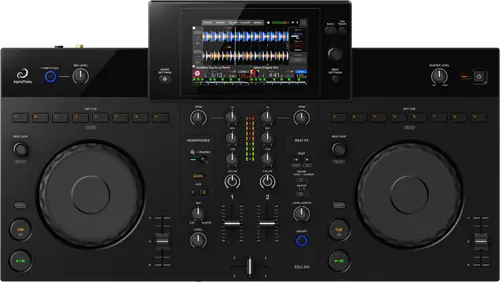
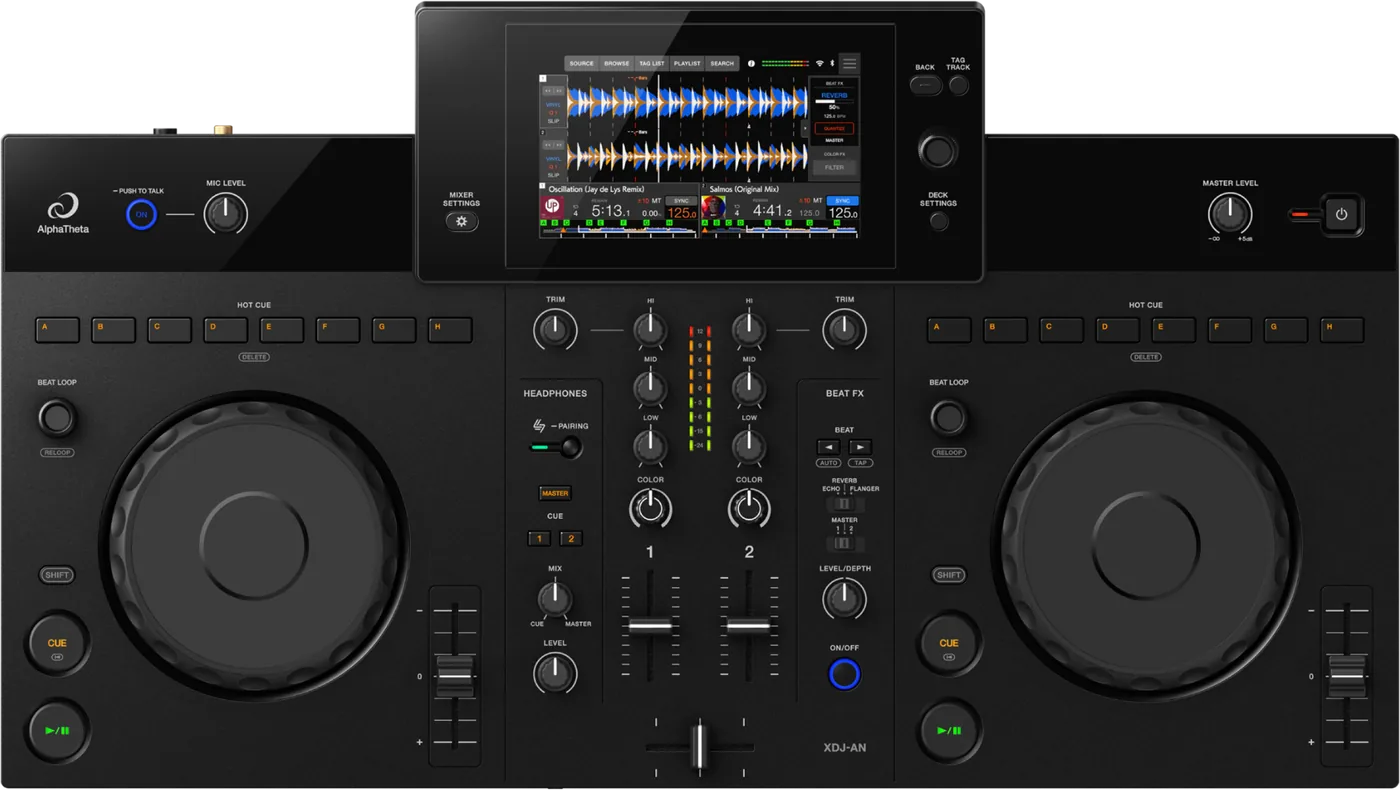
Booth briefing. The XDJ-AN is AlphaTheta's 2-channel all-in-one, the deck the maker positions as the bridge from bedroom DJing to a club booth. Storage is USB Type-C only: of its three USB-C ports, one takes the drive, one a computer or phone, and one the power supply. There is no USB-A port and no SD slot, the opposite of most CDJs on this site. Serato and djay run over it from firmware 1.10 onward, so it works with a laptop as well as from a stick.
Fast Lane
The five things that decide your gig
The five things on the XDJ-AN that change what happens next, if you are reading this in the booth. All five are explained in full further down this page.
It takes USB-C storage only. No USB-A port, no SD slot.
Every drive you gig with needs a USB-C connector, or a USB-C adapter, on this unit specifically.
A USB-A stick that works on every CDJ in the room will not physically plug in here. That is the opposite constraint of most players on this site, so the habit that protects you elsewhere is the one that fails you at this deck.
Three USB-C ports, and only one of them is for a drive.
One takes storage, one takes a connected computer or phone, one takes power. Three identical sockets, one right answer.
Find the storage port in the light, at setup, rather than in the dark with a track ending.
rekordbox and Serato DJ Lite unlock free. The rest is a subscription.
Streaming is on board, and it is not a plan.
AlphaTheta name Apple Music, Beatport Streaming and TIDAL as reachable through StreamingDirectPlay.
A streaming catalogue is not a substitute for a checked local library on gig day. A venue's internet is the one thing this site never assumes will be there.
Two documented fixes already, on a unit this new.
Firmware 1.13 optimised the crossfader cut-lag width, and 1.20 fixed network updates failing. Serato and djay support arrived in 1.10.
So firmware version is a variable to check on this unit, not a settled question. A crossfader that feels late is the symptom the record names.
Compare
Playing on a different deck?
Pick the deck you are about to touch. This says what changes for the drive in your bag, and nothing else: the rest of what matters on that unit is on its own page.
If something goes wrong
The screen shows E-8302, E-8304 or E-8305
On the XDJ-AN these codes are about one track rather than the drive, which is what separates them from a stick the unit will not read at all.
E-8302 means CANNOT PLAY TRACK: the unit cannot read the file, which usually means the file itself is damaged, and AlphaTheta suggest testing it on another player that supports the same formats. E-8304 and E-8305 both mean UNSUPPORTED FILE FORMAT, which is about the format rather than the drive. Either way the fix is the file, not the unit.
Wi-Fi, Bluetooth or the cloud has stopped working
On the XDJ-AN the wireless features fail quietly, and one of them can be broken by the other.
For a Wi-Fi network it will not join, check that the network name, the password and the encryption method on the unit match the router exactly, then treat it as a radio problem: move the two closer together and take out whatever is between them. For a Bluetooth device that will not pair, power both off and on and run the pairing again. And there is one interaction worth knowing before you rely on both at once: AlphaTheta state that radio waves may interfere when Bluetooth and Wi-Fi run together, and their answer is to turn Wi-Fi off, or to set Wi-Fi Frequency to 5 GHz in the utility settings.
For rekordbox CloudDirectPlay showing no tracks, AlphaTheta give three causes and all three happen before the unit is involved: rekordbox has not finished synchronising with the cloud library, or the tracks were never uploaded to Dropbox or Google Drive, or one of those services is down or under maintenance.
What to watch for
Firmware and known issues
Short answer. The XDJ-AN is a young unit and it already has three published firmware versions, two of them carrying fault fixes. Clean at 1.20 or later.
What is in the record. 1.13, dated 28 July 2026: AlphaTheta "optimized the crossfader cut-lag width", so a crossfader that cuts late is the one symptom the record names. 1.20, dated 18 August 2026, fixed network updates failing, which matters because that is how you update this unit without a stick. 1.10, dated 9 July 2026, is where Serato DJ Pro and Lite and djay Pro and djay support came from, and it also fixed how long a device stayed logged in after a QR code login.
Do this. Check the version before you rely on the crossfader for cuts. If the desk is below 1.13, the lateness you are feeling is documented, not imagined.
Compatibility
rekordbox, Serato and djay
Short answer. The XDJ-AN takes rekordbox for Mac/Windows (Hardware Unlock, no licence needed) and rekordbox for iOS (also no licence); djay Pro and djay for iOS (both need a subscription); Serato DJ Lite with no licence, Serato DJ Pro with a subscription.
Why it matters. The unit is not locked to one ecosystem the way some all-in-ones are: which software you already own can decide whether it costs you anything extra to start using this deck.
Features explained
Touchscreen and streaming
Short answer. A touchscreen handles playlist editing and library management on the unit itself. AlphaTheta name Apple Music, Beatport Streaming and TIDAL as reachable through StreamingDirectPlay.
Why it matters. A streaming catalogue is not a substitute for a checked local library on gig day: a venue's internet is the one thing this site never assumes will be there.
Connections and setup
Ports and connectivity
Short answer. Three USB Type-C ports (storage, computer/mobile, power), a 1/4-inch TRS mic input, master outputs on XLR and RCA, a 3.5 mm phones jack, Bluetooth Classic (SBC/AAC), Wi-Fi 802.11 a/b/g/n/ac on 2.4 and 5 GHz, and AlphaTheta's own SonicLink wireless.
Why it matters. Every drive you gig with needs a USB-C connector or a USB-C adapter on this unit specifically. A USB-A stick that works on every CDJ in the room will not plug in here at all.
Do this. Carry, or add to your kit, a USB-C drive, or confirm your adapter before a set, not at the booth.
The rear panel, the adapter, and the two master outputs
On the XDJ-AN one connection decision on the rear panel decides how the night sounds.
There are two master outputs and AlphaTheta are unusually direct about not mixing them up. MASTER 1 is balanced XLR and is for balanced input only: feeding an unbalanced input through an XLR to RCA adapter, they say, produces unwanted noise and poor sound quality. MASTER 2 on RCA is the unbalanced output and is the one for that job. They also warn against connecting MASTER 1 to anything that can supply phantom power. On a small system where the temptation is to adapt the XLRs down to RCA, this is the difference between a clean night and a noisy one.
The rear panel carries a Kensington slot, the USB storage port, a USB port for a computer or a mobile device, MASTER 1 on balanced XLR, MASTER 2 on RCA, a MIC terminal on TRS, and a USB port that takes the power. For both data ports AlphaTheta ask for a certified USB cable no longer than 3 m.
It has no mains lead. Power arrives through a USB port from a supplied AC adapter, and AlphaTheta print handling rules for that one cable: never use the adapter if its connector is bent or broken, insert it straight, keep sweat and water off the connector, and put no load on the cable by keeping the unit and the adapter at the same level. On a unit built to travel, the adapter is the part that goes missing, and without it nothing turns on.
Connecting a computer or a phone
On the XDJ-AN the computer port doubles as the phone port, and what you can do there depends on which phone you brought.
A phone or tablet uses the same USB port as a computer, with two conditions that decide whether it works at all. The device needs a USB Type-C port, so an iPhone or iPad on Lightning is out. And DJing over that cable is supported on iOS only, so an Android phone can be many things to this unit but not a DJ device down the USB.
Firmware, drivers and manuals
Official downloads and documents
Go to AlphaTheta for the files themselves. We link their pages instead of hosting a copy, because a manual copied here is a snapshot of release day and theirs is the one that stays current.
The highest published version, 1.20 of 18 August 2026, is also the one that adds something rather than only repairing: StreamingDirectPlay for Spotify.
Firmware downloads. Official AlphaTheta firmware page →
Manuals. Official AlphaTheta manual page →
Broken link? Let us know and we'll fix it.
Frequently asked questions
Quick answers
- Does the XDJ-AN have an SD card slot?
- No. Three USB-C ports and no USB-A port either.
- Can I use a normal USB-A DJ stick?
- Only with a USB-C adapter. The unit's storage port is USB-C.
- Do I need a rekordbox licence?
- No, for rekordbox on Mac/Windows or iOS it is Hardware Unlock, no purchase required.
- Is there a firmware update yet?
- Yes, three of them. 1.10 added Serato and djay support, 1.13 optimised the crossfader cut-lag width, and 1.20 fixed network updates failing.
Related all-in-ones
AlphaTheta All brands Knowledge base FAQ and Fixes Dictionary
Playing soon and it is not working?
Start Emergency ModeKeep the Emergency Card
We will email you the printable PDF so it is on your phone before the next dark booth. Occasional notes that save gigs. No spam, unsubscribe in one click.
Registering is free and counts everywhere on Save My Gig. We send a confirmation email first. Your address is stored with Brevo, our email provider. Unsubscribe any time. Privacy
Sources: AlphaTheta's official XDJ-AN product page, launch announcement and manual, checked 17 August 2026. Specifications theirs, priorities ours.