

CDJ-900NXS, the field manual
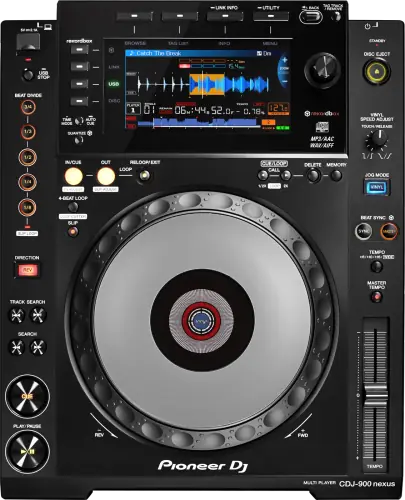
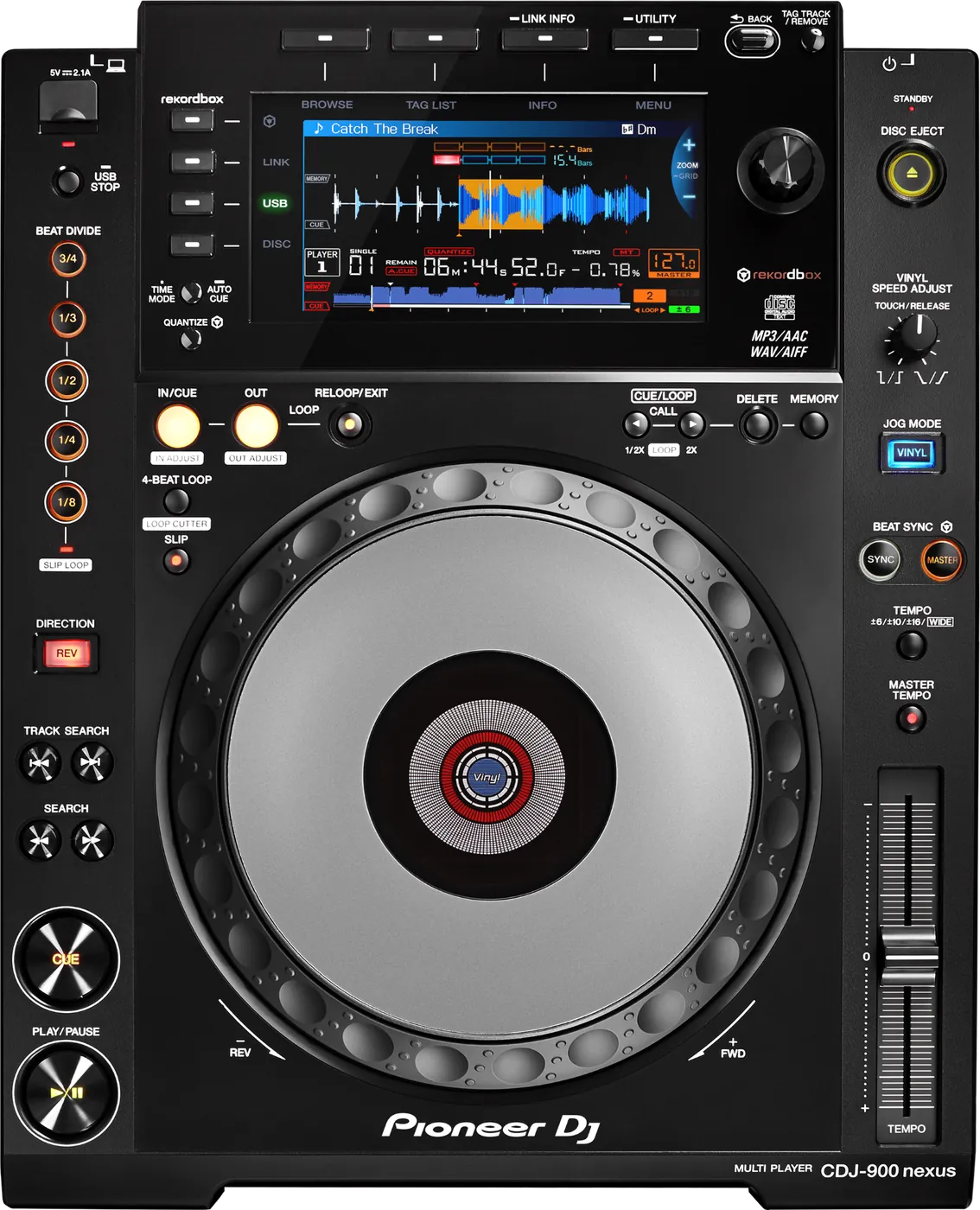
Booth briefing. The CDJ-900NXS is the NXS generation of the Pioneer DJ CDJ-900 player. It plays from one USB port and a disc drive; there is no SD card slot on this model. USB drives are read when formatted FAT16, FAT32 or HFS+. AlphaTheta's firmware for it closed at version 1.31 in October 2017, so it is a finished platform whose behaviour is set by whichever version it carries, and reading that version at soundcheck is part of knowing the deck.
When it goes wrong: The CDJ will not read the USB Playlists not showing How to format a USB for a CDJ
Fast Lane
The five things that decide your gig
The five things on the CDJ-900NXS that change what happens next, if you are reading this in the booth. All five are explained in full further down this page.
No exFAT. It reads FAT16, FAT32, HFS+, and no firmware ever added more.
exFAT is what a large drive arrives formatted as, and this generation cannot mount it at all. The drive looks dead rather than incompatible.
AlphaTheta have published nothing since 1.31, so treat that as settled rather than as something a future update fixes.
1.31 is the last firmware, from October 2017.
That is a planning fact, not a criticism. On a maintained deck an odd behaviour is worth reporting and waiting on. Here, whatever is not in the change history is not coming.
Read the version at soundcheck and decide what you will not use, rather than discovering it mid-set.
Below 1.20, BEAT DIVIDE can silence the deck.
AlphaTheta document it plainly: playback sound stopped while BEAT DIVIDE was active. It is a performance control that takes the audio with it.
If the deck in front of you is on an older version, the safe move is simply not to touch that control.
Two file faults, both cured in 1.30.
There is no SD card slot on this deck. The second source is the disc drive.
Media is USB and disc. The manual lists the sources as discs, USB devices and computers, and there is no SD slot on any panel.
That matters if you planned a card as your backup. On this player the backup that is already in the machine is a CD, which is also the one medium that works when every drive in the room is the wrong file system.
Compare
Playing on a different deck?
Pick the deck you are about to touch. This says what changes for the drive in your bag, and nothing else: the rest of what matters on that unit is on its own page.
If something goes wrong
The player will not read my drive
Short answer. Almost always the file system. The CDJ-900NXS reads FAT16, FAT32, HFS+ and no exFAT, and no firmware version has added it. AlphaTheta have published nothing since 1.31, so treat that as settled rather than as promised.
Why this happens. exFAT is the sensible modern choice and every current player reads it, so a drive formatted for a CDJ-3000 booth is invisible here. Nothing is broken. The format postdates the player, and nothing published since suggests that changing.
Fix it now. Borrow a FAT32 drive or play from the other deck. Reformatting erases everything, so it is not a mid-set move unless the music exists elsewhere too.
Avoid it next time. One FAT32 drive that works everywhere. There were also two documented hard-drive faults, drives not being recognised at all (1.22) and folders not listing on a 2TB drive (1.21), so a stick is a better bet here than a big external.
Cue points will not save, or the ones you had are gone
Short answer. The CDJ-900NXS stores up to 100 cue or loop points per disc and 10 per track on a USB drive, and going over that shows CUE/LOOPPOINT FULL. Because this player has no SD slot, one message does two jobs: USB FULL appears both when the drive is write-protected and when it has no free space, so read it as the drive refusing to be written to rather than as a capacity figure. Points that were saved can also stop appearing if the drive was not stopped properly before it was pulled.
Why this matters. Most of these are fixable in seconds if you know what the words mean, and every one of them looks like a broken player if you do not. The last is the expensive one: a week of preparation lost because a drive came out two seconds early.
Fix it now. Read the message and act on the word. If the points are simply missing, play from the waveform and set new ones as you go.
Avoid it next time. Stop the drive properly on the player and wait for the indicator before you pull it, every time, including at the end of a long set when you are packing.
One track will not load, or the noise is wrong
Short answer. Two documented CDJ-900NXS file faults, both cured in 1.30: an AIFF at 24bit/48kHz stopped playing and could not be loaded to a deck, and certain WAV files produced digitally distorted white noise. There is also noise when Master Tempo is activated, fixed in 1.22.
Why this happens. The decoder meeting a file it cannot parse, and it looks exactly like a corrupt track or a failing drive from where you are standing. That is what makes it expensive: you troubleshoot the drive while the fault is in the firmware.
Fix it now. Load a different track from the same drive. If that works, the drive is fine and the problem is that file on this firmware. Play something else.
Avoid it next time. On a deck below 1.30, avoid lossless AIFF at 24bit/48kHz and be wary of WAV from unusual sources. Neither fault touched MP3 or AAC.
A disc will not come out
Short answer. The CDJ-900NXS has three ways to release a disc and most DJs know one. If EJECT/LOAD LOCK is set to LOCK, press PLAY/PAUSE to pause the deck first and then eject, or set EJECT/LOAD LOCK to UNLOCK in the UTILITY menu. And if the eject button itself does nothing, the manual names a last resort that is not obvious from the front: a disc force eject hole that takes a pin.
The pin, done safely. The pin is not a shortcut and the manual is specific about why. On the CDJ-900NXS the first step is longer than on the players it sits next to: turn the power off, unplug the power cord, then wait a minute or more. A disc that comes out while it is still spinning can hit your fingers, and a clamp turning unevenly can scratch the disc on the way. Use the pin that came with the unit and nothing else. It is mounted on the bottom panel, and when it goes all the way in the disc moves 5 mm to 10 mm out of the slot, far enough to grip and pull.
Why this matters. A disc stuck in a venue deck at the end of your set is your problem to solve in front of the next DJ. The lock is a setting somebody else may have left on, and the pin hole exists precisely because the button can fail.
Fix it now. Pause the deck and try eject again before assuming anything is broken, because pausing is what the lock is waiting for. Then the UTILITY menu, then the pin.
Avoid it next time. If the disc is yours, take it out before the changeover rather than after. And if you play CDs regularly, find that hole on this model before the gig when you need it.
The deck went silent when I used BEAT DIVIDE
Short answer. Documented on the CDJ-900NXS, and fixed in 1.20: playback sound stopped while BEAT DIVIDE was active. If the deck is below that version, the feature can silence you.
Why this happens. It is a firmware fault in a performance feature, which is the worst place for one. Nobody soundchecks BEAT DIVIDE, so this is discovered live, the first time a DJ reaches for it in front of a room.
Fix it now. Turn BEAT DIVIDE off and the sound returns. Do not spend the next minute deciding whether you imagined it: leave the feature alone for the rest of the set and carry on.
Avoid it next time. Check the version on arrival. Below 1.20, treat BEAT DIVIDE as unavailable rather than as a tool, and if the deck is yours, get it to 1.31.
Link is behaving oddly with the newer decks
Short answer. Documented, and precisely: below CDJ-900NXS firmware 1.30, when connected over PRO DJ LINK, some features of the CDJ-2000NXS2 or XDJ-1000MK2 were disabled. Link itself worked. The symptom appears on the NEWER deck.
Why this happens. A mixed booth is the normal case in a venue that upgraded gradually, and the old deck is the one nobody thought to update because it still plays music.
Fix it now. Audio does not need the network, so dropping Link costs you sync and shared browsing, not the set. But do not pull the cable at any moment you feel like it. The manual: "Do not disconnect the LAN cable when music files and/or information are being shared using PRO DJ LINK." If one deck is browsing the other deck's drive, that is exactly the state it means. Wait until nothing is loading, take the storage device out first, and then unplug.
Avoid it next time. In a mixed booth, when a feature is missing on the NEW deck, check the version on the OLD one. It is counter-intuitive and it is usually where the answer is.
What to watch for
Documented fixes, by firmware version
Short answer. The CDJ-900NXS firmware history runs from 2014 to October 2017 and then stops. 1.31 is both the floor and the ceiling. Every entry below is AlphaTheta's own wording, condensed.
- 1.20
- Playback sound stopped while BEAT DIVIDE was activated. Added MP3 and AIFF tag analysis for the KUVO service.
- 1.21
- Folder browsing on 2TB hard drives. Slow track list browsing in Serato DJ HID mode. An alphabetical search availability issue.
- 1.22
- A hard-drive recognition issue. Noise could be heard when Master Tempo was activated.
- 1.30
- Playback of an AIFF file at 24bit/48kHz stopped and tracks could not be loaded. Digitally distorted white noise on certain WAV files. An active loop could activate a very short loop. PRO DJ LINK compatibility with the CDJ-2000NXS2 and XDJ-1000MK2. macOS 10.12 audio device recognition. Problems in Control Mode. Added MASTER PLAYER SELECT (AUTO) and multi-word search.
- 1.31
- Playback speed sometimes did not return to the BPM shown on screen with Sync enabled, plus issues during playback and track selection. Published 5 October 2017, and nothing has followed it.
Do this. On a deck you control, get it to 1.31 once and it is done permanently. On a deck you do not control, read the version and treat this list as what is still possible on that unit.
Firmware downloads. Official AlphaTheta support page →
Full change history, PDF →
Broken link? Let us know and we will fix it.
Compatibility
Mixed booths, software and PRO DJ LINK
Short answer. Link itself works across generations, and the CDJ-900NXS is no exception. What 1.30 fixed is narrower: below that version, some features of a connected CDJ-2000NXS2 or XDJ-1000MK2 were disabled, so the symptom appears on the newer deck rather than on this one. AlphaTheta named both of those models in that fix. Serato DJ HID browsing was also improved in 1.21.
Do this. In a booth mixing generations, check this deck's version when something is wrong on a newer one. Library format is player-side: this deck needs Device Library, so a booth with both this and a OneLibrary player needs a drive strategy rather than an assumption.
Device Library, USB and the disc drive
Short answer. Device Library format, and media is USB and disc. One USB slot and one disc drive.
There is no SD card slot on this player. The operating instructions list its sources as discs, USB devices and computers, and no SD slot appears on the control panel, the front panel or the rear panel. Every neighbouring deck of this era has one, which is why the assumption is so common. If you planned a card as your in-deck backup here, plan something else.
What the second source actually is. The disc drive. It is slower and it is unfashionable, and it is also the only medium in the room that does not care what file system your drives are formatted as. On a deck that cannot read exFAT, that is not nothing.
Common mistakes. Exporting a OneLibrary drive this deck cannot read: it wants Device Library.
Features explained
A deck with no more updates coming
Short answer. 1.31 is the last version AlphaTheta has published, from October 2017. That is not a criticism, it is a planning fact.
Why it matters. On an actively maintained model, an odd behaviour is worth reporting and waiting on. Here, whatever is not in the list above is either normal behaviour or something to work around. Plan on nothing more arriving, while knowing it is not impossible: the CDJ-2000NXS received a version in 2024, more than six years after its previous one.
When professionals use it. Plenty of working rooms still run these, and a 900NXS at 1.31 is a dependable deck. The risk is not the player, it is assuming a fix exists for something.
Common mistakes. Waiting on an update to plan around. Assuming exFAT support might arrive: it never has on this generation.
Professional tips
Read the version, then decide what you will not use
Short answer. Ten seconds at soundcheck. Below 1.20, BEAT DIVIDE is off the table. Below 1.30, so is lossless AIFF and any reliance on Link with newer decks.
Why it matters. On a maintained deck you note the version and plan an update. Here the version tells you which features to leave alone for the gig, which is a different and more immediate decision.
Do this. Make it part of the same walk as checking the mixer routing, and be specific with yourself about what you are giving up rather than hoping.
Preventive maintenance
Keeping an old deck reliable
Short answer. One firmware update to 1.31, then it is essentially physical: clean slots, careful drives, and the jog as the wear item on a deck this age.
Why it matters. A player this old has had a decade of drives pushed into it and a decade of dust. With the software side settled at 1.31, almost everything that goes wrong from here is mechanical.
Do this. Update between bookings, never on gig day. Blow out the USB slot and the disc slot rather than pushing dirt in. Take the drive out with the USB STOP button, pressed for at least 2 seconds before the drive comes out, then pull it straight, by the connector.
Firmware, drivers and manuals
Official downloads and documents
Go to AlphaTheta for the files themselves. We link their pages instead of hosting a copy, because a manual copied here is a snapshot of release day and theirs is the one that stays current.
Manuals. Official Pioneer DJ manual page →
Broken link? Let us know and we'll fix it.
Frequently asked questions
Quick answers
- What firmware should it be on?
- 1.31, published October 2017. Nothing has followed it, so it is both the floor and the highest version published. No end-of-support statement exists, so that is an observation rather than a promise.
- Does it read exFAT?
- No. It reads FAT16, FAT32, HFS+.
- Why did the deck go silent when I used BEAT DIVIDE?
- Documented, and fixed in 1.20. Below that version the feature stopped playback.
- Why will one AIFF not load?
- AIFF at 24bit/48kHz would not load or play below 1.30.
- Will more firmware come?
- Nothing has been published since October 2017, so plan on the basis that it will not. AlphaTheta has issued no end-of-support statement, and it did ship a version for the CDJ-2000NXS in 2024 after a six-year gap, so it is not impossible.
- Which library format?
- Device Library. Not OneLibrary.
- Where is the SD card slot?
- There is not one. The operating instructions list the sources as discs, USB devices and computers, and no panel carries an SD slot. The second source on this deck is the disc drive.
- What is the safe way to pull the USB out?
- Use the USB STOP button, pressed for at least 2 seconds before the drive comes out. The manual is blunt about why: "Do not disconnect the USB device or turn off this unit’s power while the USB indicator is lit or flashing. Doing so could delete this unit’s management data and damage the USB device, making it impossible to read."
- The deck is looping on its own and ignoring me.
- That is an emergency loop, and it is the deck protecting the room rather than a crash. The manual: "DJ playback is restricted during emergency looping. To cancel emergency looping, load the next track."
- Can I use a big external hard drive?
- You can, and there were documented faults with drive recognition and with folders on a 2TB drive. A stick is safer here.
- Does it link with a CDJ-2000NXS2?
- Yes. Below 1.30, some features of the NEWER deck were disabled over Link, so check this deck's version if the new one is missing something.
Where this sits in the line
- Previous generation CDJ-900
Related players
Commonly paired with
What you usually find beside it in working booths, from club, festival and rental installs rather than from a manufacturer document.
Pioneer DJ All brands Knowledge base FAQ and Fixes Dictionary
Playing soon and it is not working?
Start Emergency ModeKeep the Emergency Card
We will email you the printable PDF so it is on your phone before the next dark booth. Occasional notes that save gigs. No spam, unsubscribe in one click.
Registering is free and counts everywhere on Save My Gig. We send a confirmation email first. Your address is stored with Brevo, our email provider. Unsubscribe any time. Privacy
Sources: AlphaTheta's official CDJ-900NXS firmware page and its full change history PDF, read in full and checked 28 August 2026. Specifications theirs, priorities ours.