

XDJ-RR, the field manual
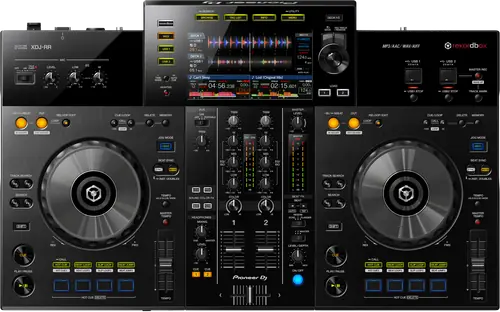
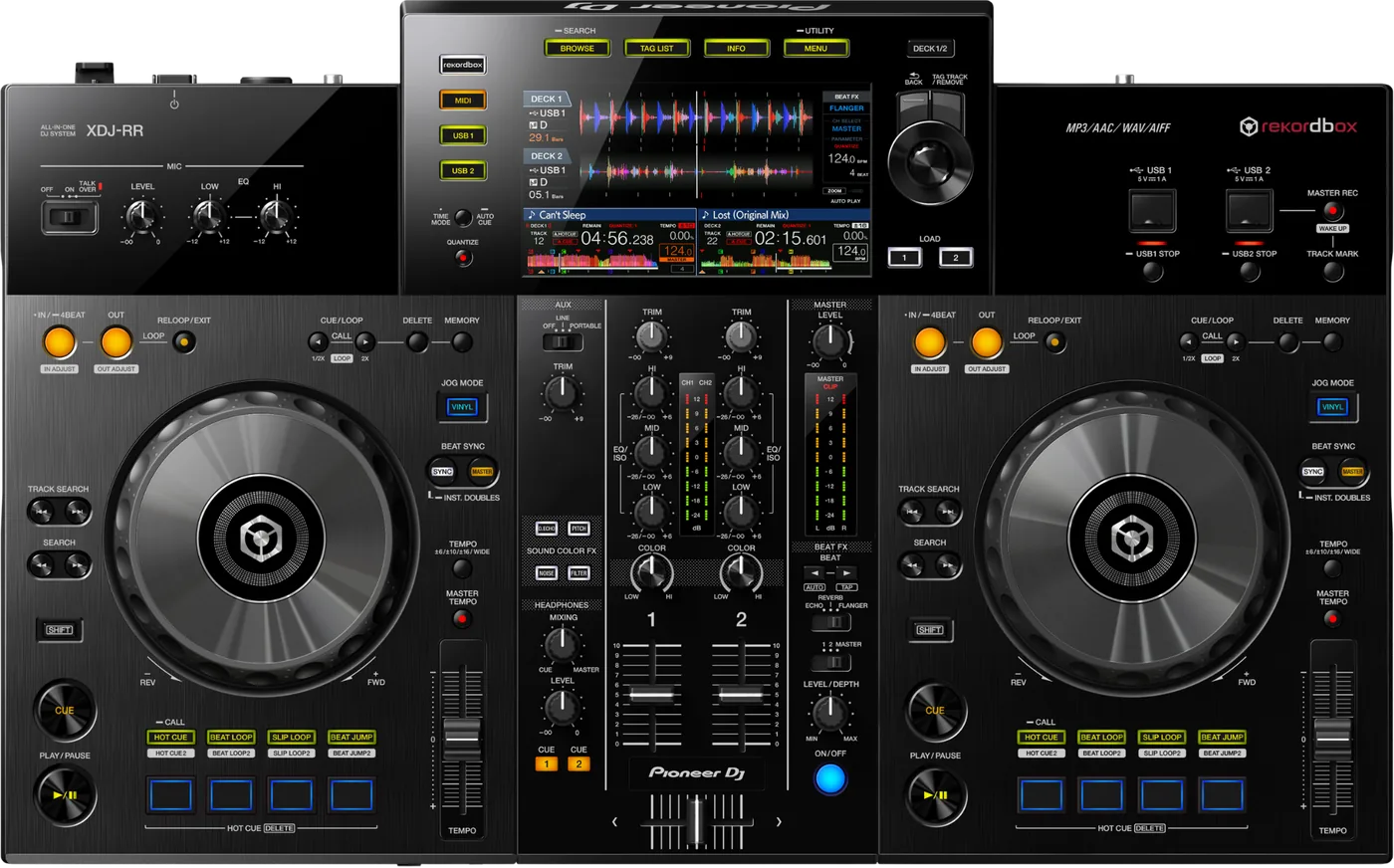
Booth briefing. The XDJ-RR is a 2-channel AlphaTheta all-in-one that plays from a USB drive with no computer attached, and it carries two USB slots, so a second drive can sit in the unit. It reads FAT16, FAT32 and HFS+, with exFAT and NTFS not supported, so a drive formatted FAT32 with an MBR scheme is the standard preparation. It reads the first partition on a drive, with a manual clause about rekordbox library partitions that it shares with the XDJ-RX and XDJ-XZ. The partition rule and the drive preparation steps are covered in the sections below.
When it goes wrong: The CDJ will not read the USB Playlists not showing How to format a USB for a CDJ
Fast Lane
The five things that decide your gig
The five things on the XDJ-RR that change what happens next, if you are reading this in the booth. All five are explained in full further down this page.
No exFAT. It reads FAT16, FAT32, HFS+, and NTFS is refused.
Being the budget unit does not make it the most restrictive one.
A 2-channel standalone all-in-one with 2 USB slots, positioned under the XDJ-RX2 rather than after it.
On file systems it matches its more expensive sibling exactly, so the cheaper deck is not the weaker answer here.
Its manual gives a rekordbox library partition priority over the first.
It reads the first partition of a multi-partition drive, and adds that when rekordbox library information is present, the partition holding that library takes priority.
Documented and real, but not a rule to lean on: one partition removes the question entirely.
Use both USB slots. The fastest diagnostic on the unit is free.
Move the drive across and you have separated a port fault from a drive fault without leaving the booth.
Two slots is also two chances at a set continuing, if the second one already has your backup in it.
A missing rekordbox database on an HFS+ drive was a firmware fault, fixed in 1.01.
It presents exactly like a failed export, and re-exporting to the same card fixes nothing. On a unit below that version the format is the suspect.
Seven dated versions exist in total. The rest are below.
Compare
Playing on a different deck?
Pick the deck you are about to touch. This says what changes for the drive in your bag, and nothing else: the rest of what matters on that unit is on its own page.
If something goes wrong
The XDJ-RR will not read your USB
Short answer. Format first. The XDJ-RR reads FAT16, FAT32, HFS+ and nothing else, and exFAT is what most new drives arrive as.
Why this happens. exFAT mounts perfectly on a computer and is documented as unsupported here. A Mac GPT partition map is the other repeat offender, though AlphaTheta name a GPT refusal for the CDJ-3000 and the XDJ-AN and not for this unit, so MBR here is our recommendation. Either way, the drive looking healthy on your laptop proves nothing.
Take the drive out properly before you move it. The instinct is to pull it straight into the second slot, and the manual says what that costs: "Do not disconnect the USB device or turn off this unit while the USB indicator is lit or flashing. Doing so could delete the management data of this unit and damage the USB device, resulting in unreadable data." The procedure: "Press the [USB STOP] button for over 2 seconds."
Fix it now. Then use the second USB slot, then a second drive, which separates a drive fault from a unit fault in seconds. If a laptop is available, check the format and the partition scheme. Recover the music before reformatting anything, never after.
Two causes that are not the format. "Do not use a USB hub." And if the drive is HFS+ and the unit is below firmware 1.01, the missing library is a documented fault of that combination rather than of your export.
If the unit looks dead rather than fussy. The front panel does tell you, on this model: "When Power Management is functioning, the [MASTER REC (WAKE UP)] button is lit in red." And the default is not generous: "This unit is shipped with the Power Management function set to [20min]." That same button wakes it, so check it before you check the mains.
And if it is looping on its own and ignoring you. Emergency loop, not a crash: "DJ playback is restricted during emergency looping. To cancel emergency looping, load the next track."
Avoid it next time. FAT32, MBR, one partition, and a second identical drive in the bag.
The unit looks dead but one button is red
Short answer. A dark XDJ-RR with one red button is asleep, not dead. AlphaTheta document that when Power Management has kicked in the MASTER REC (WAKE UP) button is lit in red, and pressing it is the way back. This unit ships with Power Management set to 20min, and the value that turns it off is NEVER, on the MENU (UTILITY) screen. Note the wording: on this model it is NEVER rather than OFF, so a DJ hunting for an OFF that is not there gives up on a setting that is right in front of them.
Why this matters. The wording is the trap. Every other unit on this site calls the off value OFF, and a DJ scanning the menu for OFF on an XDJ-RR does not find one and concludes the setting cannot be changed. It can. It is called NEVER.
Fix it now. Press MASTER REC. The red light means it is asleep, and that button is the way back.
Avoid it next time. Set it at soundcheck. It ships at 20min, so on a unit nobody has touched, twenty idle minutes is all it takes.
What to watch for
Firmware, and what each version fixed
What is in the record. Seven dated versions, 1.01 in April 2019 through 1.08 in May 2025.
- 1.06, August 2024
- Power Management, following the EU Ecodesign Directive: the unit now switches itself off after 20 minutes. The energy-saving function was renamed from Auto Standby or Auto Power-Off at the same time.
- 1.05, April 2024
- Some WAV files could not be played. A file that plays everywhere else and refuses here, below this version, is a known fault and not a corrupt file.
- 1.03, February 2020
- Certain AIFF files did not play properly, and Beat SYNC misbehaved when a CUE was triggered or a track was paused.
- 1.01, April 2019
- The rekordbox database was missing on some HFS+ formatted USB devices. Also: the HEADPHONES MONO SPLIT and STEREO setting was not saved across a power cycle, and MASTER TEMPO did not work directly after scratching.
The HFS+ one changes what you should do. This page lists HFS+ among the file systems the unit reads, and it is. But below 1.01 the documented fault is the rekordbox database going missing on some HFS+ drives specifically, which presents as a failed export. Re-exporting to the same card fixes nothing.
Do this. Read the firmware version off any XDJ-RR you are handed and note it, the same as any other deck you did not prepare yourself.
The browse category is empty, or the time will not appear
Short answer. The XDJ-RR documents two display behaviours that are not faults. A track recorded in VBR can take a moment before the playing address appears in the remaining time display, and the browse category does not appear at all if the drive carries no rekordbox library information. AlphaTheta also name a cause that catches nobody out until it does: a write-protected drive.
Why this matters. A write-protected drive is the one nobody suspects, because the tracks still play. The unit needs to write to the drive to do its browsing job, and a locked drive stops that quietly rather than with an error.
Do this. Check the lock tab if the drive is an SD card in an adapter, and export from rekordbox so the library information is actually on the drive rather than only in your computer.
Compatibility
Does the XDJ-RR read exFAT
Short answer. No. The XDJ-RR Operating Instructions list FAT16, FAT32, HFS+ and state that NTFS is not supported. exFAT is not among them.
Why this happens. Most drives over 32GB arrive exFAT from the factory, so a new stick is refused before any music reaches it. That is the single most common cause of an XDJ-RR appearing to ignore a perfectly healthy drive.
Fix it now. Format FAT32 with an MBR scheme. Never format a drive that still holds your only copy of anything: get the music off first.
Avoid it next time. The same drive works on the XDJ-RX2 and on every CDJ generation, so one correctly prepared stick covers the whole booth.
The rekordbox partition takes priority over the first
Short answer. The XDJ-RR reads the first partition of a multi-partition drive, and its manual adds a clause: when rekordbox library information is present, the partition holding that library has priority. The XDJ-RX and the XDJ-XZ carry the same clause word for word. The XDJ-RX2 does not.
Why it matters. On an XDJ-RX2 a multi-partition drive whose music sits on the second partition is effectively dead: the player reads the first partition and stops. On the XDJ-RR the same drive can work, because the unit looks for the rekordbox library rather than blindly taking partition one. That is a real behavioural difference between two decks people assume are interchangeable.
Fix it now. Do not rely on it. If a drive works here and fails on the RX2 in the same booth, this is why, and the drive still needs rebuilding as a single partition before the next gig.
The other limit. Files deeper than 8 folder levels cannot be played, and beyond 10,000 folders or files in a single folder the rest are not displayed.
Features explained
Where the XDJ-RR sits in the line
Short answer. A 2-channel standalone all-in-one with 2 USB slots, positioned under the XDJ-RX2 rather than after it.
Why it matters. Being the budget unit does not make it the most restrictive one. On file systems it matches the XDJ-RX2 and beats an XDJ-RX still on old firmware, which has no HFS+ until 1.30. On partitions its manual is the most forgiving of the three.
When professionals use it. Second rooms, mobile work and venues that wanted a standalone box without stepping up to the RX2.
Common mistakes. Assuming cheaper means fussier about drives. On this unit it is the reverse.
Professional tips
Before you rely on one in a booth
Use both USB slots. Two slots means the fastest diagnostic on the unit is free: move the drive across and you have separated a port fault from a drive fault without leaving the booth.
Do not lean on the rekordbox partition rule. It is real and it is documented, but it is unique to this deck. A drive built around it will fail on the XDJ-RX2 standing next to it.
FAT32 and MBR, single partition, shallow folders. That satisfies the XDJ-RR, the RX2, the older XDJ-RX and every CDJ generation on this site at once.
Note the firmware version. Nothing is published about defects on this unit, which is a reason to record what you are playing on rather than a reason to relax.
Firmware, drivers and manuals
Official downloads and documents
Go to AlphaTheta for the files themselves. We link their pages instead of hosting a copy, because a manual copied here is a snapshot of release day and theirs is the one that stays current.
Manuals. Official Pioneer DJ manual page →
Broken link? Let us know and we'll fix it.
Frequently asked questions
Quick answers
- Does the XDJ-RR read exFAT?
- No. Its Operating Instructions list FAT16, FAT32, HFS+ and state that NTFS is not supported. Format FAT32 with MBR.
- Does it need a computer?
- No. It plays standalone from a USB drive.
- Can it use a multi-partition drive?
- It reads the first partition, but uniquely among the players here, a partition carrying rekordbox library information takes priority. Do not design a drive around that: it will fail on other decks.
- How many USB slots does it have?
- 2.
- How deep can my folders go?
- Files beyond 8 levels cannot be played, and beyond 10,000 folders or files in one folder the rest are not displayed.
- How does it compare with the XDJ-RX2?
- Same file systems. More forgiving about partitions. Neither joins a CDJ network.
- How does it compare with the older XDJ-RX?
- Both read HFS+, but the XDJ-RR always has and the XDJ-RX only gained it in firmware 1.30. On an un-updated XDJ-RX a Mac drive is refused.
Related all-in-ones
Pioneer DJ All brands Knowledge base FAQ and Fixes Dictionary
Playing soon and it is not working?
Start Emergency ModeKeep the Emergency Card
We will email you the printable PDF so it is on your phone before the next dark booth. Occasional notes that save gigs. No spam, unsubscribe in one click.
Registering is free and counts everywhere on Save My Gig. We send a confirmation email first. Your address is stored with Brevo, our email provider. Unsubscribe any time. Privacy
Sources: the XDJ-RR Operating Instructions, Pioneer DJ document DRI1568B, for the supported file systems, folder limits, USB slot count and the rekordbox partition priority, together with the quick start guide and the specifications addendum published alongside it, and the product page, checked 24 August 2026, and the official firmware change history to 1.08, read in full. Specifications theirs, priorities ours.