

CDJ-2000NXS2, the field manual
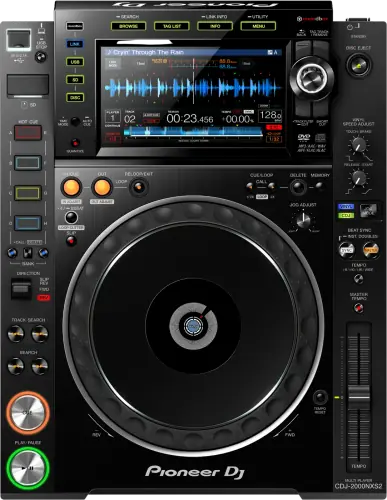
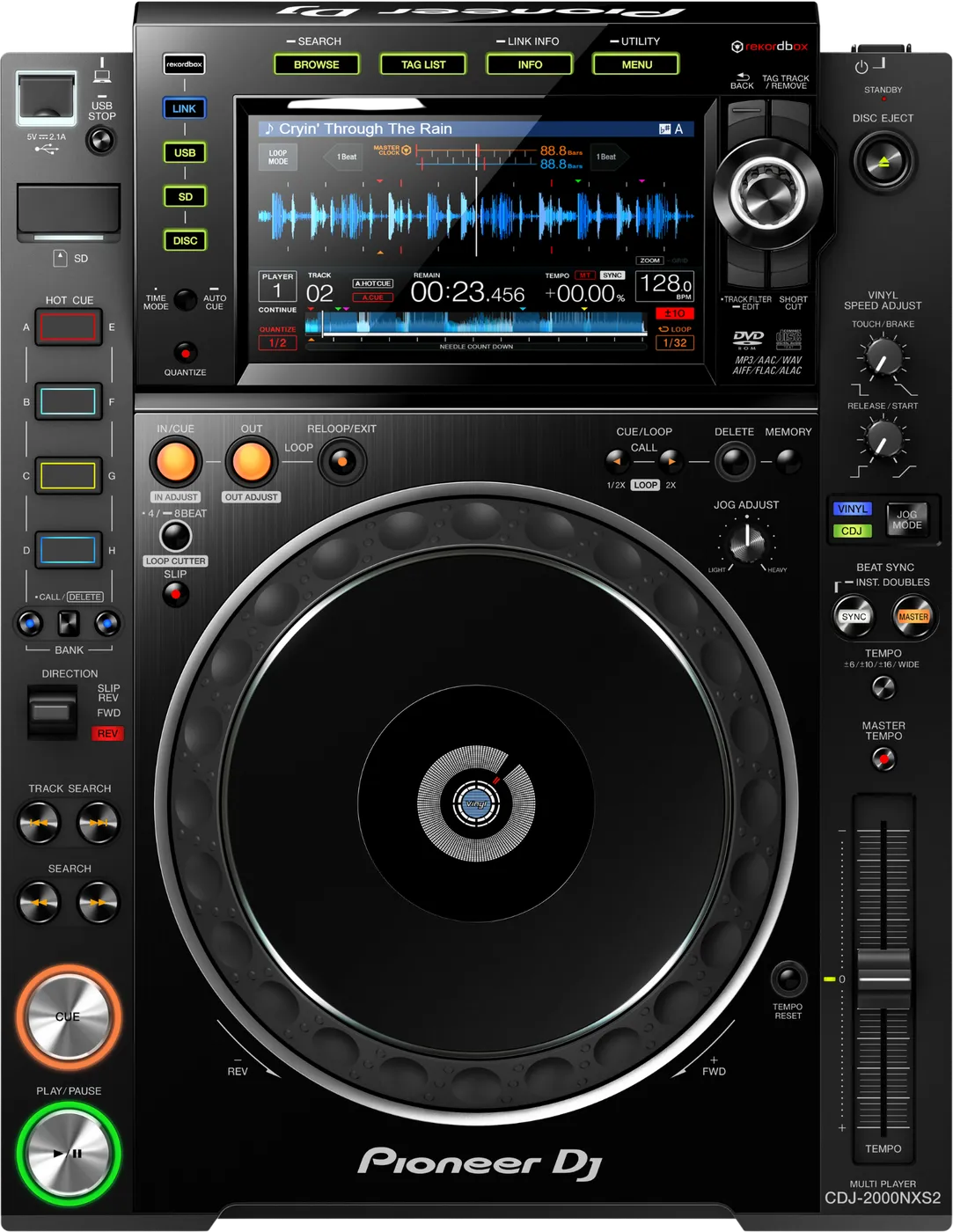
Booth briefing. The CDJ-2000NXS2 was released in 2016 and is still the deck you are most likely to find in a real club booth, even next to newer gear. It is the NXS2 generation of the Pioneer DJ CDJ-2000 line and it belongs to the Device Library family of players, the export format that came before OneLibrary on the CDJ-3000X and CDJ-1500X. It plays from USB drives formatted FAT16, FAT32 or HFS+, and a FAT32 drive with an MBR partition scheme, exported normally, is the everyday setup. LINK networking is part of its booth role.
When it goes wrong: The CDJ will not read the USB CDJ error E-8302 Playlists not showing
Fast Lane
The five things that decide your gig
The five things on the CDJ-2000NXS2 that change what happens next, if you are reading this in the booth. All five are explained in full further down this page.
No exFAT, on any firmware. It reads FAT16, FAT32, HFS+.
Device Library only. A OneLibrary drive mounts and shows nothing.
If the drive does not mount at all, the cause is almost always the file system. If it mounts but shows no playlists, it was very likely exported for a OneLibrary player.
Those are two different failures with two different fixes, and DJs routinely mix them up while troubleshooting.
One drive can cover both booths. Export it that way.
A drive exported from rekordbox 7.2.13 or later carries Device Library and OneLibrary together, so one stick works whether you land on this deck or on a CDJ-3000X.
That is a habit rather than a per-gig decision. Two different USBs for two different booths is how the wrong one ends up in your hand.
15 firmware versions of documented fault fixes sit behind it.
A unit that has never been updated is carrying a long list of live faults, among them Apple Lossless files that would not play and macOS Catalina unable to see the unit as an audio device.
A venue deck can be anywhere on that timeline and you cannot tell from the front panel.
A frozen touchscreen does not mean a stopped player.
Audio and the physical controls, play, cue and jog, keep working independently of the touchscreen.
Keep mixing on the physical controls, move new selections to the other player, and restart the unit at a safe moment rather than mid-track.
Compare
Playing on a different deck?
Pick the deck you are about to touch. This says what changes for the drive in your bag, and nothing else: the rest of what matters on that unit is on its own page.
If something goes wrong
USB not recognized, or mounts with no playlists
Short answer. If the drive does not mount at all, the cause is almost always the file system. If it mounts but shows no playlists, the drive was very likely exported for a OneLibrary player, and the CDJ-2000NXS2 cannot read OneLibrary.
Why this happens. This player does not read exFAT at any firmware version, and NTFS is not supported either. It reads FAT16, FAT32, HFS+, so an HFS+ drive from a Mac is fine. It also reads the Device Library database format only, never OneLibrary.
Fix it now. Confirm the drive is FAT32 with an MBR partition scheme. If it mounts but plays no playlists, re-export from rekordbox 7.2.13 or later, which writes Device Library and OneLibrary to the same drive, so one export works on both this deck and newer ones. If you have no laptop, switch to FOLDER view, your audio is still on the drive.
Avoid it next time. Never format this player's drives exFAT, and keep rekordbox at 7.2.13 or later so every export includes Device Library automatically.
Cue points will not save, or the ones you had are gone
Short answer. Five different refusals, and the CDJ-2000NXS2 puts the right one of them on the display. This deck tells you exactly why it refused, if you read the display. The ceiling is 100 cue or loop points per disc and 10 per track on an SD card or USB drive, and going over shows CUE/LOOP POINT FULL. A write-protected SD card shows CARD PROTECTED and a write-protected USB drive shows USB FULL. An SD card with no room shows CARD FULL and a USB drive with no room also shows USB FULL. And points that were saved may simply not appear if the card or drive was pulled without stopping it properly, or if the unit was powered off first, which is why AlphaTheta ask that you check the SD or USB indicator is not flashing before you disconnect anything.
Why this matters. Four of those five messages are a thing you can fix in seconds if you know what the words mean, and all five look like a broken player if you do not. The fifth, points that were saved and now will not show, is the one that costs you a week of preparation for pulling a drive two seconds early.
Fix it now. Read the message. CARD PROTECTED is the lock tab on the side of the SD card. CUE/LOOP POINT FULL means delete one before you add one. If the points are simply missing, play from the waveform and set new ones as you go.
Avoid it next time. Wait for the SD or USB indicator to stop flashing before you disconnect anything, every time, including at the end of the gig when you are tired and packing.
Player will not boot, or the display stays black
Short answer. Before you call a CDJ-2000NXS2 dead, this is almost always power or a cable, not the unit itself.
Why this happens. A loose IEC power cable, a dead outlet on a multi-way in the booth, or a screen that is simply asleep can all look identical to "the player is broken" in the dark.
Fix it now. Check the power cable is fully seated at both ends and try a different outlet. Confirm the display is not just dimmed, tap it. If it still shows nothing, swap the power cable if you have a spare, and try the other player's outlet to isolate the booth wiring from the unit.
Avoid it next time. Carry a spare IEC cable, they are cheap and this is one of the most common "dead gear" call-outs at a venue.
A disc will not come out
Short answer. There are three ways out and most DJs know one. If EJECT/LOAD LOCK is set to LOCK, press PLAY/PAUSE to pause the deck and then the eject button, or set EJECT/LOAD LOCK to UNLOCK in the UTILITY menu. And if the eject button itself does nothing, the manual names a last resort that is not on the front of the unit in any obvious way: a disc force eject hole that takes a pin.
The pin, done safely. The pin is not a shortcut and the manual is specific about why. Turn the power off first and wait at least one minute before you use it, because a disc that comes out while it is still spinning can hit your fingers, and a clamp turning unevenly can scratch the disc on the way. Use the pin that came with the unit and nothing else. It is mounted on the bottom panel, and when it goes all the way in the disc moves 5 mm to 10 mm out of the slot, far enough to grip and pull.
Why this matters. The CDJ-2000NXS2 still takes CDs, and a disc stuck in a venue deck at the end of your set is your problem to solve in front of the next DJ. The lock is a setting somebody else may have left on, and the pin hole exists precisely because the button can fail.
Fix it now. Pause the deck and try eject again before you assume anything is wrong, because pausing is what the lock setting is waiting for. Only then go to the UTILITY menu, and only then to the pin.
Avoid it next time. If you brought the disc, get it out before the changeover rather than after. And if you play CDs regularly, know where that hole is on this model before the gig when you need it.
Hot cues, re-loop or reverse feel a beat late
Short answer. If a hot cue, a re-loop or the reverse lever does not act the instant you touch it, the manual points at Quantize. With Quantize on, the operation starts from the nearest beat position to where you pressed, so the delay is the function rather than the deck. Turn Quantize off to have it act immediately.
Why this matters. On a CDJ-2000NXS2 in a venue you did not set up, Quantize is whatever the last DJ left it as. A deck that feels a fraction behind your hands is the single most common thing blamed on an ageing club player, and it is a menu item.
Fix it now. Turn Quantize off if the timing should be yours. Leave it on if you want the grid to catch you. Both are choices; only one of them is the one you made.
Avoid it next time. Check Quantize on your first pass over any deck, with the jog mode and the tempo range.
PRO DJ LINK not connecting between players
Short answer. If players cannot see each other's tracks or BPM over LINK, it is almost always the Ethernet cable or the network settings, not a fault in the CDJ-2000NXS2 at either end.
Why this happens. PRO DJ LINK needs a working Ethernet connection between every unit (direct, or through the switch built into a matching DJM mixer), and every unit set to the same link mode.
Fix it now, starting with the number and not the cable. The Operating Instructions put one prohibition ahead of everything else here: "Do not disconnect the LAN cable when music files and/or information are being shared using PRO DJ LINK." So reseating cables is the last resort on this deck, not the first move. Instead, the first documented check is the player number, set in PLAYER No. on the UTILITY screen, either to AUTO or to a number no other player is using. There is a trap in that: "When a storage device is connected to this unit, [PLAYER No.] is displayed in gray and cannot be changed." You have to eject the drive before the setting will even accept a change, which is not something to discover mid-set. If you do end up touching cables, confirm you are not using a USB cable in a LINK port, because they look similar in a dark booth.
Avoid it next time. Carry a spare Ethernet cable, and keep LINK cables separate from power cables in your bag so you are not grabbing the wrong one under pressure.
Touchscreen frozen or unresponsive
Short answer. Before treating a CDJ-2000NXS2 touchscreen as frozen, check whether it is misaligned instead. The Operating Instructions carry a documented remedy for a screen that does not respond, or responds in the wrong place: "Adjust the touch display by using the [TOUCH DISPLAY CALIBRATION] settings in the [UTILITY] screen." That is a setting, not a restart, and it is the first thing to try. One warning goes with it: "When setting the calibration, do not use a pointed object like a ball-pen."
Why this happens. Like any embedded touchscreen, it can lock up on its own software occasionally, unrelated to the drive or the track loaded.
Fix it now. Run the calibration first. If the screen is genuinely dead rather than misaligned, keep mixing on the physical controls and move new selections to the other player, then restart this one at a safe moment rather than mid-track. Before any restart, read the two media warnings below: pulling power at the wrong moment costs you more than the screen did.
Never restart it while a drive light is flashing. AlphaTheta are explicit about the cost. For USB: "Do not remove the USB device or turn Off the power of the unit while the USB indicator is flashing. The management data in the unit may get deleted. Also, the USB device may become unreadable." For the card slot: "Do not pull out the SD memory card or turn off this unit’s power while the SD memory card indicator is flashing. Doing so could delete this unit’s management data and damage the SD memory card, making it impossible to read." A rushed power cycle is how a working drive comes home unreadable.
Avoid it next time. Avoid firmware updates on gig day, and if a screen has frozen before on a specific unit, flag it to the venue or rental company before the next booking.
What to watch for
The firmware fixes worth knowing about
Short answer. AlphaTheta document fault fixes across 15 versions of CDJ-2000NXS2 firmware, from 1.30 to 1.86. If a unit you are using has never been updated, that is a long list of live faults, and the full set is on the firmware matrix. Two more versions exist and are not counted here, because neither fixes anything: one adds a feature and one is an improvement.
The ones most likely to reach the room. Apple Lossless files that would not play, and macOS Catalina unable to see the unit as an audio device, both fixed in 1.85. Audio dropouts during Control Mode playback, fixed in 1.51. A popping noise during loop operations and a HOT CUE disappearing after a search, fixed in 1.80. Speed not returning to the displayed BPM with Sync on, fixed in 1.72. SEARCH working incorrectly, fixed in 1.71. And PRO DJ LINK faults with audio distortion, fixed in 1.40.
One that is not a fix. Beat Jump in 2, 4, 8 and 16 beat increments arrived in 1.70, which is the update that added the feature most people assume was always there.
Do this. Check the firmware version in the utility menu before you rely on a rental or venue unit for anything beat-jump or control-mode related.
Avoid it next time. Update away from gig day, never the day before one. A fresh firmware version can bring a fresh problem, and the booth is where you meet it.
The Mac threshold. One firmware threshold decides whether a Mac will talk to this deck at all. Firmware 1.85, of 4 February 2020, fixed macOS Catalina 10.15 being unable to recognise the hardware as an audio device. Any CDJ-2000NXS2 below that version can be invisible as an audio device to a Mac on Catalina or anything newer, which takes Control Mode and the whole laptop workflow with it. The same release also fixed some Apple Lossless files failing to play.
The one that looks like an old machine. A documented endurance fault, fixed in firmware 1.50 of 27 September 2016: track loading time sometimes took longer when the CDJ had been used for several hours. A club deck runs for eight, so this is the fault whose symptom looks like a tired machine rather than an old firmware version. The same release fixed HOT LOOP length sometimes changing during playback.
Two you can hear or see. Firmware 1.80 of 12 September 2017 fixed a popping noise that occurred during a LOOP with QUANTIZE and MASTER TEMPO both enabled, and separately fixed HOT CUE and other track information disappearing after using the SEARCH keyboard. Both are audible or visible in the middle of a set, and both need only that one combination of settings to appear.
Compatibility
rekordbox, library format and PRO DJ LINK
Short answer. The CDJ-2000NXS2 is Device Library only, no exFAT (it reads FAT16, FAT32, HFS+), and PRO DJ LINK works across AlphaTheta / Pioneer DJ generations (the rare cross-model bugs are firmware-fixed, see the firmware matrix), library format is a separate question from Link compatibility.
Why it matters. PRO DJ LINK is a networking protocol, every player and the DJM-900NXS2's switch speak it regardless of which library format each deck reads. Library format only affects whether a given USB's playlists show up on a given player.
Do this. Export from rekordbox 7.2.13 or later, format drives FAT32 with MBR, and pair with a DJM-900NXS2 or any other PRO DJ LINK mixer without a second thought.
Avoid it next time. Do not format a drive exFAT for this player, it will not be read at all.
Features explained
Hot Cues
Short answer. Two banks of four colour-illuminated Hot Cues, 8 per track, set from rekordbox or on the player itself.
Not on a disc, and this deck has a disc slot. AlphaTheta: "Up to four hot cues can be set per disc. [HOT CUE] (E, F, G, H) cannot be used." So the second bank simply does not exist when you are playing CD, which is worth knowing before you build a routine around eight pads and then load the one track you only have on disc.
Why it matters. A Hot Cue jumps instantly to a saved point mid-track, the mixing decision you make from your library at home instead of hunting for the drop live.
When professionals use it. Pre-set in rekordbox before the gig, using the pads to catch a phrase, a drop or a vocal on the fly without breaking the mix.
Common mistakes. Relying entirely on memory instead of Hot Cues for a set you have not played before, and forgetting Hot Cues live in the rekordbox database, not the audio file, so an unsafe eject can lose ones you just set. See why.
Beat Jump
Short answer. Jumps the playhead a fixed number of beats forward or back (2, 4, 8 or 16), without breaking the tempo or the beatgrid. Introduced in firmware 1.70.
Why it matters. It lets you correct phrasing or skip a section instantly, in perfect time, instead of nudging the jog wheel and hoping.
When professionals use it. Trimming an intro on the fly, or jumping past a breakdown that does not fit the room, without the audience hearing the seam.
Common mistakes. Using Beat Jump with Quantize off, which can jump off the beatgrid instead of on it, most professionals keep Quantize on specifically so Beat Jump and Hot Cues land clean.
Emergency Loop, and the one way out of it
What it is. With this unit, a 4-beat loop is set automatically to prevent the sound from being interrupted if a track can no longer continue to play.
How you leave it. DJ playback is restricted during emergency looping. To cancel emergency looping, load the next track.
Why this matters. Emergency Loop is the CDJ-2000NXS2 protecting the room: rather than let the audio stop, it holds four beats and keeps something playing. But the deck stops taking most of your instructions while it does that, and a DJ who does not know the exit tries every control on the surface. The exit is not a button. It is loading the next track.
Reading it in the booth. A deck that drops into Emergency Loop is telling you the track could not continue, which usually means the drive or the file, not the player. Load from your other drive and deal with the first one after the set.
Professional tips
Keep one drive that works in any booth
Short answer. Because this deck cannot read OneLibrary, the safest touring habit is a single export standard that includes both formats, not two different USBs for two different booths.
Why it matters. A drive exported from rekordbox 7.2.13 or later carries Device Library and OneLibrary together. One stick then works whether you land on a CDJ-2000NXS2 or a CDJ-3000X, without you needing to know in advance which booth you are getting.
Do this. Standardize on 7.2.13 or later for every export, permanently, not just for gigs where you expect older gear.
Common mistakes. Assuming "newer venue" means "newer player." Plenty of high-end clubs still run CDJ-2000NXS2 pairs because they are proven, reliable, and everywhere in the second-hand market.
Preventive maintenance
Keeping a unit reliable over years of bookings
Short answer. The habits that protect any professional deck are the same ones that protect this one: safe ejects, careful cabling, and disciplined firmware timing.
Why it matters. USB ports and Ethernet ports both wear with use, and a drive pulled without ejecting is still the most common way an otherwise healthy unit starts throwing database errors.
Do this. Always eject from rekordbox, or use the player's own eject button, before pulling a USB. Handle Ethernet cables by the connector, not the cable, to avoid stressing the port. Keep the unit covered and its intake vents clear during transport and storage.
Avoid it next time. Do not update firmware on gig day, and do not let a rental unit's firmware go unchecked for years, an update between bookings is a five-minute job at home, not at the venue.
Firmware, drivers and manuals
Official downloads and documents
Go to AlphaTheta for the files themselves. We link their pages instead of hosting a copy, because a manual copied here is a snapshot of release day and theirs is the one that stays current.
Manuals. Official Pioneer DJ manual page →
Broken link? Let us know and we'll fix it.
Frequently asked questions
Quick answers
- Can this player read exFAT?
- No, and no firmware version adds it. It reads FAT16, FAT32, HFS+, and NTFS is not supported either.
- Does it support OneLibrary?
- No. Device Library only.
- Can I use Device Library?
- Yes, that is the format it reads natively.
- Can I link with a CDJ-3000 or CDJ-3000X?
- Yes over PRO DJ LINK for tempo and playback control. Whether playlists show up on each deck depends on which library format your USB carries, not on Link. Full table.
- Can I connect to a DJM-900NXS2?
- Yes, this is the era-correct pairing and the most common booth combination worldwide.
- Can I use Export Mode with this player?
- Yes, standard rekordbox Export.
Where this sits in the line
- Previous generation CDJ-2000NXS
- Next generation CDJ-3000
Related players
Commonly paired with
What you usually find beside it in working booths, from club, festival and rental installs rather than from a manufacturer document.
Pioneer DJ All brands Knowledge base FAQ and Fixes Dictionary
Playing soon and it is not working?
Start Emergency ModeKeep the Emergency Card
We will email you the printable PDF so it is on your phone before the next dark booth. Occasional notes that save gigs. No spam, unsubscribe in one click.
Registering is free and counts everywhere on Save My Gig. We send a confirmation email first. Your address is stored with Brevo, our email provider. Unsubscribe any time. Privacy
Sources: AlphaTheta / Pioneer DJ official specification pages, the CDJ-2000NXS2 firmware change history document, and the for the supported file systems, checked 26 July 2026. Specifications theirs, priorities ours.