

XDJ-RX, the field manual
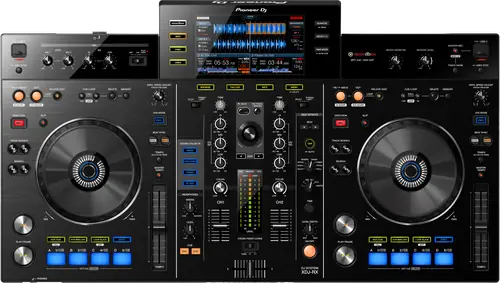
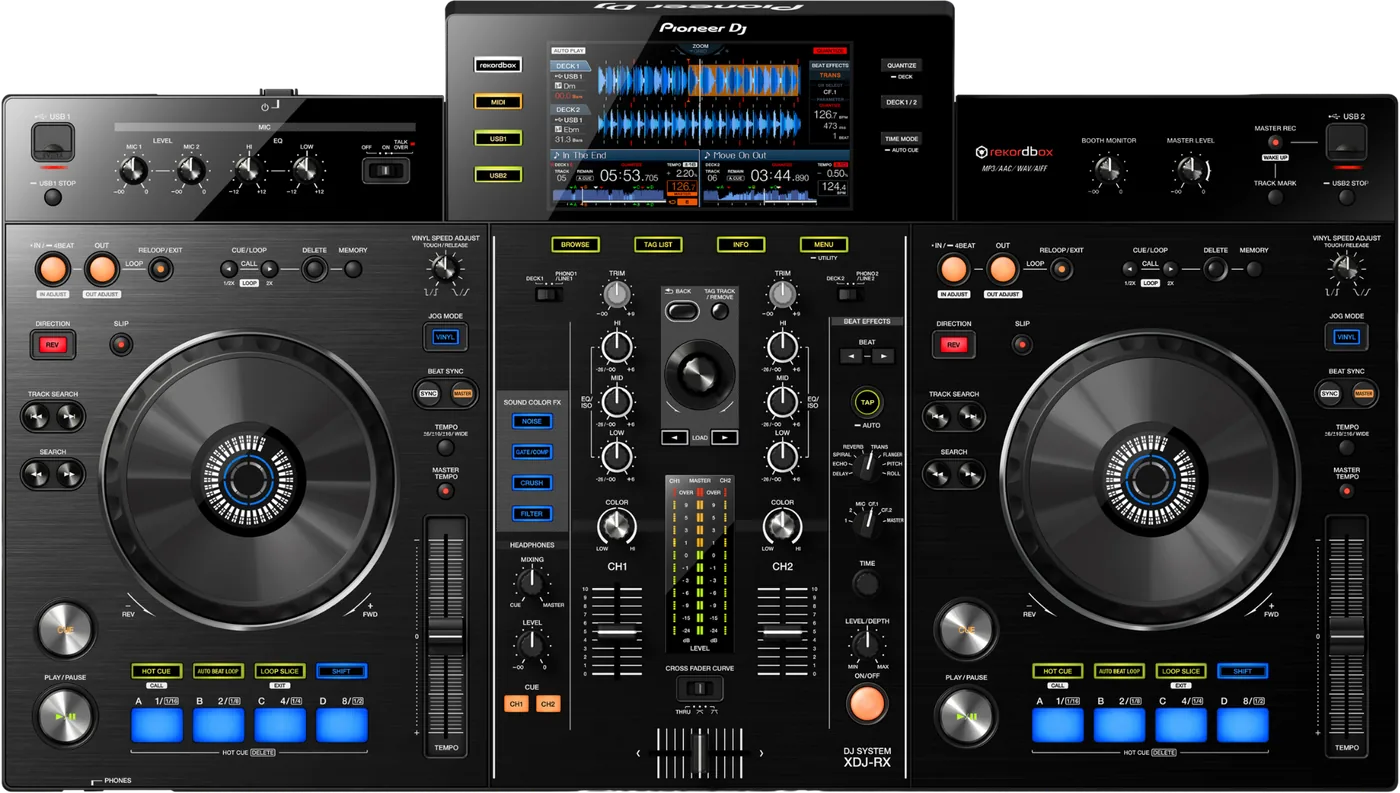
Booth briefing. The XDJ-RX is a 2-channel AlphaTheta all-in-one that plays from a USB drive with no computer attached. It reads FAT16, FAT32 and HFS+, with HFS+ support arriving in firmware 1.30 in 2015, and exFAT is not supported on any firmware, so FAT32 is the format to prepare. Its LAN terminal is a link to one computer running rekordbox rather than a PRO DJ LINK port, so it works as its own system next to a booth of CDJs rather than joining their network. The firmware history, the version to check on the unit and the drive rules are covered in the sections below.
When it goes wrong: The CDJ will not read the USB Playlists not showing How to format a USB for a CDJ
Fast Lane
The five things that decide your gig
The five things on the XDJ-RX that change what happens next, if you are reading this in the booth. All five are explained in full further down this page.
The LAN port does not link it to CDJs, whatever the manual says.
It has a LAN terminal, ships with a LAN cable, and its own manual uses the words PRO DJ LINK. AlphaTheta still write: "With wired LAN connections, one computer on which rekordbox is installed can be connected. The unit cannot be connected to a player compatible to PRO DJ LINK."
The cable goes to one computer running rekordbox. Turning up expecting to join a booth network of players is the mistake this page exists to stop.
HFS+ depends on the firmware, from 1.30 onward.
The Operating Instructions list only FAT16 and FAT32, because that was true the day they were written. HFS+ arrived later and the manual never caught up.
A 2015 unit in a small venue may never have been updated, so a Mac-formatted drive is a gamble on a version you cannot see from the doorway.
No exFAT, on any version. FAT32 ends the argument.
exFAT appears nowhere in the manual and nowhere in the complete firmware history, and the unit is absent from the maintained rekordbox exFAT list.
Format FAT32 and the file system question stops mattering here and on every other deck you will meet.
Hard limits: 8 folder layers, 999 folders, 10,000 files.
Files below the eighth layer cannot be played at all. A deep library does not error, it simply goes quiet where you expected a track.
Only the first partition is used, so a drive carrying two is half a drive here.
It plays standalone, which moves every mistake earlier.
It is a 2-channel all-in-one: a correctly prepared drive goes in and it plays with nothing else attached.
Anything you would have fixed on a laptop in the booth has to be right before you leave the house.
Compare
Playing on a different deck?
Pick the deck you are about to touch. This says what changes for the drive in your bag, and nothing else: the rest of what matters on that unit is on its own page.
If something goes wrong
The XDJ-RX will not read your USB
Short answer. On the XDJ-RX, suspect the format before the port, and check the firmware version before you blame the drive. It reads FAT16, FAT32, HFS+, but HFS+ only from firmware 1.30.
Why this happens. exFAT is refused on every firmware, and that is how most big drives ship. A GPT partition map, which is what erasing a volume rather than a device leaves behind on a Mac, is the other repeat offender: AlphaTheta name a GPT refusal for the CDJ-3000 and the XDJ-AN and not for this unit, so MBR here is our recommendation rather than their published requirement. HFS+ is the one that depends on the unit in front of you: fine from firmware 1.30 onwards, refused below it. All three look perfectly healthy on a computer.
Take the drive out properly before you move it. The instinct is to pull it and try the other slot, and the manual says what that costs: "Do not disconnect the USB device or turn off this unit’s power while the USB indicator is lit or flashing. Doing so could delete this unit’s management data and damage the USB device, making it impossible to read." The procedure is one line: "Press the [USB STOP] button for over 2 seconds."
Fix it now. Then try the other slot and a second drive, which separates the drive from the unit in seconds. If a laptop is available, check the format. If the drive is Mac-formatted, that alone explains it on this model even though the same drive works on newer players.
Two causes that are not the format. "USB hubs cannot be used." And on firmware below 2.20, some USB devices simply did not show their rekordbox library on the browse screen, which is indistinguishable from a failed export.
If the unit looks dead rather than fussy. Check the power setting before the mains. "This unit is shipped with the auto standby function turned on." A unit left idle through a long soundcheck reads as broken and is not.
And if it is looping on its own and ignoring you. That is an emergency loop, not a crash: "DJ playback is restricted during emergency looping. To cancel emergency looping, load the next track."
Avoid it next time. FAT32 and MBR, and carry a second identical drive.
A turntable sounds distorted and TRIM does nothing
Short answer. Distorted sound from a turntable on the XDJ-RX comes with a second symptom that names the cause, and most people never connect the two: the channel level indicator does not change when you turn TRIM. That pair means the input is set to the wrong sensitivity. The rear panel LINE, PHONO switch has to match what is plugged in. A turntable with a built-in phono equalizer wants LINE on this unit, and if that turntable has its own LINE and PHONO switch, that one goes to PHONO. And if a computer audio interface sits between the turntable and this mixer, its output is line level, so the rear switch goes to LINE.
Why this matters. A dead TRIM is normally read as a broken pot, which is a service booking. It is the same fault as the distortion, and it is a switch on the back that somebody set for a different device.
Fix it now. Look at the rear LINE, PHONO switch for that channel before you touch anything else. Then look at whether the turntable itself has a switch. Then look at what is between them.
The crossfader does nothing at all
Short answer. A crossfader on the XDJ-RX that does nothing at all is usually not broken. The CROSS FADER CURVE switch has a THRU position, and THRU takes the crossfader out of the signal path entirely, which is what a scratch DJ using only the channel faders wants and what the next person to touch the unit will not expect. Move the switch off THRU and the fader comes back.
Why this matters. This is a two second fix that costs people a set, because a fader that moves and does nothing reads as a hardware failure rather than a routing choice.
SYNC will not lock
Short answer. SYNC on the XDJ-RX has four documented reasons to refuse, and only one of them is the file. The track has to be analysed. The beat grid has to be regular and correctly tapped. The two BPMs have to be close enough that the target sits inside the other deck's adjustable tempo range, so a 90 and a 175 will not lock however good the grids are. And the fourth is the one nobody reads: SYNC is disabled while you are scratching.
Fix it now. Check the grid before you check anything else, because a track analysed by a shaky tap is the commonest of the four and the only one that survives to the next gig. Then compare the two BPMs against the tempo range you actually have available.
An effect produces nothing
Short answer. An XDJ-RX effect that produces nothing is usually a control sitting at its neutral point rather than a fault. Beat effects need the LEVEL/DEPTH control off centre, because centre is zero. Colour effects need one of the SOUND COLOR FX buttons actually pressed, and then the COLOR control moved off its middle position. Both are invisible on a dark stage, and both look exactly like a dead effects section.
Do this. Before a set, run each effect once with the control fully clockwise so you know what it does and where its zero is. Ten seconds in the light beats guessing in the dark.
The categories are not showing
Short answer. The XDJ-RX shows no categories for two different reasons and only one of them is about rekordbox. The first is the expected one: the drive carries no rekordbox library information, so there is nothing to build categories from. The second is not obvious at all: a write-protected USB drive. The manual's remedy is to cancel the write-protection so the unit can write on the drive, which means this player needs write access to a drive before it will show you a library properly.
Why this matters. A write-protected drive is a thing people do deliberately to protect a library, and it produces a symptom that points at rekordbox instead. You go back to the computer and re-export a library that was fine.
The unit is in standby and looks dead
Short answer. The XDJ-RX calls it AUTO STANDBY, not Power Management, and turning it off means OFF rather than NEVER. The timer is four hours and it is heavily conditional: nothing operated, the channel level indicator unlit, playback not running, no PRO DJ LINK connection, no USB drive in the top panel slot and no computer on the rear USB. A unit with your drive still in it did not do this. MASTER REC, marked WAKE UP, is the button that cancels it.
Fix it now. Press MASTER REC, the button marked WAKE UP, before anything else. If it comes back, that was standby.
A setting keeps reverting
Short answer. The XDJ-RX keeps a setting only if you give it time to write, and its manual adds an instruction the other players do not. Wait at least 10 seconds after changing settings before turning the power off, and always turn the power off with the power switch rather than at the wall or the strip. On a unit that lives in a rack behind a switched socket, that second sentence is the one that gets ignored.
Do this. Change the setting, back out, and give it a slow count of fifteen. And put the unit on an unswitched socket if you can, so nobody kills it mid-write.
What to watch for
Folder depth, file count and a second partition
The published limits. The XDJ-RX Operating Instructions state a maximum of 8 folder layers, with files below that layer unplayable, a maximum of 999 folders and a maximum of 10,000 files. Anything past those limits is not displayed at all.
A second partition behaves differently here than on a CDJ-2000. Pioneer's sentence for this unit: "If multiple partitions are set on the USB device, only the first partition can be used. (When rekordbox library information is present, the partition containing the rekordbox library information has priority.)" That is the first-partition rule, not the harsher 2009 wording where the drive may vanish completely. A two-partition drive will usually mount and show you half of what you packed, which is a worse failure to diagnose in a booth than a drive that plainly does nothing.
Firmware. Nine dated versions, 1.30 in March 2015 through 2.21 in October 2017. The ones that fixed something a DJ would notice:
- 2.21, October 2017
- With SYNC enabled, certain MP3 files did not sync. Waveforms were not shown for tracks imported to some USB hard drives. Auto BPM failed with MASTER selected for the beat effect channel while the input was LINE or PHONO.
- 2.20, November 2016
- With some USB devices the rekordbox library was not shown on the browse screen at all, which looks exactly like a bad export and is not one.
- 1.80, October 2015
- LOAD LOCK added to the UTILITY menu, so a unit on this firmware or later can be set to refuse a track load during playback. Also fixed: no audio output when loading a track during SLIP LOOP.
- 1.70, October 2015
- Playlists raised to 10,000 tracks. Loading became unavailable once an E-8306 message appeared, and an unexpected EMERGENCY LOOP could start when loading a track from a USB device.
- 1.60, May 2015
- The unit froze when selecting a track with specific artwork, a track other than the one chosen loaded from the KEY category, and specific VBR tracks skipped.
- 1.50, April 2015
- Loading tracks did not work properly, and faults using active loops.
E-8302 on this unit, and the two file codes
Short answer. E-8302 does not mean on the XDJ-RX what it means on a CDJ. Here it reads CANNOT PLAY TRACK and the manual's cause is that the track data on the storage device cannot be read correctly, most likely a corrupt file, with the stated action being to try that track on another player that handles the same formats. On the CDJ generation the same number is PLAYER ERROR and points at the disc or the decoder.
The other two. E-8304 and E-8305 on this unit are UNSUPPORTED FILE FORMAT, and the manual's action is one line: the format is wrong, replace the file with one in a proper format. That is a preparation answer rather than a booth one.
Fix it now. E-8302 means test that one file somewhere else. E-8304 and E-8305 mean the file was never in a format this unit takes, so retrying changes nothing.
Two things that are not faults, and one recovery worth knowing
A cause from another era. One cause the manual lists that sounds like it belongs to another decade: an XDJ-RX placed near a television can produce distorted or noisy sound. The remedy given is to turn the television off or to move the two apart.
After a static hit. Static electricity can put an XDJ-RX into a state that looks like hardware failure, and the recovery here is longer than on the players. The manual asks you to turn the power off, remove the power cord, then put the cord back in the outlet and turn the power on. Not a power cycle at the switch. The cord comes out.
The reset for a drive it will not see. The manual gives a plain reset for a drive the XDJ-RX will not recognise, with no check column attached to it: turn the power off, wait one minute, then turn the power back on. It sits in the same table as the connector, hub and format checks, so work through those first and keep this as the one that costs a minute rather than the first thing you try.
Compatibility
The LAN port does not link the XDJ-RX to CDJs
Short answer. It has a LAN terminal, it ships with a LAN cable, and its manual uses the words PRO DJ LINK. It still cannot join a booth network of players. Pioneer's own sentence, from DRI1257: "With wired LAN connections, one computer on which rekordbox is installed can be connected. The unit cannot be connected to a player compatible to PRO DJ LINK." Wireless allows up to two computers or mobile devices to be connected.
Why this trips people. Every visible signal points the other way. A port, a cable in the box, and the brand name for booth networking printed in the documentation. The capability behind those words is narrower: a cable to one computer running rekordbox, or up to two computers or mobile devices over Wi-Fi.
Fix it now. If a promoter expects you to link into house CDJs from an XDJ-RX, that conversation belongs before the gig. The workable answer on the day is a prepared drive played from the house players, or playing the whole set from the XDJ-RX itself.
Avoid it next time. The XDJ-RX2 and XDJ-RX3 answer the same way for the same reason, so the rule holds across the line: no unit in the RX family joins a CDJ network.
Which drives the XDJ-RX will read
Short answer. FAT16, FAT32, HFS+, but the HFS+ half depends on the firmware. The Operating Instructions list only FAT16 and FAT32, because that was true when they were written.
HFS+ came later, and the manual never caught up. Firmware 1.30, dated 2 March 2015, lists one line: "Supports HFS+ file format." The Operating Instructions were written before that and still say FAT16 and FAT32. Both documents are official and they disagree, because one is a snapshot and the other is a running record. On this unit the firmware version decides whether a Mac drive plays. The SC6000 and SC6000M are the other players here where that is true: HFS+ arrived on them with Engine OS 2.4.0.
No exFAT, on any firmware. exFAT appears zero times in the Operating Instructions AND zero times in the complete firmware history from 1.30 to 2.21, and the unit is absent from AlphaTheta's maintained list of equipment that supports exFAT. Three sources, all silent. Most drives above 32GB arrive exFAT from the factory, so a new stick fails out of the packet.
Fix it now. Format FAT32 with an MBR scheme, which is the combination that works on this unit and on everything else you are likely to meet. Never format a drive that still holds your only copy of anything: recover the music first.
Using it as a controller, and the three things that break it
Short answer. Three things break the XDJ-RX as a controller and none of them is the unit. The USB cable has to run directly from the computer, because a hub will not do. The MIXER MODE setting on the UTILITY screen has to agree with the DJ software's own output routing, or the sound goes down a path nobody is listening to. And interrupted audio is a latency setting, in the driver and in the software, rather than a failing port.
Why this matters. MIXER MODE is the one that wastes an afternoon, because everything looks connected and the meters even move, and the audio is simply going somewhere else.
Features explained
It plays without a computer
Short answer. The XDJ-RX is a 2-channel all-in-one. A correctly prepared USB drive goes in and it plays with nothing else attached.
Why it matters. Standalone moves every mistake earlier. Anything you would have fixed on a laptop in the booth has to be right on the drive before you arrive, and on this unit the drive rules are stricter than on anything newer.
When professionals use it. Small rooms that own one box instead of two players and a mixer, and as the deck a venue keeps because it still works after a decade.
Common mistakes. Preparing the drive the way you would for a modern unit. This is a 2015 machine and it is the least forgiving player on this site about formats.
Auto cue, and the button it is hiding behind
Short answer. An XDJ-RX that loads a track and then does nothing is usually auto cue holding the deck at the first sound. The control is not labelled AUTO CUE on this unit's panel: it is TIME MODE, with AUTO CUE printed under it, and it takes a press of one second or more to turn the function off.
Why it is there. Auto cue exists so a track starts on the first sound rather than on whatever silence the mastering left at the front. On a prepared library you want it. On a deck somebody else set up, it is the thing that makes the unit look stuck.
Professional tips
Before you rely on one in a booth
If you are a Mac DJ, read the firmware version. HFS+ works from 1.30 onward and not below it, and a 2015 unit in a small venue may never have been updated. Format FAT32 and the question stops mattering, here and everywhere else.
Do not promise anyone a PRO DJ LINK handover. Pioneer state the unit cannot connect to a PRO DJ LINK player. Agree the handover method before the gig, not in the booth.
Format for this deck and you have formatted for all of them. Its list is the shortest, so satisfying it satisfies everything newer.
One partition, and keep the folders shallow. A second partition here does not kill the drive, it hides everything after the first one, which is the failure that looks like missing tracks rather than a dead stick. Nothing below 8 layers plays.
Firmware, drivers and manuals
Official downloads and documents
Go to AlphaTheta for the files themselves. We link their pages instead of hosting a copy, because a manual copied here is a snapshot of release day and theirs is the one that stays current.
Manuals. Official Pioneer DJ manual page →
Broken link? Let us know and we'll fix it.
Frequently asked questions
Quick answers
- Does the XDJ-RX read exFAT?
- No. Its documented file systems are FAT16 and FAT32 only.
- Does the XDJ-RX read HFS+?
- Yes, from firmware 1.30 (2 March 2015). Below that, no. The Operating Instructions predate the change and still list only FAT16 and FAT32, so the manual alone will tell you the wrong thing.
- Can I link it to club CDJs over PRO DJ LINK?
- No. Pioneer state it cannot be connected to a PRO DJ LINK player. The LAN port goes to one computer running rekordbox, or two devices over Wi-Fi.
- Why does it have a LAN cable in the box then?
- For that computer connection. The cable is real, the booth networking is not.
- Does it need a computer to play?
- No. It is standalone from a USB drive.
- How deep can my folders go?
- 8 layers. Files below that cannot be played, and the unit caps at 999 folders and 10,000 files.
- Can I use a drive with two partitions?
- Only the first partition is used, and if rekordbox library information is present the partition holding it takes priority. Use one partition.
- How is it different from the XDJ-RX2?
- The RX2 has HFS+ out of the box rather than by firmware, and it drops the LAN terminal in favour of USB. Neither joins a CDJ network.
Playing soon and it is not working?
Start Emergency ModeKeep the Emergency Card
We will email you the printable PDF so it is on your phone before the next dark booth. Occasional notes that save gigs. No spam, unsubscribe in one click.
Registering is free and counts everywhere on Save My Gig. We send a confirmation email first. Your address is stored with Brevo, our email provider. Unsubscribe any time. Privacy
Sources: the XDJ-RX Operating Instructions, Pioneer DJ document DRI1257, read in full as text for the supported file systems, folder layers, folder and file counts and partition behaviour, and the Quick Start Guide DRH1292A for the PRO DJ LINK statement quoted above, which both documents carry, and the product page, checked 24 August 2026, and the firmware change history to 2.21, read in full, which is where the HFS+ answer and the defect list above both live. Specifications theirs, priorities ours.