

OMNIS-DUO, the field manual
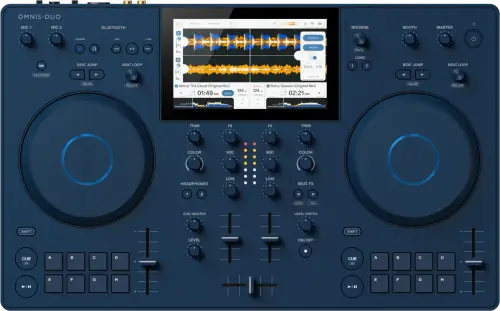
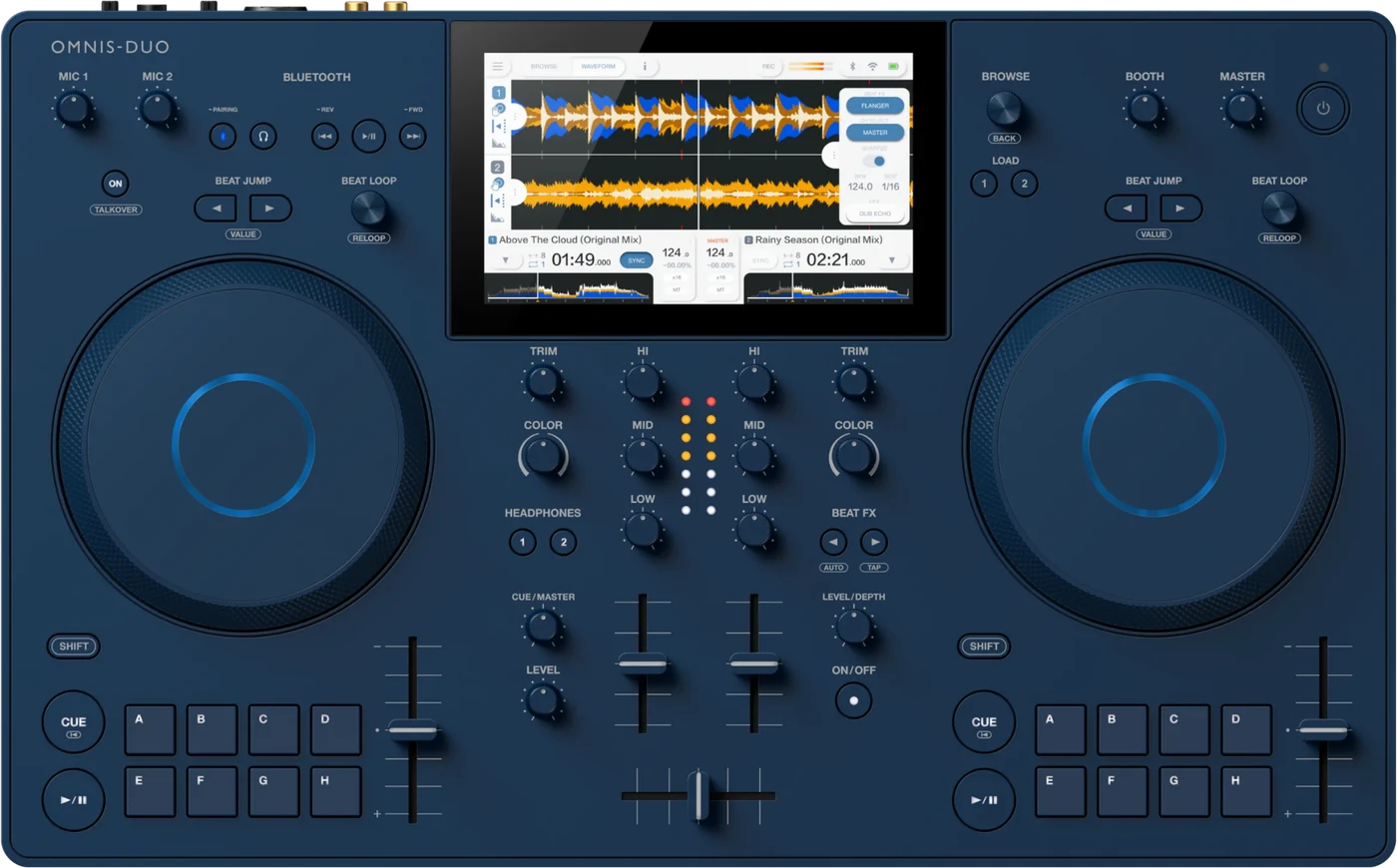
Booth briefing. The OMNIS-DUO is AlphaTheta's portable two channel all-in-one, and one of only two players on this site that run on a battery, the other being Denon's PRIME GO+. AlphaTheta rate the battery at about 5 hours. Bluetooth audio runs out as well as in, so it can send the mix to a paired speaker as well as take audio from a paired source. It is self-contained: its PRO DJ LINK covers rekordbox export and a computer connection, not a link to other players.
When it goes wrong: The CDJ will not read the USB Playlists not showing How to format a USB for a CDJ
Fast Lane
The five things that decide your gig
The five things on the OMNIS-DUO that change what happens next, if you are reading this in the booth. All five are explained in full further down this page.
It runs on a battery, and the number is a claim to plan around.
A built-in 47.52 Wh lithium-ion pack, approximately 5 hours of play, approximately 3 hours to a full charge from empty with the included AC adapter. An Eco mode extends the runtime.
Those are AlphaTheta’s figures and the only published ones. Treat the pack as the layer underneath the mains lead, not as the plan, and plug in wherever a socket exists.
Bluetooth goes OUT as well as in. That is a rescue path.
Bluetooth 5.2, audio input and audio output, one direction at a time: the manual lets you set ON for either input or output, not both at once.
When every other PA path has died, a Bluetooth speaker still works. Of the players covered here only this one and the PRIME 4 G2 can send audio out that way, and only this one runs on a battery while it does.
Its PRO DJ LINK is export and a computer, never another player.
AlphaTheta document PRO DJ LINK on this unit for SD and USB Export and for rekordbox LINK EXPORT from a PC/Mac or a mobile device. No connection to another player is documented, and LINK EXPORT here is wireless only. So music comes from its own USB port, SD slot, Wi-Fi, Bluetooth or streaming, never from a linked player.
So it does not join a booth network, and nothing on the network can take over from it either.
One USB-A port and one SD card slot, and it wants OneLibrary.
The manual is blunt about the format: this unit only supports OneLibrary. So prepare drives from a current rekordbox: 7.2.13 and later writes both library formats at once and the same drive then works here and on older players.
Two media slots means the second copy of your library can sit inside the unit rather than in your bag. Put a prepared SD card in before your first track.
The launch-day firmware fixed the Bluetooth audio. Check the version.
Firmware 1.01, of 25 January 2024, fixed Bluetooth input and output audio issues and rekordbox recording problems in Performance mode. Beat FX issues were fixed in 1.10.
A unit below those versions has documented faults in the two things this model is bought for. The first firmware check here matters more than usual.
Compare
Playing on a different deck?
Pick the deck you are about to touch. This says what changes for the drive in your bag, and nothing else: the rest of what matters on that unit is on its own page.
If something goes wrong
The battery, and how far approximately 5 hours really goes
Short answer. The official OMNIS-DUO figures: a built-in 47.52 Wh lithium-ion battery, approximately 5 hours of play, and approximately 3 hours to a full charge from empty, measured with the included AC adapter at +25 C. An Eco mode extends the runtime. Those are AlphaTheta's numbers and they are the only published ones.
Why this matters. The battery is the reason this unit exists on this site: when the venue's power dies, the music does not. The PRIME GO+ is the other player covered here that can say the same, and the WAVE-EIGHT carries its own battery as a speaker rather than as a player. But approximately 5 hours is a claim measured somewhere that is not your booth, and screen brightness, Wi-Fi, Bluetooth and how hard the unit is working all sit between the claim and your set. A unit that arrives half charged carries half of whatever the real figure is.
Fix it now. If mains power has just died, keep playing, that is the whole point, and use the time the battery buys you to solve the power problem rather than to hope. Turn on Eco mode, because runtime is now the resource you are managing.
Avoid it next time. Plan the mains anyway. Treat the battery as the backup layer, not the plan: arrive with the unit fully charged, bring the supplied AC adapter, and plug in whenever a socket exists. A full gig on battery alone is betting the booking on a laboratory figure, and that is not booth craft.
A track will not play, and the screen shows a code
Short answer. The OMNIS-DUO puts three documented codes on the screen when a file will not load. E-8302 means CANNOT PLAY TRACK: the unit cannot read the file, which usually means the file itself is damaged. E-8304 and E-8305 both mean UNSUPPORTED FILE FORMAT, which is about the format rather than the drive. Either way the fix is the file, not the unit.
Why this matters. The codes look like a broken unit and they are not. Two of the three name the file format, one names a damaged file, and none of them says the drive has failed. Reading the code correctly is the difference between loading the next track and pulling the USB stick out mid-set for no reason.
Fix it now. Load a different track. If everything from one folder throws the same code, the folder was exported in a format this unit does not take, so play from the SD card copy instead and sort the export afterwards.
Avoid it next time. Export from rekordbox rather than dragging files onto a drive, and let the export finish before you eject. A part-written file is a damaged file.
Bluetooth in and out, and what each one is for
Short answer. Bluetooth Ver. 5.2, audio input and audio output. The input plays audio from a phone or laptop into the unit. The output sends the unit's audio to a Bluetooth speaker. One direction at a time: Bluetooth Input and Bluetooth Output cannot be on at the same time: the manual lets you set ON for either one, not both. Both directions had audio issues that were fixed in firmware 1.01, the first published update, so the first firmware check on this unit matters more than usual.
Why this matters. In a failure scenario the output is the remarkable half. If the mixer output path, the amp, or the whole installed PA is dead, a Bluetooth speaker paired to this unit is still a sound system, and combined with the battery that makes the OMNIS-DUO a booth that survives losing everything except itself. The input is the everyday half: a phone with a requested track, or filler audio while you fix something else, straight into a channel.
Fix it now. If Bluetooth audio is glitching, dropping or silent, check the firmware version before blaming the speaker or the pairing, because the audio issues fixed in 1.01 present exactly that way. The same update fixed rekordbox recording problems in Performance mode, so a broken recording on an un-updated unit is the firmware, not your settings.
Avoid it next time. Update any OMNIS-DUO you own or rent to the highest published version, and pair your emergency speaker before the gig rather than during it. Pairing menus under pressure are where minutes go to die.
Wi-Fi or Bluetooth will not connect
Short answer. The OMNIS-DUO carries both radios, and AlphaTheta document a fix for each. For a Wi-Fi network it will not join, check that the network name, the password and the encryption method on the unit match the router exactly, then treat it as a radio problem: move the two closer and take out what is between them. For Bluetooth that will not pair, power both off and on and pair again. And AlphaTheta document that Bluetooth and Wi-Fi can interfere with each other, with the answer being to turn Wi-Fi off or set Wi-Fi Frequency to 5 GHz in the utility settings. On a unit whose whole point is playing away from a wired booth, that interaction is worth knowing before it happens.
Why this matters. This is the unit you take to the place with no wired booth, so the two radios carry more of the gig here than on any other model covered on this site. They also share the same 2.4 GHz air, which is why AlphaTheta document them interfering with each other rather than treating them as independent.
Fix it now. If the Bluetooth speaker is the sound system and Wi-Fi is only carrying a library you already have on the drive, turn Wi-Fi off. That is one setting and it removes the interference entirely.
Avoid it next time. Set Wi-Fi Frequency to 5 GHz in the utility settings before the gig, and pair the speaker at home. Neither is a thing to discover with a room waiting.
CloudDirectPlay is showing nothing
Short answer. An empty cloud library on the OMNIS-DUO is almost never the unit. For rekordbox CloudDirectPlay showing no tracks, the causes sit back at the computer: rekordbox has not finished synchronising with the cloud library, or the tracks were never uploaded. One detail is specific to this unit and easy to get wrong, because the firmware history shows it changing: CloudDirectPlay here started as Dropbox only and gained Google Drive in version 1.10, so on an older unit Dropbox is the only cloud that will show anything.
Why this matters. An empty cloud library looks like a broken login, so a DJ spends the break signing in and out. The real causes are all back at the computer, and one of them is a firmware boundary you cannot see from the unit: on a unit below that version, connecting a Google Drive account is not going to produce tracks no matter how correct the password is.
Fix it now. Play from the USB port or the SD slot and stop debugging a cloud in the booth. Nothing about this fault is fixable from the unit during a set.
Avoid it next time. Let rekordbox finish synchronising before you leave the house, and confirm the tracks are uploaded rather than merely added. The cloud is a convenience layer, and the drive is the set.
The unit has frozen, and the force off is not free
Short answer. The OMNIS-DUO can lock up like any computer. There is a force off and it is not free. Holding the power button for more than 15 seconds cuts the power, and AlphaTheta warn plainly that doing it may delete the unit’s management data or leave the SD card or USB drive unreadable. So it is the last resort rather than the first reflex: a frozen screen with the audio still playing is not worth the drive you are playing from.
Why this matters. Every instinct in a frozen booth says hold the button. AlphaTheta document what that can cost, and the cost lands on the drive you are playing from, which is the one thing you cannot replace mid-set. This is the rare case where the fast fix is the expensive one.
Fix it now. If audio is still playing, let the current track run and use the time: try the screen, the browse control and a normal power cycle first. Force the power off only when the unit is genuinely dead to every input, and take the SD card and the USB drive out afterwards to check them on a computer before you trust either again.
Avoid it next time. Keep the second library on the SD card so a suspect USB drive is not the only copy in the room, and keep the firmware current, since the published updates are where documented freezes and unresponsive controls get fixed.
What to watch for
Beat FX misbehaving on older firmware
Short answer. AlphaTheta's OMNIS-DUO firmware history records issues when using Beat FX, fixed in 1.10. If the effects section is behaving strangely on a unit below that version, it is a documented fault with a published fix, not your technique.
Why this matters. Beat FX sit in the audio path, so an effects fault is a mid-set fault: it reaches the room the moment it happens. The official wording does not enumerate the symptoms, so this page will not invent them, but the category is enough to act on.
Fix it now. Mid-set on an un-updated unit, the workaround is to leave Beat FX off and finish the set clean. A dry mix is a set, silence is not. Update the firmware at the first break or after the gig.
Avoid it next time. Check the firmware version as part of setup, the same as on any other unit here. The full version history lives on the firmware reference page.
Compatibility
The library story: OneLibrary, one USB, one SD card
Short answer. Media is one USB Type-A port and one SD card slot, on FAT16, FAT32, exFAT and HFS+; NTFS is not supported. The manual's own line on the library format: "This unit only supports the OneLibrary format." So prepare drives from a current rekordbox: rekordbox 7.2.13 and later writes both library formats at once, and the same drive then works here and on older players.
The routes into it. rekordbox USB export is the standard route. Wi-Fi Link Export moves tracks over the built-in Wi-Fi without a cable, and CloudDirectPlay pulls your library down through your cloud account. Serato DJ Lite support arrived in firmware 1.02. StreamingDirectPlay brought Beatport Streaming and TIDAL on board in 1.10, and Apple Music in 1.21.
Why the SD slot matters. Two media slots means the backup copy of your library can live in the unit at the same time as the main one. A USB stick that dies mid-set is a browse and a load away from not mattering, if the SD card is already in the slot and already prepared.
What its Link does and does not reach. AlphaTheta document PRO DJ LINK on this unit for SD and USB Export and for rekordbox LINK EXPORT from a PC/Mac or a mobile device. No connection to another player is documented, and LINK EXPORT here is wireless only. Music enters this unit through its own slots, its own Wi-Fi and its own Bluetooth, never from a linked player, and it cannot serve tracks to a CDJ either. Book it as a self-contained booth, because that is what it is.
Features explained
The reference numbers
The published figures. 2 channels, 2 decks. Battery: 47.52 Wh built-in lithium-ion, approximately 5 hours of play, approximately 3 hours to charge from empty with the included AC adapter at +25 C, with an Eco mode that extends runtime. Media: One USB Type-A port and one SD card slot, on FAT16, FAT32, exFAT and HFS+; NTFS is not supported. Bluetooth Ver. 5.2, audio input and output. Wi-Fi IEEE 802.11 a/b/g/n/ac.
Recording. The unit records the master output as a WAV file to a USB storage device only, never to the SD card; recording is unavailable when a Bluetooth device is the selected source, and 1 GB of free space holds approximately 90 minutes. Promise a recording only on a USB drive with room on it, and never while a Bluetooth source is selected.
Lineage. The equipment graph on this site carries no predecessor for it, because AlphaTheta name none.
Professional tips
Working one you did not charge yourself
Charge it fully and pack the supplied AC adapter anyway. The published figure is 47.52 Wh built-in lithium-ion, approximately 5 hours of play, approximately 3 hours to charge from empty with the included AC adapter at +25 C, and a unit handed to you half charged carries half of whatever that is worth in your room. Treat the pack as the layer underneath the mains lead rather than the plan, and plug in wherever a socket exists.
Put a prepared SD card in the slot before your first track. The media on this unit: One USB Type-A port and one SD card slot. The second copy of your library can sit inside the unit instead of in your bag, so if the USB stick stops reading during your set the recovery is a browse and a load rather than a search.
Read the firmware version before you promise anyone a recording. rekordbox Performance-mode recording problems and Bluetooth audio issues were both fixed in 1.01, the first published update, so a unit still on factory firmware has both faults live. And know what recording is: the unit records the master output as a WAV file to a USB storage device only, never to the SD card; recording is unavailable when a Bluetooth device is the selected source, and 1 GB of free space holds approximately 90 minutes. The highest published version is 1.23, and the version screen takes seconds to reach.
Carry the music rather than planning to fetch it. Wi-Fi Link Export, CloudDirectPlay and the StreamingDirectPlay support added in 1.10 all depend on a network you do not own and cannot repair. They are excellent when the venue connection is good and they are nothing at all when it is not, so the set you are committed to playing belongs on the USB port and the SD slot.
Agree at booking that this unit is the whole booth. AlphaTheta document no connection to another player, so it never browses a drive in a linked player and never serves a track to a CDJ. A promoter picturing you slotting into a pair of linked players is picturing something this unit does not do, and that conversation costs less before the gig than during it.
Connections and setup
The rear panel, and the one output rule that matters
What is back there. The rear panel carries the USB port that takes power from the supplied AC adapter, an SD card slot, a USB port for a storage device, a USB port for a computer, a Kensington slot, MASTER 1 on balanced XLR, BOOTH/MASTER 2 on RCA, MIC 2 on XLR or TRS with its own ATT. knob, and MIC 1 on TRS. For the computer port AlphaTheta ask for a standard USB cable of 2 m or shorter.
The output rule. MASTER 1 is balanced XLR and is for balanced output only. AlphaTheta state that connecting it to an unbalanced input through an XLR to RCA adapter produces unwanted noise and poor sound quality, that BOOTH/MASTER 2 on RCA is the terminal for that job, and that MASTER 1 must never see phantom power or a power cord from another product. On a portable unit that ends up feeding whatever PA is in the room, this is the connection most likely to be improvised badly.
Reading it in the booth. This unit gets carried into rooms whose PA it has never met, and the adapter that makes the plug fit is always the one somebody offers you. Take the XLR run to the desk and leave BOOTH/MASTER 2 for the RCA input, rather than the other way round.
Firmware, drivers and manuals
Firmware, and what each version fixed
The fixes that matter. Firmware 1.01, of 25 January 2024, fixed Bluetooth input and output audio issues and rekordbox recording problems in Performance mode. 1.02 added Serato DJ Lite. 1.03 fixed played tracks not showing the correct colour on the browse screen. 1.04 fixed keys at the bottom of the touch keyboard occasionally going unresponsive. 1.10 added StreamingDirectPlay with Beatport Streaming and TIDAL, plus firmware updates via the internet, and 1.10 fixed issues when using Beat FX. 1.21 added Apple Music. Versions 1.22 and 1.23 enhanced security when logging in to streaming services, and the newer of the two also fixed minor issues. Highest published version is 1.23.
Reading it in the booth. A first-week fix for the two headline features tells you the check that matters: any OMNIS-DUO still on its factory firmware has unfixed Bluetooth audio and recording faults. Note the internet update path itself arrived in 1.10, so a unit below that updates from a USB drive first. The full model to version table lives on the firmware reference, so you can read the version off the unit and see which documented faults are still live on it.
Official downloads and documents
Go to AlphaTheta for the files themselves. We link their pages instead of hosting a copy, because a manual copied here is a snapshot of release day and theirs is the one that stays current.
Firmware downloads. Official AlphaTheta firmware page →
Manuals. Official AlphaTheta manual page →
Broken link? Let us know and we'll fix it.
Frequently asked questions
Quick answers
- Does it join a PRO DJ LINK network?
- No. The manual documents PRO DJ LINK here for SD and USB Export and for rekordbox LINK EXPORT from a computer or mobile device, and documents no connection to another player. It is self-contained: music comes from its own USB port, SD slot, Wi-Fi, Bluetooth or streaming, never from a linked player.
- How long does the battery really last?
- The official claim is approximately 5 hours, and Eco mode extends it. Treat that as a claim, not a measurement of your gig: charge fully, bring the supplied AC adapter, and plan mains for a full set.
- Can it play to a Bluetooth speaker?
- Yes, through the Bluetooth audio output, though not while the Bluetooth input is on: the manual allows one direction at a time. Make sure the firmware is at 1.01 or later, which fixed Bluetooth audio issues present in the first units.
Keep the Emergency Card
We will email you the printable PDF so it is on your phone before the next dark booth. Occasional notes that save gigs. No spam, unsubscribe in one click.
Registering is free and counts everywhere on Save My Gig. We send a confirmation email first. Your address is stored with Brevo, our email provider. Unsubscribe any time. Privacy
Sources: AlphaTheta's own OMNIS-DUO Operating Instructions DRI1882B, their published OMNIS-DUO firmware change history, their product page and their launch announcement, checked 10 August 2026. Specifications theirs, priorities ours.