

XDJ-RX3, the field manual
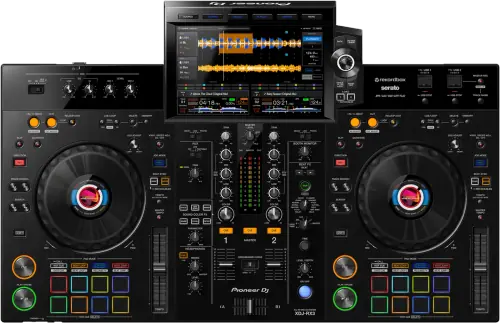
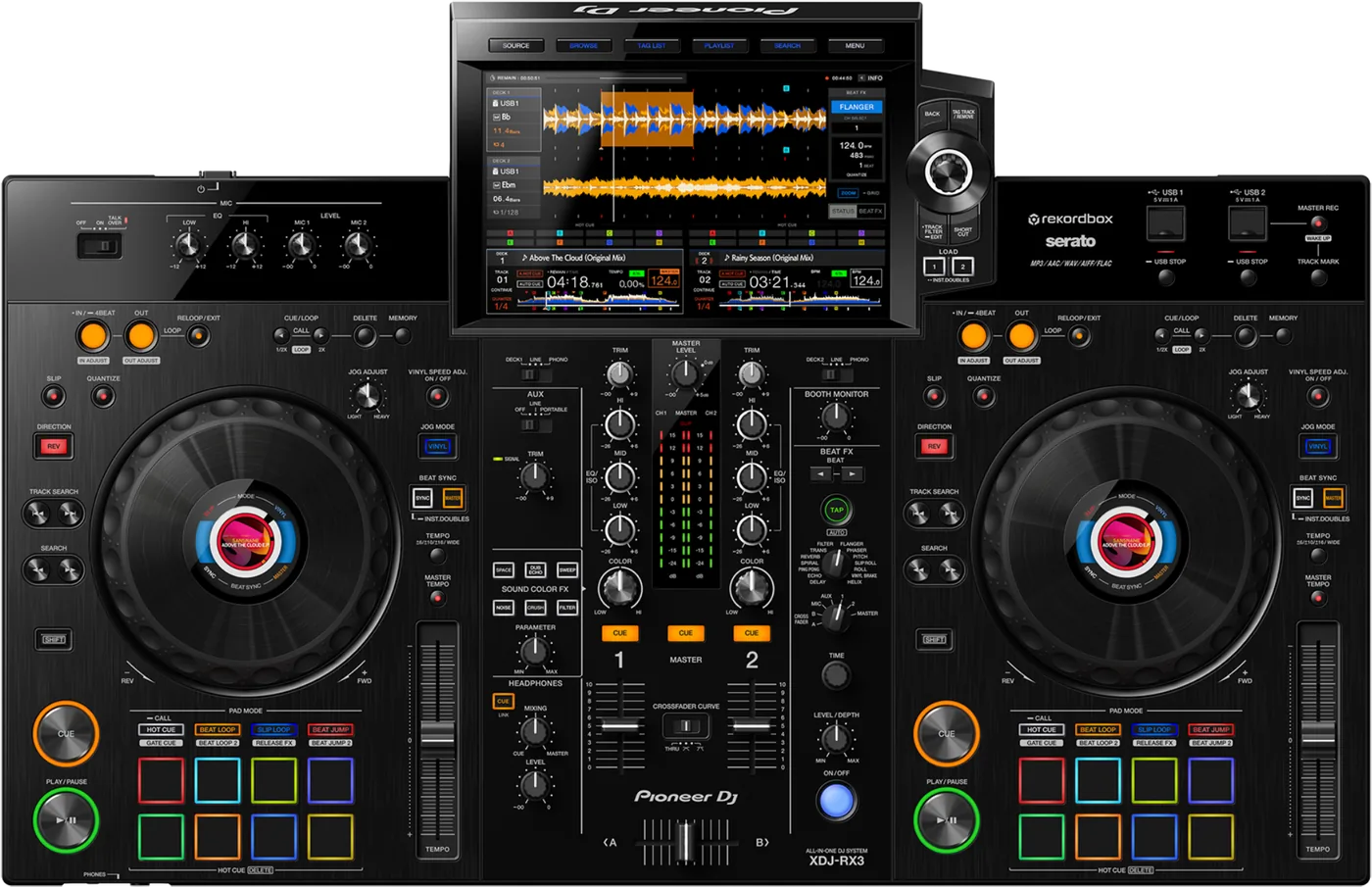
Booth briefing. The XDJ-RX3 reads FAT16, FAT32, exFAT, HFS+, and NTFS is not supported. It is the first Pioneer all-in-one here that reads exFAT, which the RX and RX2 above it do not. The other thing to settle before you arrive: it cannot join a PRO DJ LINK network, so the house CDJs and the DJM will never see it. Link Export is a cable to one computer running rekordbox, not a booth network.
When it goes wrong: The CDJ will not read the USB Playlists not showing How to format a USB for a CDJ
Fast Lane
The five things that decide your gig
The five things on the XDJ-RX3 that change what happens next, if you are reading this in the booth. All five are explained in full further down this page.
It reads exFAT. FAT16, FAT32, exFAT, HFS+, and NTFS is not.
The house CDJs and the DJM will never see it on the network.
It is not possible to connect CDJ or DJM units to the XDJ-RX3 via PRO DJ LINK. The XDJ-RX3 only supports USB connections (Link Export).
Link Export is a cable to one computer running rekordbox. It is not a booth network and it never becomes one.
Sound stopped in software control mode, fixed in 1.10.
Documented, with a published fix. It bites specifically when you are running the unit as a controller rather than standalone.
A separate fix, 1.13, covers a freeze with two drives connected.
Nothing below 8 folder levels plays, and browsing stops at 10,000 per folder.
The manual is explicit: files in the lower levels cannot be played with the unit. A deep library goes quiet without an error.
If browsing crawls or search stalls, check the firmware before you blame the drive: 1.17 addressed exactly that.
Browsing is slow, search is crawling, or it froze with two drives in
Settle the changeover before you load in, not at the booth.
Because it cannot join a Link network, a handover to or from house CDJs is a physical and audio question rather than a network one.
That is a conversation with the promoter, and it is cheaper before the doors than behind them.
Compare
Playing on a different deck?
Pick the deck you are about to touch. This says what changes for the drive in your bag, and nothing else: the rest of what matters on that unit is on its own page.
If something goes wrong
The unit will not read my drive
Short answer. Check the format before anything else, because the XDJ-RX3 is explicit about what it will read: FAT16, FAT32, exFAT and HFS+ are recognised. NTFS is not supported, and a firmware update USB has to be FAT or FAT32.
Why this happens. NTFS is what Windows gives you by default on a large drive, so a drive that mounts perfectly on the laptop it was prepared on can be invisible here. The second half of that rule catches people separately: a drive this unit will happily play from is not necessarily a drive it will accept a firmware update from. exFAT is fine for music and is not accepted for an update, so the update drive has to be prepared as FAT or FAT32 on purpose.
Take the drive out properly before you move it. The manual: "Do not disconnect a USB device from the unit or turn the unit off while the USB device indicator is blinking. The unit’s management data may be deleted or the USB device may become unreadable." The way out is "Press and hold the [USB STOP] button until the USB indicator stops blinking."
Fix it now. Borrow a FAT32 or exFAT stick, export the set you need onto it and carry on. Plug directly into the unit rather than through a hub.
A drive with no rekordbox library still plays. This is worth knowing before you write off a gig: "If you browse a storage device (USB) that doesn’t contain a rekordbox library on the Browse screen, the folder and track lists are displayed in a hierarchical structure." You lose playlists, artwork and the analysis, and you keep the music, which is the difference between a bad set and no set.
Avoid it next time. Carry a second, smaller drive formatted FAT32, holding only the music for that gig, and keep it clear of the archive drive. It doubles as your firmware update stick, because FAT32 satisfies both jobs at once.
A track will not play and a code is on the screen
Short answer. The XDJ-RX3 shows three codes and they mean two things. E-8302 is CANNOT PLAY TRACK: the unit cannot read the audio file from the storage device, the file is probably corrupted, and AlphaTheta ask you to try it on another player that supports the same formats. E-8304 and E-8305 are both UNSUPPORTED FILE FORMAT: the file is in a format this unit does not play. Neither code is a verdict on the drive.
Why this matters. A code arriving mid-set looks like the stick failing, and pulling a working drive out of a working player is the one move that turns a file problem into a set problem.
Fix it now. Load the next track. If a whole folder throws the same code, that folder went onto the drive in a format this unit does not play, so use the other slot and fix the export afterwards.
Avoid it next time. Export from rekordbox rather than dragging files onto a drive, and let the export finish before ejecting. A part-written file is a corrupted file.
The house CDJs and the DJM will not see it on the network
Short answer. They never will. There is no network for this unit to join. AlphaTheta's own answer is one sentence: It is not possible to connect CDJ or DJM units to the XDJ-RX3 via PRO DJ LINK. The XDJ-RX3 only supports USB connections (Link Export). Stop troubleshooting cables and re-plan the changeover.
Why this happens. The words PRO DJ LINK do appear against this model, including in its published firmware history, which is exactly why the mistake is so easy to make. What they refer to is Link Export: a USB Type-B cable from this unit to a single computer running rekordbox, so that laptop can push tracks and playlists to the screen in front of you. That is a one to one connection to a computer, not a booth network. A network changeover, where a track loaded on the house CDJs shows up as played and the tempo travels between decks, is not something this unit can be part of.
Fix it now. Treat it as a self-contained deck. Put your own drive in one of its USB slots and play from it, which needs neither a computer nor a network, and hand over to the house rig on audio: your master into a spare channel, level matched, and swap at a break. If the promoter promised a linked changeover on this unit, tell them now rather than at the end of your set.
Avoid it next time. Ask which unit is actually in the booth before you plan a set around linking. If the answer is an XDJ-RX3, plan an audio handover and carry a drive you can play from cold. If a linked set is a hard requirement for the gig, this is the wrong unit for it and no firmware version changes that.
Browsing is slow, search is crawling, or it froze with two drives in
Short answer. Check the XDJ-RX3 firmware version before you blame the drive. All three of those behaviours are documented and all three have published fixes: the freeze when two USB drives containing lots of tracks were connected was fixed in 1.13, keyword search speed slowing down was fixed in 1.17, and played tracks failing to turn green on an external device holding a large number of tracks was fixed in 1.15.
Why this happens. The pattern in this unit's published history is worth more than any single version number: the faults that reached the field are library-scale faults. They do not show up on a test drive with two hundred tracks on it and they do show up on a working DJ's archive drive, which is the drive that gets plugged in on the set. The green played-track colour is the one people misread as cosmetic. It is not: in a dark booth it is how you avoid playing the same record twice.
Fix it now. At the gig, work around it: run one drive rather than two, and browse by playlist rather than typing into keyword search, which is the slow path on an unpatched unit with a big library. Then check the version in the utility settings and update from a FAT or FAT32 stick before the next gig.
Avoid it next time. Export the gig, not the archive. A drive holding that gig's playlists browses faster on any firmware and removes the whole class of problem. Keep the second slot empty unless you actually need it.
What to watch for
Documented fixes, by firmware version
What is in the record. On the XDJ-RX3, fixed in 1.10: sound stopped when SOFTWARE CONTROL was turned on. Fixed in 1.11: bugs when using PRO DJ LINK (Link Export), which is the USB connection to a computer rather than a booth network. Fixed in 1.13: a potential freeze when connecting two USB drives containing lots of tracks. Fixed in 1.15: played tracks occasionally not turning green on an external device holding a large number of tracks. Fixed in 1.17: keyword search speed slowing down. Fixed in 1.18: issues when Master Tempo was turned on. 1.19 changed the automatic power-off to 20 minutes under Power Management for EU Ecodesign, which is a behaviour change rather than a bug fix.
What the published record does not cover. Versions 1.00 through 1.09 are not in the official change history, and no version 1.14 appears in it at all. That is a gap in the document, not a promise that nothing changed in those releases, and this page does not fill it with guesses.
Do this. The highest published firmware is 1.20. Read the version off any unit you are handed and treat anything well below that as a unit carrying the browse and freeze behaviour above, because the risk on this model is almost entirely on units nobody has updated. Remember the update drive has to be FAT or FAT32.
Official documentation. Firmware change history, PDF →
Found an entry we have missed? Tell us and we will add it.
Compatibility
Software: what runs on it and what does not
Short answer. On the XDJ-RX3: rekordbox Export mode from USB with no computer, rekordbox Link Export and Performance mode by Hardware Unlock, and Serato DJ Pro plug and play with no licence key to activate.
Why it matters. Those are three genuinely different ways to work and they are easy to blur. Export mode from USB is the one that needs nothing else in the room: no laptop, no licence, no network. Performance mode with rekordbox turns the unit into the controller for software running on a connected computer, and the unit acts as the hardware key for it. Serato DJ Pro works plug and play with no licence key to activate, which matters at a club where you are handed the unit and have twenty minutes.
What is on it. USB Type-A x2 for storage, USB Type-B x1 for a computer. It weighs 9.3 kg, which is the difference between a unit you carry to a gig and one you install.
Common mistakes. Turning on SOFTWARE CONTROL without realising what it does. On firmware below 1.10 that alone stopped the sound, which is a documented and fixed fault rather than a dead unit.
What Link Export actually gives you
Short answer. One USB cable, one computer, one direction of usefulness: rekordbox on that computer can serve tracks to this unit. It is not possible to connect CDJ or DJM units to the XDJ-RX3 via PRO DJ LINK. The XDJ-RX3 only supports USB connections (Link Export).
Why it matters. The two things share a name and are not the same thing, and the cost of confusing them is paid live. A booth PRO DJ LINK network is several players and a mixer on Ethernet, sharing one library and the tempo between them. Link Export here is the unit and one laptop, over the single computer port among its USB Type-A x2 for storage, USB Type-B x1 for a computer. Bugs in that USB path were themselves a documented fault, fixed in 1.11, so a unit on very old firmware can fail at even that.
When professionals use it. Playing off a laptop library at a residency without exporting to a stick first, and prepping a guest's tracks into the unit from rekordbox between sets.
Common mistakes. Bringing an Ethernet cable and a switch, and expecting a second DJ's laptop to join alongside the first. Neither applies here.
Features explained
The touch screen and the effects section
Short answer. A 10.1-inch touch screen, 1280 x 800 WXGA carries the browsing and the waveforms, and the effects are 14 Beat FX and 6 Sound Color FX inherited from the DJM-900NXS2, plus Release FX with 8 types.
Why it matters. The screen is the whole browsing interface on this unit, so screen speed is browse speed: that is why the search and track-colour faults above are worth taking seriously rather than filing as cosmetic. On the effects side, inheriting the Beat FX and Sound Color FX set from a club mixer means the muscle memory transfers both ways, and a set built on this unit can be played on a club desk without rebuilding it around a different effects list.
When professionals use it. Working the touch screen for waveform navigation and cue setting in a booth where there is no room for a laptop, and leaning on Release FX to get out of a transition that is not landing.
Common mistakes. Assuming a screen this size means the unit browses like a laptop. It does not, and on a large library and old firmware it is measurably slower than one.
Professional tips
Planning a set around one you did not bring
Settle the changeover before you load in. It is not possible to connect CDJ or DJM units to the XDJ-RX3 via PRO DJ LINK. The XDJ-RX3 only supports USB connections (Link Export). That is a conversation with the promoter and with the DJ before you, and it costs nothing in the afternoon. Plan a level matched handover of your master into a spare channel, and carry a drive you can play from cold.
Read the firmware version off the unit before your first track. The highest published version is 1.20, and the faults this model shipped with are library-scale ones: keyword search slowing, played tracks not turning green, a freeze with two loaded drives. On a venue unit nobody has updated all three are live, so browse by playlist and keep the second slot empty rather than discovering it during your set.
Check where SOFTWARE CONTROL is set before you trust the sound. It is a state left by whoever used the unit last, and on firmware below 1.10 turning it on stopped the sound completely. Confirm it matches the way you are actually playing while the room is still empty.
Decide which way of working you are packing for. The unit supports rekordbox Export mode from USB with no computer, rekordbox Link Export and Performance mode by Hardware Unlock, and Serato DJ Pro plug and play with no licence key to activate. Export mode needs nothing else in the room, Performance mode makes your laptop load-bearing, and the Serato route asks for no licence key at the venue, so that one decision sets whether a laptop failure is an inconvenience or the end of your set.
Expect it to switch itself off if the booth sits idle, but know the condition. From firmware 1.19 the automatic power-off happens after 20 minutes under Power Management, for EU Ecodesign, and Off mode only arrives after 20 minutes when no audio signal is being input, no storage device is connected and no computer is on the rear USB port. So it does not fire with your drive in the slot, which is most of the time you would be worrying about it. When it has fired, the way back is not the power switch: "Press the [MASTER REC (WAKE UP)] button to exit Off mode." On a unit you control, the setting has a NEVER option, so a unit that must not switch itself off can be told not to.
Preventive maintenance
Keeping it gig-ready
What AlphaTheta ask for. The touch screen takes a fingertip and no hard pressing, and AlphaTheta name what must never touch it: a ballpoint pen, a mechanical pencil, a sharp fingernail. The rest of the unit is a dry soft cloth with no organic solvents, acids or alkalis. Three display behaviours they document are not faults: small black or bright points are inherent to the panel, a cold room can leave it dark for a while after power on, and direct sunlight reflects off it so the fix is shade rather than brightness.
Why it matters. Browsing on an XDJ-RX3 happens through that screen, so its surface is not cosmetic. The objects they warn about are the ones that live on a booth shelf, and solvent is what lives behind the bar. One wipe with the wrong thing is permanent.
Do this. Keep a dry cloth in the bag, use a fingertip, and check firmware between bookings rather than on the day.
Firmware, drivers and manuals
Official downloads and documents
Go to AlphaTheta for the files themselves. We link their pages instead of hosting a copy, because a manual copied here is a snapshot of release day and theirs is the one that stays current.
Manuals. Official Pioneer DJ manual page →
Broken link? Let us know and we'll fix it.
Frequently asked questions
Quick answers
- Can I link it to the club CDJs and DJM over PRO DJ LINK?
- No. It is not possible to connect CDJ or DJM units to the XDJ-RX3 via PRO DJ LINK. The XDJ-RX3 only supports USB connections (Link Export). Link Export is a cable to one computer running rekordbox, not a booth network, so plan an audio handover instead.
- Does it work without a computer?
- Yes. It plays in rekordbox Export mode straight from a USB drive with no computer connected, which is the normal way to work on it.
- What drives will it read?
- FAT16, FAT32, exFAT and HFS+ are recognised. NTFS is not supported, and a firmware update USB has to be FAT or FAT32.
- Why is browsing or search so slow?
- Almost always a large library on old firmware. Keyword search slowing down was fixed in 1.17, and played tracks not turning green on a device holding a large number of tracks was fixed in 1.15. Update, and export the gig rather than the archive.
- It froze with two drives plugged in. Is it broken?
- Probably not. A potential freeze when connecting two USB drives containing lots of tracks is documented and was fixed in 1.13. Run one drive until the unit is updated.
- What do I format the firmware update stick as?
- FAT or FAT32. exFAT and HFS+ are fine for music on this unit and are not accepted for an update.
- What software does it support?
- rekordbox Export mode from USB with no computer, rekordbox Link Export and Performance mode by Hardware Unlock, and Serato DJ Pro plug and play with no licence key to activate.
- Why did it switch itself off?
- Power Management, and only under three conditions: Off mode only arrives after 20 minutes when no audio signal is being input, no storage device is connected and no computer is on the rear USB port. From firmware 1.19 that timer is 20 minutes, for EU Ecodesign. The way back is "Press the [MASTER REC (WAKE UP)] button to exit Off mode." not the power switch, and the setting has a NEVER option, so a unit that must not switch itself off can be told not to.
- The unit is looping on its own and ignoring me.
- Emergency Loop, which is the unit protecting the room rather than a crash. "You can’t DJ during Emergency Loop playback." and "Load a track to cancel the Emergency Loop."
- What effects does it have?
- 14 Beat FX and 6 Sound Color FX inherited from the DJM-900NXS2, plus Release FX with 8 types.
Playing soon and it is not working?
Start Emergency ModeKeep the Emergency Card
We will email you the printable PDF so it is on your phone before the next dark booth. Occasional notes that save gigs. No spam, unsubscribe in one click.
Registering is free and counts everywhere on Save My Gig. We send a confirmation email first. Your address is stored with Brevo, our email provider. Unsubscribe any time. Privacy
Sources: AlphaTheta's official XDJ-RX3 product page, the November 2021 launch announcement, the firmware change history, the Help Center answer on connecting other units and the owner's manual, checked 28 August 2026. Specifications theirs, priorities ours.