

XDJ-AZ, the field manual
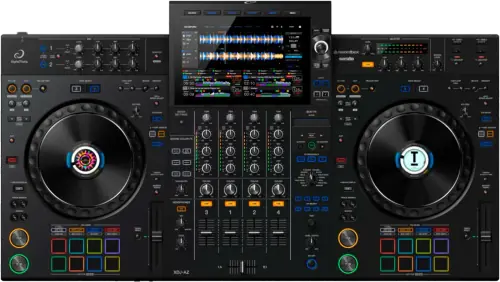
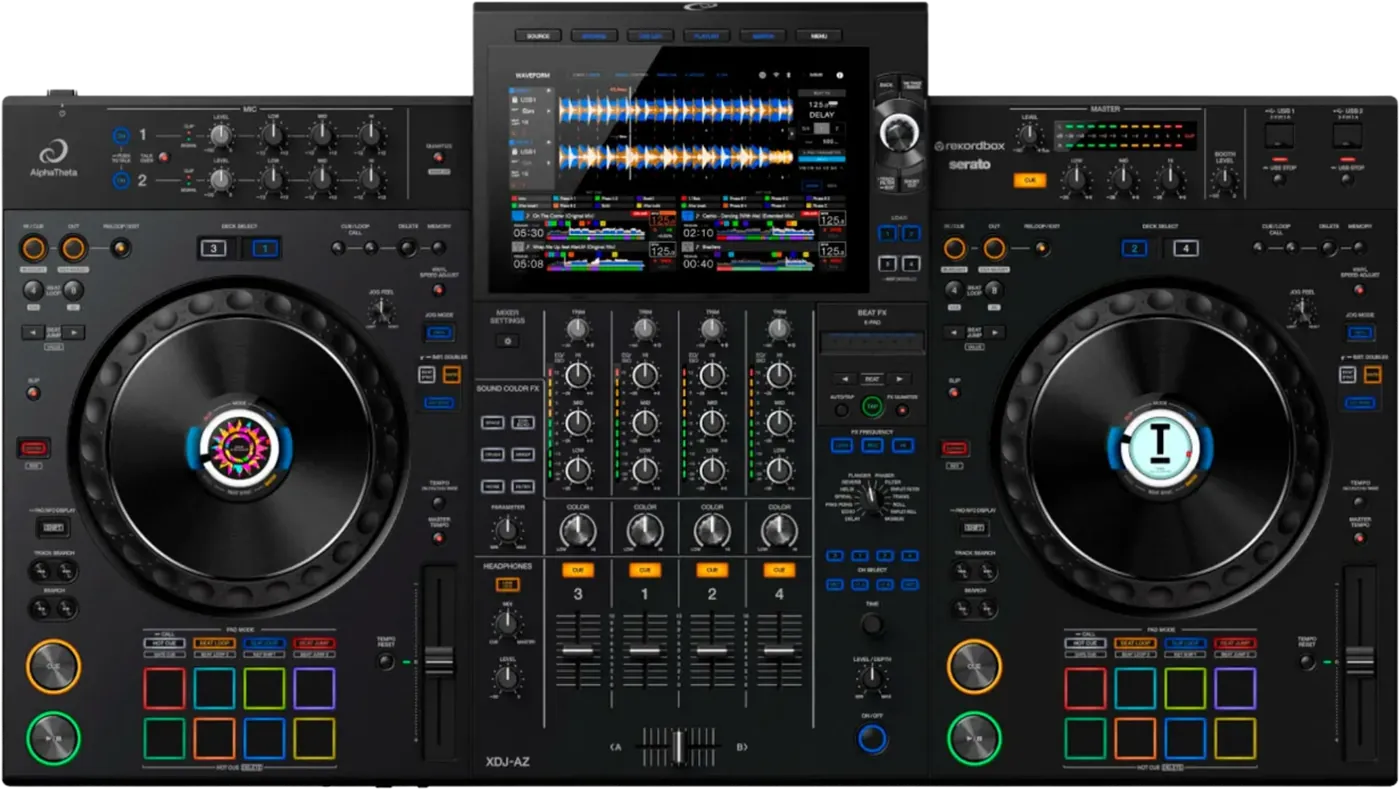
Booth briefing. The XDJ-AZ is AlphaTheta's four channel all-in-one, so a single unit carries the players and the mixer for the whole booth. It reads the OneLibrary format only. Export from rekordbox 7.2.13 or later, which writes both formats, and the same stick serves this deck and the older players beside it. Drives are read as FAT16, FAT32, exFAT or HFS+; NTFS is not supported.
When it goes wrong: The CDJ will not read the USB Playlists not showing How to format a USB for a CDJ
Fast Lane
The five things that decide your gig
The five things on the XDJ-AZ that change what happens next, if you are reading this in the booth. All five are explained in full further down this page.
It is the whole booth in one box, so one fault takes everything.
Four channels, four decks and the mixer in a single unit. On a separate CDJ and mixer rig a failure costs you one deck; here it costs you the room.
That is not a reason to avoid the AZ. It is the reason to know its two documented faults before you stand behind one.
OneLibrary only. An old export says the database was not found.
Export from rekordbox 7.2.13 or later, which writes both library formats to the same drive.
A USB carrying only the older Device Library has nothing on it this unit can read. The drive mounts, the screen reports the rekordbox database as missing, and neither the stick nor the files are at fault.
Early units have a documented defect, with a free repair.
AlphaTheta published a notice that an internal component defect in certain units caused no audio output, display blackouts and system freezes, and offered a free inspection and repair.
Firmware 1.05 addresses the same symptom set. No serial number range was ever published, so the honest check is the symptoms and the firmware version, not the serial.
It reads FAT16, FAT32, exFAT, HFS+, never NTFS, and firmware needs a different stick.
exFAT works here, which is the difference from older units a DJ does not expect, so a large gig drive plays. NTFS, the Windows default for big drives, is refused.
Firmware updates specifically need a drive formatted FAT or FAT32, so the stick that carries your set is usually the wrong one for the update.
Two top-loading USB ports. Fill both at setup.
The spare drive can live in the second port from the first track rather than in your bag, which is the whole point of having two.
Export both from rekordbox 7.2.13 or later, because a stick this unit cannot read is not a backup.
Compare
Playing on a different deck?
Pick the deck you are about to touch. This says what changes for the drive in your bag, and nothing else: the rest of what matters on that unit is on its own page.
If something goes wrong
The USB will not load and the screen says the database was not found
Short answer. The drive was exported the old way. The XDJ-AZ reads OneLibrary only, and a USB carrying only the older Device Library has nothing on it this unit can read, so it reports the rekordbox database as not found. Re-export the drive from rekordbox 7.2.13 or later, which writes both library formats at once.
Why this happens. AlphaTheta moved this unit and the others in its generation to OneLibrary, while most players in circulation still read the original Device Library. A drive built for an older player is not corrupt and the AZ is not faulty, they are two library formats and this unit reads only the newer one.
Fix it now. If you have a laptop with a current rekordbox, re-export the drive and both formats are written, so the same stick then works here and on an older CDJ. With no laptop in the booth, the fastest route is a drive somebody else already exported from a recent rekordbox, or playing from a linked player over PRO DJ LINK.
Avoid it next time. Export from rekordbox 7.2.13 or later as a habit, not just for this gig. One drive written that way plays on the OneLibrary units and on the Device Library units, which is the whole point of the change, and it removes the guesswork about which venue has which generation.
No audio, the screen blacks out, or the unit freezes
Short answer. This is a documented XDJ-AZ fault, not something you did. AlphaTheta reported that an internal component defect in certain early units caused no audio output, display blackouts and system freezes, and firmware 1.05 addresses the same symptom set. There is a free inspection and repair programme for affected units.
Why this happens. On a separate CDJ and mixer a single failure takes one deck out. On an all-in-one the decks, the mixer and the screen share one unit, so the same fault presents as the entire booth going silent or dark at once, which reads as catastrophic and is a known issue with a fix.
Fix it now. Update the firmware to the highest published version, currently 1.30, which is the software half. For the hardware side, AlphaTheta did not publish a serial number range, so do not try to judge from the serial whether a unit is affected. Contact AlphaTheta support and ask about the inspection and repair programme by name. In the room, if a unit is failing this way, the reliable move is a different unit or a linked player, because a hardware defect will not clear itself mid-set.
Avoid it next time. Check the firmware version on any AZ you are handed as part of setup, the same way you would check anything else, and if you own one from the first production run, run it through the programme before it lets you down at a gig rather than after.
The screen shows E-8302, E-8304 or E-8305
On the XDJ-AZ these codes are about one track, which is what separates them from a drive the unit will not load at all.
E-8302 means CANNOT PLAY TRACK: the unit cannot read the file, which usually means the file itself is damaged, and AlphaTheta suggest testing it on another player that supports the same formats. E-8304 and E-8305 both mean UNSUPPORTED FILE FORMAT, which is about the format rather than the drive. Either way the fix is the file, not the unit, and neither code means the stick is bad.
Nothing wireless is working
On the XDJ-AZ the Wi-Fi, the Bluetooth and the cloud browser all fail quietly, and none of them touches the audio path.
Everything wireless on this unit fails the same way and AlphaTheta answer it the same way. For a Wi-Fi network it will not join, check that the network name, the password and the encryption method on the unit match the router exactly. After that, for Wi-Fi and for Bluetooth alike, it is a radio problem: move the two closer together and take out whatever is between them. For a Bluetooth device that will not pair at all, power both off and on and run the pairing again. For rekordbox CloudDirectPlay showing no tracks, the causes sit back at the computer: rekordbox has not finished synchronising, or the tracks were never uploaded to Dropbox or Google Drive, or one of those services is down.
What to watch for
The inspection and repair notice for early units
What it is. AlphaTheta published a notice that an internal component defect in certain XDJ-AZ units caused no audio output, display blackouts and system freezes, and offered a free inspection and repair for affected units. It concerns units from the first sales period.
What is documented and what is not. The symptoms and the offer of a free repair are documented. A serial number range is not, and no follow-up notice naming affected serials or confirming the programme is closed was published. So there is no way to read a serial and know, and this page will not invent a range.
What to do. If you own or rent an early AZ, contact AlphaTheta support and ask about the inspection and repair programme directly. Update to the highest published firmware regardless, since 1.05 addresses the same symptom set in software.
The recording will not stop
Short answer. An early XDJ-AZ firmware had a documented fault the change history states in three words: unable to stop recording. Firmware 1.04 fixed it, so the answer is to update to the highest published version.
Why this matters. A recording that will not stop keeps writing to the drive, and the file grows until you find another way to end it. It is not a drive fault and reformatting is not the fix, it is firmware.
Fix it now. Update the firmware. If you are mid-set on an un-updated unit and the recording is stuck, ending the recording cleanly may mean stopping playback and letting the unit finish writing rather than pulling the drive, because a drive pulled while writing can lose the file.
A "Library is not responding" message keeps appearing
Short answer. A fault where that message kept appearing on the XDJ-AZ was fixed in firmware 1.24. If you are seeing it, the unit is on older firmware and the fix is to update.
Why this matters. A library that reports itself unresponsive stops you browsing and loading, which on an all-in-one is the whole instrument. It is a known firmware fault with a published fix rather than a sign the drive or the library is damaged.
Fix it now. Update to the highest published version. In the room on an un-updated unit, reloading the drive or switching to a different prepared drive is the workaround while the message persists.
Touch Preview has stopped working on Apple Music
On the XDJ-AZ this looks like a fault and is a documented rule.
One documented workflow limit that arrived with firmware 1.23 and is easy to read as a fault: when you are using Apple Music, Touch Preview is not available if tracks are loaded on all four decks. Free a deck and it comes back. Nothing is broken, and nothing on the screen explains it.
Compatibility
What it works with, and linking more players
Library and software. The XDJ-AZ takes rekordbox for Mac, Windows, iOS and Android in export and link modes, rekordbox performance mode by Hardware Unlock over USB, and Serato DJ Pro over USB. Read the drive from a current rekordbox so it carries OneLibrary, per the emergency section above.
DVS. It supports DVS through rekordbox and through Serato, licences separate, using the two LINE or PHONO inputs and a pair of turntables. Timecode brings its own failure a pressed record does not: a worn control record degrades tracking before it sounds obviously bad.
Linking more players. The manual is specific about the shape of this: up to 2 PRO DJ LINK players connect over a CAT5e LAN cable and a switching hub, turning PRO DJ LINK Mode on costs you Deck 3 and Deck 4 on the unit itself, and the link cannot run while the unit's internal Wi-Fi is in use. Plan the booth around that trade, not around a CDJ-style open network.
Which drives and formats it reads
Short answer. The XDJ-AZ reads FAT16, FAT32, exFAT, HFS+, and NTFS is not supported. exFAT works here, which is the difference from older units that a DJ does not expect. Firmware updates specifically need a drive formatted FAT or FAT32.
Why this matters. A large drive formatted exFAT, which an older CDJ generation refuses, plays on this unit. NTFS, the Windows default for big drives, is refused everywhere in this range including here. On macOS the GUID Partition Map is not supported, and a Mac Extended case-sensitive volume may not read reliably, so the safe Mac option is HFS+ on the older partition scheme.
Fix it now. If a drive is refused, check the format before anything else. Only the first partition of a multi-partition drive is used, unless one partition holds a rekordbox library, in which case that one is used instead. A drive built around a flash card reader can fail regardless of format.
Avoid it next time. A single exFAT or FAT32 partition, exported from a current rekordbox so the OneLibrary trap above does not catch you as well. Keep a FAT or FAT32 stick for firmware updates, since those will not run from exFAT or HFS+.
Features explained
What the AZ is, and how it is laid out
The shape of it. Four channels, four decks of onboard playback, a 10.1 inch capacitive touch screen, two top-loading USB ports and one USB Type-C to a computer. It is a whole booth in one unit, built to feel like a pair of CDJs beside a DJM rather than like a controller.
Software. It runs standalone from a drive with no computer. Connected to a laptop over USB it is a Hardware Unlock device for rekordbox performance mode, and it works with Serato DJ Pro, whose support arrived in firmware 1.10; Serato's own software and licensing are separate downloads. Streaming play from services was added across later firmware.
What it is not. It has no send and return loop for an outboard effector, which the older XDJ-XZ does have. If your set depends on patching an external effects unit into the mixer, that is a booking-stage fact about this model.
Size and weight, because an all-in-one has to fit the booth and get there: 895 mm wide and 13.5 kg.
Professional tips
Arriving at a venue that owns one
Prepare two drives and put both of them in the unit at setup. The storage on this unit: Two top-loading USB Type-A ports and no SD card slot. The spare can live in the second port from the first track rather than in your bag. Export both from rekordbox 7.2.13 or later so each one carries OneLibrary, because a stick this unit cannot read is not a backup.
Keep a FAT or FAT32 stick in the bag for firmware alone. The unit plays from FAT16, FAT32, exFAT, HFS+, and a large gig drive is usually exFAT, but a firmware update will only run from FAT or FAT32. Deciding to update a venue unit is worth nothing if the only drive you brought is the one the updater refuses.
Empty the recording folder on the drive you plan to record onto. There is a cap on how many files that folder holds, and a venue drive has been recorded onto by everyone before you. Set the level at the channel while you are at it, since master level and master EQ do not change what is written to the file.
Ask about the effects loop at booking, not at load in. There is no send and return on this unit, and the XDJ-XZ that a venue may have replaced does have one. If your set patches an outboard effector through the mixer, that is a question to settle while the booking is still being agreed.
Read the version off the unit before you trust its history. A unit below 1.05 still carries the no audio, blackout and freeze symptom set in software, and one below 1.24 can keep telling you the library is not responding. AlphaTheta published no serial range for the early hardware defect, so the version screen and a question to the venue are the only two things you can actually read. The highest published version is 1.30.
Connections and setup
Connections, and recording
Inputs. 2 mic inputs on XLR or TRS, and 2 switchable LINE or PHONO inputs on RCA with a ground terminal, so a pair of turntables goes straight in. There is no dedicated send and return.
Outputs and computer. Balanced XLR and RCA master, a TRS booth, two headphone jacks, a LAN port for PRO DJ LINK, and a USB Type-C to a computer, so the unit doubles as the soundcard for rekordbox or Serato.
The driver. On Windows the unit needs AlphaTheta's dedicated audio driver before a computer can send it sound. On a Mac it does not: the manual states that "if you use a Mac, you don't have to install the dedicated audio driver software and rekordbox for Windows USB connection (Link Export) driver software".
That is a change from the XDJ-XZ, which AlphaTheta name as this unit's predecessor. The XZ manual asks for the driver on both platforms, in one sentence covering "a Windows or macOS", so a workflow learned on the older unit packs an install this one does not need.
Recording. Master Rec records the MASTER 1 and MASTER 2 output as a WAV file onto a connected USB drive, roughly 90 minutes per 1 GB of free space. Recording is unavailable while Bluetooth is the selected input, the unit has no clock so files carry no date, and Track Mark splits the file mid-recording without stopping.
Firmware, drivers and manuals
Firmware, and what each version fixed
The fixes that matter. Firmware 1.04 fixed a recording that could not be stopped. 1.05 addressed no audio, display blackouts and system freezes on some units. 1.10 added Serato DJ Pro. 1.24 fixed a library that kept reporting itself unresponsive. Highest published version is 1.30, and the change history opens with its own instruction: a unit on 1.04 or earlier needs the update before anything else.
Reading it in the booth. The full model to version table lives on the firmware reference, so you can read the version off the unit and see which documented faults are still live on it.
Standby. Power management ships enabled with a 20 minute default, which powers the unit down after that long with no activity. A unit that switched itself off during a long changeover is obeying that setting.
Version 1.30 of 9 April 2026 is the highest published, and it is a feature release rather than a repair: StreamingDirectPlay for TIDAL, QR code login on the source selection screen for cloud media services, four deck display in the enlarged waveform view, simultaneous login to more than one CloudDirectPlay or streaming account, and firmware updates over the internet. Earlier versions carry the repairs, which is why the change history opens by telling anyone on 1.04 or earlier to update before doing anything else.
Official downloads and documents
Go to AlphaTheta for the files themselves. We link their pages instead of hosting a copy, because a manual copied here is a snapshot of release day and theirs is the one that stays current.
Firmware downloads. Official AlphaTheta firmware page →
Manuals. Official AlphaTheta manual page →
Broken link? Let us know and we'll fix it.
Frequently asked questions
Quick answers
- Which drives and file systems does it read?
- FAT16, FAT32, exFAT and HFS+. NTFS is not supported, and where a drive has more than one partition only the first one can be used.
- Do I need to install a driver?
- On Windows yes, AlphaTheta's dedicated audio driver, before a computer can send it sound. On a Mac no. That is a change from the XDJ-XZ, which AlphaTheta name as this unit's predecessor and whose manual asks for the driver on both platforms.
- Will a USB prepared for older players work on it?
- Only if it carries OneLibrary. This unit reads OneLibrary and nothing else, so a drive exported for older players in the earlier library format will not open here.
- Does it run Serato, and does it do DVS?
- Both. Serato works from firmware 1.10, and the unit supports DVS.
Keep the Emergency Card
We will email you the printable PDF so it is on your phone before the next dark booth. Occasional notes that save gigs. No spam, unsubscribe in one click.
Registering is free and counts everywhere on Save My Gig. We send a confirmation email first. Your address is stored with Brevo, our email provider. Unsubscribe any time. Privacy
Sources: AlphaTheta's own XDJ-AZ Operating Instructions DRI1936C, their published XDJ-AZ firmware change history and firmware page, their USB notice of 18 March 2026, their support articles on the rekordbox database and on the file systems this unit reads, the product page and the announcement, checked 8 August 2026. Specifications theirs, priorities ours.