

XDJ-AZ
Before the gig: know this unit, check its firmware (its software), and prepare your USB stick.
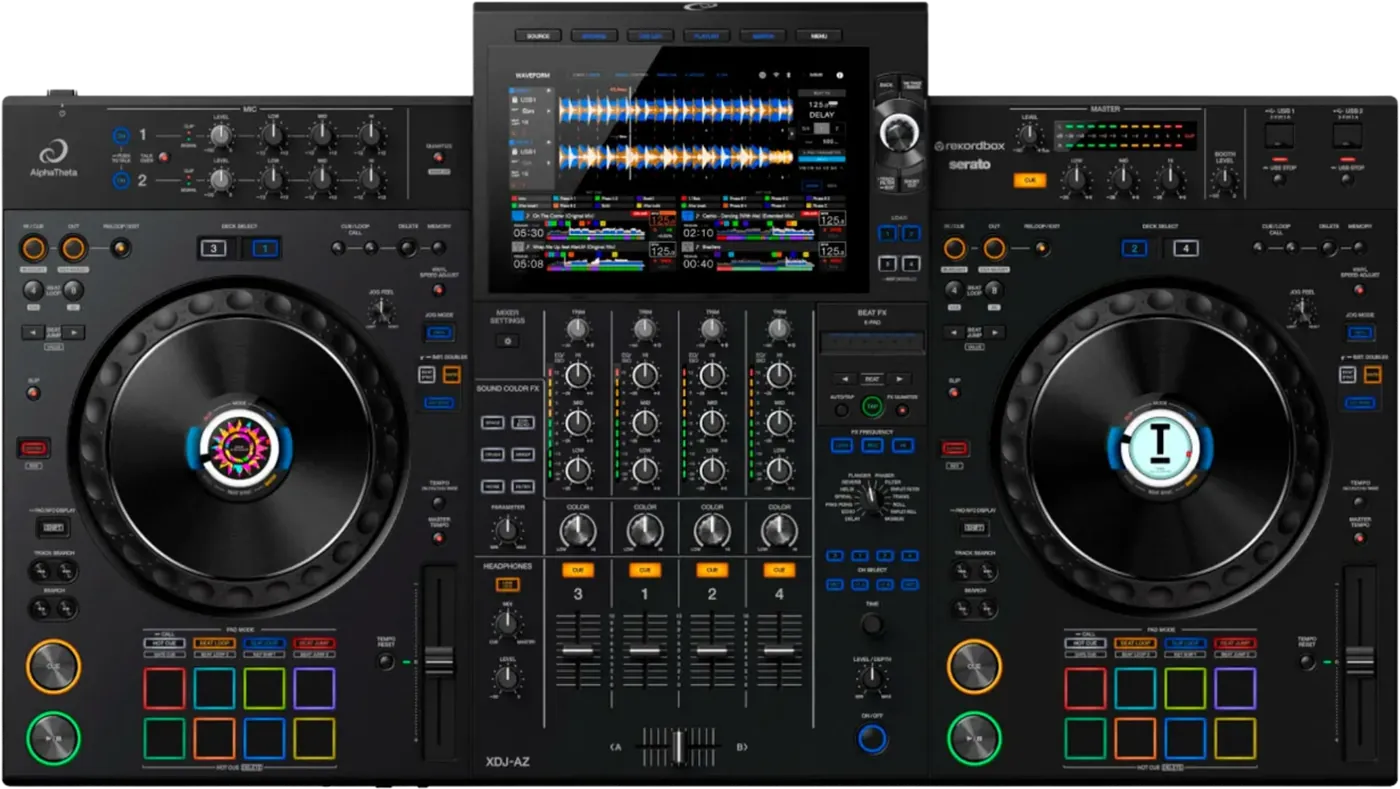

- Released
- 2024
- Width
- 89.5 cm · 35.2 in
- Depth
- 50.4 cm · 19.8 in
- Height
- 13.3 cm · 5.2 in
- Weight
- 13.5 kg · 29.8 lb
Know the unitbefore you pack
Connectionson the back
Five things that can affect your gig
1It reads OneLibrary only. A stick with only Device Library shows no playlists.
2Firmware below 1.05: some units had no audio, blackouts and freezes.
3Firmware below 1.24: "Library is not responding." kept coming back.
4Four decks, two per side. Check DECK SELECT before you touch anything.
5Never pull a stick while it flashes. Press USB STOP first.
Also good to know
Hot cuesEight per deck, A to H.
StandbyOff after 20 minutes idle, by default.
PhonesThe PHONES socket is on the front.
UpdatesDo not update the firmware just before a gig.
Based on the Save My Gig guide for this model and AlphaTheta's own documents.