

CDJ-2000NXS, the field manual
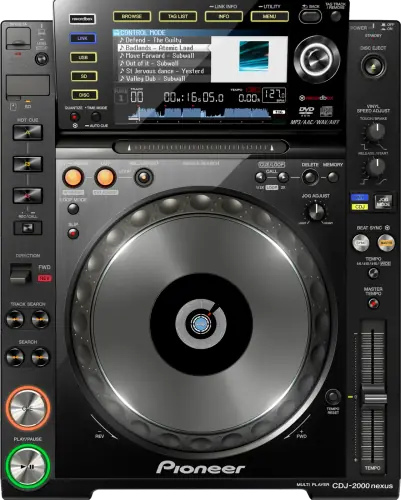
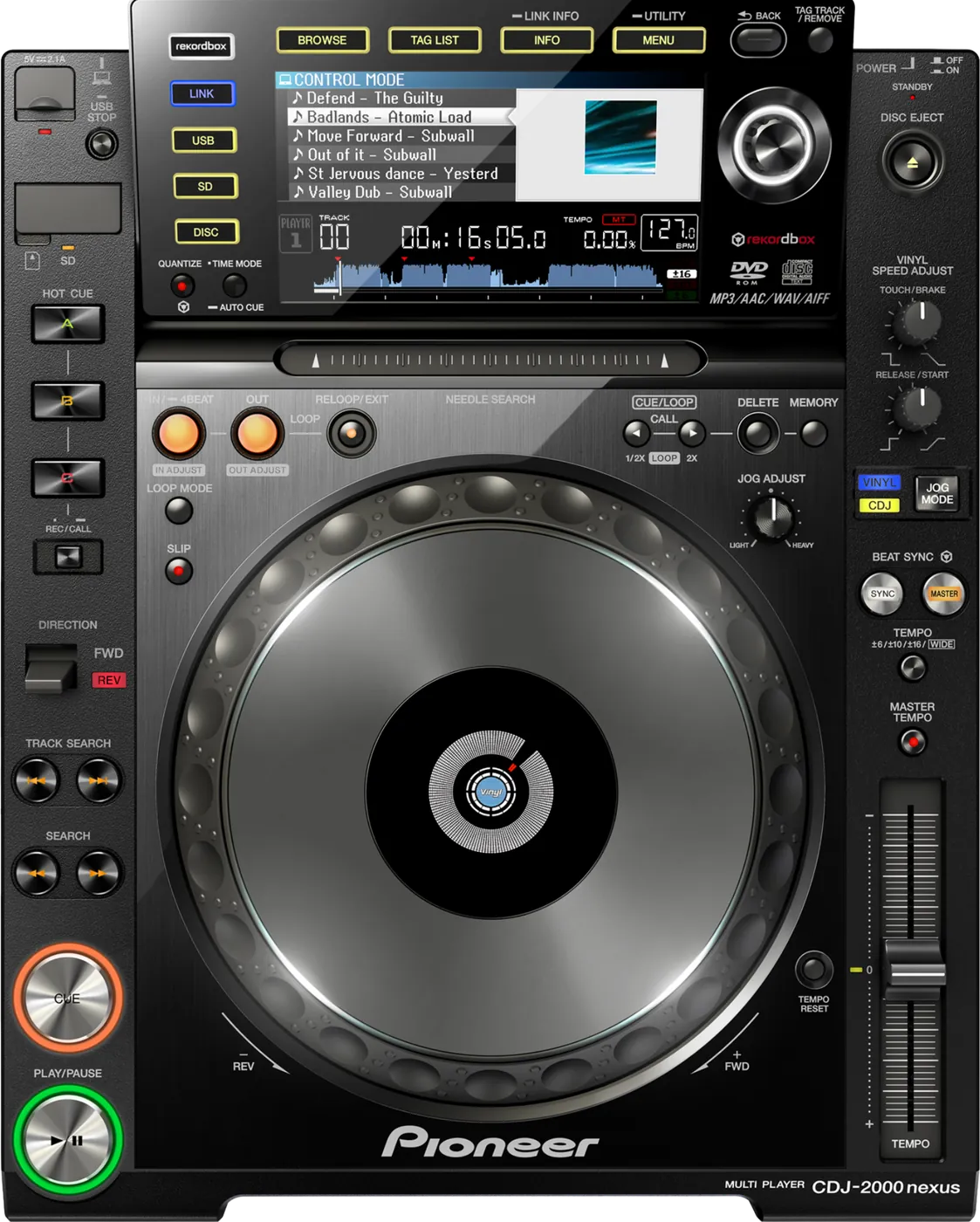
Booth briefing. The CDJ-2000NXS is the NXS generation of the Pioneer DJ CDJ-2000 club deck, and it is in more booths than almost anything else, so it is the player you are most likely to meet on a working night. It plays from USB drives formatted FAT16, FAT32 or HFS+, and it runs SYNC with other decks as master or slave. AlphaTheta still publish firmware for this generation, and the installed version is part of knowing the deck in front of you, so read it at soundcheck.
When it goes wrong: The CDJ will not read the USB CDJ error E-8302 Playlists not showing
Fast Lane
The five things that decide your gig
The five things on the CDJ-2000NXS that change what happens next, if you are reading this in the booth. All five are explained in full further down this page.
No exFAT, at any firmware version. It reads FAT16, FAT32, HFS+.
The SD slot is a real second source, not a legacy port.
Media is USB, SD card and disc. Two independent slots on one deck means a backup that is already in the machine.
If your USB fails mid-set, the recovery is a button press rather than a trip to your bag. Newer players took that away.
It has the longest documented fault list of any player here.
AlphaTheta's change history runs to sixteen versions, and the current floor is 1.43.
Two documented freezes, one outright crash, five audio faults and a browse screen that could become slow or unresponsive all sit below that number.
A stuck "Loading.." is a documented file fault, not a bad drive.
A WAVE file with an incompatible header leaves "Loading.." on screen indefinitely, fixed in 1.23.
An AIFF at 24bit/48kHz would stop playing and could not be loaded to a deck. Both look exactly like a corrupt track from where you are standing.
Read the firmware version on arrival. It takes ten seconds.
If it is below 1.43, you now know which of the documented faults can happen to you mid-set.
One number tells you a lot on this deck, because its change history is in double figures and venue units sit anywhere on it.
If something goes wrong
The player will not read my drive
Short answer. Almost always the file system. This generation reads FAT16, FAT32, HFS+ and nothing else. There is no exFAT support on a CDJ-2000NXS at any firmware version.
Why this happens. exFAT is the sensible modern choice for a large drive and every current player reads it, so a DJ who formatted for a CDJ-3000 booth arrives at an older room with a drive this deck cannot mount. Nothing is faulty. The format simply postdates the player.
Fix it now. Borrow a FAT32 drive, or play from a different source while you sort it. Reformatting erases everything, so it is not a mid-set move unless the music exists somewhere else too.
Avoid it next time. If you play mixed booths, carry one FAT32 drive that works everywhere rather than one drive per venue type. On old firmware there were also two separate hard-drive faults, HDDs not being recognised at all (1.24) and folders not listing on a 2TB drive (1.23), so a big external is a worse bet here than a stick.
Cue points will not save, or the ones you had are gone
Short answer. The CDJ-2000NXS names its own refusal on the display, and the words are not self-explanatory. The ceiling is 100 cue or loop points per disc and 10 per track on an SD card or USB drive, and going over shows CUE/LOOPPOINT FULL. A write-protected SD card shows CARD PROTECTED and a write-protected USB drive shows USB FULL. An SD card with no room shows CARD FULL, and a USB drive with no room also shows USB FULL. And points that were saved may simply stop appearing if the card or drive was not stopped properly before it was pulled.
Why this matters. Most of these are fixable in seconds if you know what the words mean, and every one of them looks like a broken player if you do not. The last is the expensive one: a week of preparation lost because a drive came out two seconds early.
Fix it now. Read the message and act on the word. If the points are simply missing, play from the waveform and set new ones as you go.
Avoid it next time. Stop the drive properly on the player and wait for the indicator before you pull it, every time, including at the end of a long set when you are packing.
The deck has frozen or restarted itself
Short answer. On old CDJ-2000NXS firmware this is documented behaviour, not bad luck. Two separate freezes and one outright crash were fixed: a crash on repeated HOT CUE with Master Tempo enabled (1.06), a freeze while editing the TAG LIST (1.11), and a freeze from holding HOT CUE for over a second during auto hot cue loading, plus a browse screen that slows or stops after several hours of use (1.13).
Why this happens. Every one of those needs a specific combination that a working DJ hits naturally: hot cues fired fast, a long night, a tag list edited between tracks. That is why they were reported and fixed, and why a deck that has never been updated will keep doing them.
Fix it now. Get sound out of the other deck first, then power cycle this one. Allow for the boot time in your handover. Do not try to reproduce the fault to understand it while the room is waiting.
Avoid it next time. Check the version on arrival. If it is below 1.43, avoid the specific triggers for that gig: no TAG LIST editing, no machine-gun hot cues with Master Tempo on, and expect the browse screen to degrade during a long set.
A disc will not come out
Short answer. The CDJ-2000NXS has three ways to release a disc and most DJs know one. If EJECT/LOAD LOCK is set to LOCK, press PLAY/PAUSE to pause the deck first and then eject, or set EJECT/LOAD LOCK to UNLOCK in the UTILITY menu. And if the eject button itself does nothing, the manual names a last resort that is not obvious from the front: a disc force eject hole that takes a pin.
The pin, done safely. The pin is not a shortcut and the manual is specific about why. Turn the power off first and wait at least one minute before you use it, because a disc that comes out while it is still spinning can hit your fingers, and a clamp turning unevenly can scratch the disc on the way. Use the pin that came with the unit and nothing else. It is mounted on the bottom panel, and when it goes all the way in the disc moves 5 mm to 10 mm out of the slot, far enough to grip and pull.
The pin, done safely. The pin is not a shortcut and the manual is specific about why. Turn the power off first and wait at least one minute before you use it, because a disc that comes out while it is still spinning can hit your fingers, and a clamp turning unevenly can scratch the disc on the way. Use the pin that came with the unit and nothing else. It is mounted on the bottom panel, and when it goes all the way in the disc moves 5 mm to 10 mm out of the slot, far enough to grip and pull.
Why this matters. A disc stuck in a venue deck at the end of your set is your problem to solve in front of the next DJ. The lock is a setting somebody else may have left on, and the pin hole exists precisely because the button can fail.
Fix it now. Pause the deck and try eject again before assuming anything is broken, because pausing is what the lock is waiting for. Then the UTILITY menu, then the pin.
Avoid it next time. If the disc is yours, take it out before the changeover rather than after. And if you play CDs regularly, find that hole on this model before the gig when you need it.
A track is stuck on "Loading.." or will not load
Short answer. Two documented CDJ-2000NXS file faults, both fixed. A WAVE file with an incompatible header leaves "Loading.." on screen indefinitely (1.23), and an AIFF at 24bit/48kHz would stop playing and could not be loaded to a deck at all (1.25).
Why this happens. Both are the player's decoder meeting a file it cannot parse, and both look identical to a corrupt track or a failing drive from where you are standing. That is what makes them expensive: you troubleshoot the drive while the fault is in the firmware.
Fix it now. Load a different track from the same drive. If that works, the drive is fine and the problem is that specific file on this specific firmware. Play something else and move on.
Avoid it next time. On decks below 1.43, avoid lossless AIFF at 24bit/48kHz and be wary of WAV from unusual sources. Neither of those two faults touched MP3 or AAC, though 1.06 did fix a separate MP3 cue fault.
Audio dropped out or the noise is wrong
Short answer. Five documented CDJ-2000NXS audio faults on old firmware. Audio dropout on the slave deck when using SYNC (1.10). Noise while scratching and noise when Master Tempo is on (1.25 and 1.24). Digitally distorted white noise on certain WAV files (1.40). A popping noise in a loop with QUANTIZE and MASTER TEMPO both enabled (1.43).
Why this happens. These are firmware faults in specific feature combinations, which is why they survive in the field: a venue tests that the deck plays a track, not that SYNC plus Master Tempo plus a loop behaves.
Fix it now. Turn off the feature involved. SYNC off, Master Tempo off, and mix manually. Every one of these faults needs a feature enabled, so disabling it removes the symptom immediately.
Expect the tempo slider to be dead when you come off SYNC, and know why. This is documented behaviour, not a fault: "If the synchronized playing tempo (BPM) and the slider position’s tempo (BPM) do not match, the synchronized playing tempo is maintained and tempo control with the tempo slider remains disabled." So the moment you drop SYNC, the fader under your hand does nothing, which in the middle of a recovery reads as a second failure. The way back: "Normal operation is restored when the position of the tempo slider is moved to the synchronized playing tempo position." Move the slider to where the deck is actually running and control returns.
Avoid it next time. On a deck below 1.43, treat SYNC and Master Tempo as suspect rather than as tools, and mix without them.
What to watch for
Documented fixes, by firmware version
Short answer. The longest documented list of any player on this site, and the reason the version matters more here than anywhere else. AlphaTheta's change history runs to sixteen versions and every one that fixed something a DJ would notice is below, in the manufacturer's own wording, condensed. The floor is 1.43.
- 1.04
- BPM could fluctuate during playback using Sync, and the tempo of a track with Slip Mode engaged. The oldest entry in the history, October 2012.
- 1.06
- The player crashed when the HOT CUE button was pressed repeatedly with Master Tempo enabled. Also fixed back cue behaviour after calling a memory cue in an MP3.
- 1.10
- Audio dropout on the slave deck when using SYNC, and unexpected switching between master and slave player during slip scratch or slip pause.
- 1.11
- A freeze could occur while editing the TAG LIST.
- 1.13
- The browse screen became slow or stopped after the unit had been used for several hours. A freeze from holding HOT CUE for over a second during auto hot cue loading. A rare issue where playback from other media would not start, stop or be selected after a large USB device, around 20,000 tracks, was disconnected.
- 1.20
- Two behaviour changes rather than fixes: the loop beat display returns to the WAVE display when a loop finishes, and SYNC MASTER switches automatically when SYNC is disabled.
- 1.21
- Needle Search pad issues. A sorted playlist was not restored when returning to it from one layer above. The Master Player switched when an Active Loop started.
- 1.22
- Added MP3 and AIFF tag analysis to support the KUVO service. A feature, not a fix.
- 1.23
- A WAVE file with an incompatible header could not be loaded, but "Loading.." stayed on screen indefinitely. Tracks in some folders on a 2TB HDD were not displayed when browsing.
- 1.24
- Some hard drives were not recognised when connected. Noise could be heard when Master Tempo was activated.
- 1.25
- Playback of an AIFF file at 24bit/48kHz stopped and tracks could not be loaded to a deck. Audio noise occurred during scratching.
- 1.30
- When a CDJ-2000NXS2 was connected over PRO DJ LINK to a CDJ-2000NXS, some of the NXS2's features were disabled.
- 1.40
- Digitally distorted white noise when playing certain WAV files. An active loop could activate a very short loop. Needle search jumped from where the finger was released.
- 1.41
- Issues during playback and track selection, and issues using SLIP HOT CUE.
- 1.43
- Playback speed sometimes did not return to the BPM shown on screen with Sync enabled. A popping noise during a loop with QUANTIZE and MASTER TEMPO enabled.
- 1.44
- Minor bugs fixed, with no detail published, so there is no named fault behind this one. It is why the floor above is 1.43 rather than this version: nothing here is documented as something a DJ would notice.
Do this. On a deck you own or control, sit at 1.43, updated between bookings and never before one. On a deck you do not control, read the version on arrival and treat this list as what is still possible on that unit.
Firmware downloads. Official AlphaTheta support page →
Full change history, PDF →
Broken link? Let us know and we will fix it.
Compatibility
Mixed booths and PRO DJ LINK
Short answer. It links to newer players, and there is one documented catch: with a CDJ-2000NXS2 connected over PRO DJ LINK to a CDJ-2000NXS, some of the NXS2's features were disabled, fixed in 1.30.
Why that one matters. It is the classic mixed-booth surprise: the newer deck loses capability because of the older one beside it, with no error and no explanation. A DJ blames the newer player, or themselves.
Do this. In a booth mixing generations, check the version on the OLD deck when a feature is missing on the new one. Library format is separate and player-side: this deck needs Device Library, so a booth with both this and a OneLibrary player needs a drive strategy rather than an assumption.
Device Library, USB and the SD card slot
Short answer. Device Library format, and media is USB, SD card and disc. The SD slot is a genuine second source, not a legacy port, and the disc drive is a third one that most people forget is there.
The card slot does not follow the USB rules, and this matters because the card is the backup. The Operating Instructions give it its own list: SD memory cards use FAT12 and FAT16, SDHC memory cards use FAT32, and the capacities stop at 2 GB and 32 GB respectively. So a 64 GB card, or a card formatted to match a USB stick, is not a backup at all. Format the card to its own spec and confirm it mounts before you rely on it.
Why it matters. Two independent slots on one deck means a backup that is already in the machine. If your USB fails mid-set, an SD card with the same set in it is the fastest recovery available anywhere in this booth, faster than walking to your bag.
When professionals use it. Set on the USB, same set on an SD card, both in the deck from the start of the set. It costs one card and removes the worst common failure.
Common mistakes. Leaving the SD slot empty because it feels obsolete. Exporting to a OneLibrary format this player cannot read: this generation wants Device Library.
Features explained
No exFAT, and what that costs you
Short answer. It reads FAT16, FAT32, HFS+. No exFAT, at any firmware version. FAT32 also caps any single file at 4GB, which almost never matters for music and does matter for a long recorded set.
Why it matters. This is the fault line between old and new booths. A drive formatted exFAT works on every current player and is invisible to this one. If your gig calendar includes both, the drive that works in both is FAT32, which means FAT32 is the format for a working DJ rather than the technically best one.
When professionals use it. Always, if they play rooms they have not seen. One FAT32 drive removes an entire category of problem.
Common mistakes. Formatting for the most modern booth you played rather than the oldest you might. Waiting for exFAT support: AlphaTheta has never added it to this generation and there is no indication it will.
Professional tips
Read the firmware version on arrival
Short answer. Ten seconds at soundcheck. If it is below 1.43, you now know which of the faults above can happen to you mid-set.
Why it matters. One number tells you a lot here, as it does on the DJM-900NXS. This one has a change history in double figures, and the deck is old enough that a large share of installed units predate most of the fixes.
Do this. Make it part of the same walk as checking the mixer routing. Version below 1.43 means no TAG LIST editing, no reliance on SYNC, Master Tempo treated as suspect, and an expectation that browsing degrades over a long night.
Preventive maintenance
Keeping an old deck reliable
Short answer. Get it to 1.43 once, then leave it alone, and clean the slots.
The part AlphaTheta actually designates, and the warning that goes with it. The wear item named in the Operating Instructions is the lens, and they tell you not to reach for the obvious remedy: "Although lens cleaners for players are commercially available, we advise against using them since some may damage the lens." Their instruction for a lens that has genuinely gone dirty is to take the player to an authorised service centre, not to buy a cleaning disc.
Why it matters. A player this old has had a decade of drives inserted into it and a decade of dust. The firmware is a one-time job with a permanent payoff, and it is the single highest-value maintenance action available on this model.
Do this. Update between bookings, never on gig day. Blow out the USB and SD slots rather than pushing dirt further in. Pull drives straight, by the connector.
Firmware, drivers and manuals
Official downloads and documents
Go to AlphaTheta for the files themselves. We link their pages instead of hosting a copy, because a manual copied here is a snapshot of release day and theirs is the one that stays current.
Manuals. Official Pioneer DJ manual page →
Broken link? Let us know and we'll fix it.
Frequently asked questions
Quick answers
- Does it read exFAT?
- No, and no firmware version adds it. It reads FAT16, FAT32, HFS+.
- What firmware should it be on?
- 1.43. Checked 28 August 2026.
- Why did the deck freeze?
- On old firmware there are two documented freezes and one crash, plus a browse screen that AlphaTheta says could "become slow or stop". See the version list above.
- Why will one AIFF not load?
- AIFF at 24bit/48kHz would not load or play below 1.25.
- Why is a track stuck on "Loading.."?
- A WAVE file with an incompatible header did exactly that below 1.23.
- Is the SD card slot useful?
- Yes. It is the fastest backup in the booth: same set on a card, already in the deck.
- Which library format?
- Device Library. Not OneLibrary.
- Can I use a big external hard drive?
- You can, and on old firmware there were documented faults with drive recognition and with folders not listing on a 2TB drive. A stick is the safer bet here.
- My new CDJ-2000NXS2 lost features in this booth. Why?
- Documented: linked to a CDJ-2000NXS below 1.30, some NXS2 features were disabled.
Where this sits in the line
- Previous generation CDJ-2000
- Next generation CDJ-2000NXS2
Related players
Commonly paired with
What you usually find beside it in working booths, from club, festival and rental installs rather than from a manufacturer document.
Pioneer DJ All brands Knowledge base FAQ and Fixes Dictionary
Playing soon and it is not working?
Start Emergency ModeKeep the Emergency Card
We will email you the printable PDF so it is on your phone before the next dark booth. Occasional notes that save gigs. No spam, unsubscribe in one click.
Registering is free and counts everywhere on Save My Gig. We send a confirmation email first. Your address is stored with Brevo, our email provider. Unsubscribe any time. Privacy
Sources: AlphaTheta's official CDJ-2000NXS firmware page and its full change history PDF, read in full and checked 28 August 2026. Specifications theirs, priorities ours.