

XDJ-RX3
Before the gig: know this unit, check its firmware (its software), and prepare your USB stick.
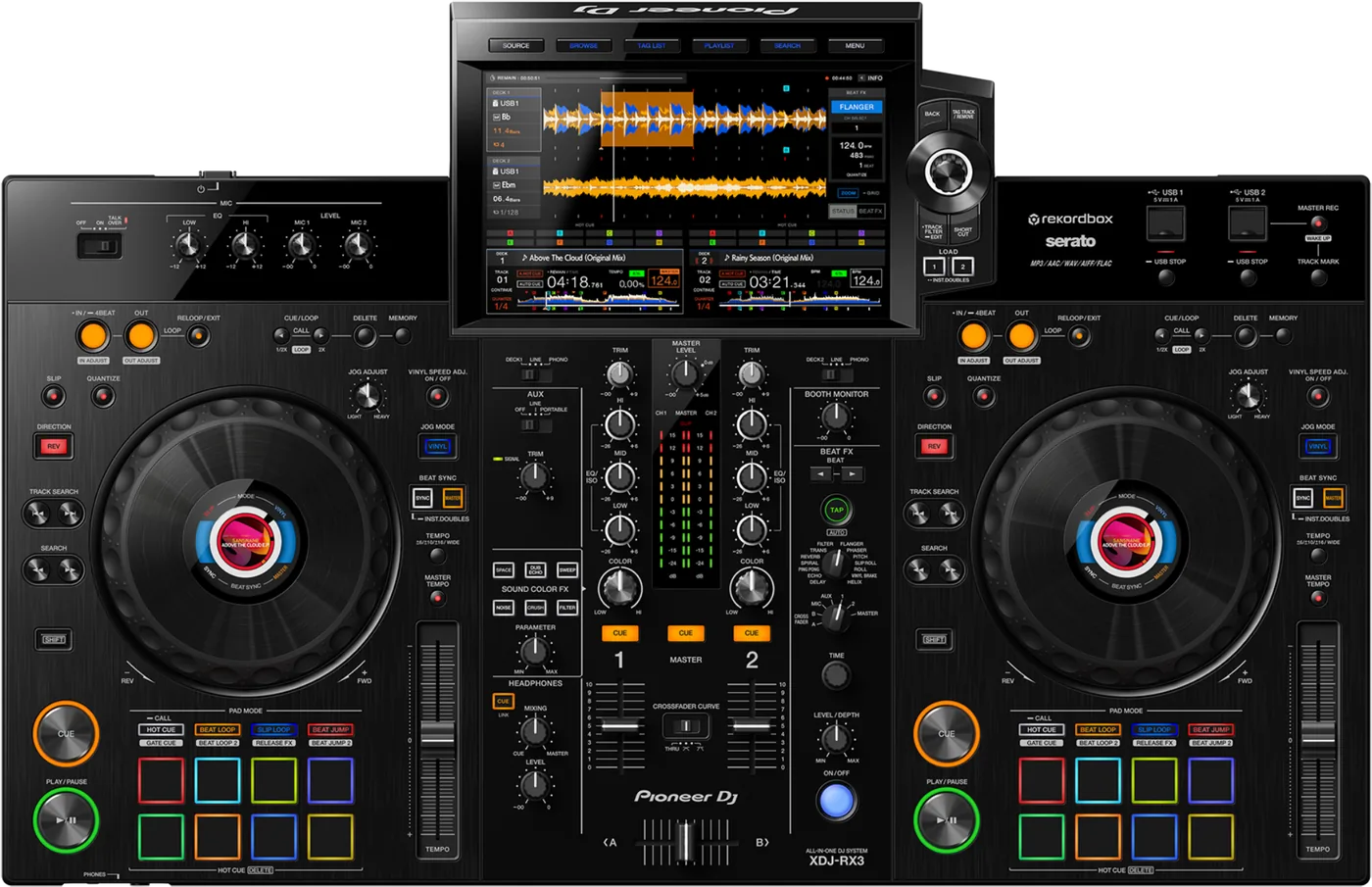

- Released
- 2021
- Width
- 72.8 cm · 28.7 in
- Depth
- 47 cm · 18.5 in
- Height
- 11.8 cm · 4.7 in
- Weight
- 9.3 kg · 20.5 lb
Know the unitbefore you pack
LibraryFrom rekordbox on USB, or Link Export.
AUSBTwo USB ports on top. No SD slot.
Softwarerekordbox, and Serato DJ Pro.
Connectionson the back
Five things that can affect your gig
1exFAT is fine, NTFS is not. A firmware update stick must be FAT32.
3Off after 20 minutes idle. Press MASTER REC (WAKE UP).
4Firmware below 1.13: a freeze with two big sticks. Below 1.17: slow search.
5Hold USB STOP until the light stops blinking before you pull a stick.
Also good to know
FoldersVery deep folders play nothing, with no error.
Hot cuesEight per deck, on the pads.
UpdatesDo not update the firmware just before a gig.
Based on the Save My Gig guide for this model and Pioneer DJ's own documents.