

Engine DJ, the field manual
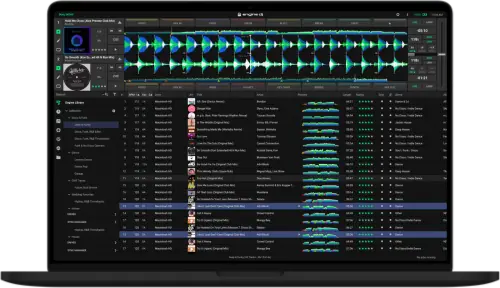
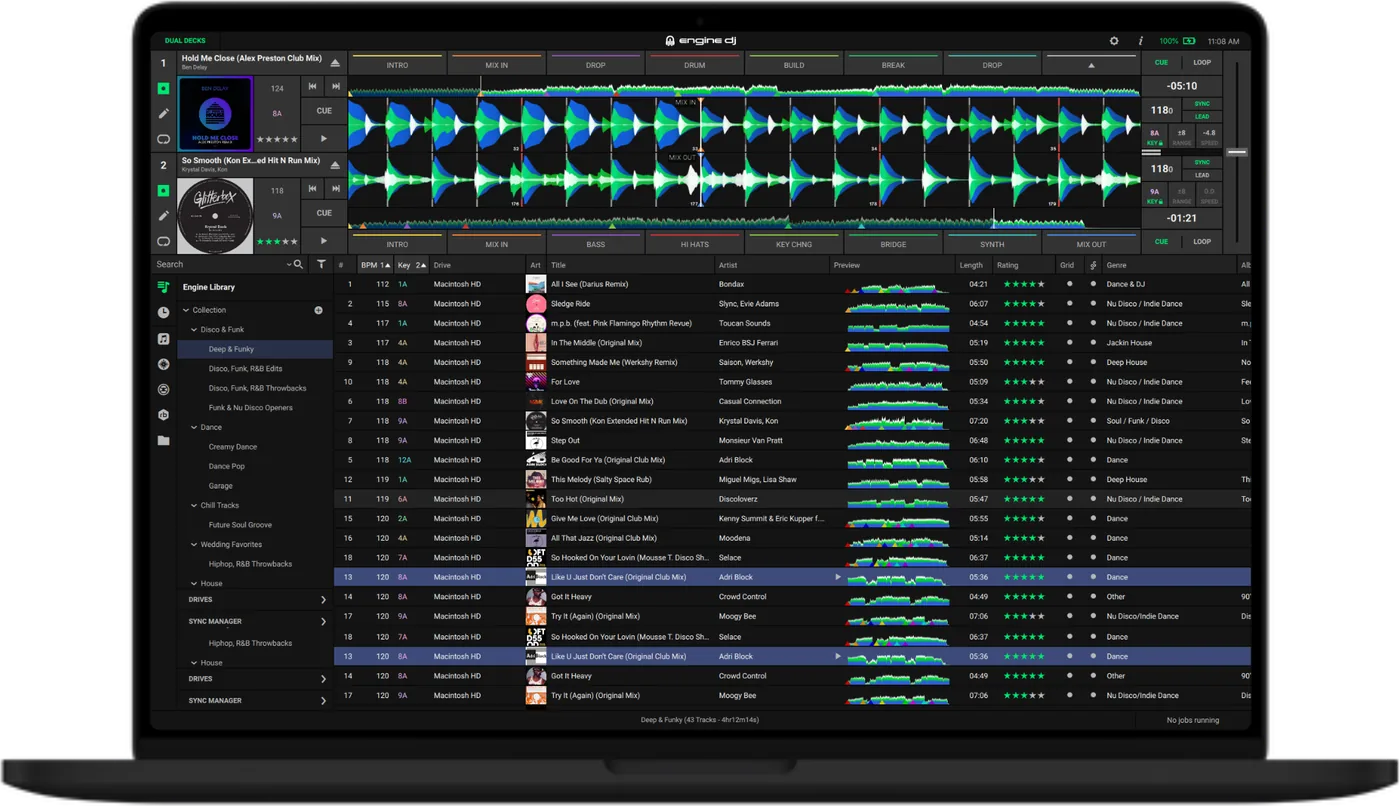
Booth briefing. Engine DJ is two things wearing one name. Engine DJ Desktop prepares your library on a computer. Engine OS is the firmware on the player in front of you, and it does its own analysis, so a Denon deck can work with no computer anywhere in the room. Both read the same Engine Library/Database2 folder on your drive, which is what makes one stick play across the Engine range. It is also why that stick will not open on a CDJ: the two ecosystems write different databases, and neither company publishes a converter. The guide publishes one version rule: a v5.0.0 library is not fully backward compatible with Engine OS v4.3.4 and older.
Understanding Engine DJ
Desktop and OS are not the same thing
Short answer. Engine DJ Desktop runs on your computer and prepares the library. Engine OS runs on the hardware and plays it. You can use either without the other, and most working Denon DJs use Desktop at home and never bring a laptop to the gig.
Why the split matters in a booth. Engine OS analyses tracks on the unit itself, key, BPM and beat grid, with no computer attached, and the user guide is specific about when. Analysis on the hardware is per track, at the moment it loads, and not a background pass over the drive. The guide describes waveforms and overviews being "built when loading a track to a deck in Engine DJ software or on Engine OS hardware", and for a track pulled over the network it says that if no beat grid came with it, "your Engine OS hardware will analyze the file once it is loaded".
On the computer it is a setting, not a certainty. On the computer this is a setting rather than a certainty. Auto Analysis "determines whether or not Engine DJ will automatically analyze track information when you add files", and it has an Off position. With it off, tracks arrive in the library unanalysed and nothing on the drive says so.
The naming, once, so it stops confusing you. The prep app was called Engine Prime until version 2.0 in October 2021, when it was renamed Engine DJ and the database was rewritten. Anything written before that rebrand needs a one-time migration before it will load. If you read "Engine Prime" in a forum post, you are reading about the era before that change.
Crates became playlists. Engine DJ counts its lists differently from Engine Prime. The Engine Prime v1.6 specification table counts crates and playlists as two separate things, and the Engine DJ v5.0.0 table has no crates in it at all: it counts playlists with sub-playlist layers, with Smartlists alongside them. A crate exported from another maker's software now arrives as an Engine DJ playlist.
What actually runs Engine OS
Short answer. Denon DJ's players and all-in-ones, the Numark Mixstream range, and one RANE unit. Every current Engine OS product reads the same drive structure, so one stick covers the whole family.
The RANE trap. Only the RANE SYSTEM ONE runs Engine OS. The RANE ONE and the TWELVE are Serato hardware and will do nothing at all with an Engine drive. "There is a RANE in the booth" tells you nothing about whether your library will open, so ask which one.
One unit is stranded on Engine Prime 1.6.1. The MCX8000 never moved past it and cannot read the modern database. If you own one, upgrading your Desktop software leaves you with no way to build a drive it can open; the drives you already made keep working. Denon document the restriction itself, and have published no end of life notice.
What the computer has to be
Short answer. Engine DJ names operating systems rather than leaving it open: Windows 10 or 11 in 64 bit, or macOS 14, 15 or 26, with an i5 at 2.0 GHz or faster, 8 GB of RAM and 5 GB of free space as the minimum. There is a second, higher tier at an i9 and 16 GB, which the guide marks "Recommended for more demanding tasks such as Stem rendering and large packing jobs".
Why the second tier is not marketing. Rendering stems and packing a large drive are the two jobs that turn an evening of preparation into an overnight one, and they are the two the guide names. If your computer sits at the minimum, start the export earlier than feels necessary and do not plan to do it on the day.
Preparing the drive
Formatting, and what the drive has to carry
Short answer. exFAT is Engine's own recommendation, and the only one it names for a library of a terabyte or more. exFAT, FAT32, APFS, HFS and HFS+ on Mac and NTFS on Windows are what the desktop software itself reads.
The list for a drive that goes into a player is shorter. The list of file systems Engine DJ reads on a computer is not the rule for a drive that goes into a player. For that the guide gives one sentence: "Make sure your player supports the drive's file system format and capacity. When formatting a drive for an Engine database, we recommend using an ExFAT partition type for the best performance, but FAT32 is also supported."
Room, and a ceiling. The database needs room of its own before any music goes on: "An Engine database requires approximately 500 MB or more of free space on your external storage drive, depending on the size of your library." FAT32 puts a ceiling on the database itself. The published change history records the safety feature that exists because of it: "waveform data will no longer be written to the database if the DB file size is close to the maximum file size when using FAT32 (4 GB)". A large FAT32 library quietly stops gaining waveforms.
Copying files across is not preparing a drive. Engine OS reads the Engine Library/Database2 folder, and that folder is written from inside Engine DJ, not by dragging audio onto a USB stick in Finder or Explorer. The guide lists what the drive database is carrying: playlists, cue points, hot cue points, loop points, beat grid, BPM, waveform data, filter search and word search. Search is on that list, so a drive with audio and no database is also a drive you cannot search.
The one thing not to do afterwards. Do not rename the drive. The guide prints it as an instruction: "Do not rename a connected external storage drive after you add tracks from it. This will prevent Engine DJ from detecting those tracks. If you do rename the device, make sure to rename it so it uses the name it had when you originally added the tracks."
Keep a second copy. The built-in backup does not cover the drive. The guide attaches its own note to the Library Backup tool: "To create a backup of an Engine database on an external drive, manually copy the database files onto your local drive or another external drive." That is the argument for two drives rather than one: the drive the library lives on, and the drive that goes in the booth.
Getting music onto the drive, and getting the set back
Short answer. Engine DJ has one tool for this and the guide names it. Sync Manager "allows you to quickly sync playlists, smartlists, and performance data between your Engine Library and your external storage drive": you tick playlists and Smartlists, watch a drive capacity bar that turns red if you have picked more than fits, and click Export to Drive.
It runs the other way too. Work done on the player can come back. Sync to Engine, in the same window, updates the home collection with cue points, hot cue points, loop points, beat grids, waveform data, BPM, key and star rating from the drive, and the button greys out when there is nothing new to bring over.
The half of it that deletes. Unticking is a delete. The guide: "If a Playlist is deselected from the Collection pane, a pop-up will appear warning that unselected tracks will be removed from your external storage drive when exporting." A track that also sits in another playlist still on the drive stays.
Drag and drop is a second route, and not the same one. Dragging a playlist onto the drive inside Engine DJ is a second, real way to pack it, and it is not identical. The guide notes that "SoundSwitch files are not packed to an external storage drive when using drag and drop", and that dragging exports stems rendered on the computer "without overwriting or removing existing stem data on your drive".
Taking the drive out. Engine DJ has its own eject. Press the Eject button in the media devices panel and confirm in the window that appears, or use the Eject button in Sync Manager. The guide adds the one condition worth knowing before you start pulling at a drive: "Drives that have operations in progress cannot be ejected."
Stems, end to end
Short answer. Stems are made on a computer and heard on the deck. Engine DJ has to fetch its own separation library first, which the guide sizes at approximately 450 MB, each track is then rendered from the collection, and the result is packed to a drive. The guide is blunt about the middle of that: "Stems files cannot be played back in the Engine DJ software."
Whether you have to buy it depends on the unit. Whether Stems needs buying depends on the unit. The guide states the exception by name: "Stems is automatically available on all Denon DJ PRIME 4+ and RANE SYSTEM ONE units. For other Engine OS hardware, you must activate Stems by purchasing a one-time license at enginedj.com/stems to add to your Engine DJ profile."
The export step that removes stems. Exporting stems can delete stems. Ticking Export Stems in Sync Manager means "Stem data on the drive that isn't in the desktop collection (such as stems rendered directly on a RANE SYSTEM ONE device) will be removed", while stems rendered on the computer are never deleted, and Denon add: "We recommend rendering stems only in one place (desktop or standalone hardware) to avoid conflicts or missing stems after exporting."
The sample rates it renders at are 11025 / 44100 / 48000 / 88200 / 96000 Hz.
The club has CDJs and your drive is Engine
Short answer. Your playlists, cues and grids will not open. The two ecosystems write different databases in different places, and neither AlphaTheta nor Denon publishes a converter or a reader for the other.
What you can still do. A CDJ will browse and play plain audio files from a drive with no rekordbox database on it. You will see a message telling you the database was not found, which is informational rather than a refusal. You get folder browsing and you get sound. You lose cues, grids, playlists and everything else you spent the week on.
The honest options, in order. Ask what the booth actually has before the day. If it is Pioneer only and you know in advance, prepare a second drive in rekordbox, which is a different job rather than a conversion. Third-party library converters exist and some DJs rely on them, but neither manufacturer endorses or supports them, so test the output on real hardware long before you need it.
Bringing a rekordbox, Serato or Traktor library in
Short answer. Engine imports hot cues, memory loops and beat grids from rekordbox, cue points, loops and beat grids from Serato, and from Traktor it imports ratings in one place in the guide and hot cues in another.
Read that Traktor line again. The guide says two different things about it in two places. The Preferences chapter says the Traktor integration "will also import Traktor hot cues from files added in the Traktor library", and the import chapter for the same library says it "will also import Traktor ratings from files added in the Traktor library". This page prints both rather than picking one, because the document does not settle it.
Before any of it, there is a file to export. Two of the imports need a file exported from the other program before Engine DJ can see anything. The guide asks for an NML from Traktor and an XML from rekordbox, chosen with a Select NML or Select XML button in the Import Assistant, and the Apple Music and Serato libraries are read in place instead.
What arrives is not permanent. Imported performance data is a one-shot. The guide: "After adding tracks from a third-party source, any cues or loops applied in Engine DJ will override any similar performance data that was previously imported. To re-import performance data from a third-party source, you must first remove the track from your Engine DJ collection and then import the track again." Imported beat grids behave the same way: to adjust one in Engine DJ you have to re-analyse the track first, which replaces it.
What is lost. Denon documents what transfers and does not publish a list of what does not, so we are not inventing one. Import a small playlist first and look at what actually arrived before you commit a whole collection.
Cloud sync, and the direction it does not go
Short answer. Engine syncs through Dropbox rather than a cloud service of its own, and it needs Engine OS 1.6 or later on the hardware. Dropbox has to be on the same computer. Turning it on in Preferences prompts you to "download, install, and log into the program" if it is not already there, and the connected folder then appears in the Drives panel beside physical drives.
It is one way. The library comes down to the hardware. Changes you make on the hardware do not go back up. Cues you set during a set on a cloud-synced unit stay on that unit, so treat cloud sync as delivery, not as a round trip, and keep doing your real preparation on the computer.
It still needs a local drive. The hardware has to have a USB, SD or internal drive present to hold what it downloads. Cloud sync is not a way to arrive empty handed.
What to watch for
A library too old to open
Short answer. Engine DJ states the cutoff as a version rule rather than a date: "Engine v1.X libraries cannot be migrated to Engine v4.0.0 and up. If you are using this version, we recommend migrating to Engine v3.4.0 to continue using the same database." That is wider than it looks, because 1.6.1 was the last Engine Prime release and a 1.6.1 database is still a v1.X database.
Nothing is destroyed on the way. Nothing is thrown away and a backup is asked for anyway. The guide says an older library "will remain in place, and you may still use this with previous versions of Engine", that changes made to a v2.0 library "will only work with v2.0 desktop or Engine OS hardware systems", and that Denon "still recommend backing up the Music/Engine Library folder as an extra safety precaution before upgrading".
Who this catches. The DJ coming back to a drive that has been in a flight case since the Engine Prime era, usually the week of a gig. The migration is not difficult, it is just not something you can do in a booth, and it needs a version of the software you no longer have installed.
A new drive in old club hardware
Short answer. Engine DJ publishes one rule for this and it is in the first paragraph of the user guide: "Engine DJ software updates beginning with v4.5.0 (for RANE SYSTEM ONE users) and v5.0.0 (for all other users) contain a change to library management that is not fully backward compatible with Engine OS v4.3.4 and older. In certain conditions, it is possible that track artwork will not be presented on your Engine OS device or Engine DJ desktop application."
What that is, and what it is not. Engine DJ publishes one statement about one pair of versions, with one named symptom. It is not a compatibility matrix between Desktop releases and the Engine OS on club hardware, and no such matrix exists, so outside that single rule there is no version number we can honestly give you as safe.
What to do instead. Treat it as a question to ask, not a risk to calculate. Find out what the booth runs. If nobody knows, carry the audio in a form that survives anything, which means files that will still browse and play if the database does not load, and get there early enough to put the drive in before the room fills.
Streaming services and the version they need
Short answer. Streaming lives on the hardware, not on the computer. The Engine DJ desktop guide does not mention a streaming service anywhere; the published Engine OS history is where they arrive, TIDAL at 1.4.0, SoundCloud Go+ and Beatport LINK at 1.5.1, Beatsource LINK at 1.6.0. One of them carries a version warning: "TIDAL users must update to v1.6.2 to maintain TIDAL connectivity. Engine OS versions before 1.6.2 will eventually stop connecting to TIDAL servers once the upgrade grace period has expired."
What that means in a booth. A club deck nobody has updated in years can show you a service account and then fail to connect, and nothing about the failure says the version is why. Treat streaming as something you use on a unit you own and know the version of, never as the plan on a unit you have not touched before.
If something goes wrong
The library is corrupt or the tracks are gone
Short answer. On a drive, the documented repair is to close Engine DJ, delete the Database2 folder inside Engine Library, reopen Engine DJ and resync. The audio files are not in that folder and are not touched.
On the computer. The backup is a button, not a schedule. Preferences, Library, System has Backup and Restore, the guide describes Restore as one click that overwrites the library you have with the most recent backup made, and it attaches a prohibition to both: "While the backup is in progress, do not close Engine DJ or shut off your computer." If a rekordbox or Serato sub-library is the part that broke, re-importing that one is quicker than repairing anything.
Denon's own list of what causes it, which reads like a list of things people do in a hurry: force-ejecting a drive during an import or a sync, third-party tools writing to the database while Engine DJ is open, switching to standalone mode without ejecting safely first, and physical damage, including storing drives near magnets. The first one is the common one. Eject the drive properly, every time, including when you are packing up at 4am, and there is a button for it inside the software: see taking the drive out.
The three remove commands. Two of the three remove commands are safe and one is not. The guide: "Selecting Remove from Collection or Remove from Playlist will not delete the track from its original location on your computer or external storage drive. Selecting Remove from Drive will delete the file from its original location."
Where the help stops. Denon states plainly that it cannot assist with advanced database recovery. There is no support ticket that gets your library back, which is the whole argument for the backup you have not made yet.
Tracks in red, and a track that will not add
Short answer. Tracks that look gone are usually tracks that moved. The guide: "If tracks have been moved from their original location from when they were added to Engine DJ, they will appear in red text in your collection and will be inaccessible until they are relocated." Right-click one for Relocate Missing File, or Auto Relocate All, which scans Desktop, Music, Documents and every connected drive. It will not look in Downloads or Trash, it needs a case-sensitive filename match on macOS, and force ejecting a drive during the scan stops it.
Going the other way, a file that refuses to come in. Engine DJ has a checklist for a track that refuses to be added, and the last item is the surprising one: on Windows make sure Apple QuickTime is installed and up to date, check that the format is supported, and "make sure that the track's album art image is smaller than 1 MB". Separately, and absolutely: "DRM-protected files cannot be added."
The drive is not recognised
Check the obvious one first. The file system. Engine's supported list is exFAT, FAT32, APFS, HFS and HFS+ on Mac and NTFS on Windows, and the Mac and Windows entries are one-platform only. A drive formatted APFS on a Mac is not going to help you on a Windows machine.
On a Mac, check permissions before you blame the drive. Recent macOS versions require an application to be granted access to removable volumes explicitly, in Privacy and Security settings. Engine appearing to see nothing at all on a drive that mounts perfectly in Finder is usually this, not a fault with the drive.
If the computer is happy and the player still is not. The guide's own answer to a player that will not play from a drive is not the database. It is one line: "Make sure that your player supports the format and capacity of your external storage drive." Capacity, not just format.
Professional tips
Worth doing before the gig
Ask which unit, not which brand. Denon, Numark and RANE all appear in booths and only some of them run Engine OS. The answer "there is a RANE" is not an answer.
Let the hardware analyse, but only a track at a time. Engine OS analysing on the unit is a real safety net for a track you added at the last minute, and it happens when that track loads. It is not a background pass over a whole drive, so a drive of unanalysed audio is still a drive you are analysing one load at a time, in front of an audience.
Two drives, always. One for the Desktop library, one for the booth. The built-in backup tool does not reach a drive database at all, so a copy of it has to live somewhere else by hand.
Carry the audio, not just the library. If the database does not load, for any of the reasons on this page, files in plain folders still play on almost anything. That is your floor.
Preventive maintenance
Keeping a big library quick
Short answer. Engine's own guide puts the technical ceiling under 100,000 playable files and recommends 50,000 or fewer for search that still feels immediate.
What slow feels like. Not a crash. A search box that takes several seconds to catch up while you are standing over a deck with a minute of track left. That is the failure mode of a large library, and it arrives gradually enough that you stop noticing it.
The maintenance job. Library Optimization is in Preferences, on the Library tab, under System, and the button is Run Cleanup. The guide asks for it on a schedule and it asks for something first: "Before running cleanup, make sure you have also backed up your Engine Library and the Engine databases on each of your drives." The same prohibition applies while it runs: do not close Engine DJ and do not shut the computer off. Do it at home on a schedule, in the same pass where you copy the drive database somewhere safe.
Frequently asked questions
Can a CDJ read an Engine drive?
Not the library. The audio files will browse and play if they are in plain folders, and the player will tell you it found no rekordbox database, but the playlists, cues and grids are Engine's and stay Engine's. There is no official converter in either direction.
Do I need a laptop for an Engine gig?
No, and there are two documented exceptions worth knowing. Engine OS runs on the hardware and does its own analysis, so a prepared drive is enough and so, at a push, is an unprepared one. Stems are the first exception: they are rendered on a computer and packed to the drive before you leave the house. Engine Remote Library is the second exception and it needs the computer switched on. Hardware and computer on one network, Engine DJ open, accept the request on the computer, and the deck browses the whole collection "without having to pack files to a portable drive". Tracks download on demand, up to 250 MB each, carrying beat grids, saved cues and saved loops, and edits made on the deck update the software in real time.
How big can my library get?
Engine's guide puts the technical ceiling under 100,000 playable files and recommends 50,000 or fewer for search that stays quick. The number that matters is the second one, because the failure is gradual slowness rather than a limit you hit.
Playlists have their own ceilings, separate from the library one. Engine DJ allows up to 1,000 tracks in each playlist, and the specification table gives fewer than 512 playlists with 7 sub-playlist layers.
Keep the Emergency Card
We will email you the printable PDF so it is on your phone before the next dark booth. Occasional notes that save gigs. No spam, unsubscribe in one click.
Registering is free and counts everywhere on Save My Gig. We send a confirmation email first. Your address is stored with Brevo, our email provider. Unsubscribe any time. Privacy
Sources: Denon DJ's own Engine DJ User Guide v5.0.0 and Engine Prime User Guide v1.6, the published release note histories for Engine OS and for Engine PRIME, their support articles on setting up a drive, on library corruption, on the databases Engine 4.0 will not open, on Dropbox and on library optimization, and their Engine DJ Desktop, Engine OS and hardware pages, checked 31 August 2026. Specifications theirs, priorities ours.