

PRIME 4, the field manual
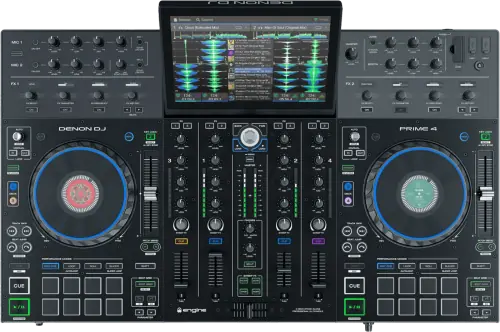
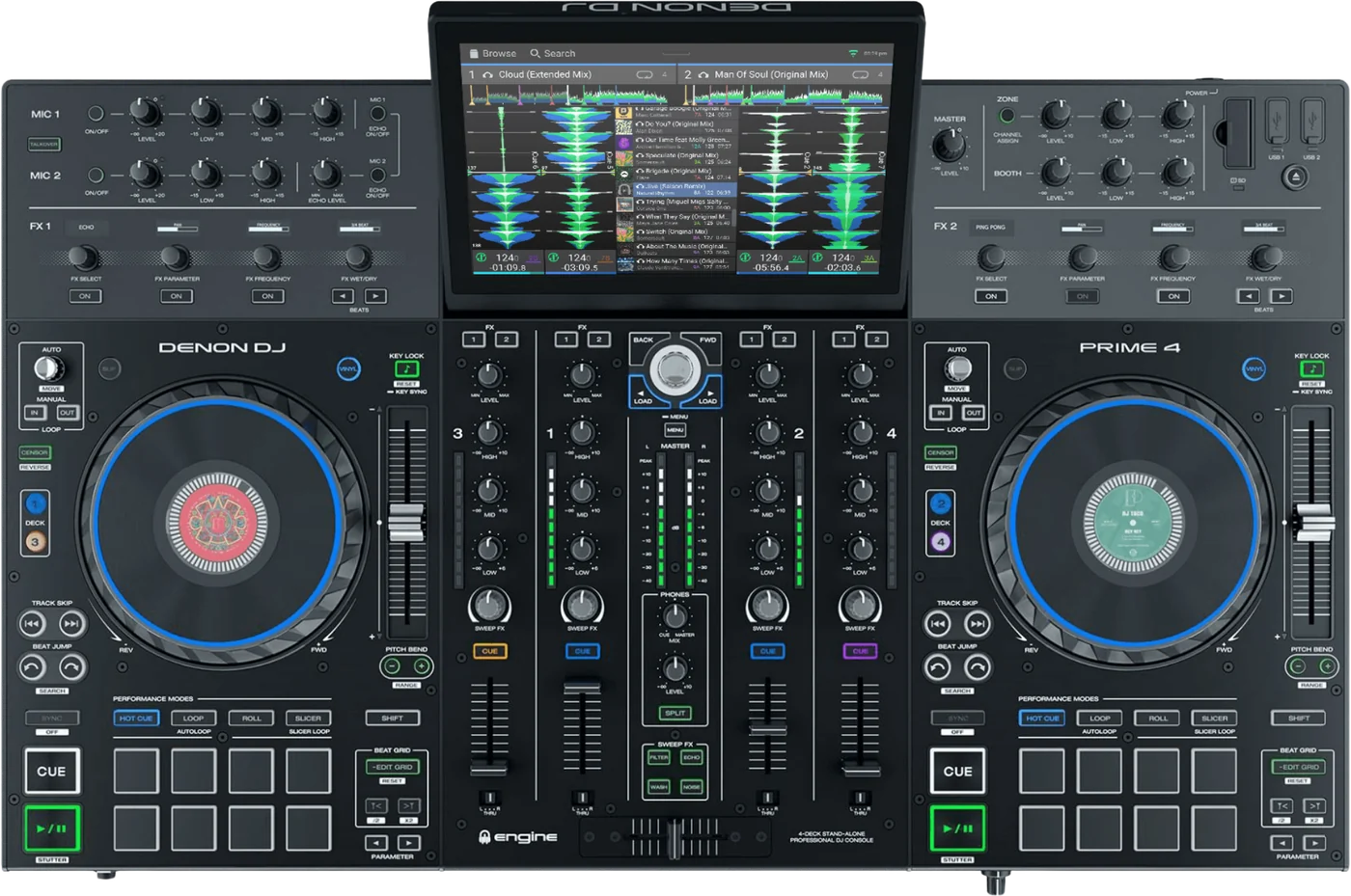
Booth briefing. The PRIME 4 is Denon's four channel standalone system: four USB ports, an SD slot and an internal SATA bay, with a 10.1 inch screen and no computer in the signal path. It reads exFAT and FAT32, and HFS+ appears nowhere in the guide that covers it. Two things separate it from the PRIME 4+ sitting beside it in the same guide: Stems needs a paid one-time licence here and is automatic on the plus, and the guide excludes the base PRIME 4 from Bluetooth by name while the shared specification table appears to grant it.
When it goes wrong: Denon USB format, exFAT or FAT32 The Denon will not read the drive
Fast Lane
The five things that decide your gig
The five things on the PRIME 4 that change what happens next, if you are reading this in the booth. All five are explained in full further down this page.
Stems on this unit is a paid licence. On the PRIME 4+ it is not.
Denon print it as a note under the Hot Cue button rather than in any comparison: "Stems support is automatically available on all PRIME 4+ units. For PRIME 4 hardware, Stems requires a one-time license purchase and activation."
So a demonstration on a PRIME 4+ and a purchase of a PRIME 4 are not the same machine, and the difference is a purchase rather than an update.
The guide excludes this model from Bluetooth by name, and its own spec table disagrees.
Two places in one document. The specification block is headed "PRIME 4 / PRIME 4+" and carries a Bluetooth Version row. Elsewhere the same guide writes the qualifier "(PRIME 4+, PRIME GO, PRIME GO+, SC LIVE 4, and SC LIVE 2 only)", which excludes the base PRIME 4 by name. The qualifier is the model-specific statement and the table header covers two models at once, so this page reports both and does not resolve it.
If a Bluetooth source is part of your plan, confirm it on the unit in front of you before the room fills, because the paperwork gives two answers.
A drive that will not mount is a format question, and HFS+ is not in this guide's list.
The shared guide that covers all seven Engine OS all-in-ones lists the supported file systems as exFAT, marked recommended, and FAT32. HFS+ appears nowhere in it, unlike the guide covering the SC6000 pair, which grants HFS+ to those two models by name.
A Mac formatted drive is the common case. Check the format before you suspect the drive or the socket.
Ejecting a drive unloads its tracks from every networked unit, not just this one.
Denon put the condition first: "Make sure none of its tracks are being played on any connected Engine OS media players. Ejecting a device unloads its tracks from all networked media players."
On a linked booth that is a bigger action than it looks, and the deck you are standing at will not look busy while it happens.
The microphones go straight to the master, and Denon say so in one line.
"The audio signals from the microphones are routed directly to the Master/Main Outputs."
That is what the guide states and all it states. What it does not tell you is what reaches the booth or a recording, so test that rather than assume it.
If something goes wrong
The USB drive will not mount or shows no tracks
Short answer. The PRIME 4 is refusing a file system before it is refusing a drive. It reads exFAT, which Denon mark as recommended, and FAT32, and that is the whole list in the guide that covers it.
Why this happens. The shared guide that covers all seven Engine OS all-in-ones lists the supported file systems as exFAT, marked recommended, and FAT32. HFS+ appears nowhere in it, unlike the guide covering the SC6000 pair, which grants HFS+ to those two models by name. A drive formatted on a Windows machine without a second thought is often NTFS, which is not on the list either.
Fix it now. Move the drive to another of the four USB ports, or to the SD card slot, before you assume the drive is at fault. If the format is wrong, reformat to exFAT on another computer and copy the music back on.
Avoid it next time. Format and test every drive on the unit you are going to play on, not on the one in the shop.
Taking a drive out safely
Short answer. The PRIME 4 has a printed procedure and a condition attached to it, and the condition reaches further than this unit. Make sure none of its tracks are being played on any connected Engine OS media players. Ejecting a device unloads its tracks from all networked media players.
Why the condition matters more here than on a single player. Ejecting unloads the tracks from every networked Engine OS unit, so a drive you pull can clear a deck on a machine you are not standing at. On a booth built from linked units that is the difference between removing a stick and stopping somebody else’s record.
Avoid it next time. Eject before you unplug, every time, and look at what else is on the network before you do.
What to watch for
The guide gives two answers about Bluetooth on this model
Short answer. Whether the base PRIME 4 has Bluetooth is not something this page can settle, because Denon’s own document says both things. Two places in one document. The specification block is headed "PRIME 4 / PRIME 4+" and carries a Bluetooth Version row. Elsewhere the same guide writes the qualifier "(PRIME 4+, PRIME GO, PRIME GO+, SC LIVE 4, and SC LIVE 2 only)", which excludes the base PRIME 4 by name. The qualifier is the model-specific statement and the table header covers two models at once, so this page reports both and does not resolve it.
Why the two disagree in shape rather than by accident. The qualifier names models one by one and leaves this one out. The table header covers two models at once and its rows cannot distinguish them. A list that names models is a more specific statement than a header that groups them, which is why this page reports the qualifier as the model specific one rather than resolving the conflict.
What to do about it. Look at the unit. A Bluetooth menu either appears in the Control Center or it does not, and that takes seconds. Do it before a set that depends on a phone as a source.
Why the page does not just pick. Guessing would read exactly the same whether it was right or wrong, and a DJ who plans a set around a source that is not there has been let down by us rather than by the paperwork.
Stems here is a purchase, not an update
Short answer. On the PRIME 4 the Stems pad mode is behind a licence. Denon state it in a note under the Hot Cue button: "Stems support is automatically available on all PRIME 4+ units. For PRIME 4 hardware, Stems requires a one-time license purchase and activation."
Why this catches people. The PRIME 4 and the PRIME 4+ share one guide and one specification block, and the scoping note at the top of that section reads "All features and functions of PRIME 4 mentioned throughout this guide also apply to PRIME 4+ unless otherwise noted." So the default assumption the document sets up is that the two are the same, and this is one of the places they are not.
What it is not. It is not a firmware version you are behind on and it is not a setting you have missed. No amount of updating turns it on.
Before you rely on it. If a set is built around stems, confirm the licence is on the profile that is actually signed into the unit you will be playing, not on your own account at home.
Compatibility
Which drives and formats it reads
Short answer. exFAT, which Denon mark as recommended, and FAT32. The shared guide that covers all seven Engine OS all-in-ones lists the supported file systems as exFAT, marked recommended, and FAT32. HFS+ appears nowhere in it, unlike the guide covering the SC6000 pair, which grants HFS+ to those two models by name.
What it will play. AAC/M4A, AIF/AIFF, ALAC, FLAC, MP3, MP4, Ogg Vorbis and WAV, with AIF/AIFF and WAV documented at 44.1 to 192 kHz and 16 to 32 bit, and MP3 at 32 to 320 kbps.
Why the HFS+ point is worth stating rather than leaving out. A DJ who also uses an SC6000 has a deck that reads a Mac formatted drive and a deck that does not, and neither of them says so on screen.
What each slot takes
Short answer. The PRIME 4 has four USB ports for drives, an SD card slot and an internal 2.5 inch SATA bay, plus a USB port to a computer.
The internal bay is the part people forget they have. A 2.5 inch SATA drive fitted inside is a library that cannot be left at home, cannot be pulled by somebody else and does not occupy a port. On an installed unit it is often already there with somebody’s collection on it.
And it has a network port. It carries an Ethernet port, so it can join an Engine OS network rather than only play from its own slots
Why it matters. A unit with one dead USB port is not a dead unit. There are three more, a card slot and possibly an internal drive before anything is actually wrong.
Features explained
The pads, the effects and what needs the top panel
Short answer. The PRIME 4 is one of the two models in this guide that reach the BPM effects from the panel rather than the screen. BPM FX are selectable on PRIME 4 and PRIME 4+ only through the top panel FX selection buttons and knobs, which means every other model in this guide reaches them from the touchscreen instead.
Slicer is also a short list. The unit has Slicer Mode, which the guide marks as PRIME 4, PRIME 2 or SC LIVE 4 only, where the eight pads represent eight sequential beats in the track. Three of the other models in the same guide do not have it at all, and the guide hands it to the PRIME 4+ as well through its own scoping note, which is worth knowing if you are moving between them.
The warning before a track ends. It has a Track End Warning setting. On this model the track overview and the platter ring flash, which the guide marks as PRIME 4 and SC LIVE 4 only, and a deck that is not in focus flashes its Deck button instead.
Why the panel matters more than it sounds. An effect you can reach without looking at a screen is an effect you can use in a transition. That is the practical difference between this unit and the smaller ones in the range.
Professional tips
Before you play on one
Confirm which PRIME 4 you are on. The plus looks the same and is not the same on Stems or, by the guide’s own qualifier, on Bluetooth.
Format for exFAT. HFS+ is not in this guide, and a Mac formatted drive is the most common way a working stick becomes a dead one.
Look inside before you buy a drive. An installed unit often has a SATA drive fitted already, with a library on it that is not yours to erase.
Eject with the network in mind. Pulling a drive here clears decks on other units, not only this one.
Test the microphone into the booth and the recording. The guide states the mic goes to the master and says nothing about the rest, so find out on your own gear rather than in front of a room.
Connections and setup
What comes out of the back, and what goes in
Outputs. two balanced XLR master outputs, an unbalanced RCA master pair, two balanced XLR booth outputs, two balanced XLR zone outputs, and 6.35 mm and 3.5 mm headphone outputs.
The zone output, and which siblings share it. It carries a pair of balanced XLR zone outputs. A zone feed is a second room or a second area on its own level, and it is the reason this unit turns up in installs rather than only in bedrooms. The PRIME 4+ has one too; the smaller models in the same guide do not.
Inputs. two RCA line pairs, two RCA pairs switchable between phono and line, and two combination XLR and 6.35 mm microphone inputs.
The physical facts. It has a 10.1 inch main display, 257 mm on the diagonal, and a 2.2 inch platter display on each of the two platters, measures 728.47 x 496.82 x 103.63 mm and runs on IEC, 100 to 240 VAC at 50/60 Hz, and 38 to 39 W.
What the guide says about the microphone path
Short answer. The PRIME 4 takes two microphones on combination XLR and jack inputs, and Denon print one line about where they go: "The audio signals from the microphones are routed directly to the Master/Main Outputs."
What that sentence does and does not say. It says the master gets them. It does not say what the booth output, the zone output or a USB recording get, and this page is not going to fill that in from another model.
Talkover. The unit has a Talkover button, which automatically reduces the volume level of the main mix when you speak into the microphone, with the amount set under Settings and Mic
Do this. If an announcement has to reach the booth or has to be on the recording, check it on the unit rather than assuming, and check it before the room is full.
Firmware, drivers and manuals
Official downloads and documents
Go to Denon DJ for the files themselves. We link their pages instead of hosting a copy, because a manual copied here is a snapshot of release day and theirs is the one that stays current.
Manuals. Official Denon DJ manual page →
Broken link? Let us know and we'll fix it.
Frequently asked questions
Quick answers
- Is this the same as the PRIME 4+?
- No. Stems is a paid one-time licence on this unit and automatic on the plus, and the guide excludes the base PRIME 4 from Bluetooth by name. The guide also says "All features and functions of PRIME 4 mentioned throughout this guide also apply to PRIME 4+ unless otherwise noted.", which is what makes the differences easy to miss.
- Does it have Bluetooth?
- Denon’s own guide gives two answers. Two places in one document. The specification block is headed "PRIME 4 / PRIME 4+" and carries a Bluetooth Version row. Elsewhere the same guide writes the qualifier "(PRIME 4+, PRIME GO, PRIME GO+, SC LIVE 4, and SC LIVE 2 only)", which excludes the base PRIME 4 by name. The qualifier is the model-specific statement and the table header covers two models at once, so this page reports both and does not resolve it.
- What file systems does it read?
- exFAT, which Denon mark as recommended, and FAT32. There is no HFS+ anywhere in the guide that covers it.
- What file formats does it play?
- AAC/M4A, AIF/AIFF, ALAC, FLAC, MP3, MP4, Ogg Vorbis and WAV, with AIF/AIFF and WAV documented at 44.1 to 192 kHz and 16 to 32 bit, and MP3 at 32 to 320 kbps.
- What can I put a library on?
- It has four USB ports for drives, an SD card slot and an internal 2.5 inch SATA bay, plus a USB port to a computer.
- Can I fit a drive inside it?
- Yes, it has an internal 2.5 inch SATA bay, and an installed unit often has one in already.
- How do I take a drive out?
- Make sure none of its tracks are being played on any connected Engine OS media players. Ejecting a device unloads its tracks from all networked media players.
- Does it have a zone output?
- Yes. It carries a pair of balanced XLR zone outputs. A zone feed is a second room or a second area on its own level, and it is the reason this unit turns up in installs rather than only in bedrooms. The PRIME 4+ has one too; the smaller models in the same guide do not.
- Where does the microphone go?
- The audio signals from the microphones are routed directly to the Master/Main Outputs. That is the whole of what the guide states about it.
- Does it have Slicer?
- Yes. It has Slicer Mode, which the guide marks as PRIME 4, PRIME 2 or SC LIVE 4 only, where the eight pads represent eight sequential beats in the track
Commonly paired with
What you usually find beside it in working booths, from club, festival and rental installs rather than from a manufacturer document.
Playing soon and it is not working?
Start Emergency ModeKeep the Emergency Card
We will email you the printable PDF so it is on your phone before the next dark booth. Occasional notes that save gigs. No spam, unsubscribe in one click.
Registering is free and counts everywhere on Save My Gig. We send a confirmation email first. Your address is stored with Brevo, our email provider. Unsubscribe any time. Privacy
Sources: Denon DJ's shared PRIME 4, 4+, 2, GO, GO+, SC LIVE 4, 2 User Guide version 5.0.0, and Denon DJ's own product and downloads pages, checked 9 September 2026. Specifications theirs, priorities ours.