

SC LIVE 4, the field manual
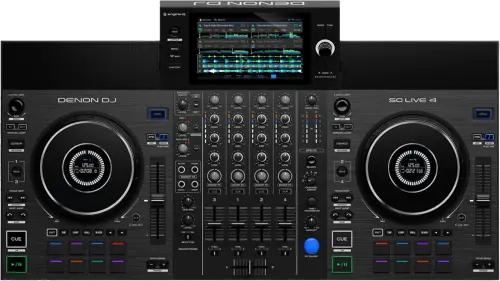
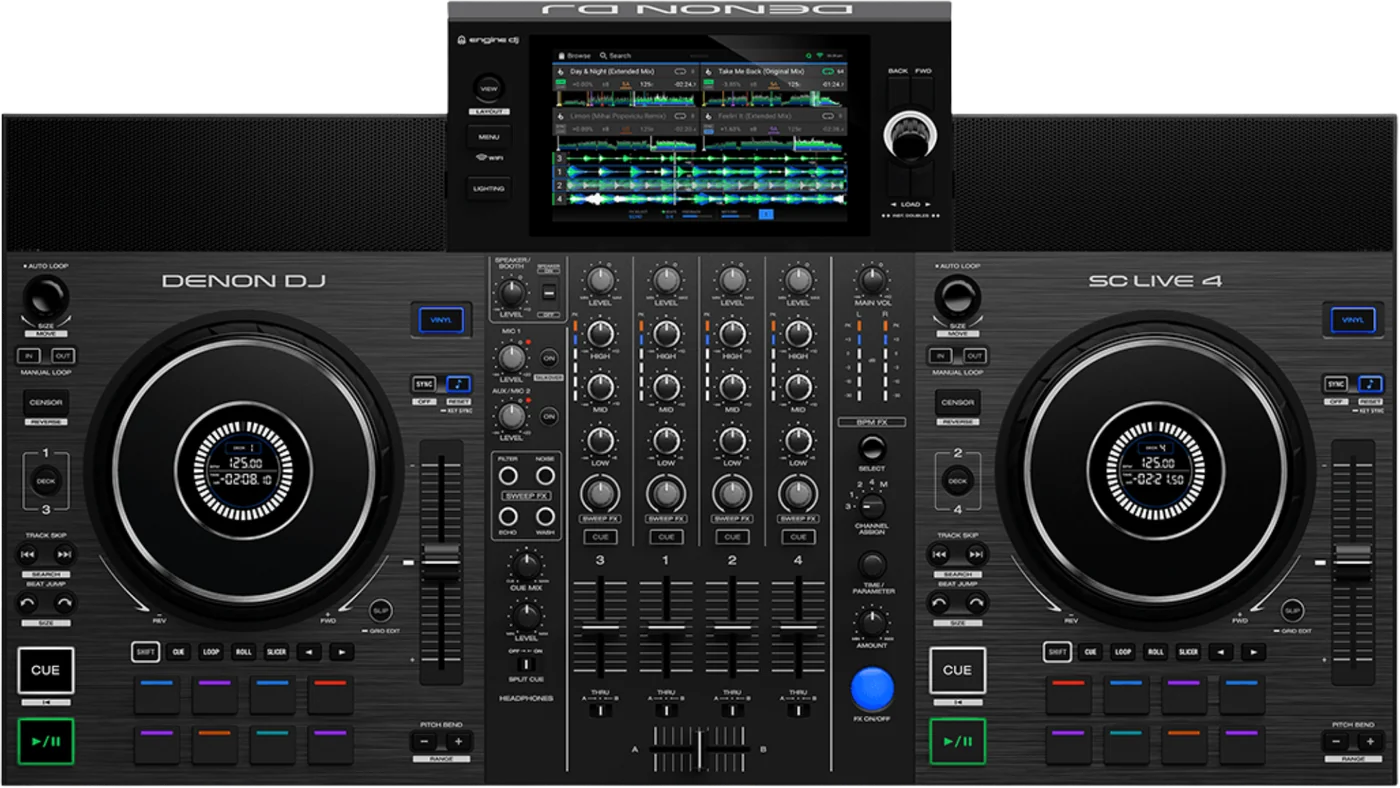
Booth briefing. The SC LIVE 4 is the four channel standalone with speakers built into it: a 7 inch screen, two USB ports and an SD slot, and no computer in the signal path. It reads exFAT and FAT32 and no HFS+. Two things are worth knowing before the first record. One knob sets the internal speakers and the booth output together, and the second microphone shares its path with the Aux input through a switch, so you get one or the other.
When it goes wrong: Denon USB format, exFAT or FAT32 The Denon will not read the drive
Fast Lane
The five things that decide your gig
The five things on the SC LIVE 4 that change what happens next, if you are reading this in the booth. All five are explained in full further down this page.
One knob sets the internal speakers and the booth output together.
Denon describe it in a line: "Speaker/Booth Level: Adjusts the volume of the internal speakers and Booth Output."
So turning the speakers down for a quiet room takes the monitor feed down with them, and a booth engineer asking for more is asking you to change the room volume too.
The second microphone and the Aux input are the same path, and a switch picks one.
"Mic 2/Aux: Use this switch to select whether the Mic 2 Input or Aux Input is active."
A second microphone and a line source at the same time is not something this unit does, and the specification table does not say so.
A drive that will not mount is a format question, and there is no HFS+ here.
The shared guide that covers all seven Engine OS all-in-ones lists the supported file systems as exFAT, marked recommended, and FAT32. HFS+ appears nowhere in it, unlike the guide covering the SC6000 pair, which grants HFS+ to those two models by name.
A Mac formatted drive is the common case. Check the format before you suspect the drive or the socket.
Ejecting a drive unloads its tracks from every networked unit, not just this one.
Denon put the condition first: "Make sure none of its tracks are being played on any connected Engine OS media players. Ejecting a device unloads its tracks from all networked media players."
On a linked booth that is a bigger action than it looks, and the unit you are standing at will not look busy while it happens.
The effects are on the screen. The panel buttons belong to other models.
The guide states BPM FX are selectable through the top panel FX buttons and knobs on PRIME 4 and PRIME 4+ only. On this unit the effects are reached from the touchscreen.
It does have Slicer, which three other models in the same guide do not, so this unit sits in the middle of the range rather than at the bottom of it.
If something goes wrong
The USB drive will not mount or shows no tracks
Short answer. The SC LIVE 4 is refusing a file system before it is refusing a drive. It reads exFAT, which Denon mark as recommended, and FAT32, and that is the whole list in the guide that covers it.
Why this happens. The shared guide that covers all seven Engine OS all-in-ones lists the supported file systems as exFAT, marked recommended, and FAT32. HFS+ appears nowhere in it, unlike the guide covering the SC6000 pair, which grants HFS+ to those two models by name. A drive formatted on a Windows machine without a second thought is often NTFS, which is not on the list either.
Fix it now. Try the other USB port or the SD card slot before you assume the drive is at fault. If the format is wrong, reformat to exFAT on another computer and copy the music back on.
Avoid it next time. Format and test every drive on this unit before the gig rather than on whatever Engine OS hardware is nearest, because the range does not read one list.
Taking a drive out safely
Short answer. The SC LIVE 4 has a printed procedure and a condition that reaches past this unit. Make sure none of its tracks are being played on any connected Engine OS media players. Ejecting a device unloads its tracks from all networked media players.
Why the condition matters. Ejecting unloads the tracks from every networked Engine OS unit, so a drive you pull can clear a deck on a machine you are not standing at.
Avoid it next time. Eject before you unplug, every time, and look at what else is on the network before you do.
What to watch for
One control, two destinations
Short answer. On the SC LIVE 4 the internal speakers and the booth output are not separately adjustable. Denon describe the control in a single line: "Speaker/Booth Level: Adjusts the volume of the internal speakers and Booth Output."
Why that is a problem worth its own section. A monitor feed exists so the performer can hear something different from the room. On this unit the two move together, so quieting the room quiets the monitor, and a booth engineer who asks for more monitor is asking you to make the room louder.
What you can still do. The unit has internal speakers, with a Speaker button on the top panel that mutes and unmutes them. So muting the speakers entirely and running the booth output on its own is possible; what is not possible is setting the two to different levels.
Do this. Decide at setup whether the internal speakers are your monitor or your PA, because on this unit they cannot be both at once at different levels.
The inputs, and what the specification table leaves out
Short answer. The SC LIVE 4 has more microphone input than its specification list admits, and one fewer usable input than the panel suggests. It carries two microphone inputs and an RCA Aux pair. Denon's product page gives them as a 6.35 mm TRS input and an XLR and TRS combination jack; the guide's rear panel section calls the XLR one Microphone 1 Input. The guide's own Audio Inputs specification lists only the 6.35 mm one, which is the input the Mic 2 and Aux switch shares.
The switch is the part that matters. "Mic 2/Aux: Use this switch to select whether the Mic 2 Input or Aux Input is active." So a second microphone and a line source cannot both be live. On a unit sold for parties and small events, where a second microphone and a phone are both plausible, that is a real constraint.
Where the microphones go. Denon print one line: "The audio signals from the microphones are routed directly to the Master/Main Outputs." That is what the guide states and all it states. It also has a Talkover button, which automatically reduces the volume level of the main mix when you speak into the microphone, with the amount set under Settings and Mic
How this was found, because it is a useful habit. The specification table lists one microphone input. The panel photograph carries MIC 1 and AUX/MIC 2 controls, which one input cannot explain, and the rear panel section of the same guide then describes both. A picture is a check on a table.
Compatibility
Which drives and formats it reads
Short answer. exFAT, which Denon mark as recommended, and FAT32. The shared guide that covers all seven Engine OS all-in-ones lists the supported file systems as exFAT, marked recommended, and FAT32. HFS+ appears nowhere in it, unlike the guide covering the SC6000 pair, which grants HFS+ to those two models by name.
What it will play. AAC/M4A, AIF/AIFF, ALAC, FLAC, MP3, MP4, Ogg Vorbis and WAV, with AIF/AIFF and WAV documented at 44.1 to 192 kHz and 16 to 32 bit, and MP3 at 32 to 320 kbps.
Why the HFS+ point is worth stating. A DJ who also uses an SC6000 has one deck that reads a Mac formatted drive and one that does not, and neither says so on screen.
What each slot takes
Short answer. The SC LIVE 4 has two USB ports, which Denon describe as taking USB drives or compatible controllers, and an SD card slot, plus a USB port to a computer.
The ports take more than drives. Denon describe them as taking USB drives or compatible controllers, and they do not say which controllers. Our own LC6000 page reports that Denon name the LC6000 only in the PRIME 4 section of the combined guide and neither confirm nor deny the other hosts, so this page does not name one either.
Why it matters. A unit with one dead USB port is not a dead unit. There is another port and a card slot before anything is actually wrong.
Features explained
What it has, and what belongs to other models
Short answer. The SC LIVE 4 sits in the middle of this guide. It has Slicer Mode, which the guide marks as PRIME 4, PRIME 2 or SC LIVE 4 only, where the eight pads represent eight sequential beats in the track, which three other models covered by the same document do not.
What it does not have. The guide states BPM FX are selectable through the top panel FX buttons and knobs on PRIME 4 and PRIME 4+ only. On this unit the effects are reached from the touchscreen.
The warning before a track ends. It has a Track End Warning setting. On this model the track overview and the platter ring flash, which the guide marks as PRIME 4 and SC LIVE 4 only, and a deck that is not in focus flashes its Deck button instead.
Why absences are named here at all. One guide covers seven products and prints the differences as brackets at the ends of otherwise general sentences. Saying what this unit does not have is the only way to make those brackets visible to somebody reading about their own machine.
Professional tips
Before you play on one
Decide what the internal speakers are for. Monitor or PA, because one knob moves them and the booth output together.
Choose between a second microphone and the Aux input at setup. A switch picks one, and it is not a thing to discover during a speech.
Format to exFAT. There is no HFS+ in this guide.
Eject with the network in mind. Pulling a drive clears decks on other units, not only this one.
Learn the effects on the screen. The panel FX buttons belong to the PRIME 4 and the 4+, not to this unit.
Connections and setup
What comes out of the back, and what goes in
Outputs. two balanced XLR main outputs, an unbalanced RCA main pair, two balanced 6.35 mm booth outputs, and 6.35 mm and 3.5 mm headphone outputs.
Plus the speakers in the unit. It has internal speakers, with a Speaker button on the top panel that mutes and unmutes them.
Inputs. two microphone inputs and an RCA Aux pair. Denon's product page gives them as a 6.35 mm TRS input and an XLR and TRS combination jack; the guide's rear panel section calls the XLR one Microphone 1 Input. The guide's own Audio Inputs specification lists only the 6.35 mm one, which is the input the Mic 2 and Aux switch shares.
The physical facts. It has a 7 inch display, 178 mm on the diagonal, and a 2.2 inch platter display on each platter, measures 71.9 x 40.4 x 9.9 cm, weighs 5.8 kg and runs on 12 V, 3.0 A DC, centre positive.
Firmware, drivers and manuals
Official downloads and documents
Go to Denon DJ for the files themselves. We link their pages instead of hosting a copy, because a manual copied here is a snapshot of release day and theirs is the one that stays current.
Manuals. Official Denon DJ manual page →
Broken link? Let us know and we'll fix it.
Frequently asked questions
Quick answers
- Can I set the booth and the internal speakers to different levels?
- No. "Speaker/Booth Level: Adjusts the volume of the internal speakers and Booth Output." You can mute the speakers entirely, but not run the two at different levels.
- Can I use two microphones and a line source at once?
- No. "Mic 2/Aux: Use this switch to select whether the Mic 2 Input or Aux Input is active."
- How many microphone inputs does it have?
- It carries two microphone inputs and an RCA Aux pair. Denon's product page gives them as a 6.35 mm TRS input and an XLR and TRS combination jack; the guide's rear panel section calls the XLR one Microphone 1 Input. The guide's own Audio Inputs specification lists only the 6.35 mm one, which is the input the Mic 2 and Aux switch shares.
- What file systems does it read?
- exFAT, which Denon mark as recommended, and FAT32. There is no HFS+ anywhere in the guide that covers it.
- What file formats does it play?
- AAC/M4A, AIF/AIFF, ALAC, FLAC, MP3, MP4, Ogg Vorbis and WAV, with AIF/AIFF and WAV documented at 44.1 to 192 kHz and 16 to 32 bit, and MP3 at 32 to 320 kbps.
- What can I put a library on?
- It has two USB ports, which Denon describe as taking USB drives or compatible controllers, and an SD card slot, plus a USB port to a computer
- Does it have Slicer mode?
- Yes. It has Slicer Mode, which the guide marks as PRIME 4, PRIME 2 or SC LIVE 4 only, where the eight pads represent eight sequential beats in the track
- Can I reach the effects without the touchscreen?
- No. The guide states BPM FX are selectable through the top panel FX buttons and knobs on PRIME 4 and PRIME 4+ only. On this unit the effects are reached from the touchscreen.
- How do I take a drive out?
- Make sure none of its tracks are being played on any connected Engine OS media players. Ejecting a device unloads its tracks from all networked media players.
- Where does the microphone go?
- The audio signals from the microphones are routed directly to the Master/Main Outputs. That is the whole of what the guide states about it.
Playing soon and it is not working?
Start Emergency ModeKeep the Emergency Card
We will email you the printable PDF so it is on your phone before the next dark booth. Occasional notes that save gigs. No spam, unsubscribe in one click.
Registering is free and counts everywhere on Save My Gig. We send a confirmation email first. Your address is stored with Brevo, our email provider. Unsubscribe any time. Privacy
Sources: Denon DJ's shared PRIME 4, 4+, 2, GO, GO+, SC LIVE 4, 2 User Guide version 5.0.0, and Denon DJ's own product and downloads pages, checked 9 September 2026. Specifications theirs, priorities ours.