

VirtualDJ, the field manual
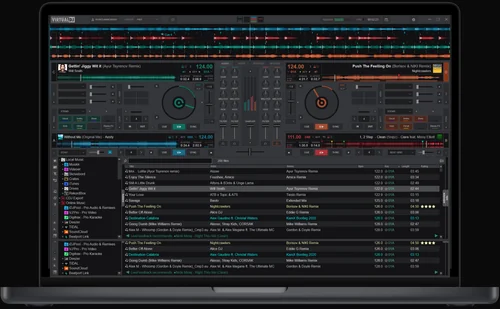
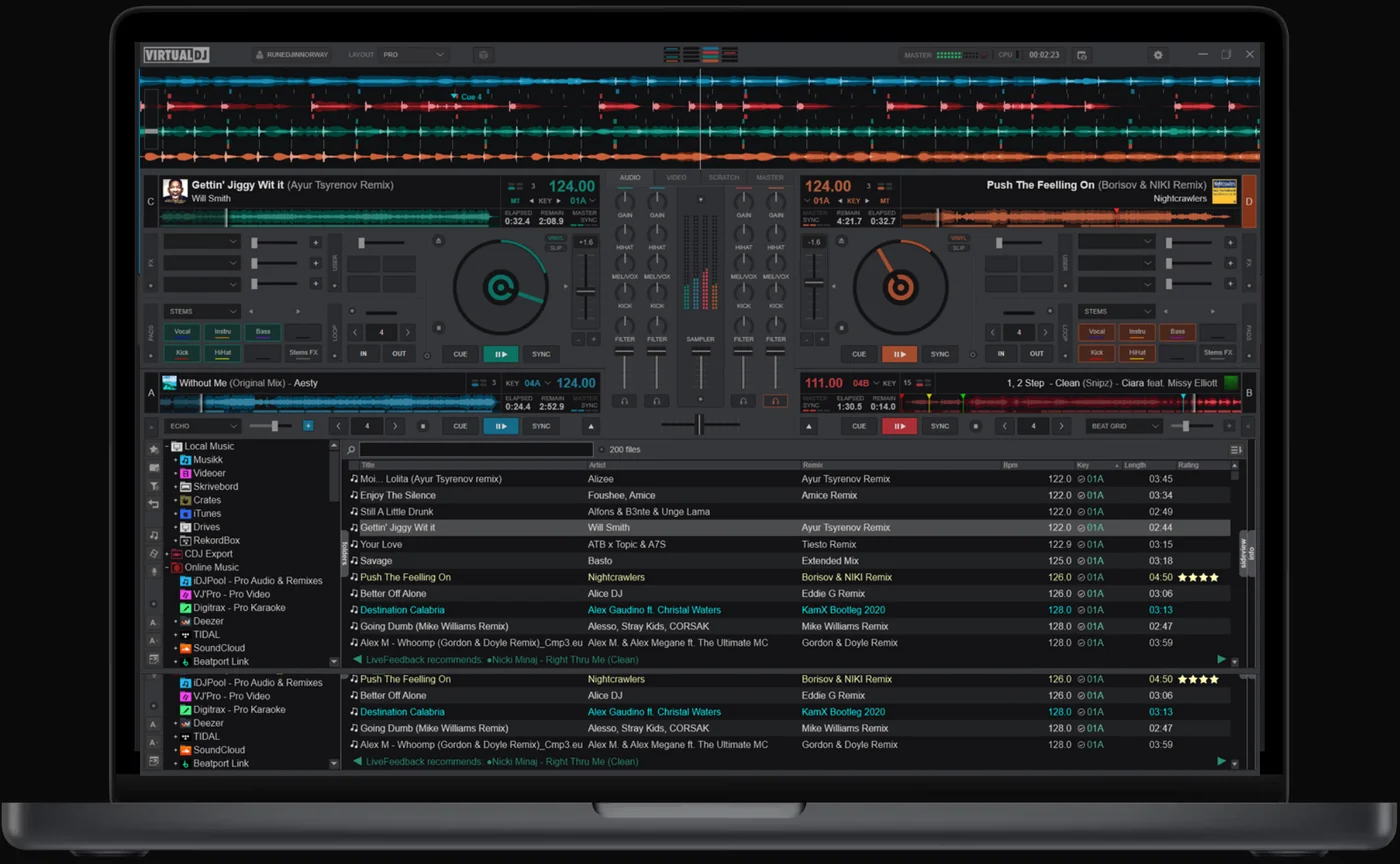
Booth briefing. VirtualDJ is Atomix's DJ software, a laptop application that runs with a controller, with timecode, or straight into a club mixer as an external mixer setup, and it is sold in tiers, from a free version up to the Pro licence that covers professional use and two computers. Its CDJ Export writes a USB stick that club players can read, so a VirtualDJ library can travel to a booth with no laptop in it. Which tier you hold decides which of those setups the software will run, and that is covered first below.
Understanding the software
What each licence actually lets you do
The free tier. The free tier cannot use a DJ controller. Atomix state it is for people not using it professionally and not using "any professional equipment like a DJ controller", and a USB or MIDI controller is outside it.
What the older manuals say instead. Atomix’s older manuals describe something narrower than a refusal. The VirtualDJ 8 user guide says "MIDI/HID controllers are available only if a Pro Full Infinity or a controller specific license is available. See Settings-Licenses, otherwise the controller will work only for 10 minutes each time you launch the software", and the December 2020 online manual repeats it. Both documents are years old, so treat the ten minute window as history rather than as a promise.
Home. The Home tier "only works with entry level controllers". Atomix do not publish which controllers count as entry level, so the boundary is theirs to know and yours to discover.
Pro. Pro is the tier that covers working. It is the one that lists any DJ controller, external mixer support, timecode vinyl, and earning money as a DJ.
How many machines a Pro licence covers. The version 8 licence agreement puts a number on Pro that the tier comparison does not. It says the Pro licence "gives you the right to install and use the software on a maximum of two computers, by one person", and that the licence "is personal, and, once used, is linked to the user, and cannot be transferred, leased, sold, or given to another person". That text is from the version 8 documents, so check it against the agreement you actually accepted.
The line that catches club DJs. External mixer support is a Pro feature. Plugging a laptop into the club DJM is an external mixer setup, so the tier that covers walking into a club booth is Pro, not Home.
Business. Business is Pro plus multi-user licences and support.
Hardware that arrives with a keycode. Some controllers have shipped with a licence keycode in the box. The VirtualDJ 8 operation guide for the MD1310 tells the owner "If your MD1310 came with a VirtualDJ 8 LE Keycode, use the Enter Keycode button to enter it", and the December 2020 online manual says the keycode field is "only to enter a Keycode provided with an OEM (Limited Edition) version (bundled with several MIDI/HID controllers)". Neither document lists which controllers, and both are old enough that the arrangement may have moved.
The audio drop question, and two Atomix pages that disagree
What the tier comparison says. Atomix’s own comparison of the tiers sells Pro on, among other things, "Clean audio output (without VirtualDJ audio sample)". Read plainly, that means the free and Home tiers put a VirtualDJ sound into the output.
What the changelog says. The changelog says otherwise. Build 8970, 20 December 2025: "Removed most audio-drops for Home/Free license."
So which is it. Most is not all, and the two documents Atomix publish do not agree on how many are left or where they fall. This site will not guess the number. If you are being paid, the tier that is documented as clean is Pro.
Why this page reports a disagreement instead of an answer. Both documents are Atomix's own and both are current. Picking the friendlier one would be a guess dressed as a fact, and a guess about whether a sound comes out of the master during a paid set is not a guess worth making on somebody else's behalf.
Where your library actually lives
VirtualDJ does not keep one library file. VirtualDJ does not keep one library file. The VirtualDJ 8 quick setup guide says "VirtualDJ stores track’s information and creates Database files on each Hard Drive separately", with a database.xml and a VirtualDJ folder written onto every internal or external drive it meets. The version 5 user guide describes the same split, so this is long standing rather than recent.
Why that matters when you travel. Plug your drive into a booth machine running this software and the booth machine writes to your drive rather than only reading from it. That is deliberate, and the same guide gives the reason: the split design "provides users of external hard drives the ability to COLD or HOT SWAP drives between single and/or multiple systems", so a DJ can walk in, plug in and play. The cost of that convenience is that your drive comes home changed.
The switch that stops it. VirtualDJ can be told to leave a drive alone. The December 2020 online manual lists an option readOnly, "Set VirtualDJ in read-only mode, the databases on the drives will not be modified", and an option ignoreDrives, a "List of drives to ignore when looking for VirtualDJ databases".
Backing it up is a menu item. The backup is built into the browser, not something you assemble by hand. The December 2020 online manual says Create Database Backup "Creates a zip file backup of the database, folders, history, mappers, pads, playlists and settings in the folder Documents/VirtualDJ/Backup on your computer", and Restore Database Backup puts a chosen selection of those back.
What this page cannot tell you. Every sentence in this section is from Atomix documents written for version 8 and for the December 2020 build. File names, folder names and option names are exactly the kind of thing that moves between releases, so treat these as where to look rather than as what you will find.
Compatibility
CDJ Export, and why an old stick can be wrong
What it does. CDJ Export writes a CDJ database onto a USB stick from inside VirtualDJ. It carries cue points, syncs them in both directions, and can export separated stems as Acapella, Instrumental, Melody or Beat.
Eighteen months of cue point fixes. These are Atomix's own changelog entries, in order:
- Build 8528, 9 March 2025: Fix beatgrid and cue point offset on cdj export
- Build 8909, 1 December 2025: Export to CDJ updates tags for songs already on the usb
- Build 9295, 19 April 2026: Fix cue point offset when exporting certain mp3 to cdj
- Build 9482, 29 June 2026: Fix CDJ Export limited to 1 synced folder
- Build 9583, 12 August 2026: CDJ Export fix for vbr mp3
What that sequence means for you. A stick exported from an older build can carry cue points in the wrong place. The last of these fixes landed weeks ago and it is the variable bitrate MP3 case, so a library of VBR MP3s is the one most likely to still be wrong on a stick prepared before August 2026. Re-export rather than trust an old stick, and check one cue on the deck before you play.
The setting nobody can explain to you. At export time it asks you to choose "the compatibility of the CDJ being used", and the manual never says which players each setting covers. That gap is Atomix’s, not this site’s to fill. What this site can tell you is what each player actually reads, per model, which is the other half of the same question.
Hardware, and what Atomix do not publish about it
The list is long. Atomix publish a hardware list that runs from club players and mixers through to controllers from most manufacturers, and claim compatibility with almost every DJ controller on the market. Each device links to its own hardware manual.
What the list does not tell you. It does not say what level of support any individual device has. That is a different question from "is it on the list", and it is not answered on the page that answers the first.
The licence question has a partial answer. Some controllers have shipped with a licence keycode in the box. The VirtualDJ 8 operation guide for the MD1310 tells the owner "If your MD1310 came with a VirtualDJ 8 LE Keycode, use the Enter Keycode button to enter it", and the December 2020 online manual says the keycode field is "only to enter a Keycode provided with an OEM (Limited Edition) version (bundled with several MIDI/HID controllers)". Neither document lists which controllers, and both are old enough that the arrangement may have moved.
So the safe reading. Being on the list means the device is recognised. It does not mean every control on it is mapped, and it does not mean a licence arrives with it.
Getting sound out of it
The three shapes. The manual documents three output shapes: master only, master plus headphones for prelisten, and an individual output per deck.
What can carry them. The hardware options are the computer’s own soundcard, a USB soundcard, or a stereo-to-mono splitter, which splits "a single stereo output into 2 separate mono channels".
The splitter is a last resort, not a plan. Splitting one stereo output into two mono channels gives you a master and a prelisten from a socket built for one job. It works, and it costs you the stereo image on both. Treat it as the thing you do when the soundcard is in the other bag.
The interface's own rate is not set here. Sample rate and bit depth are not set in the audio setup screen. The manual says they "cannot be changed in VirtualDJ but may be able to be changed in a driver utility panel or in the computer’s operating system".
There is an internal rate, and it is a different thing. VirtualDJ does have a sample rate of its own, separate from the soundcard’s. The December 2020 online manual lists an option sampleRate, "Force the internal samplerate. If set to ‘auto’ VirtualDJ will use the samplerate recommended by your soundcard", and advises 44100 for a library of MP3s and 48000 for video. So the honest version is that the interface's rate belongs to the driver panel or the operating system, while the software's own rate is a setting you can reach.
The limiter is not optional. The master limiter is not something you switch off. The December 2020 online manual says of the ON indicator in the master panel: "Indicates that the built in Limiter is armed and ready. The Limiter is on by default and cannot be turned off."
The external mixer setup, and what it takes
VirtualDJ wants a stereo output per deck for this. Running an external mixer costs you outputs. The December 2020 online manual says "In order to use an external (analog) mixer, a Soundcard with a minimum of 2 stereo outputs is required since each VirtualDJ deck configured for external mixer use requires a dedicated stereo channel", and four decks on a four channel mixer need a card with at least four stereo outputs.
The licence line has moved. The licence that unlocked an external mixer used to carry a different name. The December 2020 online manual says "An Analog Mixer or Pro Infinity License is required to use this audio configuration", and its Licenses page describes a Controller PLUS License that "provides you the ability to use a single external analogue DJ mixer and/or a MIDI/HID controller". That tier list is from 2020 and is not the list Atomix publish now.
You lose internal recording. An external mixer setup cannot record itself. The December 2020 online manual says "With an external mixer setup, the recording cannot be performed internally as the external mixer is not capable to control the internal mixer of the software. In this case an additional connection and a Record Line in the audio setup is required", and it names the mixer’s Record Out or Booth Out as the jack to send back into the computer.
The booth version of all that. Walking into a club and plugging into the house mixer means, on the laptop side, a soundcard with at least two stereo outputs, a licence on the tier Atomix name for it, and one more cable if the set has to be recorded. The third is the one people discover afterwards, when the recording turns out to be silence.
Timecode and DVS
VirtualDJ can be driven by timecode vinyl or timecode CD. Timecode asks for a particular soundcard, not any soundcard. The December 2020 online manual says "A multi-channel USB sound card with at least 4 Outputs and 4 Inputs is required. For Timecode vinyl a soundcard designed with phono preamps and able to provide a stereo signal on the appropriate input channels is required. Mono input of a timecode signal is not supported."
A disc from one program is not a disc for another. Timecode records and discs are not interchangeable across programs. The December 2020 online manual says "Compatibility between different timecode systems is not guaranteed", and warns that if the wrong timecode type is chosen from the menu "the timecode reading and decoding will be incorrect and will not function as expected".
What the manual says to do when the signal dies. The documented answer to a dead signal starts with the cabling, not the button. The December 2020 online manual says that if a "no signal" or "timecode signal lost" message appears, click CALIBRATE "after correcting any hardware related (stereo cable inverted, needle wired backwards, timecode not playing, cable disconnected, etc)".
Read that order carefully. Calibrating is the second move, not the first. The document puts the cable, the needle and the record before the button, which is the opposite of what most people do when a deck goes quiet in front of an audience.
What to watch for
Settings that decide how a set goes
VirtualDJ carries several behaviours that only announce themselves under pressure. Each of the three below is documented in the December 2020 online manual and none of them is visible on the main screen, so they are worth finding in the settings search before the gig rather than during it.
Exclusive control of the soundcard. One audio setting will silence everything else on the machine. The December 2020 online manual describes exclusiveAudioAccess: "When set to yes, VirtualDJ will take exclusive control of your soundcard, meaning that all other applications running in the background will stop to make any sound while VirtualDJ is active."
The watchdog on the software itself. VirtualDJ ships with a watchdog on itself. The December 2020 online manual lists an option crashGuard, which "constantly monitors the VirtualDJ process, and silently reboot it without interruption if something goes wrong".
Loading over a playing deck. VirtualDJ can be told to ask before it loads over a playing deck. The December 2020 online manual lists an option loadSecurity, "Ask a confirmation message if you try to load a song on a deck that is already playing", with a Silent setting that "will not load and not show a confirmation dialog".
All three come from a 2020 document. Option names and defaults are exactly what moves between builds, so treat these as things to search the settings for rather than as guaranteed present.
Playing with no internet
What the manual says. The manual’s own Licenses page says only that logging in is optional and that if you do not, "some features will be limited and online features of the software will not be available". It does not say what happens to a licence mid-set with no signal.
What it does not say, and why that matters. A basement with no signal is a normal Tuesday, so the question of what a licence does when it cannot reach the internet is a working question rather than an edge case. Atomix do not answer it in the documentation this page was written from.
What to do about it. Test it before it matters: turn the wifi off at home, open the software, and load a track. That is a five minute answer for your own machine and your own licence, and it beats any general claim this page could make.
Everything Atomix leave unanswered
This list is the useful part. Each of these is a question a working DJ asks and the vendor's own documentation does not answer. An unanswered question is not a no, and this page does not convert one into the other.
- whether an activated copy keeps working with no internet, and for how long
- which controllers count as "entry level" for the Home tier
- which players each CDJ Export compatibility setting covers
- how many audio drops remain in the free and Home tiers after build 8970
- which controllers ship with a licence keycode in the box now, since the documents that describe the arrangement are from 2020 and earlier
- whether the ten minute controller window described in the version 8 manuals still exists in a build shipping now
Where this page came from. Atomix's maintained pages, read on 25 August 2026: the online manual, the changelog, the tier comparison, the hardware list and the CDJ Export page. The live build on the day of writing was 9583, 12 August 2026, and the changelog reaches back to BUILD 2523, 11 November 2015.
And from the archive manuals, each one dated where it is used. The archive manuals in this library are old, and they are still worth reading. The most recent is a print of the online manual made on 8 December 2020; the rest are version 8 guides from the middle of the 2010s and a version 5 guide older than those. They describe builds Atomix replaced long ago, so every fact taken from them on this page carries the document and its date in the sentence itself.
Keep the Emergency Card
We will email you the printable PDF so it is on your phone before the next dark booth. Occasional notes that save gigs. No spam, unsubscribe in one click.
Registering is free and counts everywhere on Save My Gig. We send a confirmation email first. Your address is stored with Brevo, our email provider. Unsubscribe any time. Privacy
Sources: Atomix's own maintained pages, read on 25 August 2026: the online manual, the changelog, the tier comparison, the hardware list and the CDJ Export page. Specifications theirs, priorities ours.