

CDJ-900NXS
Before the gig: know this deck, check its firmware (the deck's software), and prepare your USB stick.
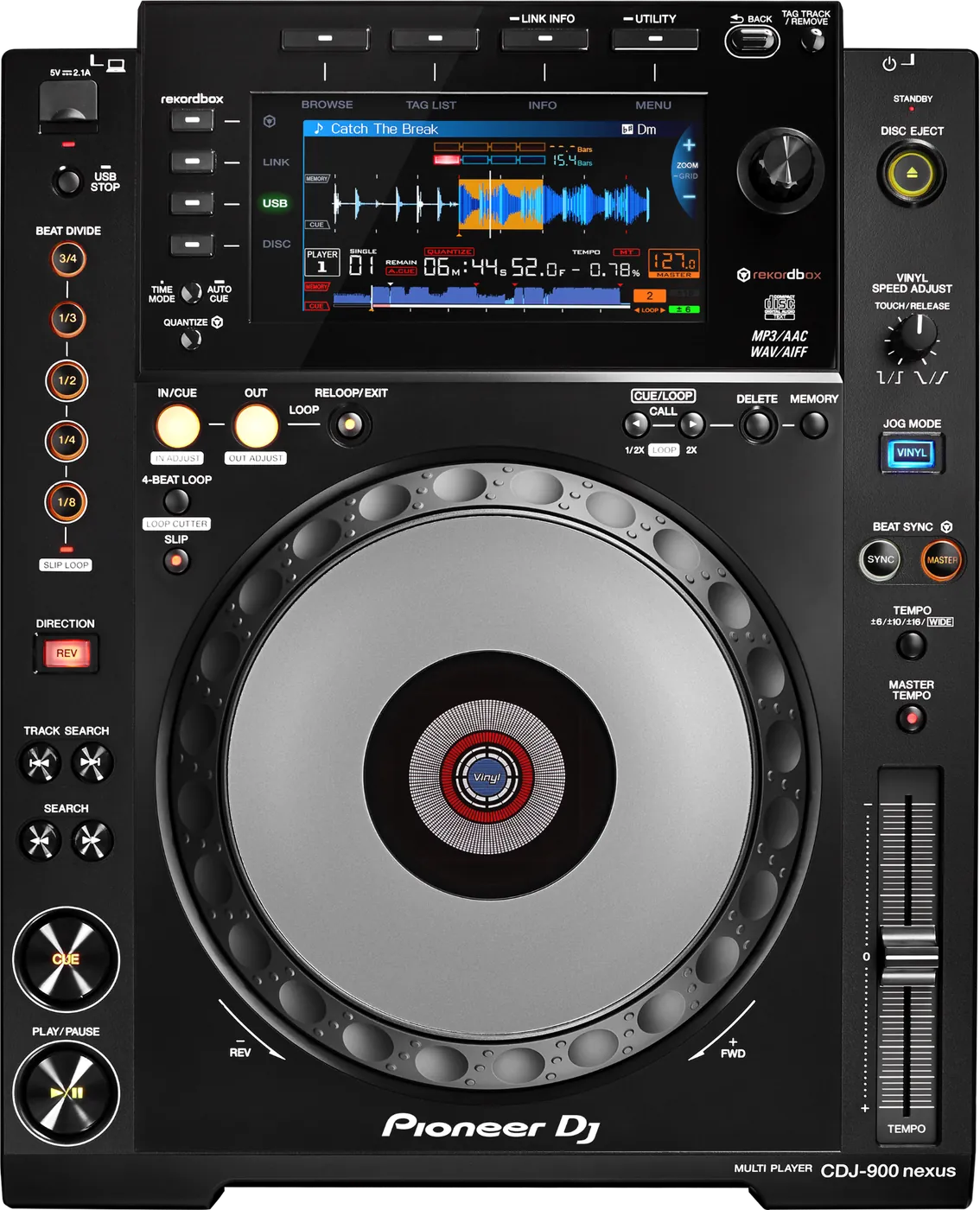
- Released
- 2013
- Width
- 32 cm · 12.6 in
- Depth
- 40.2 cm · 15.8 in
- Height
- 10.6 cm · 4.2 in
- Weight
- 4.4 kg · 9.7 lb
Know the deckbefore you pack
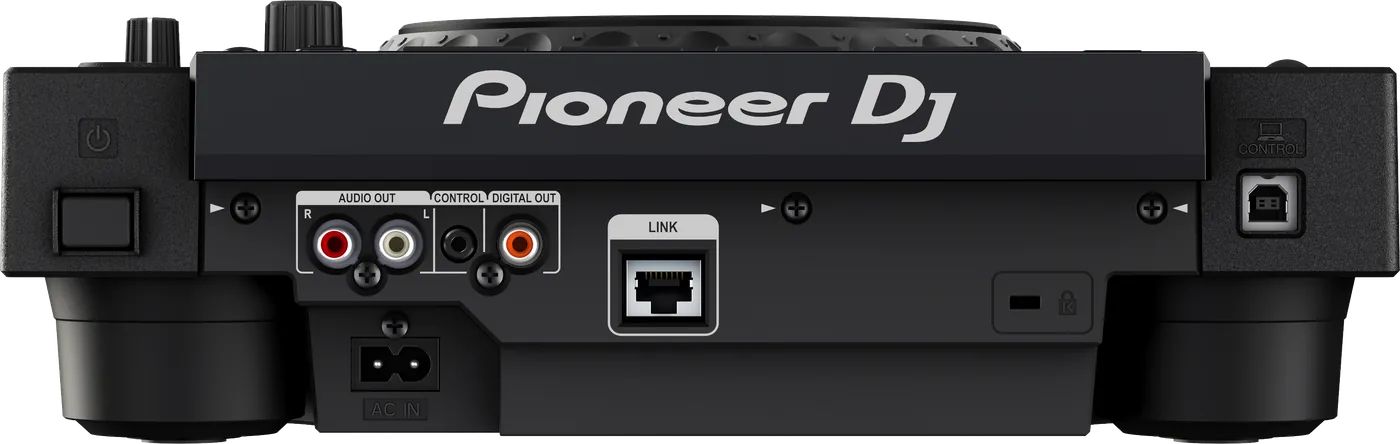
Connectionson the back
BAnalog audio outAUDIO OUT, left and right
CDigital audio outOne DIGITAL OUT socket
DLINKOne network socket (PRO DJ LINK)
EUSB to computerOne USB socket, for a computer
Five things that can affect your gig
1It reads Device Library. A stick with only OneLibrary shows no playlists.
2No exFAT. Format the stick FAT32 (or HFS+ on a Mac).
4Firmware below 1.30: some WAV files and 24-bit AIFF files would not load.
5Press USB STOP for 2 seconds before you pull the stick. Pulled too soon, it can become unreadable.
Also good to know
Firmware1.31 is the last version. Below 1.20, BEAT DIVIDE could stop the sound.
Cue pointsUp to 10 per track on a stick, 100 per disc.
LINKEach deck needs its own PLAYER No. Up to four players.
Based on the Save My Gig guide for this model and Pioneer DJ's own documents.