

djay, field manual
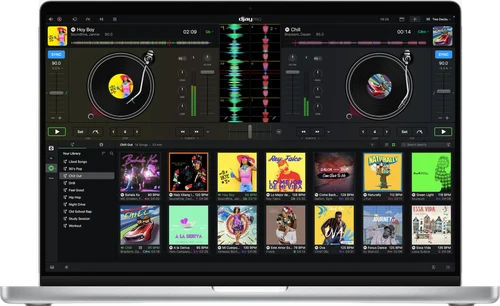
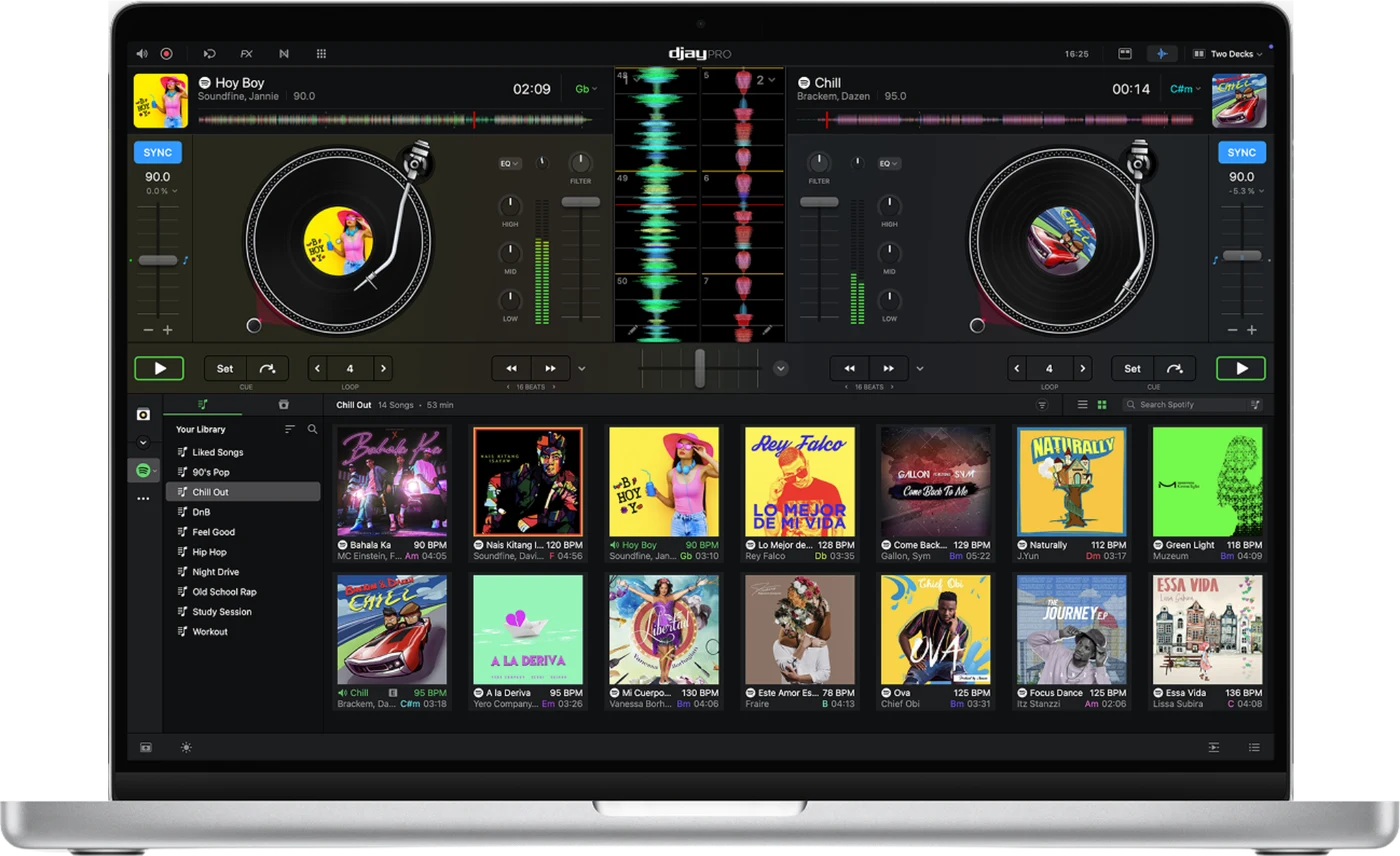
Booth briefing. djay is Algoriddim's DJ software, an application for macOS, Windows, iOS and Android that runs with a controller, with CDJs, with timecode vinyl or on its own. Algoriddim is a software company in Munich, founded in 2006. A Pro subscription adds DVS, 4-deck mode and USB library export, and that export writes a OneLibrary drive that supported club players read, so a djay library can travel to a booth with no laptop in it.
The story: djay, the history
Fast Lane
djay: software profile
One DJ program for phone, tablet and laptop, under a single Pro subscription.
- Runs on
- Windows 10 (21H1 or later) or 11; macOS 10.15 or later. About 500 MB to install. No published RAM or processor minimum. What it needs to run
- Reads your library from
- Its own library, exported to USB as OneLibrary. Read-only on iOS. OneLibrary
- Playing live
- Controllers, CDJs, or timecode vinyl with a Pro subscription. Timecode and DVS
- Hardware it works with
- Five brands deeply integrated; a supported list for each operating system. The hardware side
- What comes out
- Set recordings, and OneLibrary USB drives from macOS or Windows. The external mixer setup
- What it costs to keep
- A free version and a Pro subscription. What Pro covers
The five things that decide your pick
djay in five points, each linked to its section.
Pro features vary by platform
A Windows laptop gets USB export but no video mixing.
It writes OneLibrary drives
Only supported players read them, so check yours first.
For DVS, mixer channels go to USB
Left on Line or Phono, the decks bypass djay.
On an external mixer, record through the mixer
The house mixer needs a free REC OUT.
Up to four CDJs, four ways to connect
PRO DJ LINK needs a single USB cable to the computer.
Official software video
Note: This feature requires an internet connection.
Understanding the software
What a Pro subscription covers
What it unlocks. Algoriddim say a Pro subscription unlocks the full creative toolkit: Neural Mix, Automix, the sampler and looper, Crossfader FX, recording, content packs, headphone pre-cueing, the Digital Vinyl System (DVS), advanced MIDI Learn and library batch analysis. Depending on the platform it also covers video mixing, 4-deck mode and USB library export.
It depends on the platform. 4-deck mode is on macOS, iOS and Windows, USB library export is on macOS and Windows, and video mixing is on macOS and iOS. A Pro subscription, in their words, "works across all supported platforms".
Two stated limits. Recording does not work with streamed tracks, and Neural Mix does not work with Apple Music or Spotify tracks.
What the free version limits. Algoriddim say the free version lets you "start mixing instantly" and mention a free trial of Pro. The article does not give the free version's limits or the trial's length.
What it needs to run
Windows. For Windows the manual says you need "Microsoft Windows 10 (version 21H1 or later) or Windows 11", with a minimum install size of approximately 500 MB plus room for your music and videos.
Mac. For the Mac the manual page says "a Mac with macOS 10.15 or later", with the same 500 MB install size. It names no processor type, so it does not say whether Apple silicon and Intel Macs are treated differently.
Memory and processor. Both pages add a single performance line, "More RAM and a faster processor will ensure a smoother experience while DJing", and publish no minimum for memory or processor.
Before you update the laptop. Whether a given djay release runs on a given macOS or Windows update is Algoriddim's statement, and this site keeps those statements, with their dates, on one page.
Compatibility
Connecting CDJs
Which players. Algoriddim's CDJ page lists these players for native integration: CDJ-3000X, CDJ-3000, CDJ-2000, CDJ-2000NXS, CDJ-2000NXS2, CDJ-350, CDJ-400, CDJ-850, CDJ-900, CDJ-900NXS and CDJ-TOUR1.
A newer addition. Release 5.6.6 added official support for the CDJ-1500X, as the release list below shows. The CDJ page list does not name it, so for this player the release note is the one to go by.
Connection methods. The CDJ page describes four ways to connect. First, each CDJ goes to the computer on its own USB cable and its RCA output goes into an analogue mixer with the channel set to Line. Second, each CDJ goes on USB and a supported digital mixer is also on USB, with each mixer channel set to USB. Third, PRO DJ LINK: the CDJs join a supported mixer over a LAN switch and the mixer goes to the computer on one USB cable. Fourth, USB-HID control over LAN, which applies only to CDJ-3000s with a DJM-900NXS2 or CDJ-TOUR1s with a DJM-TOUR1.
Settings on the players. For PRO DJ LINK the page gives settings per player. On a CDJ-3000, select "CONTROL MODE (CDJ)" and press the rotary selector to fix it. On a CDJ-2000NXS2, press LINK, set CONTROL MODE to USB MIDI and confirm with the rotary selector. Then on each player turn the rotary selector to choose deck 1 to 4 and press to confirm.
Counts and limits. Up to four CDJs can be connected at once. The first two methods need one USB cable per player, and when the computer has too few ports the page recommends a powered USB hub. Nested playlists inside folders cannot be navigated from the CDJ, so those have to be opened in the library browser on the computer.
OneLibrary, the USB drive djay writes
What it is. Algoriddim describe OneLibrary as "a universal DJ library format developed with AlphaTheta". It carries playlists, cue points, loops, beatgrids and track metadata such as BPM, key and waveforms, so a drive prepared in djay arrives ready to play on supported hardware.
Which players read it. The help article lists the CDJ-3000X, CDJ-1500X, XDJ-AZ, OPUS-QUAD and OMNIS-DUO and says "OneLibrary is only compatible with supported hardware models". The manual page names the same players apart from the CDJ-1500X.
Drives and platforms. The drive formats are FAT32 and exFAT on Windows, macOS and iOS, and HFS+ on macOS and iOS, with exFAT the recommended one. Export is done on macOS or Windows: on iOS the library is read-only, so you can browse and load tracks and playlists but not create, edit or export them.
How to write a drive. The export steps in the manual: connect a USB drive or SD card formatted exFAT or FAT32, find it under "USB Library" in the sidebar, grant OneLibrary access to the drive the first time, then click the + button to create a playlist or folder and drag tracks into it. An existing playlist can go across with a right-click and "Add to USB Library".
Two cautions. Eject the drive safely before unplugging it, especially when moving between platforms, because that avoids corrupting it. Keep the player's firmware up to date for "best performance and compatibility". Copying playlists and performance data can take a while for a large library.
Player by player. Which file systems each player reads, and how a stick in the wrong format shows up on the deck, is on that player's own page here. The rekordbox page explains the format itself.
Timecode vinyl (DVS)
What it needs. DVS needs a Pro subscription, djay Control Vinyl or any record with a standard 1 kHz control tone, properly set up turntables, and a mixer or audio interface with line or phono inputs, or a controller that provides them. Algoriddim recommend their own control vinyl for the best result, especially with Neural Mix DVS, and say standard 1 kHz timecode records are also supported. The page does not cover timecode CDs.
The mixer inputs. With DVS the mixer's channel inputs must be set to USB, so the signal goes into djay rather than straight to the speakers.
The setup, in order. Confirm each turntable can switch between line and phono and set both the same. If using phono, attach each ground wire to the mixer's ground terminal. Connect the RCA cables with left and right matched. Then in Preferences open the DVS tab, tick Enable Digital Vinyl Control, choose each turntable's input, click Calibrate and follow the on-screen instructions. A good signal on the scope is "a circle around the outer edge", stable while the record plays.
What absolute mode costs. In absolute mode, the manual says, "it disables cue points and loops". DVS options are set per deck, so one deck can run absolute or relative while another plays internally. The page also says you need to "recalibrate DVS if you change your setup or move to a new environment".
The manual's checklist for a bad signal. The scope problems the page lists are a missing left or right channel, a line signal connected to phono, no ground, not calibrated, a worn needle and incorrect tonearm balance.
Recording on an external mixer
What the manual says. Algoriddim say "djay can't capture the main output internally, since each deck's audio is routed outside the software". The method: open Settings, Audio Devices, choose External Mixer mode, set the Recording Input to one of the mixer's output channels and save. The mixer needs a dedicated REC OUT port, and you may need a physical cable from it back to a spare input on the interface or the mixer.
In the booth. Check the back of the house mixer, and bring the cable, before the doors open.
Controllers, interfaces and unlisted gear
The hardware list. Algoriddim's hardware page says supported gear is "plug-and-play", names five hardware brands with deep integration, and sends you to its DJ Gear page for the full list of supported controllers and media players. Support differs by operating system: macOS, Windows, Windows on Arm, iOS and Android each have their own list.
Audio interfaces, and what is not supported. On macOS or Windows djay can use any audio interface the computer recognises, and on iOS or Android it supports class-compliant interfaces. For other gear Algoriddim say "we cannot guarantee the performance of products that have not been fully tested", and that they are "unable to offer troubleshooting or customer support for hardware we are not familiar with". Controllers on their official list with built-in audio are configured automatically.
What to watch for
When the hardware is not recognised
The listed causes. Algoriddim list the causes of an unrecognised controller or interface as "missing OS permissions, incorrect adaptors, insufficient power, outdated firmware, or unsupported hardware".
On a Mac. The macOS steps are: connect directly to the Mac and avoid hubs at first, trying another port or cable; check USB Accessories and Microphone access in System Settings; look for the controller in Audio MIDI Setup under Show MIDI Studio; restart the computer; update the controller firmware; and for a controller that is not class-compliant, confirm its driver is installed and approve it if macOS blocked it.
On Windows. For Windows the article lists these headings: install required drivers, check Device Manager, try a different USB port, disable USB power saving, allow MIDI permissions, update Windows, update the controller firmware, and the extra steps for controllers that are not class-compliant.
If it continues. If the problem continues, Algoriddim ask for the platform, the djay version, the controller model, the connection method (adaptor or hub), whether the controller powers on, and screenshots of any errors.
What recent releases fixed on the player side
Algoriddim's own release notes, in order.
- 5.6.4, 30 March 2026: CDJ, DJM: Fixed issue where last used MIDI mapping was not restored
- 5.6.5, 25 May 2026: CDJ: fixed artwork not loading in some cases, folders being shown incorrectly, incorrect BPM values
- 5.6.6, 25 June 2026: Added official support for AlphaTheta CDJ-1500X; CDJ: mark tracks in queue on screen
- 5.6.8, 5 August 2026: DVS: Improved pitch fader accuracy when switching between THRU and REL/ABS/WIR
- 5.6.9, 22 September 2026: Improved media library playlist presentation on CDJs
- 5.6.11, 10 November 2026: Added support for the AlphaTheta DJM-A7 mixer
What the sequence means for you. These are the Windows release notes. Read in order, the CDJ lines are a mapping not restored in one release, then artwork, folders and BPM values in the next, then the CDJ-1500X, then library presentation on the players. If a player shows a wrong BPM or a missing folder, check the djay version first. The notes do not say which player models were affected.
Where this page came from
Our sources. Algoriddim publish their manuals in a help centre rather than as downloadable files, and moved them to a new system, announced on their community forum. Written by working DJs from our own experience in the booth, and checked against that help centre, the manuals, the release notes and the forum announcement.
Keep the Emergency Card
We will email you the printable PDF so it is on your phone before the next dark booth. Occasional notes that save gigs. No spam, unsubscribe in one click.
Register and receive itRegistering is free and counts everywhere on Save My Gig. We send a confirmation email first. Your address is stored with Brevo, our email provider. Unsubscribe any time. Privacy
Other DJ software
Commonly used with
Sources: Algoriddim's own help centre, manuals, release notes and community announcement, read on 18 October 2026. Specifications theirs, priorities ours.