

DJM-S5
Before the gig: know this mixer, check its firmware (the mixer's software), and check the settings the last DJ left.
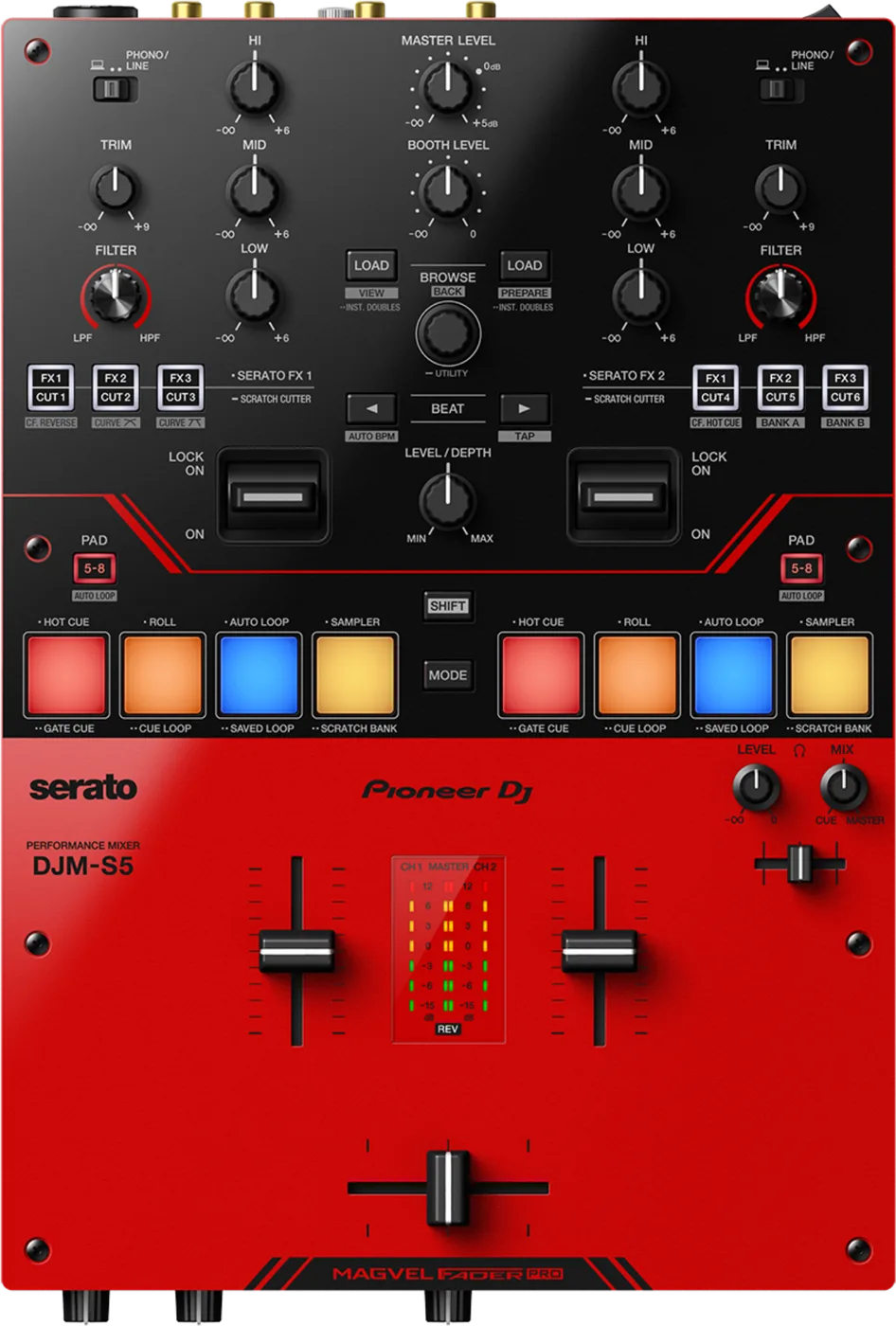
- Released
- 2022
- Width
- 24.5 cm · 9.6 in
- Depth
- 36.4 cm · 14.3 in
- Height
- 10.8 cm · 4.2 in
- Weight
- 3.4 kg · 7.5 lb
Know the mixerbefore you play
ChannelsTwo, for Serato DJ Pro.
CrossfaderMAGVEL FADER PRO. Weight on FEELING ADJUST.
APadsEight per channel: Hot Cue, Roll, Auto Loop, Sampler.
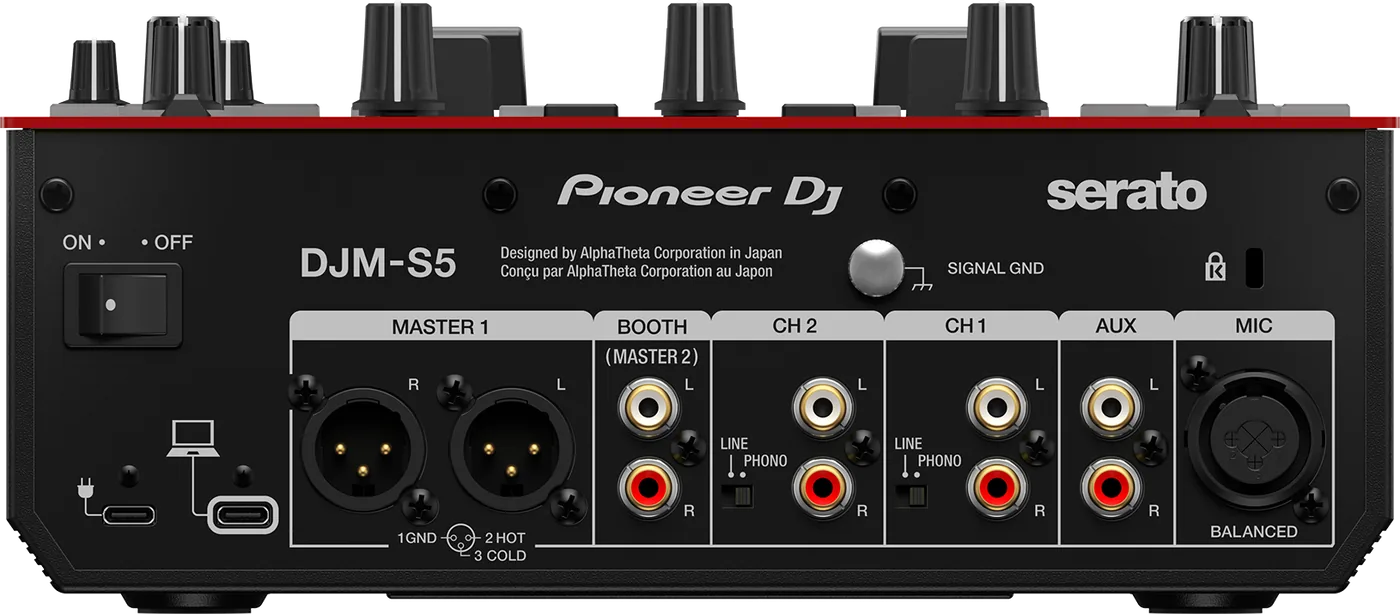
Connectionson the back
Five things that can affect your gig
1One laptop only. The second USB-C port is power only.
2Set each rear LINE/PHONO switch. PHONO only for turntables.
3No hubs. Laptop power can fail: bring a USB power adapter.
4MASTER1: balanced only. RCA: BOOTH/MASTER2 on MASTER.
5SCRATCH CUTTER: hold an FX/CUT button, lever to ON.
Also good to know
FirmwareThe last version is 1.03, May 2022.
VinylControl vinyl is not in the box.
PhonesOn laptop power: 32 ohms or more, stereo plug.
UpdatesDo not update the firmware just before a gig.
Based on the Save My Gig guide for this model and Pioneer DJ's own documents.