

DJM-S9
Before the gig: know this mixer, check its firmware (the mixer's software), and check the settings the last DJ left.
- Released
- 2015
- Width
- 26.7 cm · 10.5 in
- Depth
- 40.7 cm · 16 in
- Height
- 10.8 cm · 4.2 in
- Weight
- 4.6 kg · 10.1 lb
Know the mixerbefore you play
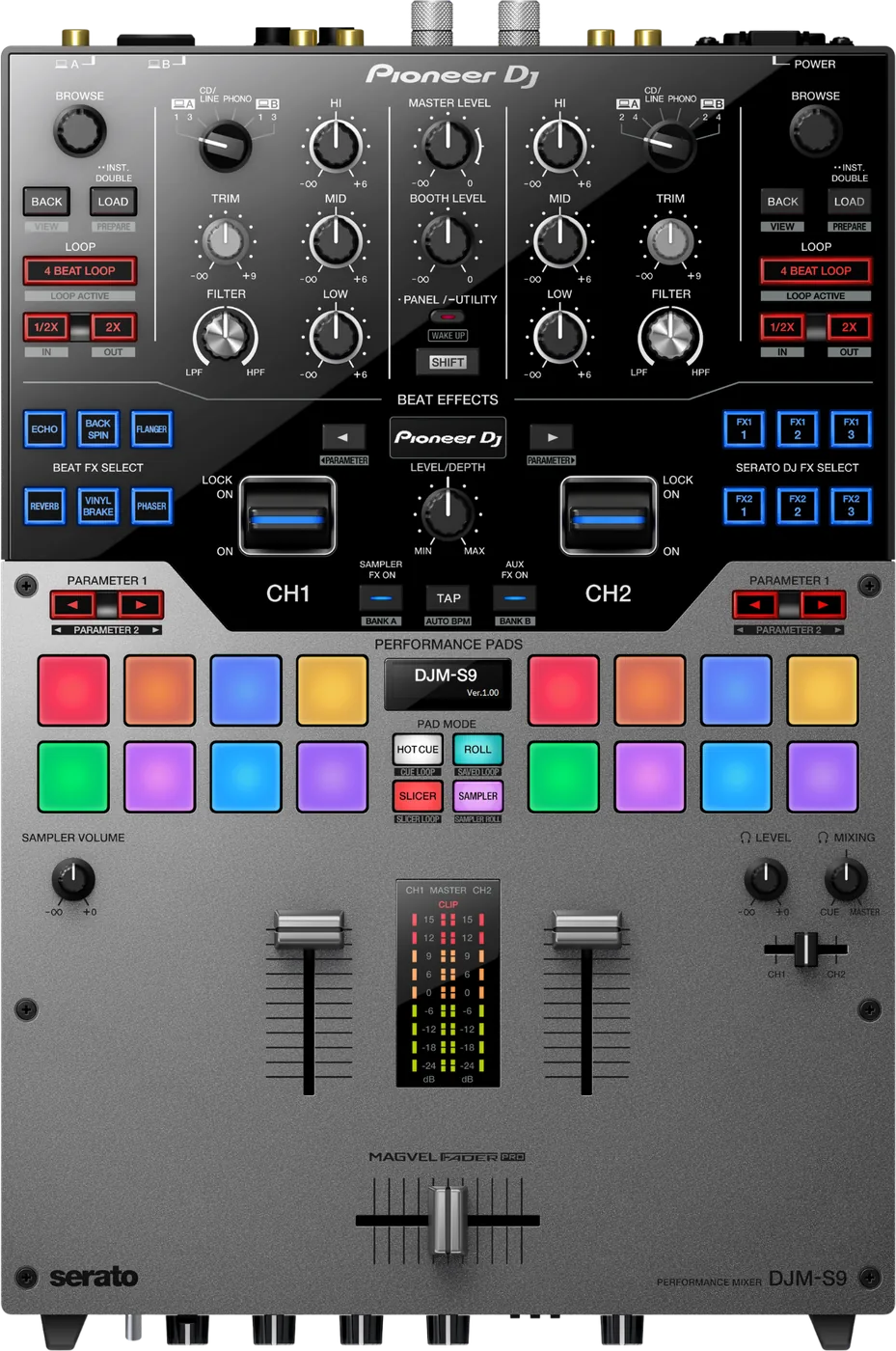
ChannelsTwo, driving four decks in Serato DJ Pro.
CrossfaderMAGVEL FADER PRO. Load on Feeling Adjust.
APadsFour modes: Hot Cue, Roll, Slicer, Sampler.
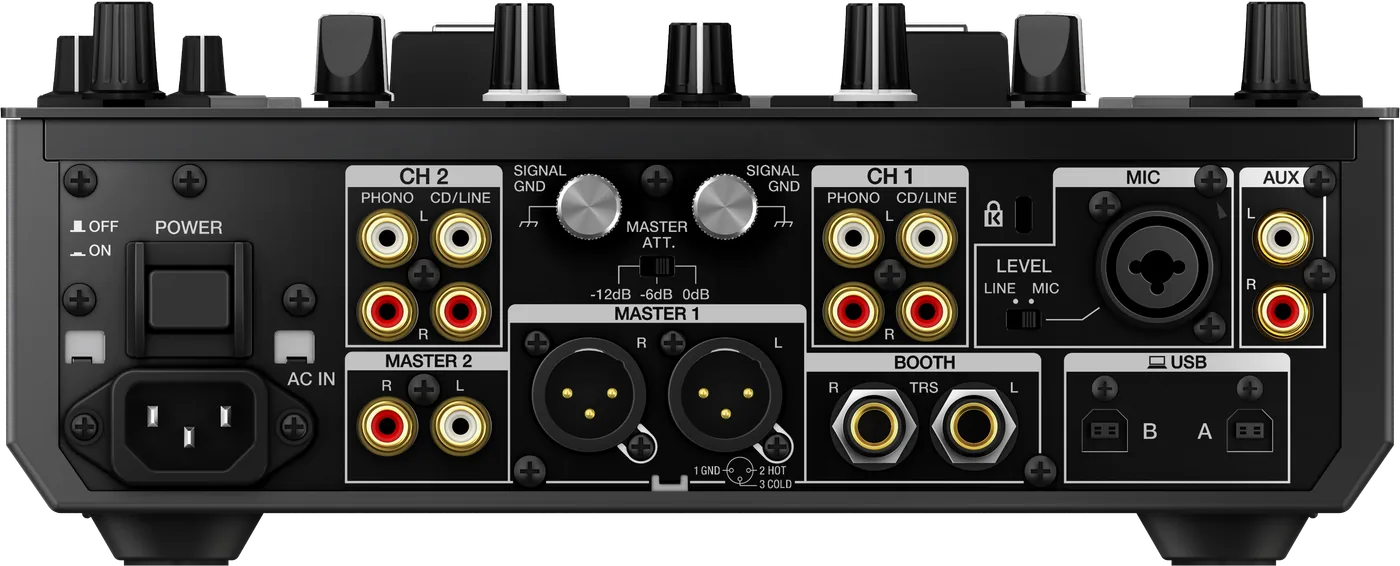
Connectionson the back
Five things that can affect your gig
1MASTER 1 is balanced only. An unbalanced input goes on MASTER 2.
2A player goes in CD/LINE. PHONO is for turntables only.
3Two laptops on USB A and B. One cable in the box, no hubs.
4DVS is a separate Serato unlock. After a driver install, power-cycle.
5Standby after 10 hours idle. PANEL/UTILITY wakes it.
Also good to know
FirmwareThe last version is 1.09, November 2019.
MASTER ATT.Rear switch: 0, -6 or -12 dB.
TalkoverThe mic dips the music by 6 to 24 dB.
UpdatesDo not update the firmware just before a gig.
Based on the Save My Gig guide for this model and Pioneer DJ's own documents.