

X1850 PRIME
Before the gig: know this mixer, check its firmware (the mixer's software), and check the settings the last DJ left.
- Released
- 2020
- Width
- 31.1 cm · 12.2 in
- Depth
- 44.5 cm · 17.5 in
- Height
- 11 cm · 4.3 in
- Weight
- 7 kg · 15.4 lb
Know the mixerbefore you play
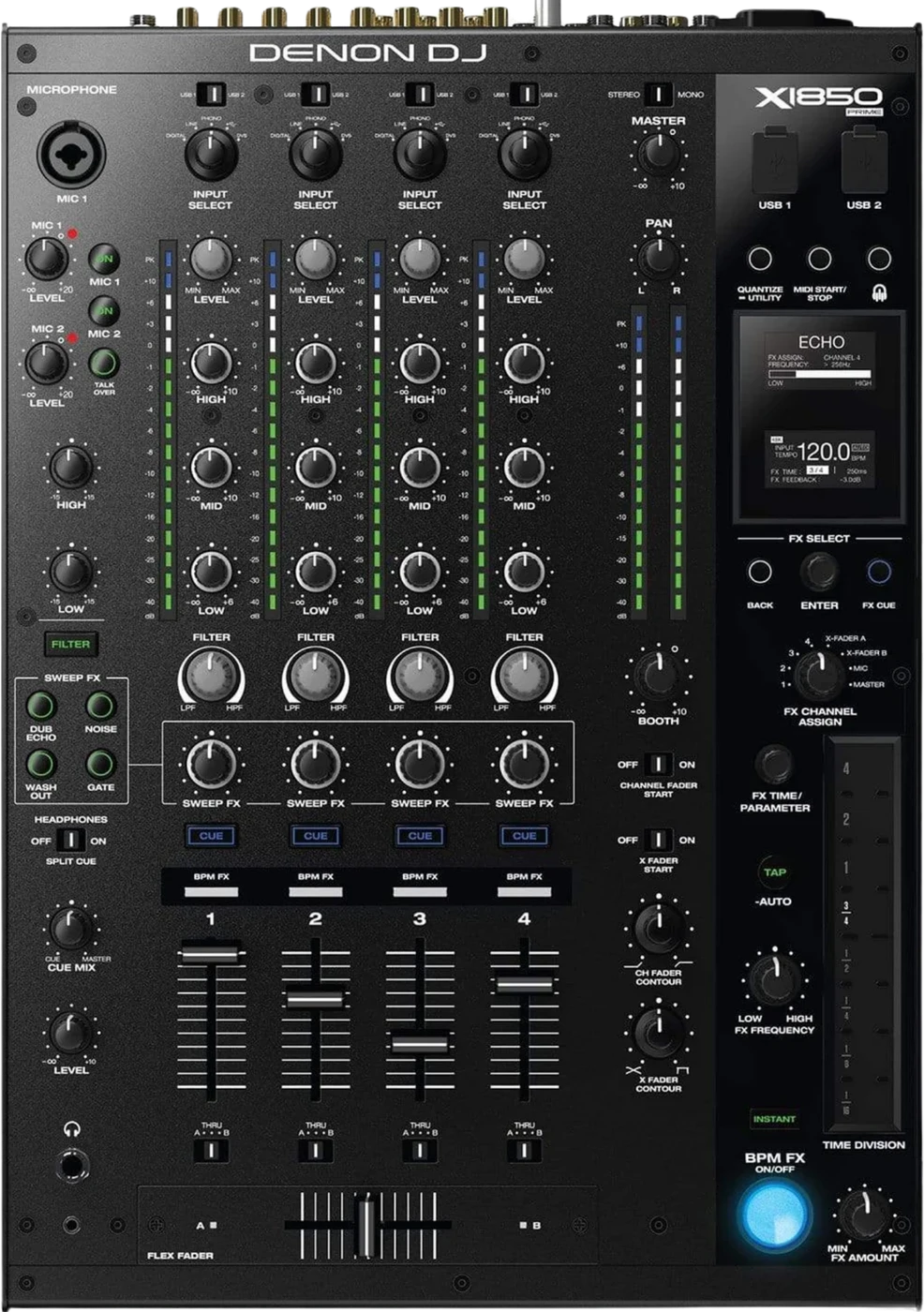
ChannelsFour, each with HIGH, MID, LOW, FILTER and SWEEP FX.
AUSBUSB 1 and USB 2 for two computers.
BPhones1/4 in and 1/8 in sockets, front left.
MicsTwo, for dynamic mics. No phantom power.
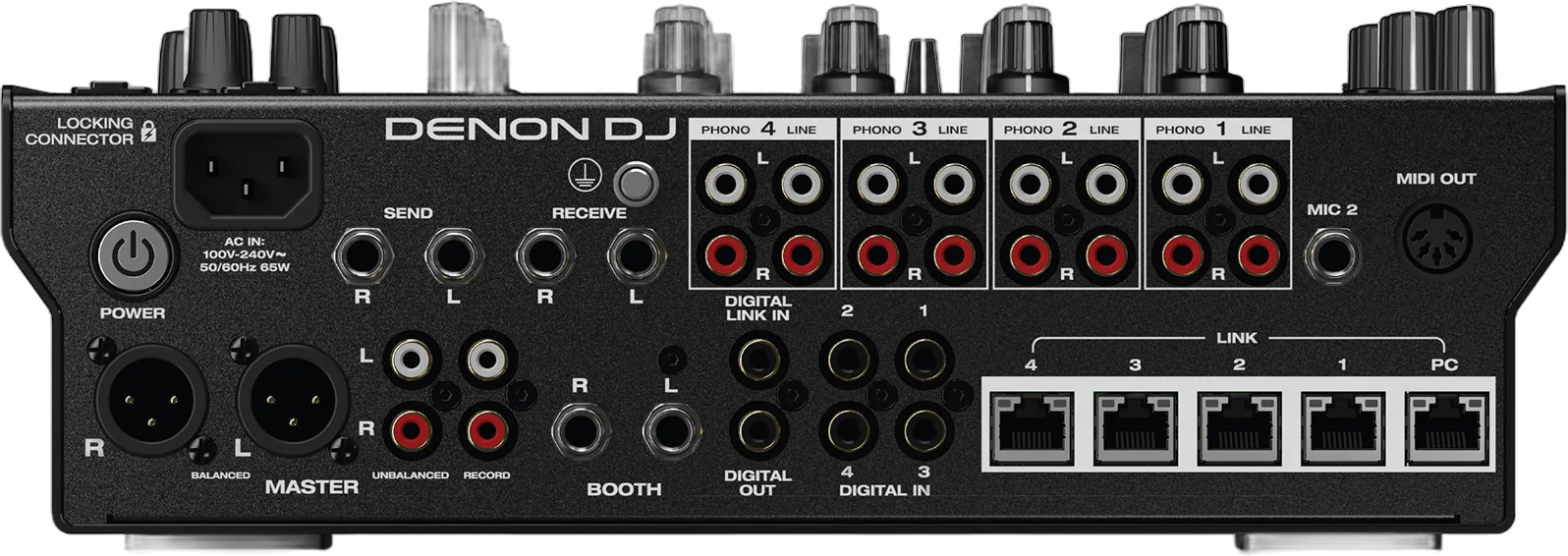
Connectionson the back
Five things that can affect your gig
1A silent channel is the INPUT SELECT knob first. Check it before a fader or a cable.
2The LINK port decides the fader a networked deck lands on. Nothing on the deck moves it.
3No phantom power on either mic input. There is no switch to find.
4No Zone output. Agree the second feed with the house engineer first.
5Not Serato DJ Enabled. Bring your own licence and check what it covers.
Also good to know
FirmwareThe mixer has its own version, separate from Engine OS on the players.
AUTO GATEThe old TRANS BPM effect, renamed in 1.2.0.
PowerPlayers on first, then the mixer, then the amplifiers.
Based on the Save My Gig guide for this model and Denon DJ's own documents.