

XDJ-1000MK2
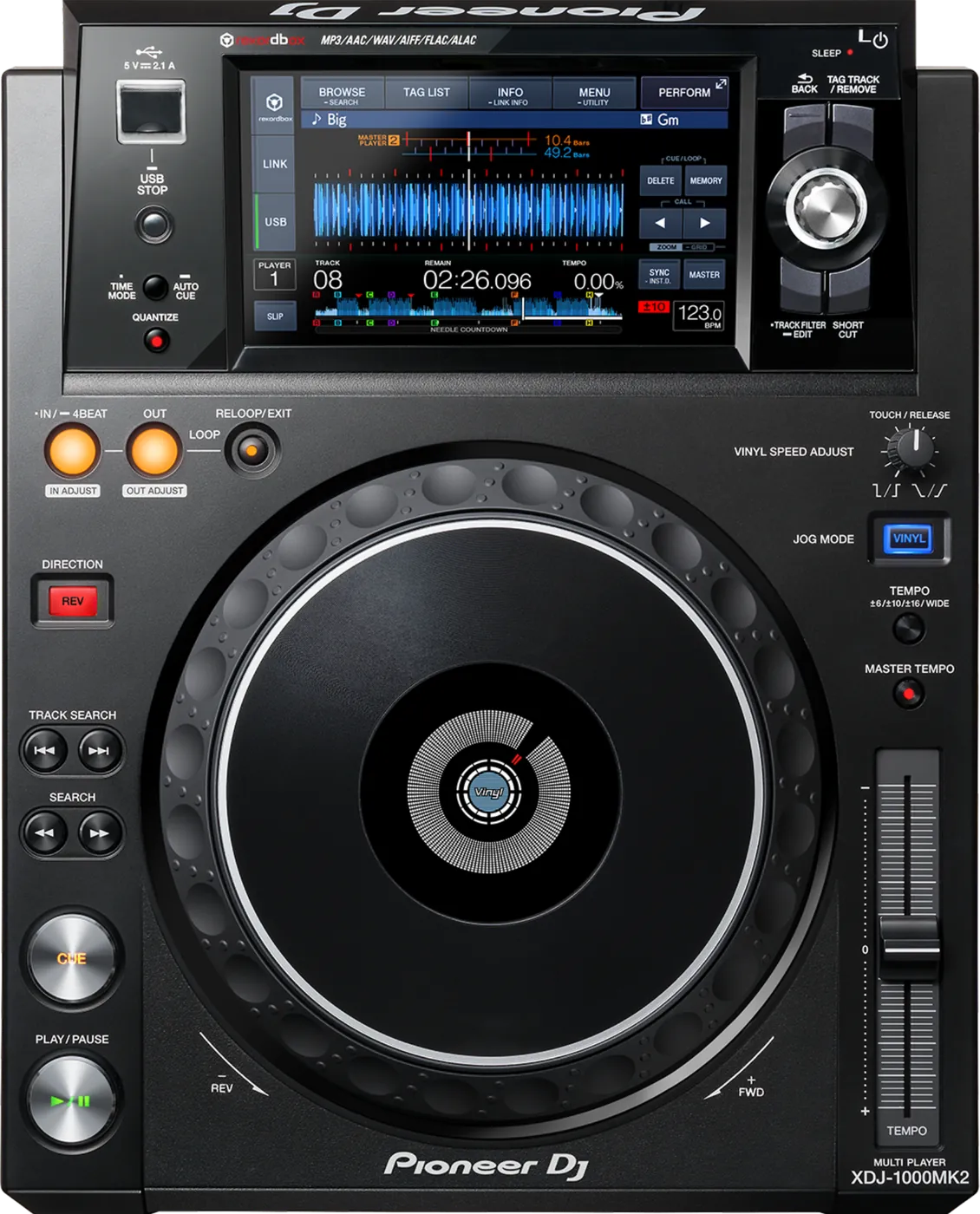
Before the gig: know this deck, check its firmware (the deck's software), and prepare your USB stick.
- Released
- 2016
- Width
- 30.5 cm · 12 in
- Depth
- 38.3 cm · 15.1 in
- Height
- 11 cm · 4.3 in
- Weight
- 3.7 kg · 8.2 lb
Know the deckbefore you pack
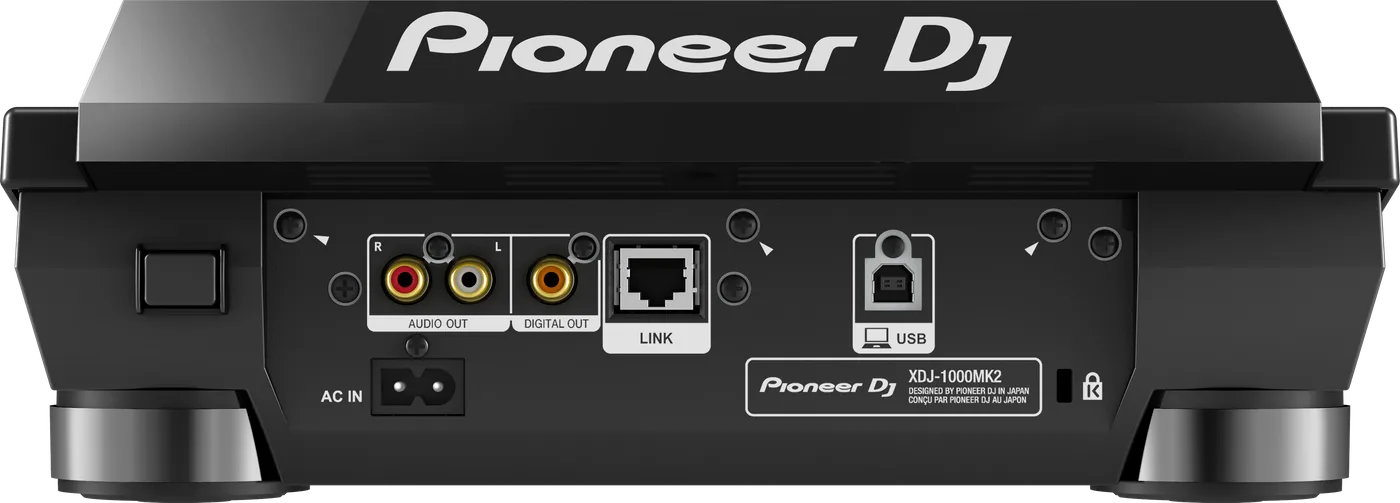
Connectionson the back
BAnalog audio outAUDIO OUT, left and right
CDigital audio outOne DIGITAL OUT socket
DLINKOne network socket (PRO DJ LINK)
EUSB to computerOne USB socket, for a computer
Five things that can affect your gig
1It reads Device Library. A stick with only OneLibrary shows no playlists.
2No exFAT. Format the stick FAT32 (or HFS+ on a Mac).
3USB only. Bring two sticks with the same music: there is no second slot.
4It switches itself off after 20 minutes when nothing is connected. Turn it off at UTILITY, POWER MANAGEMENT, NEVER.
5Hold USB STOP until the light stops blinking before you pull the stick. Pulled too soon, it can become unreadable.
Also good to know
FirmwareBelow 1.20: the sound could drop out under laptop control, and tracks loaded slowly after hours.
Hot cuesEight per track.
Cue pointsUp to 10 per track on a stick.
LINKSet PLAYER No. to AUTO, or a number no other deck uses.
Based on the Save My Gig guide for this model and Pioneer DJ's own documents.