

CDJ-3000
Before the gig: know this deck, check its firmware (the deck's software), and prepare your USB stick.
- Released
- 2020
- Width
- 32.9 cm · 13 in
- Depth
- 45.3 cm · 17.8 in
- Height
- 11.8 cm · 4.6 in
- Weight
- 5.5 kg · 12.1 lb
Know the deckbefore you pack
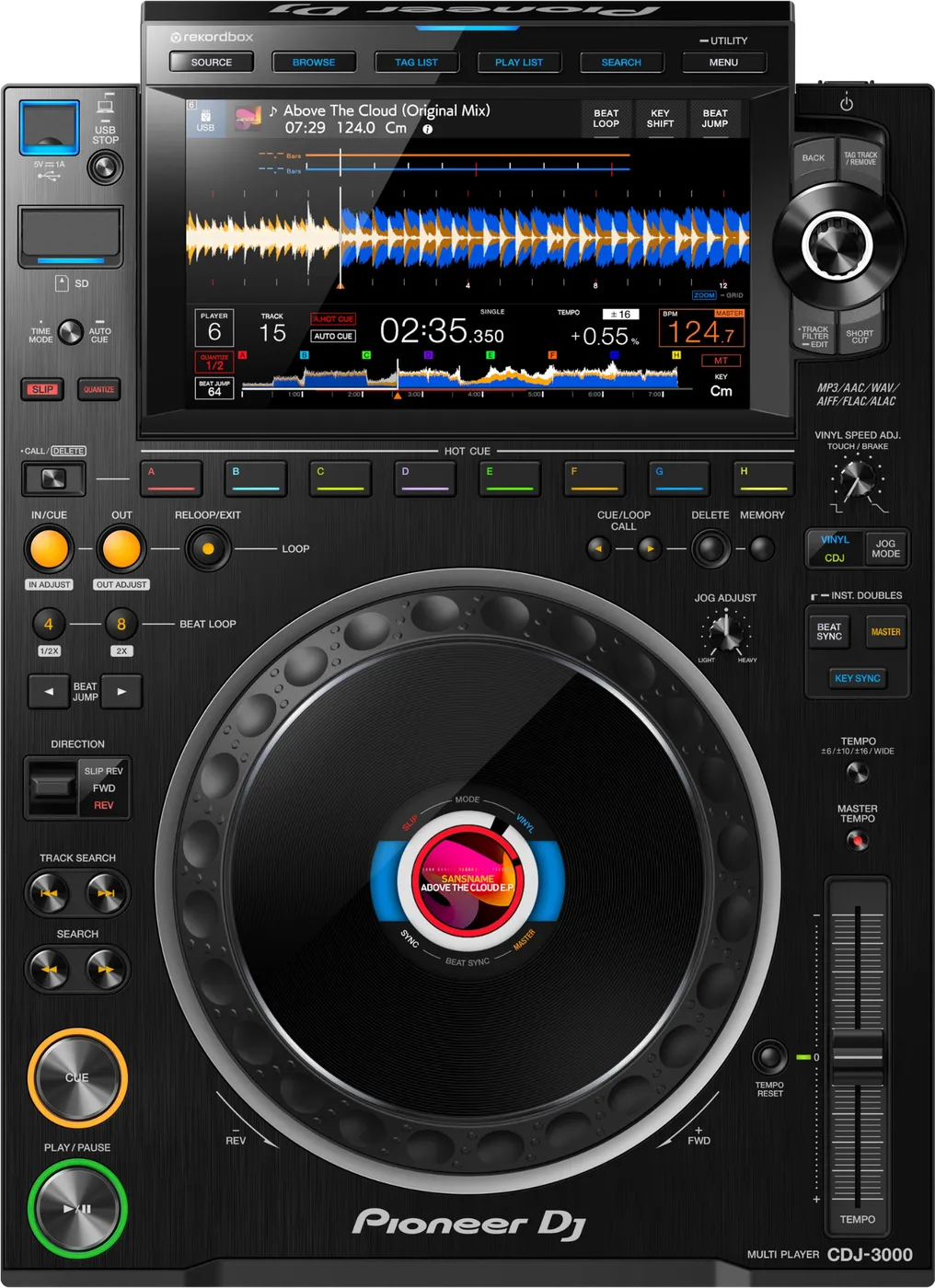
AUSB driveA USB stick, portable SSD or hard drive. Plug it directly into the deck. A USB hub will not work. Pioneer DJ gives no size limit. The port gives up to 1 A of power.
BSD cardUp to 32 GB. Larger cards will not work.
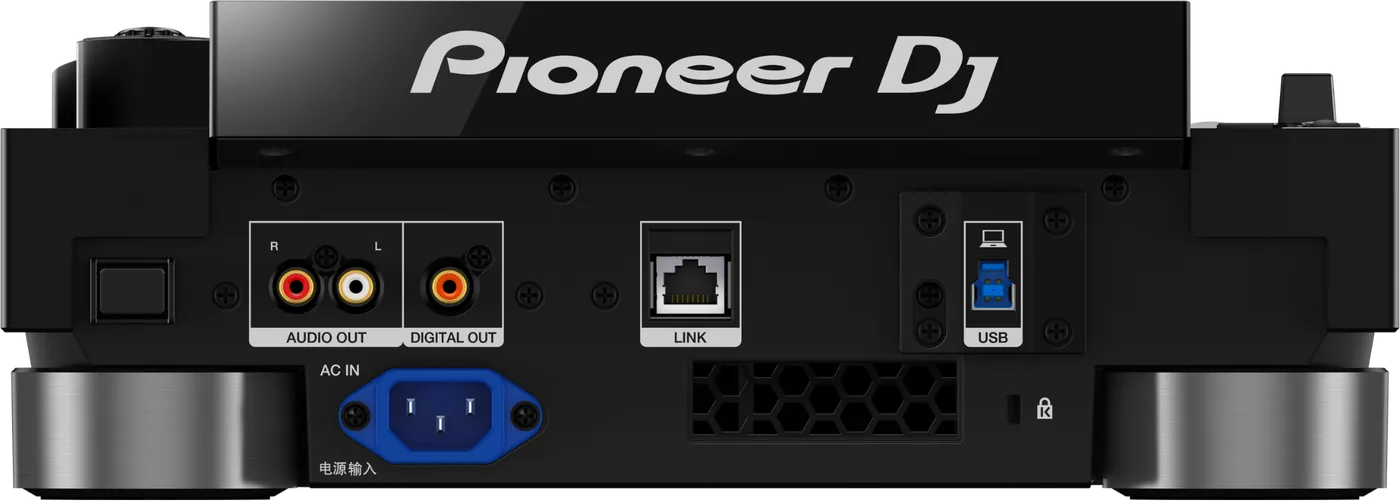
Connectionson the back
CAnalog audio outOne RCA pair (left and right)
DDigital audio outOne coaxial RCA
ELINKOne network socket (PRO DJ LINK)
FUSB to computerOne USB Type B, for rekordbox
Five things that can affect your gig
1It reads Device Library, not OneLibrary. A stick with only OneLibrary looks empty, with no error message.
2Firmware 3.30 was withdrawn by Pioneer DJ. A deck on 3.30 reads OneLibrary instead. No music or data was deleted.
3Firmware below 3.18 or 3.19: known cases of no sound, black screen or freezing. Deck silent or frozen? Check its firmware first.
4Firmware below 3.14: a "Waiting" message can stop you from browsing music.
5Two CDJ-3000s that look the same can run different firmware. Prepare your stick with rekordbox 7.2.13 or later, so it works on all of them.
Also good to know
FAT32Format the stick as FAT32 (with MBR). This always works. A larger exFAT stick also works.
UpdatesDo not update firmware or rekordbox just before a gig.
Below 1.09Emergency Loop can start by mistake when you pause on a Hot Cue.
3.16 and upSwitches itself off after 20 minutes without use. Normal: an EU energy rule.
Based on the Save My Gig guide for this model and Pioneer DJ's own documents.