

DJM-S11
Before the gig: know this mixer, check its firmware (the mixer's software), and check the settings the last DJ left.
- Released
- 2020
- Width
- 26.7 cm · 10.5 in
- Depth
- 45.2 cm · 17.8 in
- Height
- 10.8 cm · 4.2 in
- Weight
- 5.2 kg · 11.5 lb
Know the mixerbefore you play
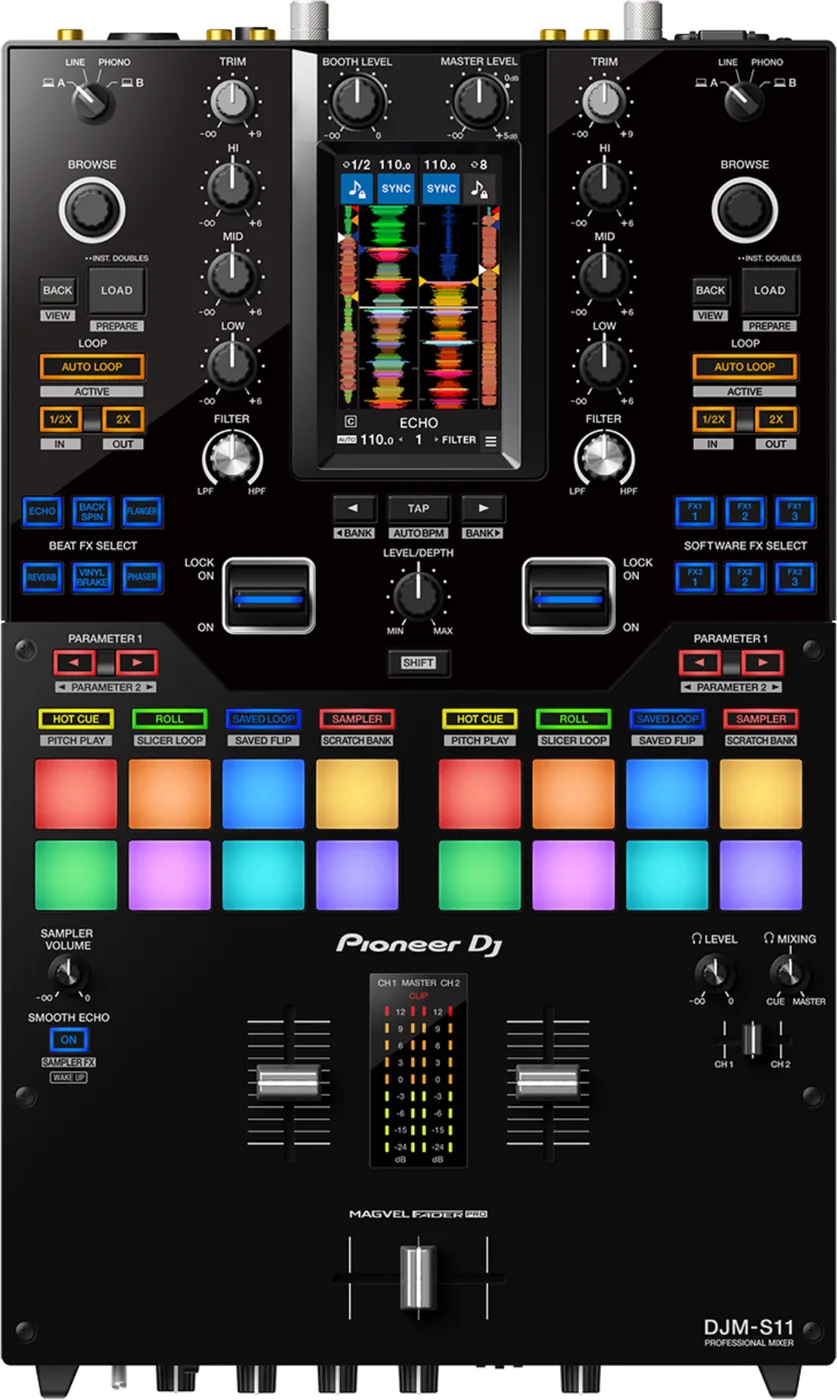
ChannelsTwo, driving up to four decks in the software.
CrossfaderMAGVEL FADER PRO. Weight on FEELING ADJUST.
AScreen4.3 in touch screen. A fingertip, never a pen.
SoftwareSerato DJ Pro and rekordbox, with a laptop.
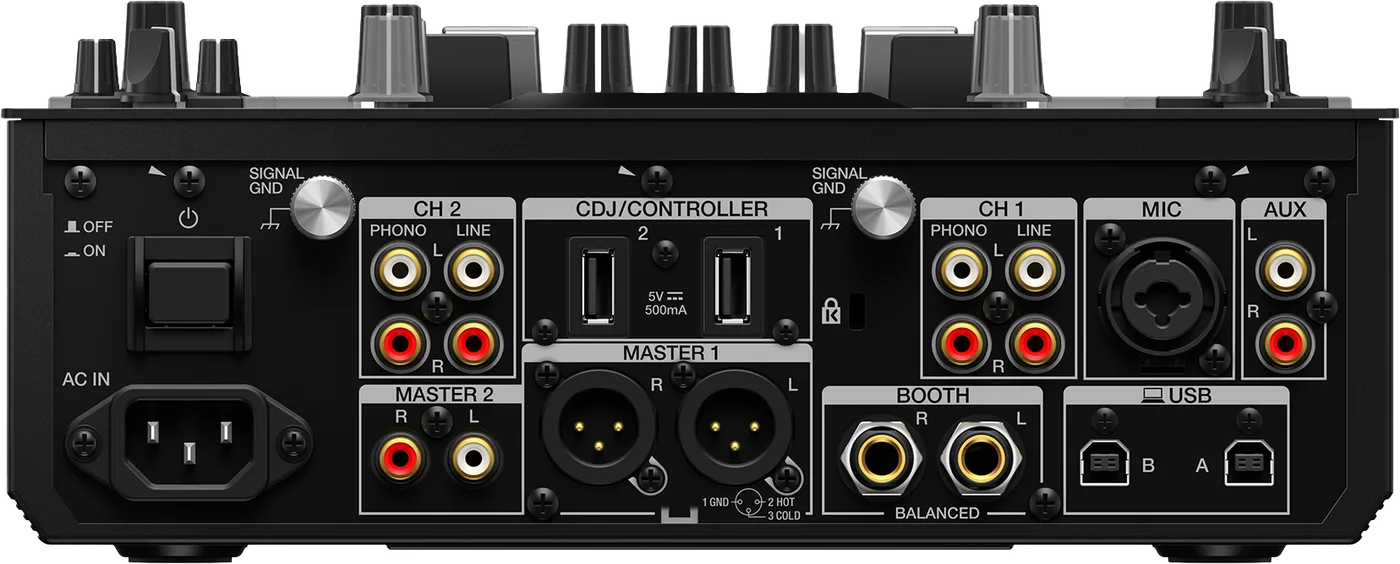
Connectionson the back
Five things that can affect your gig
1MASTER 1 and BOOTH are balanced only. An XLR to RCA adaptor brings noise.
2No USB drives in CDJ/CONTROLLER. The selector cuts them off.
3Two laptops on USB A and B for a back-to-back. One cable each.
4Settings follow the laptop. Changes made with it connected come back with it.
5Asleep after 20 minutes idle. Press SMOOTH ECHO ON.
Also good to know
IsolatorHI, MID, LOW are ISO by default: they cut to silence.
VinylControl vinyl is not in the box. Bring your own.
CleaningA dry soft cloth only. No alcohol wipes.
UpdatesDo not update the firmware just before a gig.
Based on the Save My Gig guide for this model and Pioneer DJ's own documents.