

DJM-V5
Before the gig: know this mixer, check its firmware (the mixer's software), and check the settings the last DJ left.
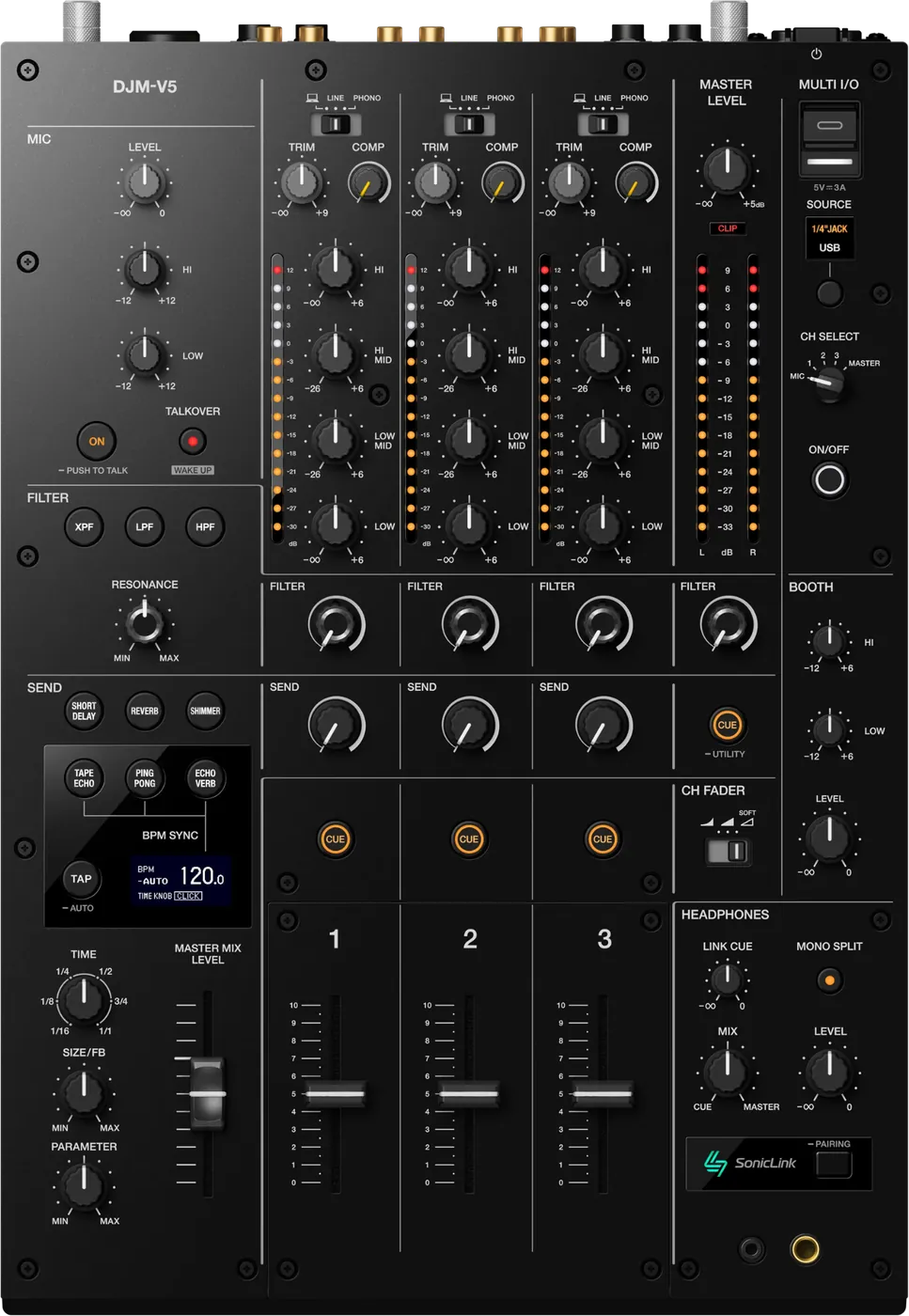
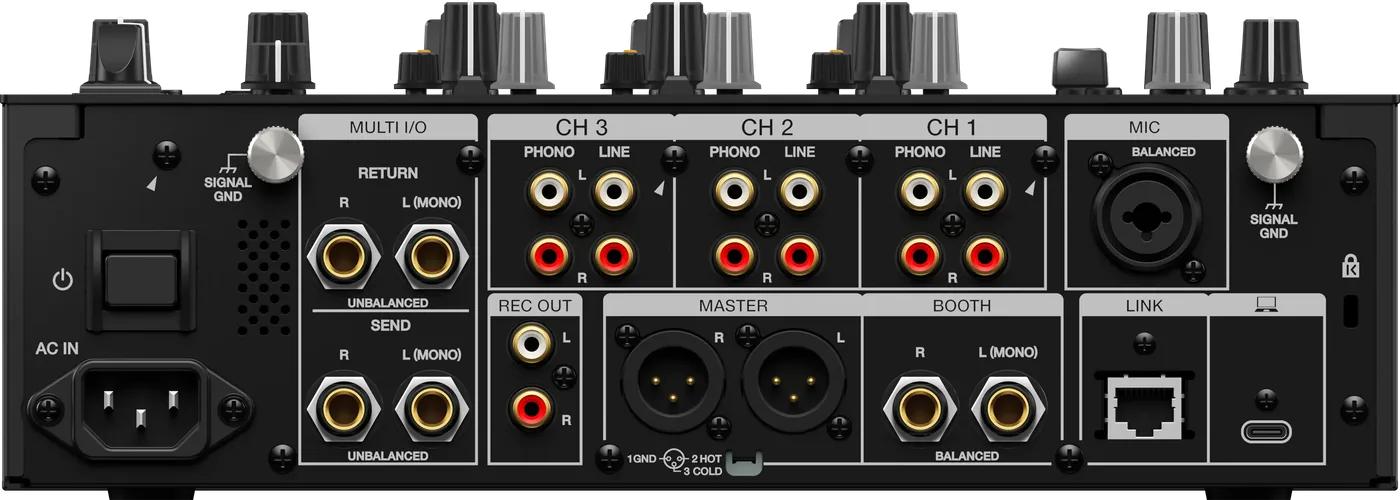
- Released
- 2026
- Width
- 30.2 cm · 11.9 in
- Depth
- 43.8 cm · 17.2 in
- Height
- 10.8 cm · 4.2 in
- Weight
- 8 kg · 17.6 lb
Know the mixerbefore you play
Connectionson the back
Five things that can affect your gig
1No crossfader. Cuts and transitions are on the channel faders.
2One master out, XLR only. No RCA: check the house cable.
3Never plug a player into PHONO. It distorts. Use LINE.
4MULTI I/O replaces one channel with the effect. Check it is off.
5Asleep after 20 minutes idle. Press the lit WAKE UP button.
Also good to know
SEND FXSix: Short Delay, Reverb, Shimmer, Tape Echo, Ping Pong, Echo Verb.
Softwarerekordbox, with DVS. Serato DJ Pro and djay Pro too.
TalkoverON or PUSH TO TALK, in the MIC section.
UpdatesDo not update the firmware just before a gig.
Based on the Save My Gig guide for this model and AlphaTheta's own documents.