

RP-8000 MK2
Before the gig: know this turntable, check its firmware (the deck's software), bring a cartridge, and check the tempo range.
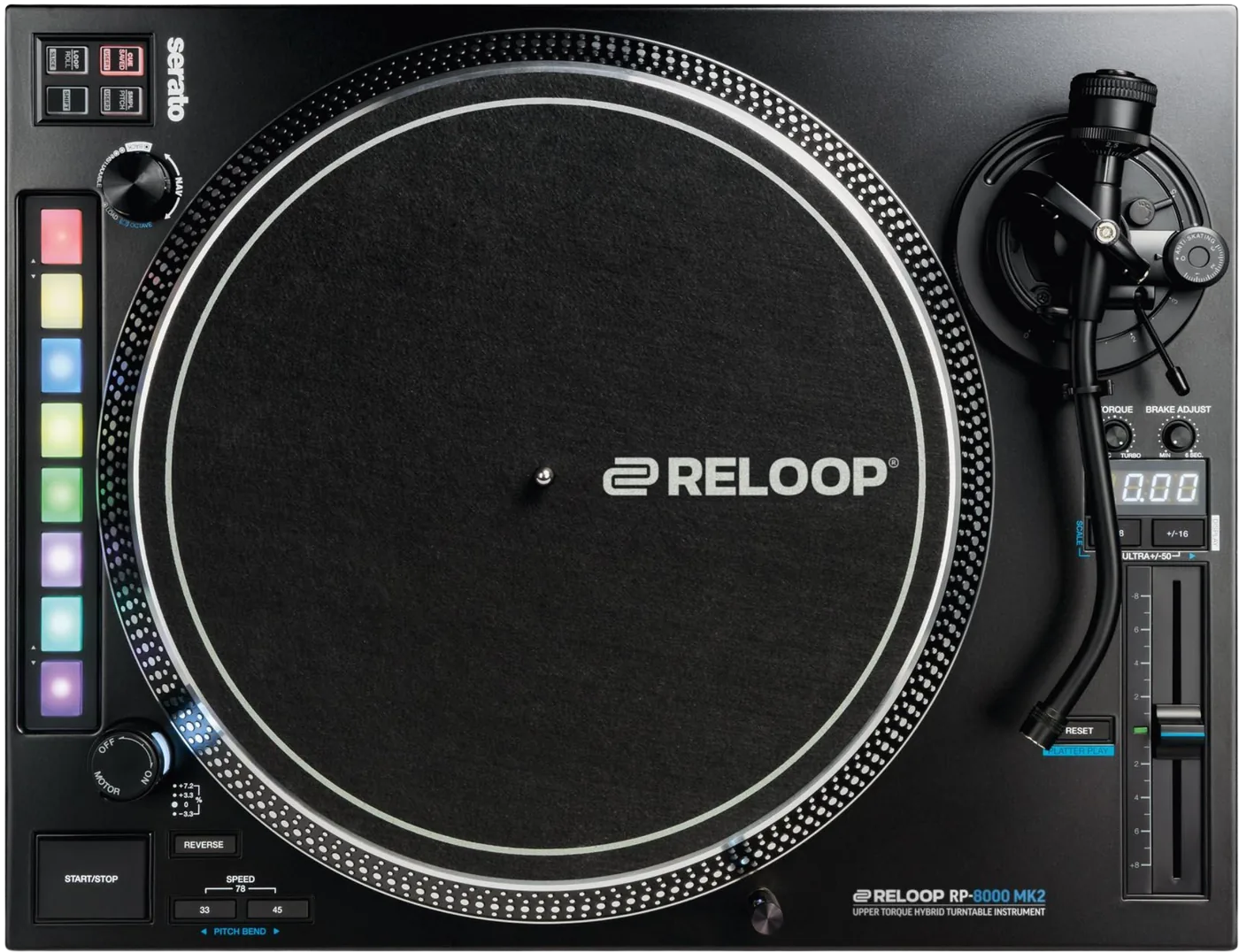
- Width
- 45.8 cm · 18 in
- Depth
- 35.4 cm · 13.9 in
- Height
- 14.5 cm · 5.7 in
- Weight
- 11.8 kg · 26 lb
Know the deckbefore you play
OutputSeparate PHONO and LINE outputs. Two mixers at once.
BSpeeds33, 45, and 78 with both buttons together.
ARange±8, ±16 or ±50%. 50% is both range buttons together.
SeratoOfficial accessory, no driver. It does not unlock Serato DJ Pro.
Cartridge3.5 to 8.5 g, or 13 to 18 g with the headshell.
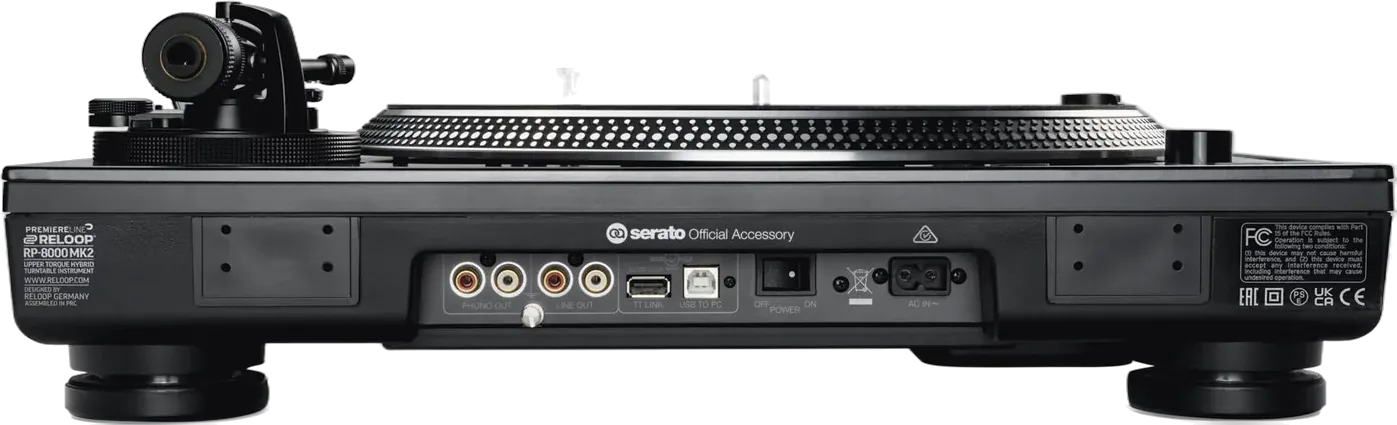
Connectionson the back
CAudio outPHONO OUT and LINE OUT
DGNDGround post, only if it hums
ETT-LINKChains up to four RP-8000 MK2
FUSB TO PCFor Serato, no driver
GPOWERThe power switch
HPowerAC IN
Five things that can affect your gig
1It does not unlock Serato DJ Pro. It needs other unlocking hardware or a paid licence.
2REVERSE stays on out of the box. Press it again to go forward.
3Platter Play takes over the pads. The pad colours are the only sign.
4The deck with the USB cable is deck 1. Re-patching the chain changes the numbers.
5Firmware depends on the serial number: v1.13 below G220300001C, v2.02 from it.
Also good to know
BrakeAdjustable, 0.2 to 6 seconds.
ArmCounterweight scale faces the DJ. Arm height 6 mm at most.
GroundUsually not needed. Connect it only if it hums.
Based on the Save My Gig guide for this model and Reloop's own documents.