

SEVENTY-TWO MKII
Before the gig: know this mixer, check its firmware (the mixer's software), and check the settings the last DJ left.
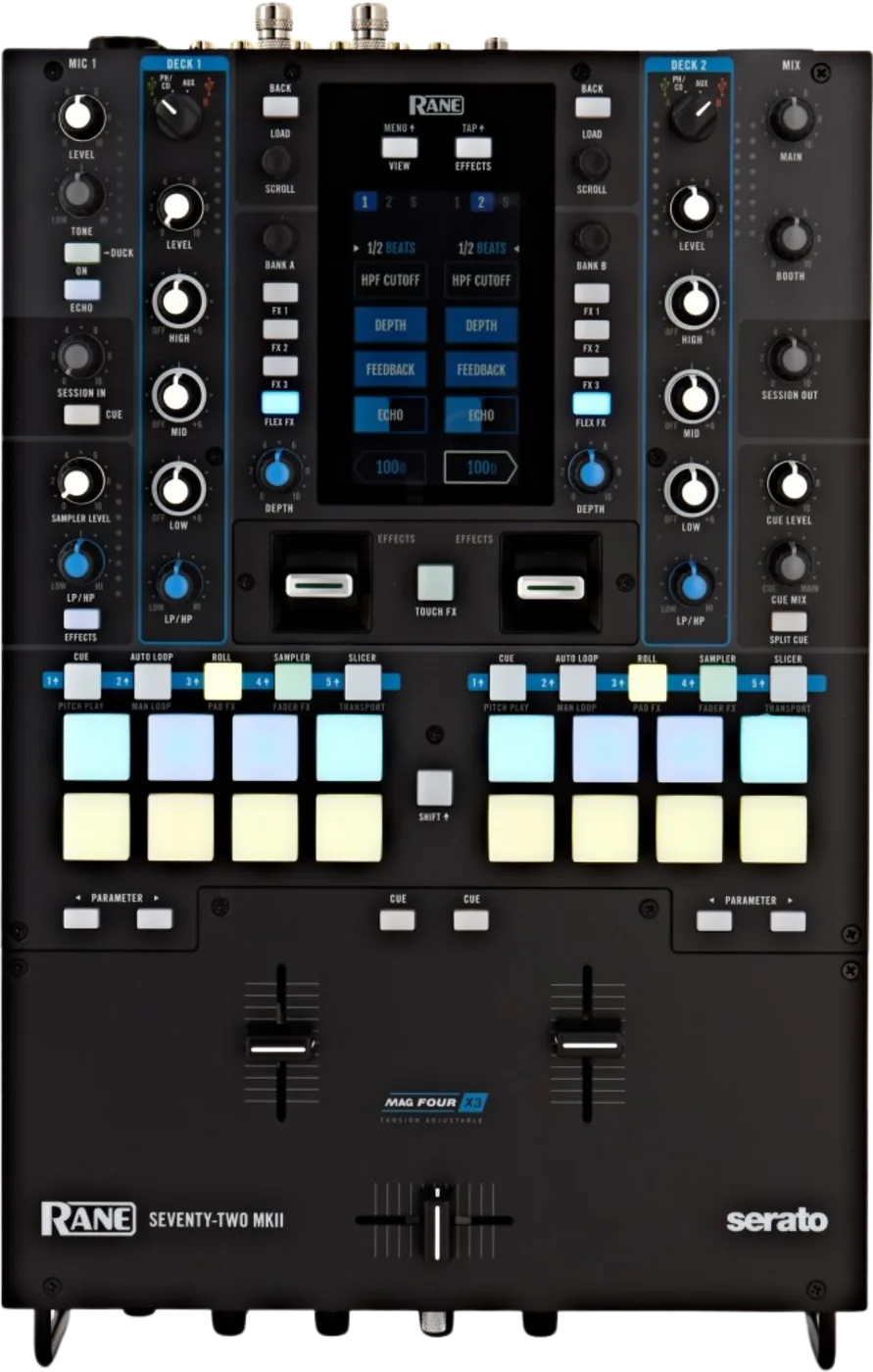
- Released
- 2020
- Width
- 28.5 cm · 11.2 in
- Depth
- 44.5 cm · 17.5 in
- Height
- 10.5 cm · 4.1 in
- Weight
- 5.6 kg · 12.3 lb
Know the mixerbefore you play
ChannelsTwo, with four decks in Serato DJ Pro.
AScreen4.3 in colour touchscreen.
FadersThree MAG FOUR, tension adjustable.
SoftwareSerato DJ Pro. Windows needs the Rane Control Panel.
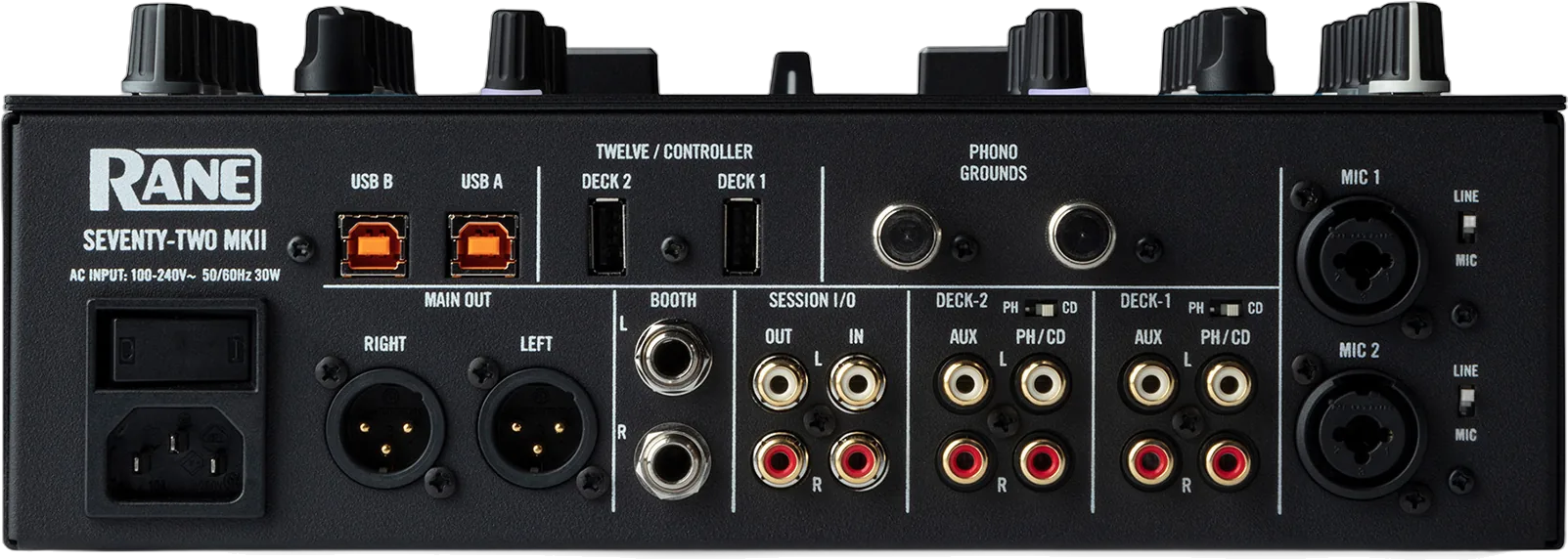
Connectionson the back
Five things that can affect your gig
1Set each rear PH/CD switch. PH for a turntable, CD for a player.
2No USB drives in TWELVE/CONTROLLER. The Deck Source knob ejects them.
3It plays without a computer. PH/CD and AUX decks still sound.
4Hum or buzz: connect the turntable ground to PHONO GROUNDS.
5Faders on the wrong decks? Check DECK SWAP on the front.
Also good to know
In the boxTwo NoiseMap control vinyl and two control CDs.
Mic 1Hold ON for 2 seconds: the music ducks 10 dB.
FirmwareCheck dj.rane.com after a Serato update.
UpdatesDo not update the firmware just before a gig.
Based on the Save My Gig guide for this model and RANE's own documents.