

SLAB, the field manual
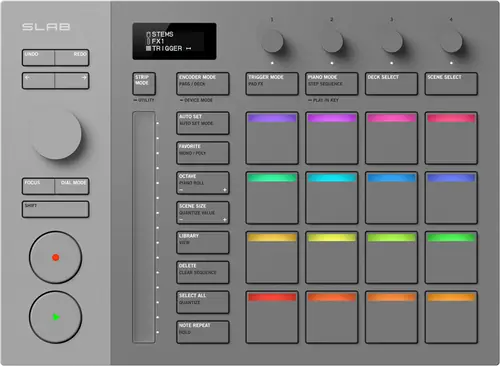
Not booth equipment. AlphaTheta's own product page files SLAB under Productions, alongside Serato Studio, not under any DJ hardware category. It exists to control a beat-making program, not to play or mix a set. This site lists it as a controller anyway, a deliberate editorial call on its pad-and-encoder control-surface shape and its Serato DJ Pro compatibility, not a claim that AlphaTheta positions it as DJ gear.
When it goes wrong: The computer cannot see the controller No sound from the controller
Fast Lane
The five things that decide your gig
The five things on the SLAB that change what happens next, if you are reading this in the booth. All five are explained in full further down this page.
AlphaTheta do not file it as DJ gear.
Their own product page places SLAB under Productions, alongside Serato Studio, not under any DJ hardware category. It exists to control a beat-making program.
This site lists it as a controller on editorial judgement, for its pad and encoder surface and its Serato DJ Pro support, not because the maker positions it as booth equipment.
Serato DJ Pro support does not make it a DJ controller.
It has no jog wheels, no crossfader and no way to route DJ mix audio.
The manual’s own condition: Serato DJ Pro compatible hardware is required to use it as an official accessory. It is a surface that drives software, not a deck.
Serato Studio unlocks free. Serato Sample does not.
SLAB unlocks Serato Studio in full, free, with the hardware. Serato Sample needs its own separate licence.
A general-purpose MIDI mode lets it drive other DAWs beyond Serato, so the hardware is not locked to one workflow even though the free licence is.
The OLED display tells you what the surface is doing.
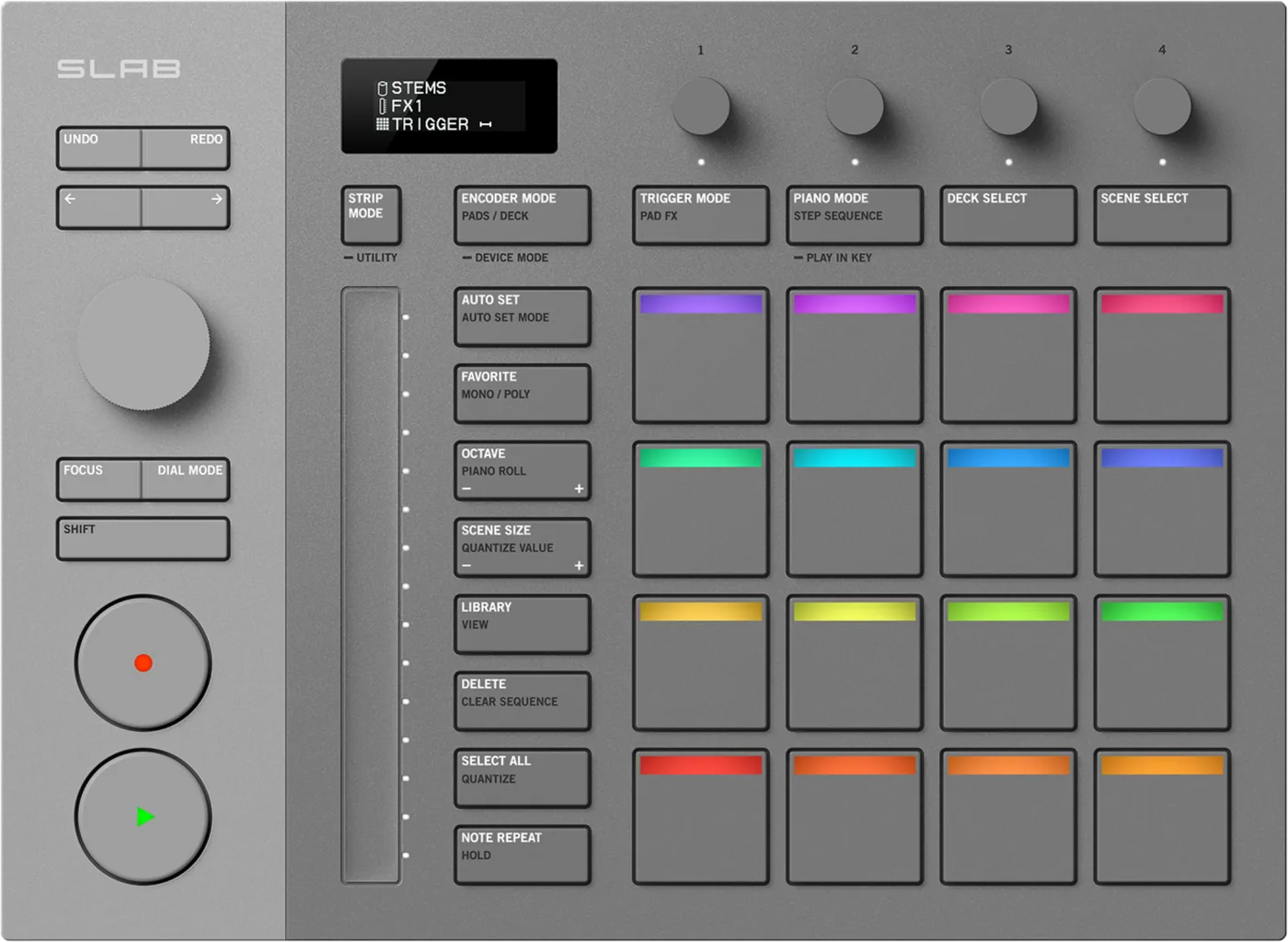
16 velocity and aftertouch sensitive pads, 4 touch-sensitive encoders, and a 130 mm long-stroke touch strip, with one OLED display reading out each section’s status and parameters.
Reading a knob on the unit instead of hunting a screen elsewhere is the difference between tweaking a plugin by feel and tweaking it blind.
One firmware version exists, and it fixed five things.
AlphaTheta publish exactly one version, 1.10, dated the same day as the product's own announcement.
Its notes list a connection issue with Serato DJ Pro, a connection issue with Serato Sample, a Note Repeat malfunction, a touch strip malfunction and an encoder touch malfunction. A unit shipped before that update has five documented faults.
If something goes wrong
It will not turn on, or it turns itself off
Short answer. The SLAB draws everything it needs from one USB cable, so every power question on this unit is a cable question or a setting. AlphaTheta document three separate power behaviours here and they have different answers. For a unit that will not turn on, check that the USB cable is properly connected and try a different cable. For a unit whose power turns off by itself, they ask for a standard USB cable. And for a unit that behaves oddly on bus power alone, they name the two conditions under which running from the computer's USB port may not work: the supply capacity of that port being insufficient, and another USB device being connected to the same computer. Separately from all of that, the POWER MANAGEMENT setting ships on, and with it on the unit enters Off mode after 20 minutes without being used, with the REC button bringing it back.
Why this matters. A unit with no power switch and no adapter gives you nothing to check, which is exactly why the answers are all somewhere else: in the cable you grabbed, in the hub you hung it off, and in a setting that is on when it leaves the factory. Twenty minutes without being used is a phone call, a coffee, or writing down an idea.
Fix it now. Press REC first, because if Power Management put it in Off mode that is the whole fix. Then change the cable for the supplied one, then move it to a port of its own with nothing else on the computer competing for the supply.
Avoid it next time. Keep the supplied cable with the unit rather than in a drawer, and decide the POWER MANAGEMENT setting once, at the desk, rather than rediscovering it every session.
Your computer does not see it
Short answer. AlphaTheta's list for a computer that does not see the SLAB runs from the ordinary to the specific: use the supplied USB cable, use a hub recommended by the computer's own maker if there is one, quit other applications including screen savers and antivirus software, remove external drives and keyboards, and try a different USB port. The one nobody guesses is for Mac, where they ask you to disconnect the cable, open Audio MIDI Setup, show the MIDI window, select the SLAB icon and click Remove Device, then reconnect the cable and check the icon comes back. It may appear as USB MIDI Device rather than SLAB, in which case select that. On Windows the equivalent check is that SLAB appears under Device Manager, in sound, video and game controllers.
Why this matters. The SLAB has one port and everything it does travels through it, so a computer that does not list the unit is a unit that does nothing at all. This is also the fault that looks permanent and is not: the Mac step means deleting the device in order to get the device back, which is the opposite of what anybody tries on their own.
Fix it now. Cable, then port, then the hub if there is one, then the remove-device step on Mac or the Device Manager check on Windows. Work down in that order so you learn which one it was rather than restarting everything at once.
Avoid it next time. Set the machine up the way you will actually work at least once before you need it, hub included. A chain that has never been tested is a chain you are testing on the day.
What to watch for
Firmware and known issues
Short answer. AlphaTheta publish exactly one firmware version for SLAB, 1.10, dated the same day as the product's own announcement, 4 December 2025. This section was last checked against official sources on 17 August 2026.
What that version's own change notes say. Five fixes, all published by AlphaTheta: a connection issue with Serato DJ Pro, a connection issue with Serato Sample, a Note Repeat malfunction, a touch strip malfunction, and an encoder touch function malfunction. Shipping on the announcement date reads as day-one firmware carrying fixes made during development, not a post-launch patch for a fault owners hit in the field.
No later version is published, so there is nothing newer to recommend and no version-specific fault open today to report.
Do this. If you hit a genuine, repeatable fault on a specific firmware version, tell us what happened and we will verify it against official sources and document it here.
Compatibility
Serato Studio, Serato Sample, Serato DJ Pro
Short answer. SLAB fully licenses Serato Studio while the hardware is connected. Serato Sample needs its own paid licence. Serato DJ Pro carries a condition the manual states plainly: "Serato DJ Pro compatible hardware is required to use this device as an official accessory." So SLAB joins a Serato DJ Pro rig as the accessory; it does not open that door by itself. A general-purpose MIDI mode lets it drive other DAWs beyond Serato's own.
Why it matters. "Works with Serato DJ Pro" does not mean it is a DJ controller in the sense the rest of this site uses that word: it has no jog wheels, no crossfader and no way to route DJ mix audio on its own, and using it inside Serato DJ Pro presumes a separate compatible device is already there.
Connector. USB Type-C, one USB cable included; connecting to a USB Type-A port on a PC/Mac needs your own standard cable, 3 m or shorter. The box holds one USB cable, not a straight-and-angled pair.
Features explained
The control surface
Short answer. 16 velocity- and aftertouch-sensitive Performance Pads with multicolour LEDs, 4 touch-sensitive encoders, read out on the unit’s OLED display, and a 130 mm long-stroke touch strip with RGB indicators. The readout is one OLED display that shows the status of each section and its parameters, including the current Encoder, Touch Strip and Performance Pad modes.
Why it matters. Reading a knob's state on the unit itself, instead of hunting a screen elsewhere, is the difference between tweaking a plugin by feel and tweaking it blind.
Also on the surface. a FOCUS button and a Focus mode on the dial that emulates a mouse wheel when rotated and a mouse click when pressed, and a transport section for play, record and seek. And the unit minds its own power: with POWER MANAGEMENT on, the factory setting, the unit enters Off mode after 20 minutes without being used, and the REC button wakes it.
Pad FX and Stems Level
Short answer. Pad FX mode layers up to 4 effects at once from the pads. Stems Level gives independent volume control over a track's separated vocals, melody, drums and bass.
Why it matters. Both are production-workflow features: shaping a beat in progress or remixing stems inside Serato Studio, not anything a DJ does live in a booth.
How the pads respond, and how to change it
Short answer. The SLAB lets you tune the pad response yourself. The pads are not fixed in how they respond. The Utility menu, reached by holding the STRIP MODE button, carries VELOCITY, which can be disabled so every hit sends 127 regardless of how hard you tap; VELOCITY CURVES across SOFT3, SOFT2 as the factory setting, SOFT1, LINEAR and HARD; VELOCITY THRESHOLD for the minimum a tap has to reach; VELOCITY SENSITIVITY for the maximum; AFTER TOUCH, which can be disabled so no after touch message is sent at all; and an AFTER TOUCH THRESHOLD for how hard a press has to be before it counts. PAD CODE CHANGE sets the MIDI note each pad sends, and applies only when the unit is outputting standard MIDI.
Why it matters. On a pad instrument the response curve is not a preference, it is the instrument. Pads that feel dead to a light player and pads that clip for a heavy one are the same hardware with the wrong threshold, and the fix is a menu rather than a technique. Turning VELOCITY off entirely is a legitimate choice too, for programming where every hit is supposed to land at the same level.
Common mistakes. Deciding the pads are unresponsive without ever opening the Utility menu, and forgetting that AFTER TOUCH can be off, which makes a pad that should be doing something extra do nothing extra.
Professional tips
Decisions to make before the session, not during it
Keep the supplied cable with the SLAB. AlphaTheta ask for the supplied cable to a USB Type-C port and a standard cable of 3 m or shorter to a USB Type-A port, and they name a non-standard cable as a cause of the unit powering off by itself. The cable is not an accessory here, it is the power supply, the audio path and the MIDI path at once.
Give it a port rather than a corner of a hub. The two documented reasons bus power fails are an insufficient port and another USB device on the same computer. A loaded hub is both of those at the same time.
Settle POWER MANAGEMENT once. It ships on, and it puts the unit into Off mode after 20 minutes unused. Decide whether you want that, and if you leave it on, remember REC is the way back rather than reaching for the cable.
Set the pad response to your own hands. The curve, the threshold and the sensitivity are all in the Utility menu behind the STRIP MODE button, and the factory curve is SOFT2. A player fighting the pads for a week has usually never opened it.
Settle the Serato DJ Pro question at the planning stage. The manual is conditional about it: separate Serato DJ Pro compatible hardware has to be there before SLAB works as an official accessory. Turning up expecting SLAB to be the thing that unlocks Serato DJ Pro is a conversation better had in advance.
Firmware, drivers and manuals
Official downloads and documents
Go to AlphaTheta for the files themselves. We link their pages instead of hosting a copy, because a manual copied here is a snapshot of release day and theirs is the one that stays current.
Firmware downloads. Official AlphaTheta firmware page →
Manuals. Official AlphaTheta manual page →
Broken link? Let us know and we'll fix it.
Frequently asked questions
Quick answers
- Is SLAB a DJ controller?
- Not by AlphaTheta's own filing: their product page places it under Productions. This site lists it as a controller on editorial judgement, for its pad/encoder surface and Serato DJ Pro support, not because AlphaTheta markets it as DJ gear.
- Do I need a Serato Sample licence to use SLAB?
- For Serato Sample, yes, that is a separate purchase. Serato Studio unlocks in full, free, with the hardware.
- Can I use SLAB with other DAWs?
- Yes, through its general-purpose MIDI mode, though AlphaTheta's deepest integration is with Serato Studio.
- Does SLAB have a documented hardware fault?
- No. One firmware version is published, dated the announcement day, and no later fault report exists in AlphaTheta's own change history.
Keep the Emergency Card
We will email you the printable PDF so it is on your phone before the next dark booth. Occasional notes that save gigs. No spam, unsubscribe in one click.
Registering is free and counts everywhere on Save My Gig. We send a confirmation email first. Your address is stored with Brevo, our email provider. Unsubscribe any time. Privacy
Sources: AlphaTheta's own SLAB product page, launch announcement and firmware page, checked 17 August 2026. Specifications theirs, priorities ours.