

Xone:K3, the field manual
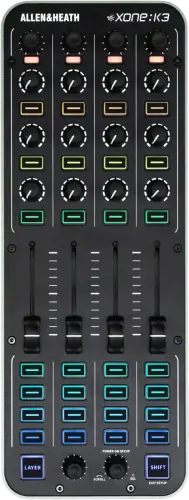
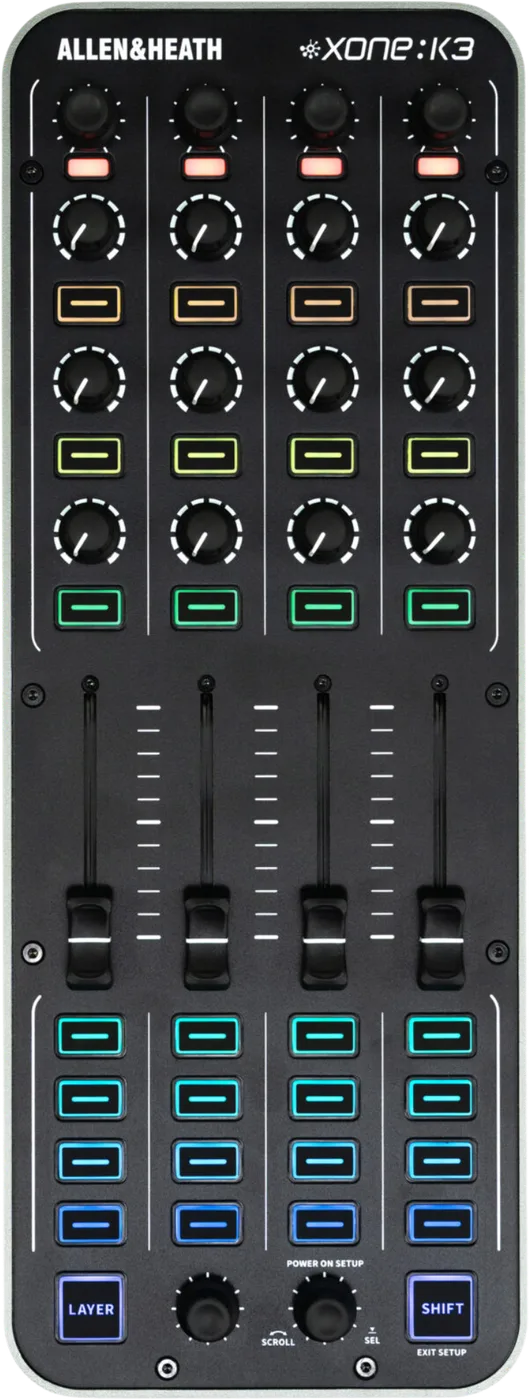
Booth briefing. The Xone:K3 is a control surface and nothing else. The whole rear panel is USB-C, X:LINK IN and X:LINK OUT. There is no audio connector of any kind and no headphone output. It cannot make sound with a computer attached and a track playing, so if you cued through a Xone:K2 there is no headphone output here to cue through. Allen & Heath name no DJ software for it: their claim is class compliant MIDI on macOS, Windows, iOS and Android, with no drivers required, so the mapping is yours. X:LINK uses RJ45 and is not Ethernet. And when this unit runs on USB power it does not feed power down X:LINK, unlike the K1 and K2.
When it goes wrong: The computer cannot see the controller No sound from the controller
Fast Lane
The five things that decide your gig
The five things on the Xone:K3 that change what happens next, if you are reading this in the booth. All five are explained in full further down this page.
It has no audio path at all, so a track playing produces nothing.
Allen & Heath's published connector list is the whole story: USB-C, X:LINK IN and X:LINK OUT. There is no audio connector of any kind and no headphone output.
The computer sees the unit, the mapping works, the controls move the software, and no sound comes out of it because there is nothing for sound to come out of.
If you cued through a Xone:K2, there is no socket here to cue through.
The K2 has a four-channel output-only sound card feeding its headphone socket. The K3 that replaced it has neither the card nor the socket.
That is a habit to unlearn before the gig rather than at it: your cue has to come from the mixer or from another interface.
Allen & Heath name no DJ software for it. The mapping is yours.
Their compatibility claim is a platform claim and nothing more: macOS, Windows, iOS and Android, with no drivers required.
No DJ application is named by them anywhere for this unit, so plan on building the map yourself. One host publishes an extension for it, and that host is a DAW rather than a DJ application.
A dead control is usually a live control on a layer you are not looking at.
The surface carries 3 user-defined layers with latching options, giving up to 174 assignable controls per map.
Layer first, mapping second, and the version the unit is running third if it is sitting on an X:LINK chain. All three are normal states rather than faults.
X:LINK is an RJ45 socket and it is not Ethernet.
Allen & Heath's instruction, worth reading exactly as they put it: Do not connect any X:LINK enabled device to any Ethernet enabled device. The socket is RJ45 and the protocol is not Ethernet.
It takes the same patch lead as a network port and it carries power, which is exactly why plugging it into the wrong thing is easy and expensive.
If something goes wrong
The computer sees it, a track is playing, and nothing comes out
Short answer. The Xone:K3 is not broken. It has no audio path at all, so there is nothing for sound to come out of. The rear panel Allen & Heath publish is USB-C, X:LINK IN and X:LINK OUT. There is no audio connector of any kind and no headphone output.
Why this happens. A DJ controller is usually the sound card as well as the surface: plug it into a laptop and the room hears the laptop through the controller. That is what makes the assumption so natural, and it is exactly what does not apply here. This unit sends MIDI and receives MIDI. The audio never touches it, so the computer's own output, or whatever interface is in your rig, is what has to reach the mixer.
Fix it now. Look at where your audio actually leaves the computer, because that is where the fault is. Check the output device selected in your software, then the cable from that output to the mixer, then the mixer's own source selection for that channel. Nothing you change on this unit will make sound appear.
Avoid it next time. Draw the audio chain once, before the gig, with this unit deliberately left out of it. If the chain makes sound without the controller plugged in, it will make sound with it, and if it does not, the controller was never the problem.
The software sees the unit and the controls do nothing
Short answer. The Xone:K3 gives you three candidates here, and none of them is a broken control: the layer you are on, the mapping, and, if the unit is sitting on an X:LINK chain, the version it is running. It has 3 user-defined layers with latching options, giving up to 174 assignable controls per map, so a control that appears dead is often a control that is live on a layer you are not currently looking at.
Why this happens. Allen & Heath name no DJ application for this unit. Their claim is class compliant MIDI, which means your computer sees a MIDI device with no setup, and it does not mean any program knows what to do with it. Whatever mapping exists is one you built, one you imported, or one the software supplied, and none of that is a manufacturer guarantee. Layers multiply the surface, so with three of them the same physical knob is up to three different assignments and only one of them is answering.
Fix it now. Change layer with the key marked LAYER and try the control again, because that is the fastest test. If the control is dead on every layer, the question is the mapping in your software rather than the hardware: Bitwig's own extension document names the ports the unit presents as XONE:K3 for both input and output on Mac and Windows, and XONE:K3 MIDI 1 for both on Linux. Confirm that port is selected as a MIDI input, then confirm the specific control is assigned to something.
And the third candidate, if the unit is on an X:LINK chain. logged as XONEK3-157, an issue "where Xone:K3 devices do not parse all data if multiple simultaneous messages are sent via X:Link", which their release note ties to a K3 connected to a Xone series mixer or sitting downstream in an X:LINK chain from legacy K series controllers acting as the USB host. The same firmware v1.0.4 r93846 refines message parsing and LED state synchronisation for that case. In the booth that reads as a control that answers when you move it on its own and drops out when you are busy, which is the hardest kind of fault to trust.
Avoid it next time. Carry your mapping the way you carry your music, and test the layer switching on the actual laptop you are taking. A surface with three layers has a lot of ways to be configured almost correctly.
A unit further down the X:LINK chain is dead
Short answer. The Xone:K3 changed the rule about which unit feeds the chain, so check which unit is plugged into the host. The Xone:K3 does not supply power to the X:LINK connection when it is powered over USB, unlike the K1 and K2, so in a mixed chain a K1 or K2 has to be the unit connected to the host.
Why this happens. X:LINK carries MIDI and power on the same lead, which is what makes a chain of Xone controllers possible from one USB cable. On the older units the one connected to the host feeds the rest. This one does not do that while it is USB powered, so a chain built the way it always was, with this unit at the front, leaves everything behind it without power. Nothing about the cabling looks wrong, and the symptom is a unit that is simply dark.
Fix it now. Rebuild the chain so a K1 or a K2 is the unit connected to the host, and let this one sit downstream. That is Allen & Heath's own arrangement for a mixed chain, and it is a cabling change rather than a setting.
Avoid it next time. Build and test the whole chain once at home, in the order you intend to use it, rather than discovering the power rule in a booth with one spare cable.
What to watch for
Firmware is not a download, and only one version has release notes
Where the firmware lives. Firmware is not a download on the resources page. It ships bundled inside the Xone Controller Editor, which updates the unit from the app or from a file. No release notes exist for any version before 1.0.4. The app is Xone Controller Editor, free, which is also where the firmware lives, so the thing you install to configure the unit is also the thing that updates it, and a resources page with no firmware link is not a unit with no firmware.
What is in the published record. The highest published version is 1.0.4 r93846, and it arrives inside Xone Controller Editor v1.0.1, so an Editor older than that is an Editor that will not offer it to you. Its notes cover two fixes, and both are worth knowing because both describe symptoms a DJ would otherwise read as a mapping mistake or a cable fault rather than as something a version change addresses. Logged as XONEK3-156: Allen & Heath log it as XONEK3-156 and describe it as an issue "where Xone:K3 devices do not follow expected LED behaviour if Xone:K3 is used to control legacy K Series (K1/K2) software mappings", fixed in firmware v1.0.4 r93846. Logged as XONEK3-157: logged as XONEK3-157, an issue "where Xone:K3 devices do not parse all data if multiple simultaneous messages are sent via X:Link", which their release note ties to a K3 connected to a Xone series mixer or sitting downstream in an X:LINK chain from legacy K series controllers acting as the USB host. The same firmware v1.0.4 r93846 refines message parsing and LED state synchronisation for that case.
What is not in it. Anything earlier. No release notes exist for any version before 1.0.4 r93846, so a unit on an older version cannot be compared against a change list, and there is no history to work back through.
Do this. Install the Editor on the laptop you actually use, check the unit's version there, and update from the app before a run of gigs rather than the day before one. there is no setup menu on the unit itself. Everything runs from the Xone Controller Editor: launch the app, connect the K3, wait for it to sync, click SETUP under UNIT STATUS, then click the UPDATE FROM APP tab. Allen & Heath note that UNIT STATUS changes to OFFLINE while the update runs, that the controller reboots and resyncs with the Editor by itself when it finishes, and that you confirm the result by the UNIT VERSION shown in the FIRMWARE panel. The OFFLINE reading is the part to know about beforehand: it is the update running rather than the unit failing, so nothing gets unplugged until the unit has come back and resynced by itself. If LED feedback or an X:LINK chain is behaving oddly on an older version, the version is a reasonable first suspect.
Official documents. Xone:K3 software release notes →
Xone Controller Editor help →
Xone:K3 user guide →
Found an entry we have missed? Tell us and we will add it.
No audio interface, USB MIDI only, and how we know
The claim, and its evidence. The Xone:K3 has no audio interface. It is USB MIDI only. That rests on Allen & Heath's complete published connector list: USB-C, X:LINK IN and X:LINK OUT. There is no audio connector of any kind and no headphone output. A list of every connector on a product, containing no audio connector, is the strongest thing a manufacturer publishes on the subject, and it is supported by the total absence of any audio specification: no sample rate, no bit depth, no channel count, no output level.
What we are careful not to say. Allen & Heath never print the sentence "the K3 has no sound card". So this is a conclusion drawn from what they publish rather than a denial they issued, and it is worth stating that difference plainly on a page whose whole value is the absence. Nothing about the reading is ambiguous, and the honest framing still matters.
Why it is worth this much space. Because the opposite is assumed by default. A unit with faders, encoders and a USB socket reads as a unit that carries audio, and one of them in this family used to. The consequence of the assumption is not a worse set, it is no cue feed at all.
You cannot cue through it, and there is no socket to cue from
Short answer. There is no headphone output on the Xone:K3. Not disabled, not behind a mapping, not there. Allen & Heath's published connector list is the whole story: USB-C, X:LINK IN and X:LINK OUT. There is no audio connector of any kind and no headphone output.
Why this catches people. The Xone:K2 has a four-channel 16-bit sound card running at 44.1 and 48 kHz, with headphone and RCA outputs. The K3 has neither the sound card nor any audio connector. Allen & Heath do not comment on the removal in any published text. So a DJ whose habit was formed on a K2 has a muscle memory that ends at a socket which does not exist on the newer unit, and the two look enough alike that nothing in the booth warns you. This is the most expensive assumption you can carry into a gig with a K3, because it is discovered at the moment you need to cue.
Fix it now. Cue somewhere else. Your headphone output has to come from the mixer, the audio interface or the player that is actually carrying the audio, and this unit sits alongside that chain rather than inside it. If the plan was a laptop and a K3 and nothing else, there is no plan: something in the rig has to have an audio output, and it will not be this.
Avoid it next time. Decide where your cue feed comes from at the same moment you decide what is going in the bag. A control surface changes what you can reach, never what you can hear.
Compatibility
Class compliant MIDI, and the software nobody named
Short answer. Allen & Heath's Xone:K3 compatibility claim is a platform claim: macOS, Windows, iOS and Android, with no drivers required. That is the whole of it. No DJ application is named by them anywhere for this unit.
Why we are wording it that carefully. Class compliant means the operating system recognises a MIDI device with nothing installed, on any of those four platforms. It says nothing about whether a particular program ships a map for this unit, supports it officially, or will keep doing so. Those are two different promises and only one of them has been made, so this page does not print "works with" beside any software name, however common a pairing may be in practice.
What that means for your setup. The mapping is your project. Budget real time for it, keep a copy of it somewhere that is not the laptop, and remember that if a program's own map changes under you, there is no manufacturer statement about this unit to appeal to. The upside of the same fact is genuine: four platforms and no drivers means a tablet or a phone is as valid a host as a laptop.
One host does publish a map, and it is worth knowing which one. Bitwig Studio ships a controller extension for this unit. Its document says the K3 "should be detected and set up automatically when it is connected", describes the four encoders with push buttons as freely assignable to any parameter, and covers a two unit setup added as Allen & Heath > Xone:K3 x2, where the pair drives 8 channels through the volume faders, the clip launcher matrix and modes 1 to 3, while the remote control modes 4 to 6 stay on the first unit only.
Common mistakes. Reading "class compliant" as "supported by my DJ software", and arriving with a unit the computer can see and the program has no idea about.
Moving from a Xone:K2
The difference that matters. The Xone:K2 has a four-channel 16-bit sound card running at 44.1 and 48 kHz, with headphone and RCA outputs. The K3 has neither the sound card nor any audio connector. Allen & Heath do not comment on the removal in any published text.
What that changes about a rig. If a K2 was your audio interface as well as your surface, replacing it with this unit removes an interface from the rig and something else has to take that job. If the K2 was only ever a surface beside a mixer, nothing changes and the newer unit is a straight upgrade of the control side. Which of those two you are in is the whole question, and it is answerable in thirty seconds by looking at what is plugged into the back of the K2 you currently use.
What changes in a chain. The power rule. The Xone:K3 does not supply power to the X:LINK connection when it is powered over USB, unlike the K1 and K2, so in a mixed chain a K1 or K2 has to be the unit connected to the host.
What we cannot tell you. Why the sound card went. Allen & Heath do not comment on the removal in any published text, so this page reports the difference and does not explain it.
Features explained
The controls, the layers and the LEDs
Short answer. The Xone:K3 carries 52 controls: 4 faders of 60 mm, 12 rotary potentiometers, 6 endless push encoders and 30 switches. On top of that sit 3 user-defined layers with latching options, giving up to 174 assignable controls per map, and the surface carries 34 RGB LEDs with a 16 colour palette, feedback on the buttons and the encoder push switches.
What layers actually change about the whole set. The physical surface stops being a fixed map. One knob is up to three assignments depending on which layer is active, which is how a panel this size reaches an assignment count far beyond its control count. The cost is that the surface no longer tells you what it does: the labels you write, and the LED colours you assign, are the only signposts, so a layer scheme you cannot read at a glance in a dark booth is a layer scheme that will cost you a transition.
The LEDs are feedback, not decoration. With RGB on the buttons and on the encoder push switches, colour is how you tell which layer you are on and what state a control is in. Because feedback comes from the software, an LED that never changes is usually a mapping that never sends anything back rather than a lamp that has failed.
One documented exception, and it is the one that catches anyone arriving from a K2. Allen & Heath log it as XONEK3-156 and describe it as an issue "where Xone:K3 devices do not follow expected LED behaviour if Xone:K3 is used to control legacy K Series (K1/K2) software mappings", fixed in firmware v1.0.4 r93846. So when the LEDs are wrong rather than dead, and the map you loaded was written for a K1 or a K2, the version the unit is running is the first thing to look at and not the last.
Common mistakes. Building a three layer map on a laptop at home and never testing whether you can identify the active layer at arm's length in the dark.
Power, and what the unit needs from a host
Short answer. It is bus powered over USB-C at 5 V, 450 mA maximum, over the USB-C socket, and the chassis is diecast metal, 49.5 mm high, 135 mm wide, 358 mm deep, 1.25 kg.
Why the numbers matter in a booth. Bus power means the host has to actually supply it, and an unpowered hub shared with other devices is where that quietly stops being true. A tablet or a phone host is the other case worth thinking about before the gig rather than during it, since a mobile device supplying bus power is doing so from a battery.
The chassis is the good news. A diecast metal body at this weight is a unit that survives a bag and does not flex under a hand on a fader, which is the difference between a control surface that stays calibrated in your muscle memory and one that moves under pressure.
Common mistakes. Assuming the USB-C socket means power delivery from any charger. It is the host connection, and what travels down it is MIDI and bus power.
X:LINK, what it carries and what it does not
Short answer. Two RJ45 sockets carrying MIDI and power, not audio, for connecting to an X:LINK enabled Xone mixer or a legacy K series unit.
Read the second half of that sentence twice. MIDI and power, not audio. The two RJ45 sockets are what let this unit join a Xone rig without a second USB cable, and they change nothing about the fact that no audio enters or leaves this box. An X:LINK connection to a mixer is a control connection.
The power rule, which is new on this model. The Xone:K3 does not supply power to the X:LINK connection when it is powered over USB, unlike the K1 and K2, so in a mixed chain a K1 or K2 has to be the unit connected to the host. So the order of the chain is a decision rather than a convenience, and it is the first thing to check when a downstream unit is dark.
And one thing a version change fixes. logged as XONEK3-157, an issue "where Xone:K3 devices do not parse all data if multiple simultaneous messages are sent via X:Link", which their release note ties to a K3 connected to a Xone series mixer or sitting downstream in an X:LINK chain from legacy K series controllers acting as the USB host. The same firmware v1.0.4 r93846 refines message parsing and LED state synchronisation for that case.
And the warning that goes with the socket. Do not connect any X:LINK enabled device to any Ethernet enabled device. The socket is RJ45 and the protocol is not Ethernet. It is RJ45, it is not a network port, and the safety section above is worth reading before anything goes into it.
Professional tips
Before you plug one into a rig
Name the box your headphones go into while you are still packing. The published connector list on this unit is USB-C and two X:LINK sockets, so the cue feed has to come from the mixer or the interface that is carrying the audio. That is a bag decision, and it costs nothing to make at home.
Put a K1 or a K2 at the host end of a mixed chain. This model does not feed power down X:LINK while it is running on USB power, so a chain built with the K3 at the front leaves everything behind it dark. The order of the chain is a cabling decision rather than a setting, and it is the one thing that changed on this generation.
Give each layer a colour you can name at arm's length. The surface carries 3 user-defined layers with latching options, giving up to 174 assignable controls per map, so one knob is up to three assignments and the panel stops telling you what it does. The RGB LEDs and their 16 colour palette are the only signpost you get, and a scheme that reads on a laptop at home is not the same as one that reads across a dark booth.
Check the version in the Xone Controller Editor before you rewrite a map. The firmware is not a download, it ships inside the Editor, and 1.0.4 r93846 fixes two things that look exactly like a mapping mistake or a bad cable from where you are standing: LED behaviour when the map you loaded was written for a K1 or a K2, and X:LINK dropping data when several messages arrive together. It reaches the unit from Xone Controller Editor v1.0.1 or later.
Do not plan on a shared hub. It is bus powered over USB-C at 5 V, 450 mA maximum, and an unpowered hub with other devices hanging off it is where that supply quietly stops being real. A phone or a tablet is a host Allen & Heath name, and it pays for the unit out of its own battery.
Safety
X:LINK is RJ45 and it is not Ethernet
Short answer. Allen & Heath's instruction, and it is worth reading exactly as they put it: Do not connect any X:LINK enabled device to any Ethernet enabled device. The socket is RJ45 and the protocol is not Ethernet.
Why this matters. The socket takes the same patch lead as a network port, sits next to nothing that distinguishes it in a dark booth, and carries power as well as data. Every venue has spare network cable and most have a switch within reach of the DJ booth, so the mistake is an easy one to make with a lead in your hand, and it is made between two devices that each look entirely happy about it until they are not.
Do this. Only ever run X:LINK between X:LINK devices. Do not patch it into a switch, a router, a laptop or any other RJ45 socket in the booth, and label the cable if the rig lives in an install so the next person does not have to guess which of two identical leads is which.
Firmware, drivers and manuals
Official downloads and documents
Go to Allen & Heath for the files themselves. We link their pages instead of hosting a copy, because a manual copied here is a snapshot of release day and theirs is the one that stays current.
Manuals. Official Allen & Heath manual page →
Broken link? Let us know and we'll fix it.
Frequently asked questions
Quick answers
- Can I plug headphones into it?
- No. There is no headphone socket and no audio connector of any kind. Allen & Heath's connector list is USB-C, X:LINK IN and X:LINK OUT.
- Does it have a sound card like the Xone:K2?
- No. The Xone:K2 has a four-channel 16-bit sound card running at 44.1 and 48 kHz, with headphone and RCA outputs. The K3 has neither the sound card nor any audio connector. Allen & Heath do not comment on the removal in any published text.
- Why does no sound come out when a track is playing?
- Because there is no audio path for sound to come out of. Your audio leaves the computer or the interface, never this unit.
- Which DJ software does it work with?
- Allen & Heath name none. Their claim is class compliant MIDI on macOS, Windows, iOS and Android, with no drivers required, so any mapping is yours or your software's rather than a manufacturer statement.
- Do I need a driver?
- No. It is class compliant on all four of the platforms Allen & Heath name.
- Can I plug a network cable into the X:LINK socket?
- No. Do not connect any X:LINK enabled device to any Ethernet enabled device. The socket is RJ45 and the protocol is not Ethernet.
- Why is the next unit in my X:LINK chain dead?
- The Xone:K3 does not supply power to the X:LINK connection when it is powered over USB, unlike the K1 and K2, so in a mixed chain a K1 or K2 has to be the unit connected to the host.
- Where is the setup for this unit?
- there is no setup menu on the unit itself. Everything runs from the Xone Controller Editor: launch the app, connect the K3, wait for it to sync, click SETUP under UNIT STATUS, then click the UPDATE FROM APP tab. Allen & Heath note that UNIT STATUS changes to OFFLINE while the update runs, that the controller reboots and resyncs with the Editor by itself when it finishes, and that you confirm the result by the UNIT VERSION shown in the FIRMWARE panel.
- My LEDs are wrong with a mapping written for a Xone:K2. Is the unit faulty?
- Allen & Heath log it as XONEK3-156 and describe it as an issue "where Xone:K3 devices do not follow expected LED behaviour if Xone:K3 is used to control legacy K Series (K1/K2) software mappings", fixed in firmware v1.0.4 r93846.
- Which port do I select in my software?
- Bitwig's own extension document names the ports the unit presents as XONE:K3 for both input and output on Mac and Windows, and XONE:K3 MIDI 1 for both on Linux.
- Where do I download the firmware?
- You do not. Firmware is not a download on the resources page. It ships bundled inside the Xone Controller Editor, which updates the unit from the app or from a file. No release notes exist for any version before 1.0.4.
- What firmware should it be on?
- The highest published version is 1.0.4 r93846, and it is the only one with published release notes.
- Can I run it from a phone or a tablet?
- Allen & Heath name macOS, Windows, iOS and Android, with no drivers required, and it is bus powered over USB-C, so a mobile host has to supply that power from its own battery.
Where this sits in the line
- Previous generation Xone:K2
Related controllers
Allen & Heath All brands Knowledge base FAQ and Fixes Dictionary
Playing soon and it is not working?
Start Emergency ModeKeep the Emergency Card
We will email you the printable PDF so it is on your phone before the next dark booth. Occasional notes that save gigs. No spam, unsubscribe in one click.
Registering is free and counts everywhere on Save My Gig. We send a confirmation email first. Your address is stored with Brevo, our email provider. Unsubscribe any time. Privacy
Sources: Allen & Heath's own Xone:K3 product page, launch announcement, user guide, software release notes and Xone Controller Editor help, checked 10 August 2026. Specifications theirs, priorities ours.