

DDJ-1000SRT, the field manual
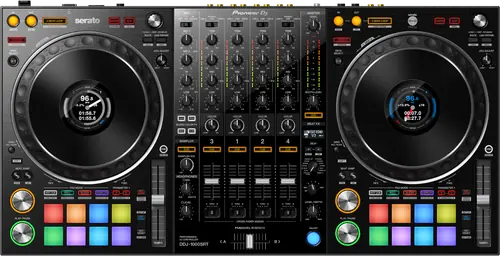
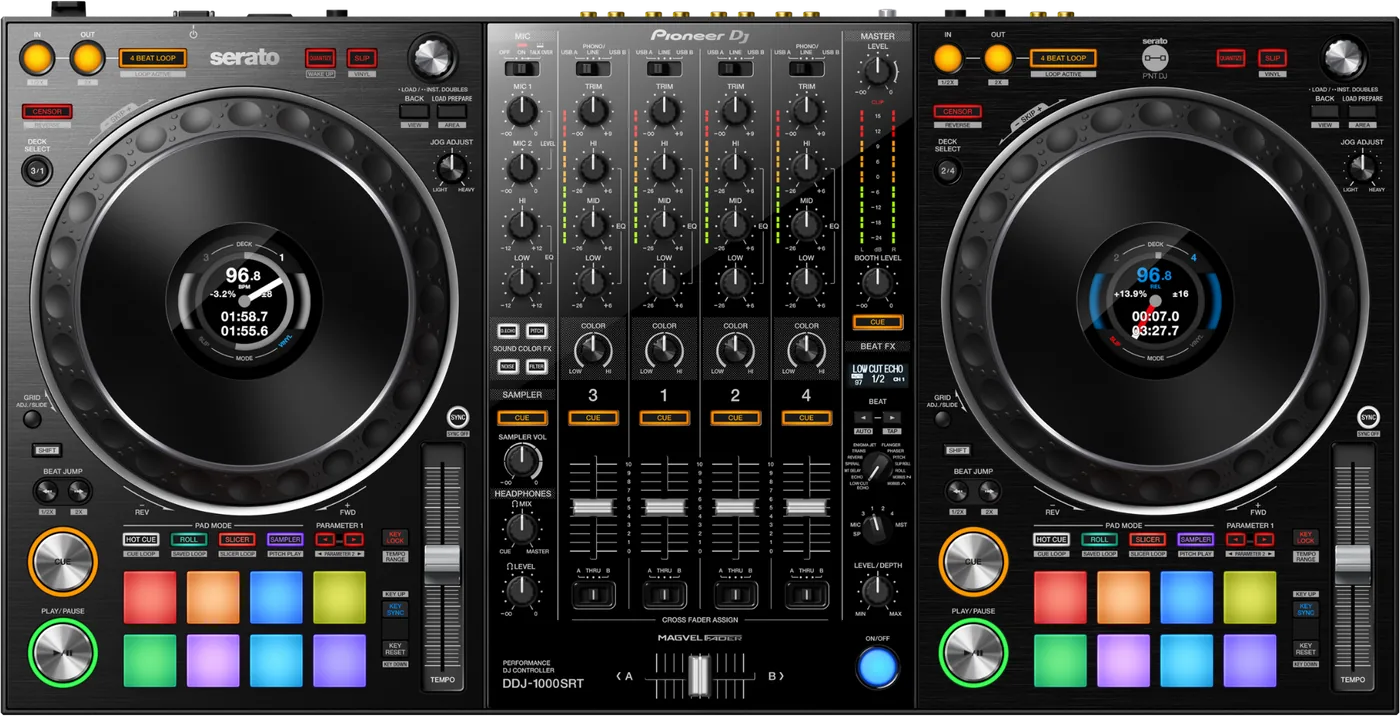
Booth briefing. The DDJ-1000SRT is Pioneer DJ's club layout four channel controller built for Serato DJ Pro and for nothing else: it does not run rekordbox and cannot be converted to it, which Pioneer confirm themselves. It is a computer controller, so it works with a laptop running Serato DJ Pro, and the club layout is the point of the design. Its macOS driver is maintained by AlphaTheta and is current to Tahoe as of June 2026.
When it goes wrong: The computer cannot see the controller No sound from the controller
Fast Lane
The five things that decide your gig
The five things on the DDJ-1000SRT that change what happens next, if you are reading this in the booth. All five are explained in full further down this page.
It is Serato only, and Pioneer say it cannot be converted.
It will not run rekordbox, and Pioneer DJ answer the question in two words: "No, unfortunately it will not." They answer the mirror question about the DDJ-1000 and Serato DJ the same way, and they close the door on converting one into the other: "Unfortunately, while they look like similar controllers, they are slightly different internally and they can't be upgraded or modified to work with their non-designated software." Same shape, same panel, different machines.
A dead SAMPLER VOL knob after a firmware update is documented, not a fault.
AlphaTheta document a side effect of their own 1.05 firmware, on the firmware article itself: "After updating the DDJ-1000SRT firmware to ver.1.05, Sampler Master Volume level of Serato DJ Pro does not sync with the SAMPLER VOL knob on the DDJ-1000SRT." Their remedy is to set the sampler master volume in Serato DJ Pro by hand. So a SAMPLER VOL knob that appears dead after an update is not a fault, it is this. Version 1.02 had already changed that knob's MIDI message, in a separate release note. AlphaTheta do not link the two and this page does not either.
Your Mac update question has two answers and they disagree.
Serato place the DDJ-1000SRT in their In testing tier for macOS 26 Tahoe, marked with an asterisk, which is the tier they advise not to update for. AlphaTheta shipped a Tahoe driver for it in June 2026. Both statements are current and this page prints both.
No LINK terminal appears in its specifications. Its networking is two USB ports.
No LINK terminal appears in its specifications and no AlphaTheta article associates this unit with PRO DJ LINK. Its networking is two USB-B ports, so two computers can be connected for a back to back. Treat it as a controller with analogue inputs rather than a link chain device.
The Serato DJ Suite voucher was a launch campaign, not a feature.
Pioneer DJ: "The first 5000 DDJ-1000SRT unit shipped world-wide will include a voucher to unlock the Serato DJ Suite." Later units instead got Pitch ’n Time DJ plus the automatic Serato DJ Pro unlock. The vouchers are one time codes and no source ties the Suite to the hardware, so a second hand unit does not carry it unless the code came with it. Promotional units had a sticker on the box.
If something goes wrong
Serato does not react to the controller at all
Short answer. When Serato DJ Pro does not react to the controller at all, AlphaTheta say the software or the operating system may not have recognised it as a controller. Their list is to remove any USB hub and connect direct, unplug other USB peripherals, close background applications and try a different USB port.
Check the driver is actually installed. AlphaTheta publish a macOS driver for this unit and never say it works without one, so this page does not claim it is class compliant. Install the driver.
Read the version while you are there. AlphaTheta warn that macOS Big Sur 11 and Catalina 10.15 users may hit errors during the firmware update, and point at the firmware update guide. Read the installed version in the DDJ-1000SRT Driver Version Display Utility on macOS or the DDJ-1000SRT Settings Utility on Windows, About tab in both. The update takes about five minutes and neither cable comes out during it.
The effects will not touch the sampler
Short answer. If the Beat FX will not touch the sampler even with SP selected on the BEAT FX CH SELECT knob, AlphaTheta say the sampler’s output setting is wrong: set OUTPUT to A at the top right of the Serato DJ Pro sampler panel.
Why this looks like a hardware fault. On the DDJ-1000SRT the knob selects SP and the sampler still comes out dry. AlphaTheta point at one setting and do not explain the internal reason, and nothing on the controller surfaces it either, so the check is the Serato panel rather than the hardware.
Where to look. Top right of the Serato DJ Pro sampler panel, the OUTPUT setting. It is a software setting on a hardware symptom.
Audio that stops when you click on something else
Short answer. Serato document an issue that can cause a loss of audio output on macOS with Serato DJ Pro when application focus moves to another program, and the DDJ-1000SRT is on the affected list. The software looks fine, decks turning and meters moving, while the hardware shows no signal. The macOS versions named are Catalina, Big Sur and Monterey, and the resolution Serato give is Pioneer driver 4.0.1 or 4.0.1.1, or Serato DJ Pro 2.6.0 or higher.
What it looks like from the booth. Serato describe it precisely: the software looks completely normal, decks turning and meters moving, while the hardware shows no signal and makes no sound. That is not a diagnosis anyone reaches under pressure.
What to do. Check the driver version against the ones Serato name, 4.0.1 or 4.0.1.1. The current driver is 4.0.2, one release past 4.0.1.1 and two past 4.0.1.
What to watch for
Serato only, and why the DDJ-1000 is a different machine
Short answer. It will not run rekordbox, and Pioneer DJ answer the question in two words: "No, unfortunately it will not." They answer the mirror question about the DDJ-1000 and Serato DJ the same way, and they close the door on converting one into the other: "Unfortunately, while they look like similar controllers, they are slightly different internally and they can't be upgraded or modified to work with their non-designated software." Same shape, same panel, different machines.
Why this catches people. The two share a panel layout, a name and a shape. On a second hand listing the two model numbers differ by three letters and the photographs are near identical. Read the model number off the unit, not off the advert.
What is included with the Serato side. AlphaTheta: "Those who use DDJ-1000SRT do not have to activate the unit or buy the license. If you connect DDJ-1000SRT to Serato DJ Pro, you can use the software without buying the license or activating the unit." Serato say the same from their side. DVS is not included. It has the phono inputs for timecode, and Serato still require the DVS expansion pack for control vinyl or control CDs.
And the voucher that looks like a feature. Pioneer DJ: "The first 5000 DDJ-1000SRT unit shipped world-wide will include a voucher to unlock the Serato DJ Suite." Later units instead got Pitch ’n Time DJ plus the automatic Serato DJ Pro unlock. The vouchers are one time codes and no source ties the Suite to the hardware, so a second hand unit does not carry it unless the code came with it. Promotional units had a sticker on the box.
Other software. AlphaTheta say only that it can be used with other MIDI compatible software besides Serato DJ Pro by assigning MIDI messages, and they name no software at all. rekordbox is not among them.
What it does not have, and why the question comes up
Short answer. No LINK terminal appears in its specifications and no AlphaTheta article associates this unit with PRO DJ LINK. Its networking is two USB-B ports, so two computers can be connected for a back to back. Treat it as a controller with analogue inputs rather than a link chain device.
Why the question comes up at all. The DDJ-1000SRT panel is modelled on a CDJ and DJM booth, and a DJ who works on those reasonably assumes the network comes with the layout. It does not.
What that means in practice. Nobody at AlphaTheta has written that this unit does not do PRO DJ LINK, and this page will not write it for them. What can be said is that the terminal is not in the specification and no article associates the unit with the network, so plan the booth on the assumption that it is not a link chain device. What it does do is take two laptops for a clean changeover.
Compatibility
macOS and Windows, and who says what
macOS driver. Version 4.0.2, released 16 June 2026, and its stated improvement is macOS Tahoe support. AlphaTheta list no complete set of supported macOS versions on that article; only Tahoe is named as the new one.
The older versions, from Serato rather than AlphaTheta. Serato publish the version by version picture that AlphaTheta do not. They list the 4.0.1.1 driver as compatible with macOS 14 Sonoma, 13 Ventura, 12 Monterey, 11 Big Sur and 10.15 Catalina, and a separate 1.0 driver for macOS 10.14 Mojave.
Windows. Version 1.010, released 09/Dec/2021, with the note that minor issues were fixed. AlphaTheta name no Windows version on that article. Serato do, listing the same driver version for Windows 10 and Windows 11.
And the disagreement about Tahoe. Serato place the DDJ-1000SRT in their In testing tier for macOS 26 Tahoe, marked with an asterisk, which is the tier they advise not to update for. AlphaTheta shipped a Tahoe driver for it in June 2026. Both statements are current and this page prints both.
Nobody has said support ended. Nothing this site read, from AlphaTheta or from Serato, says support for this unit has ended on any operating system.
One thing to notice about that Serato table. It lists the 4.0.1.1 driver. AlphaTheta shipped 4.0.2 in June 2026. A DJ who installs the version Serato name will be one release behind and will not have the Tahoe build.
Features explained
Firmware, and the control version 1.05 breaks
The version they publish today. Version 1.05, 9 March 2021, and its entire published note is that minor issues were fixed. No firmware newer than that was found anywhere for this unit.
And the thing to know before you install it. AlphaTheta document a side effect of their own 1.05 firmware, on the firmware article itself: "After updating the DDJ-1000SRT firmware to ver.1.05, Sampler Master Volume level of Serato DJ Pro does not sync with the SAMPLER VOL knob on the DDJ-1000SRT." Their remedy is to set the sampler master volume in Serato DJ Pro by hand. So a SAMPLER VOL knob that appears dead after an update is not a fault, it is this. Version 1.02 had already changed that knob's MIDI message, in a separate release note. AlphaTheta do not link the two and this page does not either.
The published history, and its gaps. Two versions are documented. Version 1.02, 29 October 2019, fixed BPM values not syncing between the Beat FX display and the Serato virtual deck, and sampler sound not reaching the headphones when the Sampler Cue button was pressed at the lowest sampler volume; it also changed the sampler volume knob’s MIDI message. Version 1.05, 9 March 2021, says only that minor issues were fixed. Versions 1.00, 1.01, 1.03 and 1.04 are implied by the numbering. AlphaTheta’s own change history document for this model refused every request during research, so nothing this site could read names them and this page does not describe them.
How to do it. AlphaTheta warn that macOS Big Sur 11 and Catalina 10.15 users may hit errors during the firmware update, and point at the firmware update guide. Read the installed version in the DDJ-1000SRT Driver Version Display Utility on macOS or the DDJ-1000SRT Settings Utility on Windows, About tab in both. The update takes about five minutes and neither cable comes out during it.
Professional tips
Before you play on one
Read the model number off the unit before you buy. DDJ-1000 and DDJ-1000SRT are different machines and Pioneer say they cannot be converted.
Know about the sampler knob before you update. Firmware 1.05 desynchronises it and the fix is to set the level in Serato by hand.
Do not plan a link chain around it. No LINK terminal appears in its specifications and no article associates it with the network.
Use both USB ports for a changeover. Two computers on Serato DJ Pro at once is the cleanest handover there is.
Do not update the Mac before a run of gigs. AlphaTheta and Serato do not currently agree about Tahoe on this unit.
Connections and setup
What goes in and what comes out
Inputs. It has two sets of RCA line inputs, two sets of RCA line or phono inputs, a microphone 1 on XLR and 6.35 mm TRS combination, and a microphone 2 on 6.35 mm TRS.
Outputs. a MASTER on XLR and a second MASTER on RCA, and a 6.35 mm TRS booth output.
To the computer. two USB-B ports, so two computers can be connected at the same time. No LINK terminal appears in its specifications and no AlphaTheta article associates this unit with PRO DJ LINK. Its networking is two USB-B ports, so two computers can be connected for a back to back. Treat it as a controller with analogue inputs rather than a link chain device.
Power. It runs from DC 12 V at 2,000 mA, from an adapter rated AC 100 V to 240 V, 50 Hz/60 Hz, output DC 12 V, 3 A.
The physical facts. It measures 708 x 361.4 x 73.4 mm as width, then depth, then height, and weighs 6.0 kg. Its audio path is 44.1 kHz with a 24 bit A/D and a 32 bit D/A converter, 20 Hz to 20 kHz, and a 112 dB signal to noise ratio on USB.
Where these figures come from. Pioneer’s Operating Instructions DRI1615B, pages 121 and 122, read on a mirror because no official host for those pages could be reached, and cross checked against Pioneer DJ New Zealand’s specification listing where it carries the same line.
Firmware, drivers and manuals
What the maker publishes
The driver and firmware articles are live and current. The macOS driver was rebuilt in June 2026 and the firmware article carries its own warning about the sampler knob.
One document could not be reached. The official firmware change history PDF refused the request during research, which is why the published history on this page has gaps at 1.00, 1.01, 1.03 and 1.04. Those versions are implied by the numbering and nothing this site could read names them.
Official downloads and documents
Go to AlphaTheta for the files themselves. We link their pages instead of hosting a copy, because a manual copied here is a snapshot of release day and theirs is the one that stays current.
Firmware downloads. Official Pioneer DJ firmware page →
Manuals. Official Pioneer DJ manual page →
Broken link? Let us know and we'll fix it.
Frequently asked questions
Quick answers
- Does it work with rekordbox?
- It will not run rekordbox, and Pioneer DJ answer the question in two words: "No, unfortunately it will not." They answer the mirror question about the DDJ-1000 and Serato DJ the same way, and they close the door on converting one into the other: "Unfortunately, while they look like similar controllers, they are slightly different internally and they can't be upgraded or modified to work with their non-designated software." Same shape, same panel, different machines.
- Can it be converted to a DDJ-1000?
- No. It will not run rekordbox, and Pioneer DJ answer the question in two words: "No, unfortunately it will not." They answer the mirror question about the DDJ-1000 and Serato DJ the same way, and they close the door on converting one into the other: "Unfortunately, while they look like similar controllers, they are slightly different internally and they can't be upgraded or modified to work with their non-designated software." Same shape, same panel, different machines.
- Do I get Serato DJ Pro for free?
- AlphaTheta: "Those who use DDJ-1000SRT do not have to activate the unit or buy the license. If you connect DDJ-1000SRT to Serato DJ Pro, you can use the software without buying the license or activating the unit." Serato say the same from their side.
- Is Serato DVS included?
- DVS is not included. It has the phono inputs for timecode, and Serato still require the DVS expansion pack for control vinyl or control CDs.
- What was the Serato DJ Suite voucher?
- Pioneer DJ: "The first 5000 DDJ-1000SRT unit shipped world-wide will include a voucher to unlock the Serato DJ Suite." Later units instead got Pitch ’n Time DJ plus the automatic Serato DJ Pro unlock. The vouchers are one time codes and no source ties the Suite to the hardware, so a second hand unit does not carry it unless the code came with it. Promotional units had a sticker on the box.
- What is the current macOS driver?
- Version 4.0.2, released 16 June 2026, and its stated improvement is macOS Tahoe support. AlphaTheta list no complete set of supported macOS versions on that article; only Tahoe is named as the new one.
- What is the current Windows driver?
- Version 1.010, released 09/Dec/2021, with the note that minor issues were fixed. AlphaTheta name no Windows version on that article. Serato do, listing the same driver version for Windows 10 and Windows 11.
- Can I use it on macOS Tahoe?
- Serato place the DDJ-1000SRT in their In testing tier for macOS 26 Tahoe, marked with an asterisk, which is the tier they advise not to update for. AlphaTheta shipped a Tahoe driver for it in June 2026. Both statements are current and this page prints both.
- Which firmware version should it be on?
- Version 1.05, 9 March 2021, and its entire published note is that minor issues were fixed. No firmware newer than that was found anywhere for this unit.
- My SAMPLER VOL knob stopped working after an update.
- AlphaTheta document a side effect of their own 1.05 firmware, on the firmware article itself: "After updating the DDJ-1000SRT firmware to ver.1.05, Sampler Master Volume level of Serato DJ Pro does not sync with the SAMPLER VOL knob on the DDJ-1000SRT." Their remedy is to set the sampler master volume in Serato DJ Pro by hand. So a SAMPLER VOL knob that appears dead after an update is not a fault, it is this. Version 1.02 had already changed that knob's MIDI message, in a separate release note. AlphaTheta do not link the two and this page does not either.
- The Beat FX will not affect the sampler.
- If the Beat FX will not touch the sampler even with SP selected on the BEAT FX CH SELECT knob, AlphaTheta say the sampler’s output setting is wrong: set OUTPUT to A at the top right of the Serato DJ Pro sampler panel.
- Does it have PRO DJ LINK?
- No LINK terminal appears in its specifications and no AlphaTheta article associates this unit with PRO DJ LINK. Its networking is two USB-B ports, so two computers can be connected for a back to back. Treat it as a controller with analogue inputs rather than a link chain device.
- Can I connect two computers?
- Yes. two USB-B ports, so two computers can be connected at the same time.
- Is it discontinued?
- Pioneer DJ serve the UK product page from an archive path while the global page is still live with a where to buy link. AlphaTheta publish no end of life notice for this model, so this page does not print one.
Playing soon and it is not working?
Start Emergency ModeKeep the Emergency Card
We will email you the printable PDF so it is on your phone before the next dark booth. Occasional notes that save gigs. No spam, unsubscribe in one click.
Registering is free and counts everywhere on Save My Gig. We send a confirmation email first. Your address is stored with Brevo, our email provider. Unsubscribe any time. Privacy
Sources: AlphaTheta's Help Center articles for the DDJ-1000SRT, Pioneer DJ's August 2019 announcement and Q&A, Serato's hardware, driver and compatibility pages, and Pioneer's Operating Instructions DRI1615B read on a mirror, checked 10 September 2026. Specifications theirs, priorities ours.