

RP-7000 MK2, the field manual
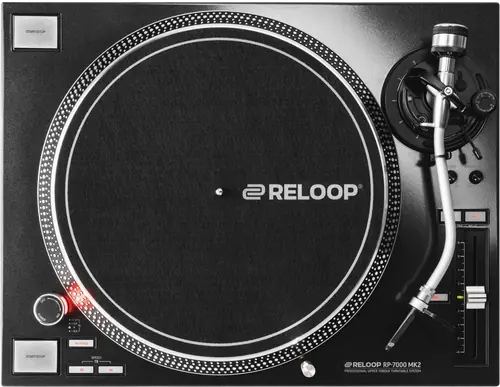
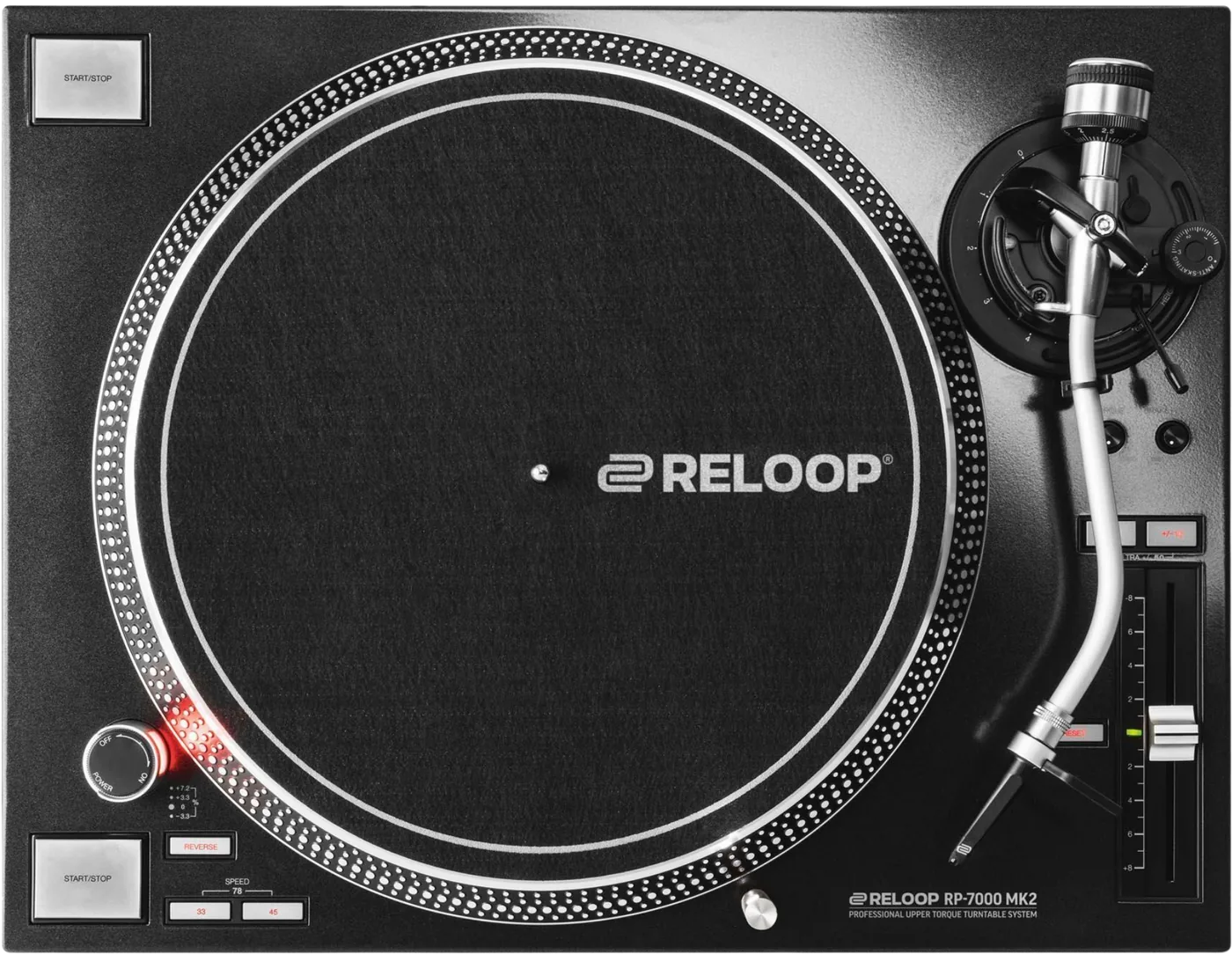
Booth briefing. The Reloop RP-7000 MK2 is a quartz driven direct drive turntable with a torque dial, a brake dial, a phono/line switch and a ground wire. It is fully analogue: no USB, no MIDI and no firmware, so nothing on it can be behind an update. Speed is selected on buttons with LEDs, with a 78 RPM setting reached by a chord, and the pitch fader runs to plus or minus 50 percent at its widest range, selected on the two range buttons together. It is one of three decks in Reloop's RP range, and the one without pads or a USB port.
When it goes wrong: A turntable that hums
Fast Lane
The five things that decide your gig
The five things on the RP-7000 MK2 that change what happens next, if you are reading this in the booth. All five are explained in full further down this page.
The table calls it a start up time. The text calls the same dial a brake.
The specification table gives a Start up time of min. to 6 sec. (adjustable), and the body of the same manual says the dial sets the motor’s BRAKE time over that range. On the RP-8000 MK2 the same label means something else again: a start up and tempo change of less than 0.2 seconds. This site prints both readings and picks neither.
If you set that dial from the specification table you are setting the wrong end of the record. Set it by ear on the deck in front of you before the first change over, and trust the platter rather than the page.
The English and the Spanish of one manual give that dial two different jobs.
The English section heading and text both describe the dial as setting brake time. The Spanish heading says the same, and then its own text says the dial sets the start AND stop times of the motor. Only one of the two can be right and Reloop do not say which.
This is not a wording difference. Brake time alone and start plus stop time are two different behaviours, and which one you have decides whether touching that dial changes how the record comes back in.
The tone arm height procedure runs in opposite order in the two languages.
The two language editions give the sequence in opposite order, the same way the RP-8000 MK2 editions do. The Spanish sets the ring lock TO LOCK first; the English releases it FROM LOCK, adjusts the height, then returns it. Follow the English order: release, set the height, lock again.
The tone arm height is adjustable over 6 millimetres from a 0 millimetre default, and Reloop warn that exceeding 6 millimetres risks damage to the tone arm socket.
Two lit speed LEDs mean 78 RPM, and the wide pitch range is a chord.
33 1/3, 45 and 78 RPM, with 78 selected by pressing the 33 and 45 switches together so that both LEDs light.
As on the RP-8000 MK2, the 50 percent range is a chord on both pitch range select switches, and the parts list names only one such switch. The manual never says which two buttons those are.
Reloop tell you not to earth this deck unless you hear hum.
Reloop say grounding is usually unnecessary because it already happens through the housing, and to connect the ground wire to the mixer or phono preamp only if a hum is audible.
The three turntables give three different answers about earthing. The RP-7000 MK2 says grounding is usually unnecessary because the housing does it, and to connect the wire only if you hear hum. The RP-8000 MK2 calls grounding optional and needed only under extreme circumstances. The RP-7 states the ground connection as a plain step with no condition attached.
If something goes wrong
Out of a cold van into a warm room
The RP-7000 MK2 is the last thing to unbox and the first thing to carry in, since Reloop give no waiting time, and it can stand uncovered while you patch everything else.
All five manuals forbid operating the unit after bringing it from a cold environment into a warm one, and require waiting until it reaches ambient temperature. None of the five states how long that takes, which is the one number a DJ loading in from a cold van actually needs.
What to watch for
There is no firmware, and that is a feature
The RP-7000 MK2 has no firmware, no USB port and no MIDI. The manual carries no firmware section, no update procedure and no version number, Reloop publish no firmware download for it, and there is nothing to install.
Read that as a specification rather than as a gap. A whole class of booth failure cannot happen on this deck: no half written update, no version mismatch between two decks in a pair, no unit that behaves differently from the one beside it because somebody flashed one and not the other. What it does on the bench is what it does at the gig.
It also means there is nothing to check before you leave the house, and nothing to carry a laptop for. The only things that change on this turntable are the ones you can see and turn.
The region qualifier that moves between controls
The RP-7000 MK2 parts list attaches "EU/US models only" to the voltage selector switch in English. The Spanish attaches the same qualifier to the phono/line switch instead, so a Spanish reader concludes the wrong control is region specific.
That matters most to anyone setting up an imported or rented unit, because one of those two controls decides whether the deck runs at all and the other only decides what the output is. Check the rear panel of the unit in front of you rather than the parts list of whichever language edition came out of the box.
What the manual does not answer
On the RP-7000 MK2 the gaps below are gaps in the documents, not in the deck. The manual contains no troubleshooting section.
None of these five manuals contains a troubleshooting section. Not one. Whatever a reader finds on the Reloop site, the document in the box will not tell them what to do when something stops working.
The manual gives no scope of delivery list in any language, and never says whether a dust cover is supplied, although its own safety text instructs the reader to close the dust guard.
No fuse rating is printed, and the fuse replacement clause appears only in the Spanish section with no English counterpart.
Every one of these manuals excludes from warranty the wear parts that can be exchanged from the outside, and not one of them says which parts those are. All five also void the warranty if the manufacturer serial number is removed.
Reloop publish a public FAQ and knowledge base at reloop.com, organised by product category, alongside a download finder carrying firmware and drivers, a support ticket route and a spare part request route.
Features explained
Start up time, a label that means two different things
The specification table gives a Start up time of min. to 6 sec. (adjustable), and the body of the same manual says the dial sets the motor’s BRAKE time over that range. On the RP-8000 MK2 the same label means something else again: a start up and tempo change of less than 0.2 seconds. This site prints both readings and picks neither.
Both readings are printed above because both are in Reloop's own document and nothing in it resolves them. A range running to six seconds is a plausible brake and an implausible run up to speed, so the body text is the one most engineers would believe. That is a judgement, not a citation, and this page will not dress it as one.
What to do with it in a booth is simple enough. The dial is in front of you and the platter answers in about a second, so turn it, press stop, and watch. One test tells you which of the two documents describes the deck you are actually standing at.
One dial, two languages, two different jobs
The English section heading and text both describe the dial as setting brake time. The Spanish heading says the same, and then its own text says the dial sets the start AND stop times of the motor. Only one of the two can be right and Reloop do not say which.
The difference is not academic. If the dial sets only the stop, then winding it out lengthens the wind down and leaves the start alone. If it sets both, the same movement also slows every time the record comes back in, which is the half of the behaviour a DJ notices in the mix rather than at the end of a track.
On four of these five models the English and the Spanish of the same manual give the same task in a different order. On two turntables the tone arm height procedure runs opposite ways: the English releases the ring lock before adjusting and the Spanish sets it, and the English order is the one that works on the hardware. On the Mixtour Pro it runs the other way round, and the Spanish, German and French editions are the ones that match the parts list.
Speeds, the 78 chord, and a pitch range with no named button
33 1/3, 45 and 78 RPM, with 78 selected by pressing the 33 and 45 switches together so that both LEDs light.
On all three turntables, 78 RPM is a chord: press the 33 and the 45 button together and both LEDs light. Two lit speed LEDs mean 78, not a fault and not both speeds at once.
Variably adjustable at plus or minus 8 percent, 16 percent and 50 percent.
As on the RP-8000 MK2, the 50 percent range is a chord on both pitch range select switches, and the parts list names only one such switch. The manual never says which two buttons those are.
So the widest range on the deck is reached by a gesture the manual describes and its own parts list cannot name. If you need it, find it by experiment before the room fills, not during a set: press the pitch range control together with each neighbouring button until both range LEDs light.
The tone arm, the 6 mm limit, and the order to do it in
The tone arm height is adjustable over 6 millimetres from a 0 millimetre default, and Reloop warn that exceeding 6 millimetres risks damage to the tone arm socket.
The two language editions give the sequence in opposite order, the same way the RP-8000 MK2 editions do. The Spanish sets the ring lock TO LOCK first; the English releases it FROM LOCK, adjusts the height, then returns it. Follow the English order: release, set the height, lock again.
Follow the English sequence: release the ring lock, set the height, then lock it again. If the ring does not want to turn, it is still locked, and force is the thing Reloop's own warning is about.
The counterweight scale must face the DJ. A ready to mount SME system is screwed directly into the tone arm and no headshell is used.
A row that is in one specification table and not the other
On the RP-7000 MK2 the two specification tables do not carry the same rows. More than minus 55 dB in the English table. The Spanish specification table omits this row entirely.
0.01 percent WRMS, which Reloop footnote as excluding the impact of the stylus, record and tone arm.
The point is not the figure, it is the habit. Two editions of one document carry different rows, so a number quoted at you from a manual is worth checking against the English table before it goes into a spec sheet, a hire listing or an argument.
Connections and setup
Earthing, where Reloop tell you to wait for the hum
Reloop say grounding is usually unnecessary because it already happens through the housing, and to connect the ground wire to the mixer or phono preamp only if a hum is audible.
The three turntables give three different answers about earthing. The RP-7000 MK2 says grounding is usually unnecessary because the housing does it, and to connect the wire only if you hear hum. The RP-8000 MK2 calls grounding optional and needed only under extreme circumstances. The RP-7 states the ground connection as a plain step with no condition attached.
Three decks from one brand and three different instructions, so the habit you brought from the deck you played last weekend is not guidance for this one. The practical reading of Reloop's own words here is that the wire is a remedy rather than a routine, and that the test is your ears on the system in front of you.
Firmware, drivers and manuals
Official downloads and documents
Go to Reloop for the files themselves. We link their pages instead of hosting a copy, because a manual copied here is a snapshot of release day and theirs is the one that stays current.
Manuals. Official Reloop manual page →
Broken link? Let us know and we'll fix it.
Frequently asked questions
What is it, and what does the drive actually do?
Reloop describe it as a professional turntable that plays conventional 12 inch and 7 inch records, connected to a mixing console, and the specification table calls it a manual quartz driven turntable.
Quartz driven upper torque direct drive on a brushless DC motor, with an aluminium die cast platter.
Adjustable on a dial from 2.8 to 4.5 kgf/cm. The specification table prints the same range in different units and with a typo of Reloop’s: adjsutable from min. 2800 to 4500 gf/cm.
What does the quartz lock LED tell me, and what does reverse do?
The quartz lock LED lights at original pitch and when the pitch fine adjustment is deactivated with the reset lock switch, and goes out whenever the pitch differs.
A reverse switch runs the platter counterclockwise with its LED lit, and Reloop state that all functions of the deck remain available while it is reversed.
What comes out of the back, and what do Reloop never print?
One RCA audio output with a phono/line switch, a GND connector, and on EU and US units a voltage selector switch.
No output level, output impedance or phono and line gain figure is printed. The only electrical figures in the manual are a 13 W power input and the supply voltages.
White is left positive, blue is left negative, red is right positive and green is right negative.
How do I set up the arm, the cartridge and the counterweight?
Effective arm length 230 mm, overhang 15 mm, tracking error angle under 3 degrees.
3.5 to 8.5 g, or 13 to 18 g including the headshell.
Anti-skating range 0 to 3 g. Reloop defer the correct setting to the cartridge manufacturer.
Not stated. Reloop defer the recommended stylus force to the cartridge manufacturer.
The counterweight scale must face the DJ.
A ready to mount SME system is screwed directly into the tone arm and no headshell is used.
How big is it, and what does it draw?
458 x 144.6 x 354 mm, width by height by depth. 11.7 kg
Power input 13 W. AC 115 or 230 V at 60 or 50 Hz for EU and US units, AC 100 V at 50 or 60 Hz for Japan.
Related turntables
Playing soon and it is not working?
Emergency Mode walks you through the checks in order, and it works with no signal once you have opened it.
Start Emergency ModeKeep the Emergency Card
We will email you the printable PDF so it is on your phone before the next dark booth. Occasional notes that save gigs. No spam, unsubscribe in one click.
Registering is free and counts everywhere on Save My Gig. We send a confirmation email first. Your address is stored with Brevo, our email provider. Unsubscribe any time. Privacy