

SL-1200MK2, the field manual
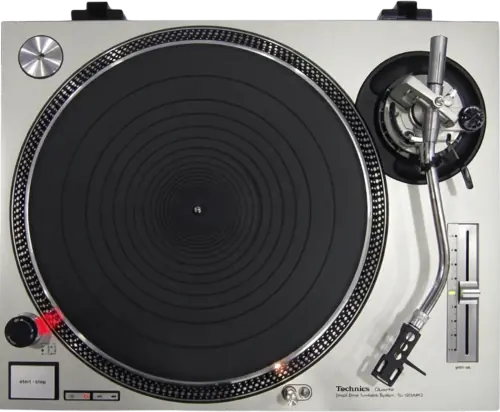
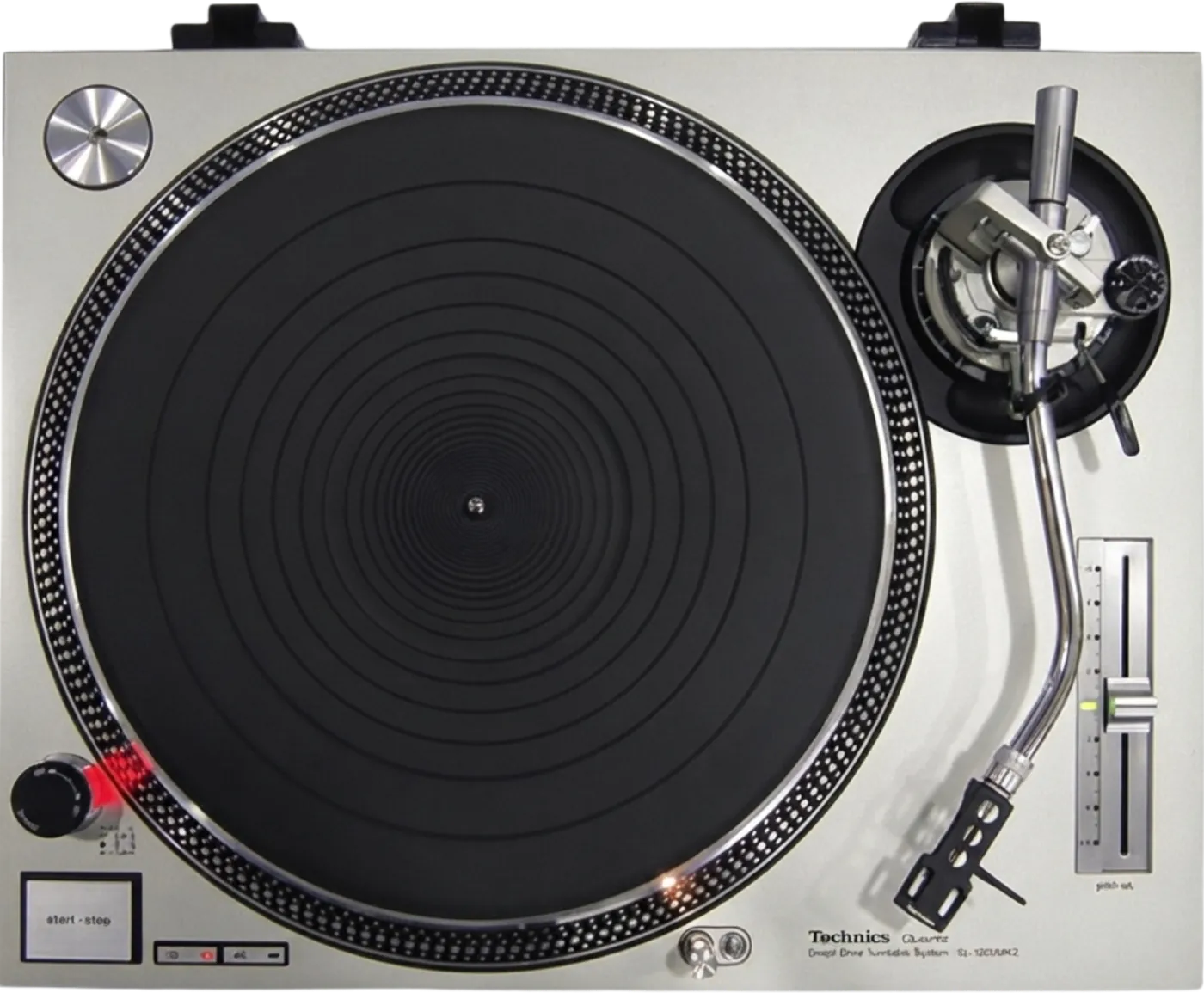
Booth briefing. The Technics SL-1200MK2 is a direct drive turntable in production from 1979, and the deck most likely to be already bolted into the booth when you arrive. It has a quartz locked motor and a pitch fader of about plus or minus 8 per cent with no reset button, so zero is the green LED at the fader centre and the platter markings. The start/stop button carries an electronic brake. It connects through captive phono leads and a ground wire, with the cartridge and the four headshell wires completing the signal path.
When it goes wrong: A turntable that hums
Fast Lane
The five things that decide your gig
The five things on the SL-1200MK2 that change what happens next, if you are reading this in the booth. All five are explained in full further down this page.
Hum is the ground wire. It is the first thing to check, every time.
Panasonic thought it important enough to put the word HUM in capitals and quotation marks, in a ten page manual with no troubleshooting section at all: Be sure to connect the ground terminal firmly to the amplifier or receiver. If this connection is not made or is loose, a power source "HUM" will result.
That is where to start, every time. Panasonic name a second cause in the maintenance notes and it is worth knowing before you tear the booth apart: Dust and dirt at the headshell terminals may result in increased "HUM" noise or intermittent sound. Use a soft dry cloth to clean the headshell terminals.
A dead channel is four headshell wires or the cartridge, and the phono leads read as fixed to the deck.
Panasonic print the colour code so you can see which side you have lost: White is left positive, blue is left negative, red is right positive, green is right negative.
Turn the amplifier or mixer off before you touch the headshell, because Panasonic forbid the live swap: Before detaching or attaching the headshell, be sure to turn the power of the amplifier or receiver off. Detaching or attaching of the headshell with the volume control turned up may cause damage to the speakers. On this deck the leads read as fixed rather than detachable, on the evidence the Connections section sets out, so a damaged lead is likely a repair rather than a swap.
There is no reset button. The fader runs about plus or minus 8 per cent and zero is a green LED plus the platter markings.
Rated speed is found against the markings Panasonic cut into the platter edge: plus 6, plus 3.3, zero and minus 3.3 per cent. The panel says something about it too: A green LED indicator lights when the pitch control knob is at the centre position, showing the operating condition for the selected speed.
The stroboscope is not decoration on this deck, it is the instrument. Quartz lock promises stable rotation, not that your fader is at zero, and those two get conflated constantly.
A needle that jumps on the bass is the room, not the deck.
Panasonic's placement instructions are the fix: Locate the unit as far away from the speakers as possible and isolate the unit from sound radiation from them. Place the unit in a stable and horizontal position, where there is little or no vibration.
Then check the counterweight and the anti-skating, and only after all of that start suspecting the deck itself.
The manual has no troubleshooting section at all.
All ten pages of Panasonic's operating instructions were read end to end. There is no troubleshooting heading anywhere in them.
The MK7 manual, forty years later, does have one. So a DJ holding this deck’s paperwork in a booth with a problem has nothing in it to work from.
If something goes wrong
There is a hum in the system and it will not go away
Short answer. The SL-1200MK2 ground wire. Panasonic thought this was important enough to put the word HUM in capital letters and quotation marks, in 1979, in a ten page manual with no troubleshooting section: Be sure to connect the ground terminal firmly to the amplifier or receiver. If this connection is not made or is loose, a power source "HUM" will result. That is the first thing to check every time, and it is not the only cause Panasonic name.
Why this happens. A phono cartridge puts out a few millivolts, and the mixer applies something in the region of sixty decibels of gain to make it usable. It applies that gain to everything on the input, including mains-frequency noise the chassis has picked up. The ground wire gives that noise a path out. Without it the chassis floats and you are listening to the mains being amplified alongside the record, which is why turning things down does not help: the hum and the music are going through the same gain stage.
The second cause, in the same document. It is filed under maintenance rather than under the ground warning, which is why almost nobody has read it: Dust and dirt at the headshell terminals may result in increased "HUM" noise or intermittent sound. Use a soft dry cloth to clean the headshell terminals. So a deck that hums with a good ground, and especially one that also drops in and out, is pointing at the four contacts inside the arm collar.
Fix it now. Find the spade lug on the ground wire and get it onto the mixer's ground post, screwed down rather than resting against it. Panasonic's own wording is that a connection which is missing OR LOOSE produces the hum, so a lug that is merely touching is a fault. Then, with the amplifier or mixer turned down, clean the headshell terminals with a soft dry cloth. If the ground is definitely good, move the deck and its cables away from other equipment and from mains leads before you start suspecting the deck: the MK7 manual, which does have a troubleshooting section, names proximity to other appliances and their power cords as the second cause, and the physics is identical on this deck.
Avoid it next time. On a deck that has been in a booth for twenty years the ground wire is the part most likely to have been cut off, taped up or simply lost. Check for its presence during setup. If it is gone, that is a repair to schedule rather than something to work around, because there is no other path for the noise.
One channel has gone silent and the other one is fine
Short answer. On an SL-1200MK2, the headshell wires first, then the cartridge. On this deck that is the whole list you can act on in a booth, because the phono leads do not come off. Panasonic print the colour code so you can see which side you have lost: White is left positive, blue is left negative, red is right positive, green is right negative.
Why this happens. Those four wires are the thinnest connection in the chain and they are worked every time somebody changes a cartridge or drops a headshell. A wire off its pin, or a pin no longer gripping, silences exactly one channel and leaves the other perfect. A cartridge that has lost one coil presents identically. Both are mechanical and neither shows up anywhere on the top panel, which is why this fault sends people into a mixer's routing menu.
Before you touch anything, and this is Panasonic's instruction rather than a suggestion. Before detaching or attaching the headshell, be sure to turn the power of the amplifier or receiver off. Detaching or attaching of the headshell with the volume control turned up may cause damage to the speakers. So the amplifier or mixer goes off, or at the very least fully down, before the headshell comes off. Doing it live is the one first move the manual forbids, and what it damages is a speaker rather than a set.
Fix it now. With the amplifier off, swap the headshell for a known good one. That single move tests the wires and the cartridge together and takes ten seconds. If the fault follows the headshell it is the wires or the cartridge. If the fault stays with the deck, move the deck's leads to a different channel on the mixer to find out whether you are chasing a deck or a mixer input, and if it is still the deck, you are into the lead itself, which on this model is not a booth job.
The cause that is not a broken wire. Panasonic name one more, and it produces exactly the sound that sends people hunting for a break: Dust and dirt at the headshell terminals may result in increased "HUM" noise or intermittent sound. Use a soft dry cloth to clean the headshell terminals. Intermittent is the word to notice. A channel that comes and goes as the arm moves is dirt at the terminals more often than it is a wire.
Avoid it next time. Carry a second headshell, already wired and already balanced. It is the single most useful spare for a vinyl set on any deck, and on this one it matters more, because the other end of the signal path is not something you can swap.
The needle jumps every time the bass drops
Short answer. This is the room, not the deck, and Panasonic's placement instructions are the fix: Locate the unit as far away from the speakers as possible and isolate the unit from sound radiation from them. Place the unit in a stable and horizontal position, where there is little or no vibration. Then check the counterweight and the anti-skating, and only then start suspecting the deck.
Why this happens. A stylus in a groove is a microphone and it cannot tell the difference between vibration cut into the record and vibration arriving up through the plinth from a subwoofer. Past a certain level the plinth, platter and arm move with the room and the stylus climbs out. The tell is that it happens on the loud parts and stops when you pull the fader down. Panasonic built real isolation into this deck and said so: the cast aluminium base, the heavy rubber underside and four insulating feet are described in the manual as making it suitable for use at extra high sound pressure levels. That is a real design claim, and it is also not a substitute for keeping the deck away from the bass bins.
The cause Panasonic name that nobody expects. It is the lid: Opening or closing of the dust cover during play should be avoided. This may not only cause undesired vibrations, but also result in skipping of the stylus. There is a second dust cover hazard in the maintenance notes, and it moves the arm rather than the record: Do not wipe the dust cover during play, or the tonearm may be attracted toward the dust cover due to the generation of static electricity. On a booth deck the lid is usually off altogether, which is one fewer thing to go wrong.
Fix it now. Decouple the deck from whatever is resonating and move it away from the front of a speaker. Confirm it is level, and Panasonic built the tool for that into the deck: The legs/insulators also have functions for adjusting the height of the turntable unit itself. After installing the unit in the place for use, adjust the legs to stabilize the main body horizontally. An unlevel deck adds a constant sideways pull and skips in one direction. Check the counterweight has not crept, and set anti-skating to Panasonic's own instruction: Set the anti-skating control knob to the same value as the stylus pressure. Adding tracking force is the last resort and it must stay inside whatever your cartridge maker specifies.
The rest of Panasonic's placement list. Two more bullets sit beside the two quoted above and neither is on most versions of this page: Do not place the unit where it is exposed to direct sun, dust, moisture or heat. Keep it in a well ventilated place. They also name the one interference case they know about: When a radio is placed too close to the turntable and is played while the turntable is in operation, interference to AM/FM reception may result.
Avoid it next time. Judgement from working booths rather than a Panasonic specification, said plainly: a booth built with the turntables sharing structure with the bass cabinets will always fight you, and no arm setup fixes a structural problem. Decide where the decks sit before the room fills up, because after that nothing moves.
Finding zero on a fader with no reset button
Short answer. There is no reset button on the SL-1200MK2, but there are two references on the deck rather than one. The fader runs about plus or minus 8 per cent, and the panel does tell you when it is centred: A green LED indicator lights when the pitch control knob is at the centre position, showing the operating condition for the selected speed. The second reference is the markings Panasonic cut into the platter edge: plus 6, plus 3.3, zero and minus 3.3 per cent. The stroboscope is not decoration, it is the instrument.
Why this matters. Quartz lock is the headline feature of this deck and it is often misread. It means the rotation is quartz-referenced and accurate, not that the fader snaps to zero. So a deck sitting at half a per cent fast holds that half per cent perfectly for a whole set, and the green LED is off but nothing stops you playing. A DJ arriving from an MK7, which does have a reset button beside the fader, will look for one here and not find it: the LED tells you where zero is, it does not put the fader there.
Fix it now. Bring the fader back to its centre until the green LED lights, then use the strobe dots to confirm the platter is locked rather than drifting. If a record is playing at the wrong speed, check the speed selector before the fader, because the deck resets it for you: The unit selects 33-1/3 rpm automatically every time the power switch is pushed to on, so the 45 rpm speed select button has to be pushed again for a 45 rpm record. This deck runs 33-1/3 and 45 rpm and nothing else, so a 45 played at 33 is the more likely mistake here than on a deck that has a third speed at all.
What the strobe is referenced to, which decides whether you can trust it. The strobe illuminator is an LED synchronised with the quartz frequency rather than with the AC line, and Panasonic add that the LED illumination is not synchronised using fluorescent lamps. That is the opposite of an old mains-lit stroboscope, and it is why the dots on this deck stay meaningful wherever it is plugged in. It is also a warning about the room: read the dots by the deck's own light rather than under a fluorescent fitting.
Avoid it next time. Make the zero check part of setup rather than something you notice in the first mix. It takes a second, and on a deck with no reset it is the only time you will get a clean reference without a record moving.
What to watch for
The manual has no troubleshooting section
Short answer. Correct, and it is a fact about the document rather than a gap in this page. All ten pages of Panasonic's SL-1200MK2 operating instructions were read end to end. There is no troubleshooting heading anywhere in it. The MK7 manual, forty years later, does have one.
What the manual does contain, and it is more than one sentence. The ground wire warning is the sharpest diagnostic sentence in the document and it is precise: Be sure to connect the ground terminal firmly to the amplifier or receiver. If this connection is not made or is loose, a power source "HUM" will result. It is not the only one. Panasonic also name dirty headshell terminals as a cause of hum and of intermittent sound, tell you why the stylus light can look dead when its lamp is lit, and condition the electronic brake on the order you press two controls. All of that is filed under placement, connections, adjustments and maintenance rather than under a fault heading, which is exactly why nobody finds it.
What that means for a booth. The knowledge about this deck lives in the hands of people who have worked on it, and almost none of it is written down by the manufacturer. There is more unsourced folklore about the SL-1200 than about any other piece of DJ equipment ever made. So on this page, anything Panasonic wrote down is quoted, and anything that is field practice is labelled as field practice. Where they are silent, this page says they are silent rather than filling the space.
What is not written down anywhere. Panasonic never published when production of this deck ended. Their own heritage timeline goes from the MK5 era to the 2015 revival with no end date in between. The year everyone repeats may well be right, and it is not in a document, so it is not on this page.
Stopping the deck so the brake actually works
Short answer. The SL-1200MK2 stops with an electronic brake, and Panasonic condition it on the order you press two controls: The electronic brake does not function if the power switch is turned off before the start/stop button is pushed. Reach for the power switch first and the platter coasts down instead of stopping.
The order Panasonic give. Move the tonearm to the arm rest and secure it with the arm clamp, push the start/stop button, and turn the power off only after the electronic brake has brought the platter to a stop. That is their own last two operating steps, and it is also why the arm gets clamped before anything else stops moving.
The other end of the same habit. The deck does not remember the speed you were playing at. The unit selects 33-1/3 rpm automatically every time the power switch is pushed to on, so the 45 rpm speed select button has to be pushed again for a 45 rpm record. So a record at the wrong speed after a power cycle is not a fault, it is the deck doing what it was designed to do.
If the deck is going away rather than into the next set. Secure the tonearm with the arm clamp, attach the stylus protector, and disconnect the power cord if the unit will not be used for a long period of time. And the platter should be on the deck before the power goes on: Do not turn "on" the power supply, with the turntable platter detached.
Quartz lock, and what it actually promises
Short answer. On the SL-1200MK2 it promises accurate, stable rotation referenced to a quartz crystal. It does not promise that your fader is at zero. Those get conflated constantly and the difference matters in a booth.
Panasonic's own framing. They describe the pitch as variable by up to approximately eight per cent under total quartz-locked control. So the quartz reference is what holds whatever speed you have selected, including a speed that is not the rated one. Accuracy and correctness are two different properties and this deck guarantees the first.
Why the numbers are worth reading properly. Wow and flutter on this deck is published three times over, to three different standards: 0.01 % WRMS for the turntable assembly alone, 0.025 % WRMS to JIS C5521, and plus or minus 0.035 % peak to IEC 98A weighted. Quoting the smallest of those next to a modern single figure compares two different measurements, which is how specification arguments about this deck usually start. Rumble is published as minus 56 dB unweighted and minus 78 dB weighted, both to IEC 98A, and notably the MK7 does not publish a rumble figure at all.
The practical version. Set it against the strobe, trust it to hold, and check it again if the deck has been transported. What quartz lock buys you is that once it is right it stays right, which is not nothing on a deck this old.
Compatibility
What it works with, and what it needs from the mixer
What Panasonic actually specify, and what follows from it. The manual sends the output to an amplifier or receiver, names the two channel leads and the ground terminal, and requires the ground connection in the same breath: Be sure to connect the ground terminal firmly to the amplifier or receiver. If this connection is not made or is loose, a power source "HUM" will result. It says nothing about mixers, because in 1979 it did not have to. What follows is electrical rather than quoted: a cartridge output needs a phono stage, meaning a large amount of gain and RIAA equalisation, so into a line input you get a thin, quiet signal with no bass that sounds like a broken deck and is a routing mistake. Every mixer this site documents beside it has switchable phono inputs.
Timecode and DVS. This is a normal turntable, so timecode vinyl works on it the way it works on any turntable and the software decides what is supported. Worth knowing that a worn timecode record degrades tracking well before it sounds obviously bad, and the symptom is software stuttering or losing position rather than audible damage.
Speeds. 33-1/3 and 45 rpm. No third speed on this generation.
Cartridges. Supported weight is 6 to 10 g, or 13.5 to 17.5 g including the headshell as standard. Panasonic supply an auxiliary weight and a shell weight to shift that range in both directions, and each carries a condition. With the auxiliary weight fitted, 9.5 to 13 g, or 17 to 20.5 g including the headshell, and Panasonic require it once the cartridge weight exceeds 10 g. With the shell weight fitted, 3.5 to 6.5 g, or 11 to 14 g including the headshell, and Panasonic restrict it to a cartridge lighter than 6 g. The wire colour code is White is left positive, blue is left negative, red is right positive, green is right negative.
Features explained
What this deck has, and what it deliberately does not
What it has. Quartz direct drive, manual turntable, with electronic brake. Quartz-locked pitch across about plus or minus 8 per cent, with platter markings at plus 6, plus 3.3, zero and minus 3.3 per cent. Starting torque 1.5 kg-cm and a start-up of 0.7 seconds from standstill to 33-1/3 rpm, which is the number that made this deck a DJ tool rather than a hi-fi turntable.
What it does not have, and the MK7 does. No pitch reset button. One pitch range rather than two. No reverse play. No adjustable starting torque or brake strength. Two speeds rather than three. The phono leads and the power cord read as fixed rather than detachable, on the parts checklist and the connection figure the Connections section sets out; Panasonic never address the ground wire either way.
Why that list is short on purpose. Technics themselves describe the MK7 as a revival of this deck, and the press release for it says it follows the earlier generation on dimensions, button layout and the inertial mass of the platter. Almost everything that makes an SL-1200 feel like an SL-1200 was set here, in 1979, and has not been changed since.
The isolation, which is a real design claim. The manual describes the cast aluminium base, the heavy rubber underside, the damped platter and four large insulating feet, and states the result is suited to use at extra high sound pressure levels. That is Panasonic's own wording from 1979 and it is why these decks survive in clubs.
The stylus light, which this deck does have
What it is. The SL-1200MK2 has a pop-up stylus illuminator that rises when its switch is pressed and lights the stylus tip during play. Panasonic give it its own heading in the operating instructions, its own figure, a line in the features list and two labels in the parts diagram, the stylus illuminator and the stylus illuminator switch. It did not arrive with a later generation.
The part that makes it look broken. Panasonic anticipate the failure and describe it exactly: The switch must be firmly engaged. Incomplete depression of the switch will not raise the illuminator even though the lamp is lit. So a lit lamp with the illuminator still down is a switch that was not pushed all the way, not a dead light. Keep the illuminator lowered when it is not in use, which is what the same instruction asks for.
Why it matters in a dark booth. The stylus tip is what you are aiming at when you drop a needle, and this is the only lighting Panasonic build into the deck. It is also the only light near the arm, so it is worth checking it works during setup rather than at the moment you need it.
What Panasonic publishes, and what they do not
The published figures. Quartz direct drive, manual turntable. Motor brushless dc motor. Platter Aluminium diecast, 33.2 cm diameter, 2 kg. Speeds 33-1/3 and 45 rpm. Starting torque 1.5 kg-cm. Start-up 0.7 seconds from standstill to 33-1/3 rpm. Wow and flutter 0.01 % WRMS for the turntable assembly alone, 0.025 % WRMS to JIS C5521, and plus or minus 0.035 % peak to IEC 98A weighted. Rumble minus 56 dB unweighted and minus 78 dB weighted, both to IEC 98A. Weight 12.5 kg. Introduced 1979.
The tonearm rows of the same table. Friction is less than 7 mg, lateral and vertical. Tracking error angle is within 2 degrees 32 minutes at the outer groove and 0 degrees 32 minutes at the inner groove of a 30 cm record. Effective mass is 12 g including the headshell and without a cartridge, and the qualifier matters: the specification row prints only "12 g (without cartridge)", and the features page on the same sheet is the one that says the figure includes the headshell. Panasonic close the table by saying specifications are subject to change without notice and that weight and dimensions are approximate.
No end-of-production date exists. Panasonic and Technics never published one. Their own heritage timeline steps from the MK5 era to the 2015 revival with nothing in between, so the year that gets repeated everywhere is not in any document this site could find. It may well be right. It is not sourced, so it is not stated here.
There is no Panasonic document for the SL-1210MK2. The black export twin was certainly made and sold, and every specification or manual hit for it is a third-party archive. Panasonic DO document the silver-and-black naming convention, but only for the modern Grand Class line, and reaching back forty years with it would be this site inventing a fact rather than reporting one.
The source is a scan. Panasonic's own hosted PDF is page images of a 1979 document with no text layer, so it was read page by page rather than searched. That is why some of this page is thinner than its MK7 equivalent: the document says less.
Professional tips
Before you play on a pair you did not set up
Look for the ground wire on both decks before anything else. On a deck that has been in a booth for twenty years it is the part most likely to have been cut off, taped up or lost, and Panasonic's wording is that a connection which is missing or loose produces the hum. A spade lug resting against the post counts as loose.
Find zero during setup, using both references. There is no reset button here, and quartz lock holds the speed you selected rather than the rated one, so a deck sitting half a per cent fast holds that half per cent perfectly. The panel does say so: A green LED indicator lights when the pitch control knob is at the centre position, showing the operating condition for the selected speed. The markings are plus 6, plus 3.3, zero and minus 3.3 per cent, and the stroboscope is the instrument.
Stop the platter before you kill the power. The electronic brake does not function if the power switch is turned off before the start/stop button is pushed. Doing it in the right order takes no longer, and it is the difference between a deck that stops and a deck that coasts down with a record on it.
Carry a second headshell rather than a spare lead. The phono leads on this deck read as fixed to the chassis, so a crushed lead is a soldering job and not a swap. A headshell that is already wired and already balanced covers the part of that signal path you can actually clear in a booth.
Check what your cartridge asks for against what this arm dials. The stylus pressure dial runs 0 to 2.5 g. If your cartridge wants more than that, Panasonic's auxiliary weight and shell weight are the documented way to shift the usable range, and the anti-skating control goes to the same value as whatever you settle on.
Judge the rubber, then decide where the decks sit. The mat, the feet and the damping under the platter are the parts of a deck from 1979 that have actually aged, and hardened feet are a real cause of the skipping people blame on the arm. Placement is a decision you can only make while the floor is still empty.
Connections and setup
Connections, and what does not unplug
What comes out of the deck. Left and right leads plus a separate spade-lug ground wire. The ground wire is a separate lead with a spade lug that screws to the mixer, and it is the one described under the hum warning above.
The leads read as fixed to the deck, and here is the evidence. Panasonic never use the words hard-wired. What they do is draw the phono leads in the connection figure as cables already coming out of the unit, and leave them out of a parts checklist that lists every other supplied item down to the 45 rpm adaptor. Two pieces of evidence pointing the same way, and no instruction anywhere for detaching them at the deck. So this page says the leads read as fixed rather than stating it as a quoted specification, because that is the honest strength of the claim.
Why it matters in a booth. If it is fixed, a crushed or damaged lead is a soldering job rather than a swap, so the failure that is a lead change on an MK7 takes this deck out of service. That is the single biggest practical difference between the two, and it is why the MK7 listing its phono lead as a replaceable part number matters more than it sounds. One caveat on that swap, from the MK7's own manual and not from this one: Do not use any other AC power supply cord, PHONO cable and PHONO earth lead except the supplied one. So the spare that saves an MK7 has to be the Panasonic part, not whatever lead is in the bag.
Power. AC 120 V, 60 Hz on the North American model, drawing 14 W. The deck weighs 12.5 kg and measures 45.3 cm wide, 36 cm deep, 16.2 cm high, which is worth knowing before you agree to carry a pair up a flight of stairs.
Setting the arm up so it tracks
The numbers Panasonic publish. The arm is universal, gimbal suspension, effective length 230 mm, effective mass 12 g including the headshell and without a cartridge, overhang 15 mm, offset angle 22 degrees. Arm height adjusts across 0 to 6 mm. Stylus pressure dials 0 to 2.5 g. Supported cartridge weight is 6 to 10 g, or 13.5 to 17.5 g including the headshell, and the headshell weighs 7.5 g. Friction is less than 7 mg, lateral and vertical and tracking error angle is within 2 degrees 32 minutes at the outer groove and 0 degrees 32 minutes at the inner groove of a 30 cm record.
The procedure, which is not optional and is the part people skip. Float the arm level with the balance weight, refasten the arm clamp, then hold the balance weight still and turn only the stylus pressure ring until its 0 lines up with the centre line on the rear shaft, after which turning the balance weight reads tracking force directly off the ring. Panasonic add a warning inside that procedure, and it is how a stylus gets destroyed during setup rather than during play: During the adjustment of the horizontal zero (0) balance, be careful that the stylus tip of the cartridge does not contact the turntable mat or turntable base. Alignment comes first: Panasonic supply an overhang gauge and state that it is exclusively designed for this tonearm, with the cartridge moved in the gauge until the stylus tip lines up with the gauge edge.
Arm height, and the caution that goes with it. The arm-height adjust ring carries a scale in 0.5 mm increments, and Panasonic table it against cartridge height, from 15 mm of cartridge at scale 0 through to 21 mm at scale 6. The arm has to be unlocked before the height is changed, and Panasonic are explicit about putting it back: Be sure to lock the tonearm by turning the arm lock knob in the direction indicated by the arrow after finishing the height adjustment for the tonearm.
The two weights, with the numbers Panasonic attach to them. With the auxiliary weight fitted, 9.5 to 13 g, or 17 to 20.5 g including the headshell, and Panasonic require it once the cartridge weight exceeds 10 g. With the shell weight fitted, 3.5 to 6.5 g, or 11 to 14 g including the headshell, and Panasonic restrict it to a cartridge lighter than 6 g. So the auxiliary weight is a requirement rather than an option above 10 g, and the shell weight has a ceiling rather than being a general-purpose add-on.
Cueing height. The arm lift is set at the factory to approximately 8 to 13 mm between the stylus tip and the record surface with the cueing lever raised, and adjustable with a screw reached while the arm lift is held down. If the needle lands hard or hangs too far above the record, that screw is the adjustment, and Panasonic note the head is hexagonal and will not turn unless the arm lift is held down.
The narrower pressure range is worth noticing. This arm dials 0 to 2.5 g. The MK7's dials 0 to 4 g, direct reading. If you run a cartridge that wants a heavier tracking force than this arm can reach directly, that is a real constraint on this deck rather than a setup mistake, and Panasonic supply auxiliary and shell weights precisely to shift the usable range.
Anti-skating. Panasonic's instruction is one line: Set the anti-skating control knob to the same value as the stylus pressure. So whatever tracking force your cartridge calls for, the anti-skating control goes to the matching value. It is the step people skip, and it shows up as a deck that skips in one direction rather than randomly.
The number this page will not give you. Panasonic publish the range the arm can dial and no recommendation for what to set it to. Your cartridge maker publishes a tracking force for your specific cartridge, and that is the number to use. Anyone quoting one figure for all DJ use is guessing on your behalf: too light mistracks and skips, too heavy wears records faster.
Preventive maintenance
What wears out on a deck this old
The stylus is the consumable. It is the only part in contact with the record and it wears from the first play. A worn stylus does not announce itself: it mistracks, it makes records sound duller than they are, and it damages what it plays. Panasonic publish no life figure because it belongs to the cartridge, so use the cartridge maker's number.
What ages on this deck specifically. Everything that is rubber. The mat, the feet and the damping under the platter are the parts that have been sitting in a warm booth since before most of the people using it were born, and hardened feet are a real cause of the skipping this page has a section about. This is field observation rather than a Panasonic statement, and it is flagged as such.
What does not wear. There is no belt, because it is direct drive. There is no firmware to degrade. The motor is brushless dc motor, a design with no brushes to replace, and it is most of why decks from 1979 are still working gigs every day.
The one scheduled job Panasonic do specify. The motor is lubricated, not sealed for life: two or three drops of oil once after every 2000 hours of operation, against the 200 to 500 hours Panasonic give for a conventional motor. They name an oil by part number rather than a type, SFWO 010, and at 2000 hours this is a job for whoever owns the deck rather than something that comes up between sets.
How Panasonic say to clean it, and what not to use. Wipe the dust cover and base with a soft dry cloth. Never use any cleaners containing alcohol, benzine or thinner. Use of a chemical dust cloth should also be avoided, and the dust cover should not be exposed to insecticide spray. Headshell terminals get the same soft dry cloth, and that is the second hum cause this page has a section about: Dust and dirt at the headshell terminals may result in increased "HUM" noise or intermittent sound. Use a soft dry cloth to clean the headshell terminals.
Between sets. Keep the stylus clean, keep the ground wire attached, and keep the arm rest clip actually clipped when the deck is moved. Most tonearm damage happens in transport rather than in use.
Moving it, in Panasonic's order rather than in ours. Pack it in the reverse of the way it was unpacked, and if the original packing is gone: Remove the platter together with the mat and wrap it, return the tonearm to the arm rest and tape it down, remove the balance weight and the headshell with its cartridge and wrap those, and wrap the base. The platter comes off first because the motor magnet is attached to it, which is also why it goes back on before the power does.
Safety
The prohibitions Panasonic print
What this is. The SL-1200MK2 manual carries a short set of things it tells you not to do, spread across four sections rather than collected anywhere, which is why they are collected here. None of them are obvious and two of them are things a DJ does by hand.
The platter and the magnet. The motor magnet is attached to the underside of the platter, so the platter is part of the motor rather than a lid. Do not turn "on" the power supply, with the turntable platter detached. Do not remove or loosen the screws. Should the position of the fixed magnet be altered by loosening the securing screws, the rated performance of the unit cannot be guaranteed. Panasonic also ask for extra care against dust and iron filings reaching the magnet.
Power and assembly. Never connect the AC power plug before assembly has been completed. And the caution Panasonic reproduce from the unit's own label: To reduce the risk of electric shock, do not remove screws. There are no user-serviceable parts inside, and servicing should be referred to qualified service personnel. That is worth reading next to this page saying a damaged phono lead is a soldering job. It is a soldering job for somebody qualified, not an invitation to open the deck in a booth.
The headshell, live. Before detaching or attaching the headshell, be sure to turn the power of the amplifier or receiver off. Detaching or attaching of the headshell with the volume control turned up may cause damage to the speakers.
The dust cover. Opening or closing of the dust cover during play should be avoided. This may not only cause undesired vibrations, but also result in skipping of the stylus. Do not wipe the dust cover during play, or the tonearm may be attracted toward the dust cover due to the generation of static electricity.
Frequently asked questions
Quick answers
- Why does the brake not work when I switch the deck off?
- Because the electronic brake does not function if the power switch is turned off before the start/stop button is pushed. Panasonic's order is the arm to its rest and clamped, then start/stop, and the power off only once the brake has brought the platter to a stop.
- Does it remember 45 rpm?
- No. The deck selects 33-1/3 rpm automatically every time the power switch goes on, so the 45 rpm button has to be pressed again at the start of each session.
- How often does an SL-1200MK2 need oiling, and with what?
- Two or three drops of oil once every 2000 hours of operation, against the 200 to 500 hours Panasonic give for a conventional motor. The oil is part SFWO 010.
- The stylus light is lit but has not popped up. Is it broken?
- Probably not. Panasonic state that incomplete depression of the switch will not raise the illuminator even though the lamp is lit. The switch has to be firmly engaged.
Where this sits in the line
- Next generation SL-1200MK7
Related turntables
Keep the Emergency Card
We will email you the printable PDF so it is on your phone before the next dark booth. Occasional notes that save gigs. No spam, unsubscribe in one click.
Registering is free and counts everywhere on Save My Gig. We send a confirmation email first. Your address is stored with Brevo, our email provider. Unsubscribe any time. Privacy
Sources: Panasonic's own SL-1200MK2 operating instructions, hosted as a PDF on their North American help site, together with the Technics heritage timeline and their history of the SL-1200, checked 1 September 2026. Specifications theirs, priorities ours.