

DJM-450, the field manual
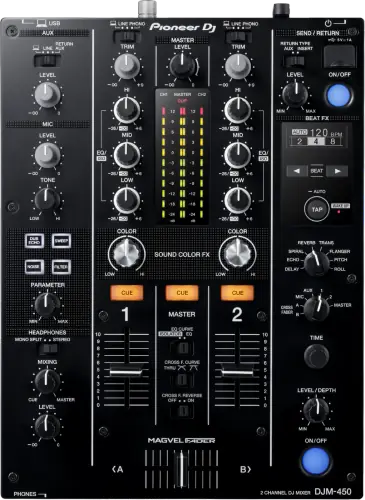
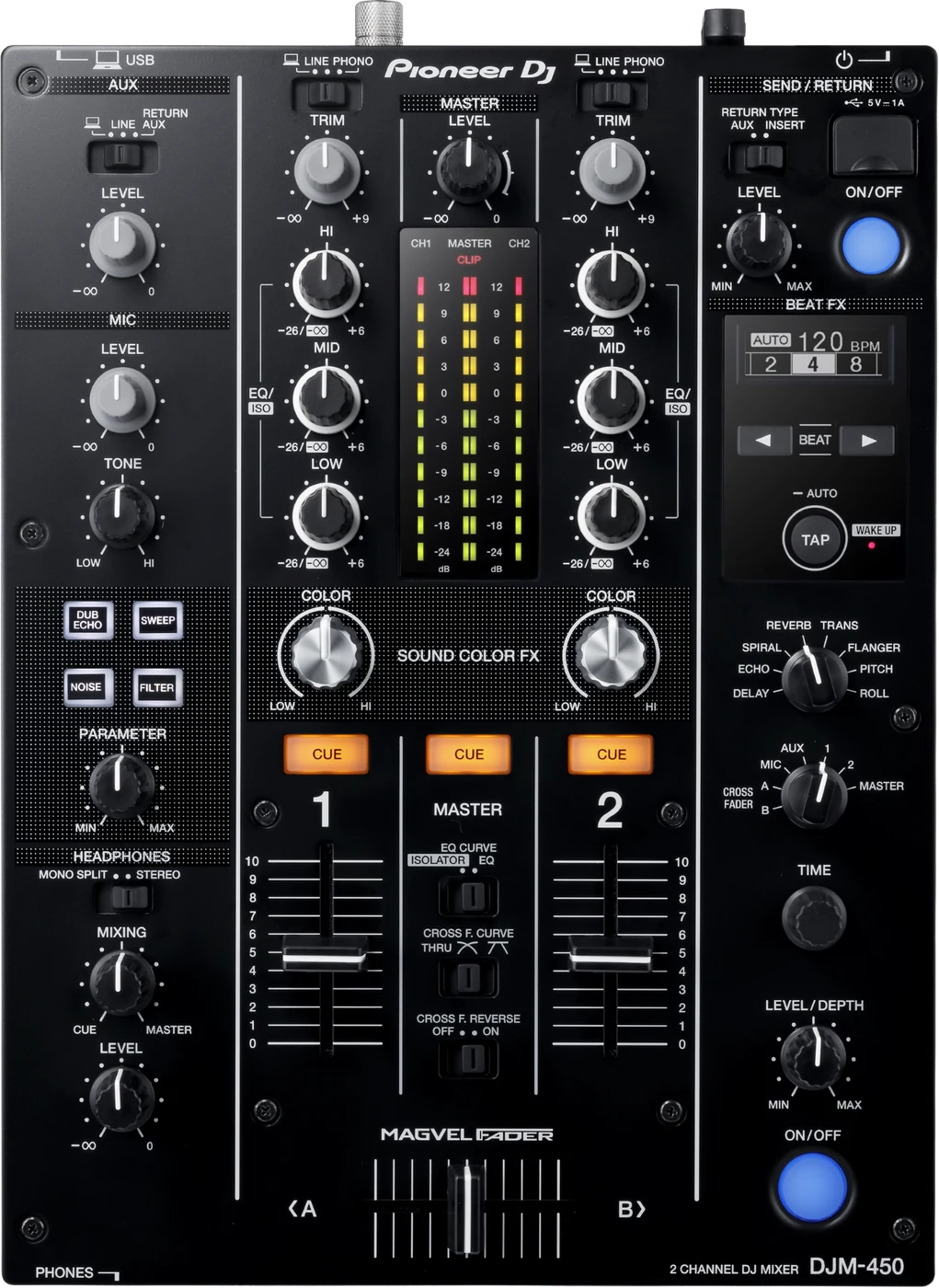
Booth briefing. The DJM-450 is Pioneer DJ's two channel desk from 2016. It inherits the EQ and fader curves and the Magvel crossfader from the DJM-900NXS2, so it behaves like the club mixer in two channels, with two phono inputs that make it a turntable desk and a built in sound card for a laptop. There is no PRO DJ LINK. From firmware 1.07 it carries Power Management, which switches the unit off after 20 minutes idle, and the firmware section below records every published change.
When it goes wrong: No sound from the mixer
Fast Lane
The five things that decide your gig
The five things on the DJM-450 that change what happens next, if you are reading this in the booth. All five are explained in full further down this page.
There is no PRO DJ LINK on this desk.
Players connect by audio, not by network, so no linked BPM arrives at the mixer and no quantised sync comes back the other way.
Nothing is broken and nothing is off in a menu. It is a question for the booking, not for soundcheck.
It switches itself off after 20 minutes, from firmware 1.07.
Power Management, obeyed rather than failed. A desk that went dark between soundcheck and doors has usually done what it was told.
Knowing that saves you tracing power in a dark booth with a room waiting.
2 phono inputs, one per channel, which is rare on a desk this size.
Both channels take a turntable directly, with no external phono preamp anywhere in the chain.
For a scratch or vinyl set on a small desk, that is the specification that decides whether the booth works at all.
Two popping faults are in the record, both fixed years ago.
Popping from the EQ/ISO knob was fixed in 1.02, along with the precision of the crossfader cut lag.
A unit still on 1.00 pops. Read the version before you form an opinion of the desk.
If something goes wrong
A channel has no sound, or the room is quiet
Short answer. A DJM-450 channel with no sound, or a room that is quiet with everything looking right, has six checks in the manual and they run from free to fiddly. The channel's input selector has to match what is plugged into it. The cables have to be seated and the plugs have to be clean. ATT. for MASTER OUT in the UTILITY screen has to not be sitting at -6 dB. MASTER LEVEL has to be set so the master indicator lights around 0 dB on peaks. And TRIM has to be set so the channel indicator does the same.
Fix it now. Input selector first, because it is one look and it is on the front. Then the attenuator in UTILITY, because nothing on the surface reports it. Cables and levels after that.
The crossfader does nothing at all
Short answer. A crossfader that does nothing on the DJM-450 is almost always the curve switch, and this desk does it globally rather than per channel. The CROSS F. CURVE selector has a THRU position, and the manual says outright that if THRU is selected the crossfader does not work. That is one switch taking the fader out for every channel at once, which is different from the DJM-900NXS and DJM-750MK2, where each channel has its own A, THRU and B assign.
Why this matters. On a two channel desk the crossfader is most of the mix, so a switch left on THRU by a scratch DJ who used the line faders is the whole instrument gone for the next person.
A turntable sounds distorted and TRIM does nothing
Short answer. Distorted sound from a turntable on the DJM-450 comes with a second symptom that names the cause, and most people never connect the two: the channel level indicator does not change when you turn TRIM. A turntable with a built-in phono equalizer is putting out line level, so it belongs on the LINE input terminals and not on PHONO, and if that turntable has its own PHONO/LINE selector then that one goes to PHONO. A computer audio interface sitting between the turntable and this mixer is line level too, so it also goes to LINE.
Why this matters. A dead TRIM is normally read as a broken pot, which is a service booking. It is the same fault as the distortion, and the fix is which socket the cable is in.
One menu setting, two opposite faults
Short answer. One menu item fixes a quiet master and a distorted one on the DJM-450, in opposite directions, which is why it catches people twice. ATT. for MASTER OUT lives in the UTILITY screen. If the room is quiet with everything looking correct, the manual's question is whether it is sitting at -6 dB. If the master is distorting instead, the remedy is to set that same item to -6 dB or -12 dB. Nothing on the surface moves either way.
Do this. Read ATT. for MASTER OUT during setup, before you set a level to it. Whatever it says, you now know which way the desk is already leaning.
The desk pops when you touch the EQ or switch FX
Short answer. Two separate popping faults are in the official record, and both have been fixed for years. Popping from the EQ/ISO knob was fixed in firmware 1.02, and a popping noise in USB audio over FX SEND/RETURN when switching the FX assign in rekordbox was fixed in 1.03.
Why this happens. Both fixes shipped in 2017, the desk's first year. That means a first-batch DJM-450 that went straight into a bar and was never updated still pops today, nine years later, and every DJ who has played it has quietly concluded the desk is worn out. It is not worn out, it is version 1.00.
Fix it now. In the booth, nothing repairs it on the gig: work around it by making EQ moves slightly slower and by not switching FX assign in rekordbox at a quiet moment. Tell whoever owns the desk that a free firmware update from 1.02 onwards removes it, because they almost certainly believe the hardware is failing.
Avoid it next time. Firmware version is the first thing to establish on any DJM-450 you will play regularly. The same 1.02 update also improved the precision of the crossfader cut lag setting, so a scratch DJ has a second reason to want it.
The mixer switched itself off between soundcheck and doors
Short answer. The DJM-450 is obeying Power Management, not failing. From firmware 1.07 the automatic power-off happens after 20 minutes with Power Management on. Switch it back on and carry on.
Why this happens. Twenty minutes is exactly the gap between a soundcheck that finishes early and doors, or a break between sets, or a support act playing entirely off their own gear into the house system. A desk that sits silent and untouched for that long goes dark on schedule. The official firmware note names the reason: "Following the Ecodesign Directive (Directive 2009/125/EC) of the European Union."
Fix it now. One button, not the power switch: "When the [TAP] button is pressed, the Off mode is canceled." Then check the master and channel levels before you push a fader, because you are coming back into a room that has been quiet. Nothing about your routing has been damaged.
Avoid it next time. Keep something feeding a channel through a long gap rather than trusting silence, and on a desk you control, check the Power Management setting before the show and decide it on purpose. On a bar install still below 1.07, the timing will be whatever the older firmware does, so do not assume 20 minutes there.
Your DJM-REC recording or stream stopped mid-set
Short answer. On this desk that is a documented fault with a published fix: recording or live streaming with DJM-REC sometimes stopped, fixed in firmware 1.06.
Why this happens. The fix shipped in January 2020, and a DJM-450 installed in 2017 or 2018 that nobody has touched since is still carrying the fault. The symptom is exactly the one that ruins an otherwise fine night: the set is unaffected, the audience hears everything, and the recording you promised someone has a hole in it that you discover afterwards.
Fix it now. Restart the recording or the stream in DJM-REC and keep an eye on it, because on affected firmware it can happen again. If the recording matters more than convenience, run a second recorder off an output the mixer is already feeding.
Avoid it next time. Check the firmware version on any desk where you plan to record or stream, and get it to 1.06 or above before the gig, which is the fix for the recording halt itself.
It is behaving strangely and nothing else explains it
Short answer. Static electricity can put a DJM-450 into a state that looks like hardware failure, and the recovery is not a switch cycle. The manual asks you to unplug the power cord and plug it back in.
Why this matters. A desk that has taken a static hit does not look damaged and reports nothing. It just behaves oddly, and the instinct is to start changing settings, which buries the real state under new ones.
What to watch for
Documented fixes, by firmware version
What is in the record. On the DJM-450, fixed in 1.02: popping from the EQ/ISO knob, and the precision of the crossfader cut lag improved in the same release. Fixed in 1.03: a popping noise in USB audio over FX SEND/RETURN when switching the FX assign in rekordbox. Fixed in 1.06: recording or live streaming with DJM-REC sometimes stopping. 1.07 changed the automatic power-off to 20 minutes with Power Management on, following the EU Ecodesign Directive, which is a behaviour change rather than a bug fix. And 1.08, dated 23 June 2026, is the highest version published for this mixer: AlphaTheta list it under their own FIXED heading as an issue with audio communication with iOS and iPadOS devices. They name the area and no symptom, so neither does this page.
The versions between. The published history also records 1.04 changing only the MIC level curve, and no 1.05 exists in the official record, so this page does not invent one.
What is not in it, and this is worth knowing. No crash, no freeze, no channel going silent by itself and no total audio dropout appears anywhere in the published history. For a desk that has been in bars since 2016, a record whose worst entries are two popping noises, a recording halt and one unspecified iOS audio issue is a genuinely reassuring one.
Do this. Note the version on any desk you play. The highest published firmware is 1.08, a desk you are going to record on wants at least 1.06, and a rig with an iPhone or iPad in the signal chain wants 1.08.
Official documentation. Firmware change history, PDF →
Found an entry we have missed? Tell us and we will add it.
Compatibility
Using it with turntables
Short answer. The DJM-450 has 2 phono inputs, one per channel, which is rare on a desk this size. Both channels take a turntable directly, no external phono preamps and no choosing which deck gets the good input.
Why it matters. Most compact two-channel mixers give you one phono input or none, so a vinyl pair needs outboard preamps before the gig can start. This desk was built for the two-turntable setup from the start, and at launch in 2016 AlphaTheta shipped it with licenses for both rekordbox dj and rekordbox dvs, a launch-era bundle that told you what the desk was for: digital vinyl with real turntables on a small desk. The current product pages no longer mention that bundle, so check what software licensing looks like today rather than assuming the 2016 offer.
When professionals use it. A vinyl bar residency, a home DVS practice rig that behaves like the club desk, and a stream setup where two turntables and the built-in sound card cover the whole signal path.
Common mistakes. Plugging a turntable that has a built-in phono preamp into a PHONO input, which distorts and leaves the trim nowhere to go. A deck like that belongs on a LINE input, with the channel's input selector matched.
DJM-REC works with this mixer. It is on AlphaTheta's official compatibility list, so recording a set or streaming from an iPhone or iPad needs no extra hardware. Sit at firmware 1.06 or above for the recording halt fix.
Features explained
Beat FX, Sound Color FX and the sound card
Short answer. 8 Beat FX: Delay, Echo, Spiral, Reverb, Trans, Flanger, Pitch, Roll. 4 Sound Color FX, Dub Echo, Sweep, Noise, Filter, one knob per channel. Processing runs on a 64-bit DSP, and the desk carries a built-in 48 kHz, 24-bit sound card, so a laptop connects over one USB cable with no external interface.
Why it matters. The official positioning is that the EQ and fader curves and the Magvel crossfader come from the DJM-900NXS2. In practice that means the desk under your hands in a bar behaves like the desk in the club, at two channels, and the FX section is a real one rather than a token.
When professionals use it. Sound Color FX for per channel colour under your hand throughout, Beat FX for the moments. The built-in sound card is what makes this a stream desk: laptop in over USB, master out to the stream, nothing extra in the bag.
Common mistakes. Judging the FX section by how the desk sounds on version 1.00 firmware, where two documented popping faults were still live. Update first, judge second.
Professional tips
Working a desk you did not install
Read the firmware version before you form an opinion of the desk. A unit still on 1.00 pops from the EQ/ISO knob, fixed in 1.02, and pops in USB audio over FX SEND/RETURN, fixed in 1.03. Both landed in 2017, so a bar install that nobody has touched still does it and is not worn out.
Keep something feeding a channel through a long gap. From 1.07 the automatic power-off is 20 minutes with Power Management on, which is exactly the length of a break or a support act playing off their own gear. Below that version the timing is whatever the older firmware does, so do not assume 20 minutes on an install.
If the recording is part of the booking, run a second recorder. DJM-REC stopping mid-recording is documented on this desk and fixed in 1.06, and the failure is silent: the room hears everything and the file is what has the hole in it.
Match the input selector to the deck, not to the socket. Both channels take a turntable directly on 2 phono inputs, but a deck with its own phono preamp built in belongs on LINE. Plugged into PHONO it distorts and leaves the trim nowhere to go.
Do not plan a changeover around a network. There is no PRO DJ LINK on this desk. Players reach it by audio only, so no linked tempo arrives at the mixer and nothing goes back the other way. Agree the handover as two audio channels and a crossfader.
Connections and setup
MASTER1, MASTER2, and which one your system wants
Short answer. MASTER1 on the DJM-450 is a balanced output only, and the manual is unusually specific about what happens if you treat it otherwise. An XLR to RCA converter cable or adapter into an unbalanced input may lower the sound quality and cause noise. For an unbalanced input the manual names the alternative outright: use MASTER2. So the fix for a hum on a small system is not a ground lift, it is the other pair of sockets.
Phantom power, and one worse mistake. Two things must never reach the DJM-450's MASTER1 terminals and neither is obvious in a dark booth. A terminal that is supplied with phantom power, which rules out a console with phantom switched on globally. And the power cord of another unit, which the manual warns about by name because an XLR power connector and an XLR audio connector are the same shape to a hand working by feel.
Do this. Decide which master output you are on at load-in, not after the first hum. XLR into a balanced input is MASTER1; anything RCA is MASTER2.
It runs on an adapter, and what that costs you
Short answer. The DJM-450 runs on an external AC adapter rather than a mains cord, and that changes what can go wrong on the road. The manual says to use only the power cord and adapter supplied with this unit, and to connect everything else before the power. There is a cord hook on the rear whose stated job is to stop the adapter's cord being pulled out of the unit by accident, which on a desk carrying the master output is the difference between a stumble and silence. A spare adapter is a cheaper insurance policy than a spare mixer.
Firmware, drivers and manuals
Official downloads and documents
Go to AlphaTheta for the files themselves. We link their pages instead of hosting a copy, because a manual copied here is a snapshot of release day and theirs is the one that stays current.
Manuals. Official Pioneer DJ manual page →
Broken link? Let us know and we'll fix it.
Frequently asked questions
Quick answers
- Can the DJM-450 link with CDJs?
- There is no PRO DJ LINK on this desk. Players connect to it by audio, not by network, so no linked BPM arrives at the mixer and no quantised sync comes back the other way. Nothing is broken and nothing is hidden in a menu, that is how the desk was built.
- Is it good with turntables?
- Yes, and unusually so for its size: 2 phono inputs, one per channel, so a two-turntable setup connects directly. At launch in 2016 it also shipped with rekordbox dj and rekordbox dvs licenses, a launch-era bundle the current pages no longer mention.
- Why did it switch itself off?
- Power Management. From firmware 1.07 the automatic power-off happens after 20 minutes with no controls touched and no audio input, with Power Management on. Power it back on, check your levels, and keep a channel fed during long gaps.
- How many channels and how many effects?
- 2 channels, 8 Beat FX (Delay, Echo, Spiral, Reverb, Trans, Flanger, Pitch, Roll) and 4 Sound Color FX (Dub Echo, Sweep, Noise, Filter), on a 64-bit DSP.
- Do I need an external sound card for a laptop?
- No. The desk has a built-in 48 kHz, 24-bit sound card, so one USB cable carries audio between the laptop and the mixer.
- Are there known firmware bugs?
- All the documented ones are fixed: EQ/ISO knob popping in 1.02, FX SEND/RETURN USB popping in 1.03, and the DJM-REC recording halt in 1.06. No crash, freeze or audio dropout is anywhere in the published history. The problem in the field is desks that never received any of those updates.
- Does it have a booth output?
- No. This mixer has no booth output at all, which matters if the venue expects to feed a monitor from it. It also runs from an external AC adaptor rather than a captive mains lead, so that adaptor is a thing to check for and a thing to lose.
- What crossfader is in it?
- The Magvel crossfader, which AlphaTheta states it inherits from the DJM-900NXS2 along with the EQ and fader curves. Firmware 1.02 also improved the precision of the crossfader cut lag setting.
Related mixers
Commonly paired with
What you usually find beside it in working booths, from club, festival and rental installs rather than from a manufacturer document.
Pioneer DJ All brands Knowledge base FAQ and Fixes Dictionary
Playing soon and it is not working?
Start Emergency ModeKeep the Emergency Card
We will email you the printable PDF so it is on your phone before the next dark booth. Occasional notes that save gigs. No spam, unsubscribe in one click.
Registering is free and counts everywhere on Save My Gig. We send a confirmation email first. Your address is stored with Brevo, our email provider. Unsubscribe any time. Privacy
Sources: AlphaTheta's official DJM-450 firmware change history, the official product page and the November 2016 launch announcement, checked 10 August 2026. Specifications theirs, priorities ours.