

DJM-REC, the field manual
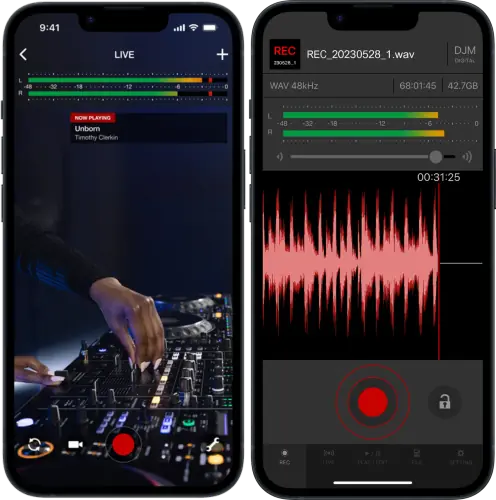
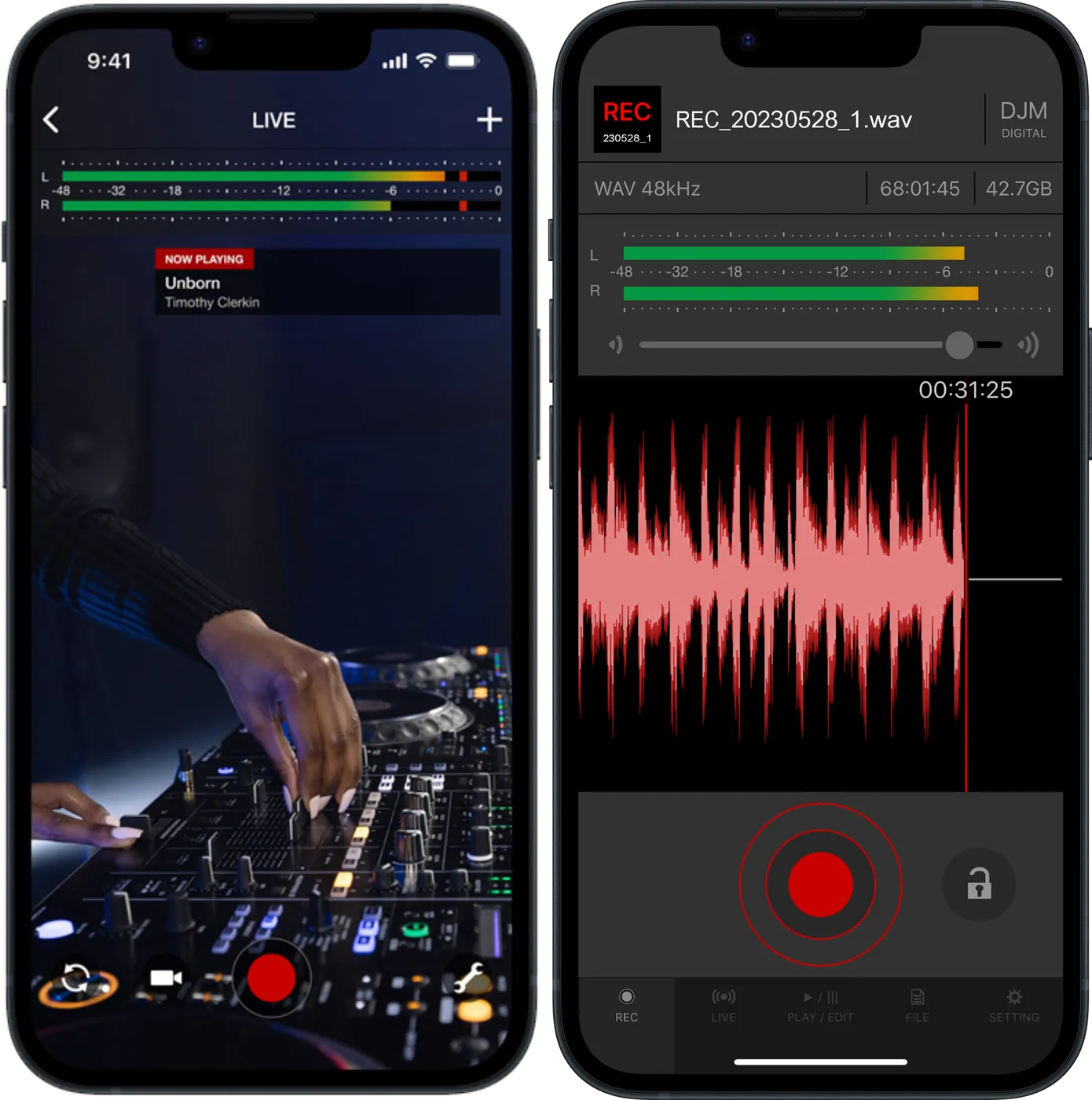
Booth briefing. DJM-REC is AlphaTheta's iPhone and iPad app that records and live streams your set through one USB cable into a compatible DJM mixer or an XDJ-AN. It does both jobs from the one phone, and it can carry track names on the stream when the player and mixer are a documented pairing rather than just a compatible mixer. AlphaTheta publish two official equipment lists that say which mixers and players it works with, and the conditions for keeping a stream running, the order for connecting an all-in-one and what streaming-service tracks can do are covered below.
Understanding DJM-REC
What DJM-REC actually is
Short answer. AlphaTheta's recording and live-streaming app for iPhone and iPad. One USB cable between the device and a compatible DJ mixer or all-in-one system carries the digital audio, so there is no audio interface, no cable loom and no gain guesswork in the booth.
What it does, in their words. AlphaTheta describe DJM-REC as a live streaming and recording app for DJs that connects to their DJ mixers with one USB cable, so a DJ mix can be streamed and recorded for promotion worldwide.
What the processing is. AlphaTheta credit two processes: a limiter that prevents distortion while you record, and a loudness processing function that raises sound pressure after the recording is finished. Those are the two claims AlphaTheta make about the sound, and they are separate: one works while you play, the other after you stop.
What it is not. It is not a player, not a library tool and not part of the rekordbox export chain. Nothing it does touches the USB drive you play from. If the app crashes mid-set, your set does not.
What lands in the recording file
Short answer. DJM-REC records to WAV 44.1 kHz, WAV 48 kHz, AAC 64 kbps, AAC 128 kbps, AAC 192 kbps, AAC 256 kbps and AAC 320 kbps.
The ceiling nobody mentions until it bites. A WAV recording runs to roughly six hours and no further. AlphaTheta name AAC as the format for anything longer than that. A long stream or a festival recording in WAV therefore has an end time you did not choose, and choosing AAC at the start is the whole fix.
The track list is half automatic, not automatic. DJM-REC detects a song change from the fader position and writes the time of the changeover into the description section, so the timings arrive on their own and the track names are yours to type in. On equipment that supports track info the app builds the complete list, timestamps and names together, with nothing to enter by hand.
Avoid it next time. Pick the format for the length of the set before you arrive, and know before you start which half of the track list the app is going to write for you.
Three other ways into the app
Short answer. AlphaTheta name three uses beyond the booth mixer: converting analogue records to digital files with the recording function, streaming or recording through the built in or an externally connected microphone on the iPhone or iPad, and connecting an audio interface so a DJ controller can be streamed or recorded.
Why this matters. The audio interface route is the one that changes who can use the app: a controller player with an interface is not shut out by the mixer list below, even though every other page about this app reads as though a DJM is mandatory.
Compatibility
Which equipment officially supports DJM-REC
Short answer, and it has to be two answers. AlphaTheta publish two equipment lists for DJM-REC and the two do not match. The compatible-equipment support article names the DJM-TOUR1 and names no all-in-one system at all. The App Store listing leaves the DJM-TOUR1 out and adds the XDJ-AN. Both are AlphaTheta documents, and the support article appears not to have been updated for the XDJ-AN.
The support article's list. DJM-V10, DJM-V10-LF, DJM-TOUR1, DJM-V5, DJM-A9, DJM-900NXS2, DJM-750MK2 and DJM-450. No all-in-one system appears on it.
The App Store listing's list. Mixers: DJM-V10, DJM-V10-LF, DJM-V5, DJM-A9, DJM-900NXS2, DJM-750MK2 and DJM-450. All-in-one systems: XDJ-AN. AlphaTheta record the XDJ-AN as newly supported and describe it as the first all-in-one DJ system that DJM-REC can livestream and record from.
What we are not doing. We are not picking a winner. If your booth has a DJM-TOUR1, it is named by one AlphaTheta document and absent from the other, and only AlphaTheta can close that. If you have an XDJ-AN, the App Store listing is the document that covers you.
The condition attached to both lists. AlphaTheta attach one condition to the equipment list: update the firmware to the version they currently publish before using DJM-REC with it.
Avoid it next time. Compatibility is a home question, not a booth question. Confirm your equipment and your feature set before the gig, not while the opener is playing. Check the official compatibility article as well, because it is the half of the answer that changes first.
What track information actually needs
Short answer. Track information on the stream is not a property of the mixer alone. AlphaTheta require a DJ player and DJ mixer combination from a shorter list than plain compatibility, and the XDJ-AN is the one unit that carries track info with no other device attached.
The combination, as published. Players: CDJ-3000X and CDJ-3000. Mixers: DJM-V10, DJM-V10-LF, DJM-V5 and DJM-A9. On its own, with nothing else attached: XDJ-AN.
Why this matters. A DJM-900NXS2 is on the compatibility list and is not on this one. So is a DJM-750MK2, and so is a DJM-450. Plain compatibility gets you the recording and the stream. It does not get you the artist and title, and the mixer is only half of what does.
Avoid it next time. If the tracklist matters to the booking, check the player as well as the mixer, and check both before you agree to deliver one.
Live streaming
Which streaming services work
Short answer. Twitch, YouTube, Facebook Live, Instagram, Snapchat, Mixcloud Live, Restream are supported directly, and a Custom option takes a manual stream URL and key for anything else that speaks standard streaming protocols.
One account trap, officially documented. Restream accounts created through Facebook integration cannot log in to DJM-REC. If your Restream login is "Continue with Facebook", sort that out at home.
Before you press stream. A track loaded from a streaming service stops the livestream from starting. AlphaTheta state that livestreaming can be started by loading tracks from sources other than streaming services. This is the one thing that stops the broadcast before it begins, so it belongs in the soundcheck rather than in the first minute of the set.
Track titles on the stream (Now Playing)
Short answer. The Now Playing display, track title and artist name on the stream, works on Twitch, YouTube, Facebook Live, Mixcloud Live and Restream. It is not available on Instagram or Snapchat.
Two more conditions on top of the platform. The equipment has to be a supported player and mixer combination, or an XDJ-AN, which is a shorter list than plain compatibility. And the track has to come from the right place: AlphaTheta publish a rule for that, and it is not random.
What to watch for
The stream pauses if you leave the app
Short answer. Opening another app while DJM-REC is streaming pauses the livestream, which AlphaTheta attribute to operating system limits. The phone or tablet has to stay on DJM-REC for the whole broadcast.
Fix it now. Come back to DJM-REC and the stream resumes. The damage is the gap your viewers already saw, not a broken session.
Avoid it next time. Read the chat on a second device. Anything you would normally check mid-set on the same phone, a message, a request, the time, is a pause in the broadcast, so give the phone one job and let something else do the rest.
Recording halts mid-set on venue mixers
Short answer. On the DJM-900NXS2, the booth-standard mixer of the last decade, recording halts were fixed in mixer firmware 2.06 and again in 2.08 for iOS and iPadOS audio. A venue unit on older firmware can still stop your recording cold, and it will pick the best moment of the set to do it.
Fix it now. There is nothing to fix in the app. Check the mixer's firmware version in UTILITY at soundcheck; if it predates the fixes, record anyway but expect gaps, or record a backup on a second device off the REC OUT.
Avoid it next time. Treat venue gear as out of date until proven otherwise. The same rule that protects your USB exports protects your recordings.
Firmware downloads. Official AlphaTheta support page →
Broken link? Let us know and we'll fix it.
Track info missing from the stream or the file
Short answer, and it is not random. Where the track is loaded from decides this. Tracks loaded in rekordbox for iOS show no title and no artist name on the DJM-REC livestream screen and save no track information into the recording file. Tracks played from a USB drive connected to a compatible all-in-one DJ system show both on screen and save both into the file.
Fix it now. AlphaTheta give one remedy for both cases: reconnect the USB cable and try again. That is worth doing between tracks rather than mid-blend, because the connection is the same one carrying your recording.
What it means for your set list. If you are playing from rekordbox for iOS, no reconnection will produce names, because the app is behaving as documented. Use the timings the app writes and add the names after the gig, while you still remember the transitions.
All-in-one systems: connect first, then record
Short answer. Connecting a compatible all-in-one DJ system while DJM-REC is recording stops the recording, because the app runs an initialisation process when the system is connected. Recording has to be started again after the connection is made.
The second one, on the stream side. A track loaded from a streaming service stops the livestream from starting. AlphaTheta state that livestreaming can be started by loading tracks from sources other than streaming services.
Avoid it next time. Order of operations: connect the hardware, confirm the app sees it, load a track from somewhere other than a streaming service, then start the recording or the stream. Never replug mid-recording, and if you have to, expect to press record again.
Best practices
Never debut the combination live
Short answer. The single most repeated official fix across AlphaTheta's mixers is "update the firmware", and DJM-REC breakage has twice been on the receiving end of that on the DJM-900NXS2 alone. The rule that follows: never debut an OS, app and firmware combination at a gig.
Do this. Update the app, the phone OS and your own mixer's firmware at home, then test the exact chain you will use: this phone, this cable, this mixer, this platform. At the venue, check the mixer firmware at soundcheck and start the stream before doors if you can. And the recording is a recording, not a backup: nothing in DJM-REC replaces the USB rules that get your music to play in the first place.
Before you erase anything, read this
- Formatting and erasing permanently destroys data. Once a drive is formatted, the music on it is gone unless you have another copy or pay for professional recovery. There is no undo.
- Copy the files off first whenever there is time. If you can plug the drive into a computer and the files are visible, copy them somewhere safe before you format anything.
- Make sure you are erasing the right drive. Formatting the wrong device, an external backup, a second USB, your system disk, is the single most expensive mistake in this whole process.
- This is general guidance, not a guarantee. Every drive, player, firmware version and library is different. We cannot see your setup and we cannot promise any step will work for you.
- You act at your own risk. Save My Gig accepts no liability for data loss, hardware damage, missed sets or any other loss arising from following this site. If the music is irreplaceable, stop and speak to a data recovery professional instead.
Full terms: Disclaimer · Privacy
Playing soon and it is not working?
Start Emergency ModeKeep the Emergency Card
We will email you the printable PDF so it is on your phone before the next dark booth. Occasional notes that save gigs. No spam, unsubscribe in one click.
Registering is free and counts everywhere on Save My Gig. We send a confirmation email first. Your address is stored with Brevo, our email provider. Unsubscribe any time. Privacy
Sources: AlphaTheta's own published material for DJM-REC, checked 1 September 2026. Specifications theirs, priorities ours.