

T5 EVO, the field manual
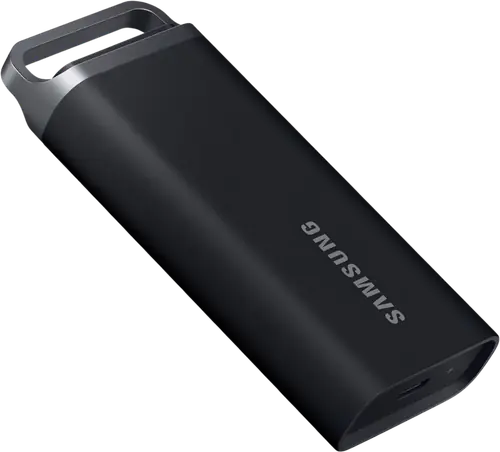
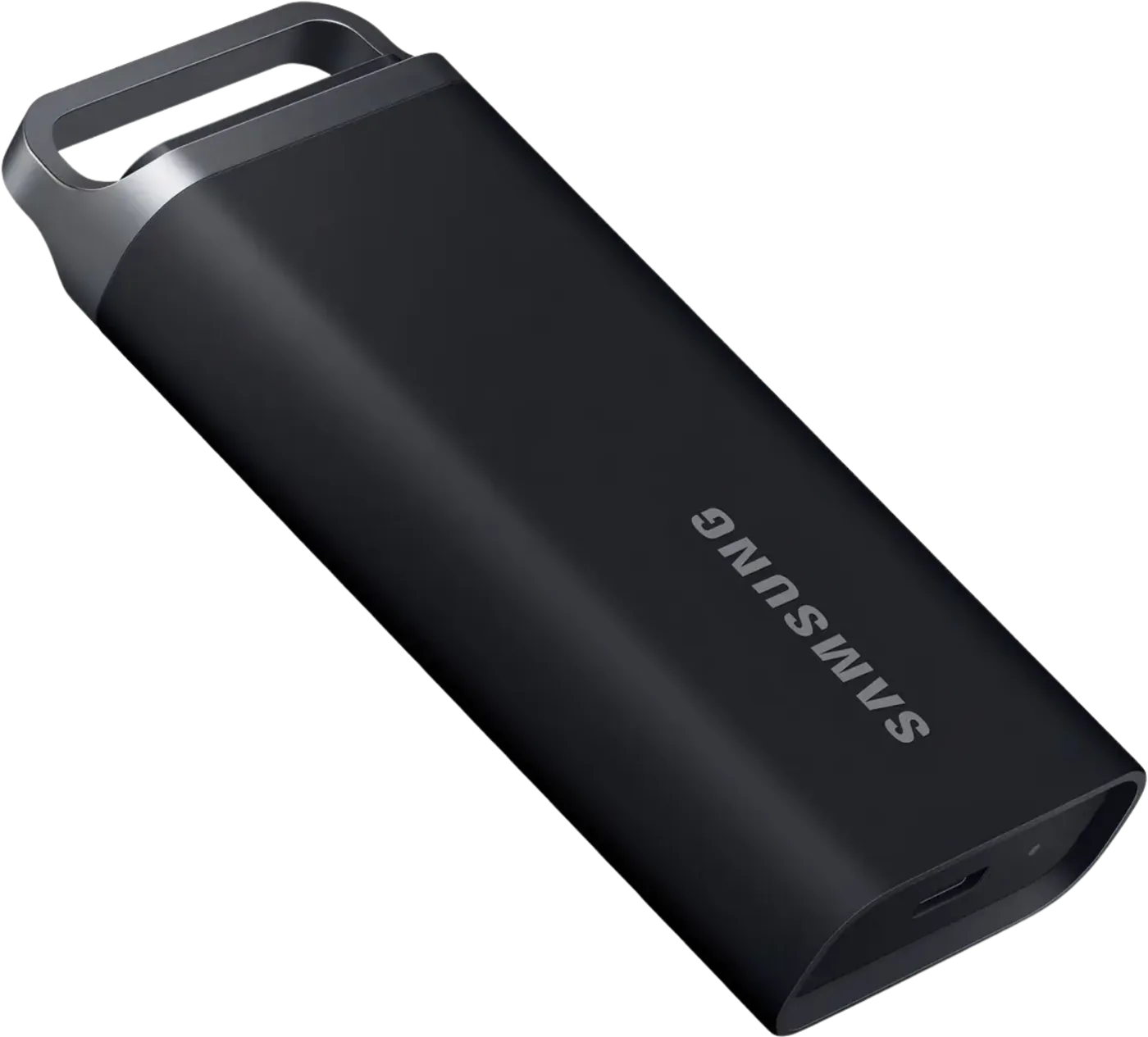
Booth briefing. Not the T5 the forums recommend. The Samsung T5 EVO is the big, slow, cheap one: USB 3.2 Gen 1 at 460 MB/s, starting at 2 TB and going to 8 TB, in a rubberised body with a metal ring, launched in November 2023. It shares a name with the original T5 that Pioneer DJ staff endorsed for the CDJ-3000 and shares nothing else that a player cares about. Two things decide it as a gig drive: it is the one Samsung SSD that ships without a C-to-A cable, and its USB 3.2 Gen 1 interface is the generation older players have the fewest problems with.
Fast Lane
The five things that decide your gig
The five things about the T5 EVO that change what happens next, if you are reading this in the booth. All five are explained in full further down this page.
No C-to-A cable in the box.
USB 3.2 Gen 1 is the generation older players complain about least.
Pioneer DJ staff say older players sometimes have issues with USB 3.1 and 3.2 drives while working with USB 3.0 ones. Gen 1 is the 5 Gbps USB 3.0 speed by another name. That is a reason to test it, not a guarantee.
The staff endorsement of "the T5" is for a different drive.
The original T5 is discontinued and had a different controller. Samsung reused the name. Do not carry the EVO on the strength of a forum post about the other one.
2 TB is the smallest size, and a gig library is smaller than that.
Samsung sell it at 2, 4 and 8 TB. It is a library archive that can also play a gig, not a gig drive that happens to be big.
Password protection locks the player out, not just the thief.
The lock lives in Samsung’s software on a computer. A CDJ has no way to enter a password.
If something goes wrong
The player does not see the drive
Short answer. Four things decide this, and the T5 EVO itself is the fourth. In order: the file system the drive is formatted in (the matrix says what each player reads), the library format you exported (OneLibrary for the newer AlphaTheta units, Device Library for the older ones, explained here), the partition style on an Engine OS unit (MBR, not GPT), and only then the drive.
Why the drive can be the reason. The T5 EVO is a USB 3.2 Gen 1 (5 Gbps) drive. Pioneer DJ staff say on their own forum that "not all drives work with all players", that older players sometimes have issues with USB 3.1 and 3.2 drives while working with USB 3.0 ones, and that the cause is the drive's memory controller conflicting with the player's USB host chipset. A drive that a CDJ-3000 reads and a CDJ-2000NXS2 refuses, both formatted correctly, is that conflict and not a fault you can format away.
Fix it now. Try the drive on the other player in the booth. If both refuse it and a pen drive works, play from the pen drive and sort it after the set. If you carry a second drive, that is what it is for. Connecting a drive to a player never deletes what is on it.
Avoid it next time. Test the T5 EVO at home on the oldest player you expect to meet, not the most recent one, and carry a pen drive with the same library alongside it.
rekordbox does not see it, or the export crawls
Short answer. rekordbox sees drives the operating system mounts. If the T5 EVO is not in the export list, macOS or Windows has not mounted it: a locked drive, a cable that carries power and not data, or a hub in between. Plug it straight into the laptop with the cable that came in the box.
Speed. The T5 EVO is rated up to 460 MB/s read. That number needs a USB 3.2 Gen 1 (5 Gbps) port on the laptop end and says nothing about the player end: every CDJ and XDJ reads the drive at the player's own USB speed, and a set never needs more than that. Buy the speed for the export at home, not for the booth.
What to watch for
Password protection is a studio feature, not a booth one
Short answer. The T5 EVO carries AES 256-bit hardware encryption with password protection, switched on through Samsung’s own software on a computer. The lock lives in software on a computer, and there is no computer inside a CDJ. A T5 EVO locked on the laptop is a drive a player has no way to unlock.
What to do instead. Keep the protected drive and the gig drive as different drives. If one drive has to do both jobs, leave the protection off and accept that the answer to a lost drive is a backup rather than a password.
Compatibility
What the maker names, and what the player makers do not
Short answer. Samsung state the T5 EVO works with Windows, macOS and Android. The T5 EVO is not named by any player maker. Its predecessor is: on Pioneer DJ’s forum, staff endorsed the original Samsung T5 for the CDJ-3000. That endorsement is for a discontinued drive with a different controller and does not transfer to the EVO by name.
What decides it instead. The file system and the library format, both of which are per player and both of which are on the USB compatibility matrix. A drive the maker says is compatible with macOS is a drive macOS can format; it is not a statement about any player.
The connector question. USB Type-C on the drive, and only a C-to-C cable in the box, per Samsung. A USB-A player needs a C-to-A cable you buy separately.
Features explained
Capacity, speed and connectors
- Interface
- USB 3.2 Gen 1 (5 Gbps)
- Capacities
- 2 TB, 4 TB, 8 TB
- Sequential read
- up to 460 MB/s
- Sequential write
- up to 460 MB/s
- Connector
- USB Type-C
- In the box
- Samsung ship one USB Type-C-to-C cable. No C-to-A cable in the box.
- Durability
- drop resistance to 2 m
- Size
- 95 x 40 x 17 mm
- Weight
- 102 g
- Warranty
- three-year limited warranty
- Encryption
- AES 256-bit hardware encryption
The speeds are Samsung’s ratings over a USB 3.2 Gen 1 (5 Gbps) port. On a USB 3.0 or USB 2.0 port, which is what most players and many laptops have, the drive runs at that port’s speed, and a set does not need more.
Professional tips
Decisions to make before the drive goes in the bag
The cable is part of the drive. Samsung ship one USB Type-C-to-C cable. No C-to-A cable in the box. Every CDJ and most XDJs take USB-A, so the C-to-A cable is the one that plays the gig. Keep it with the drive, not in the laptop bag.
Buy two, whatever the capacity. The failure mode of every drive is that one day it stops. Two drives carrying the same library beat one larger drive carrying it alone. How big a gig drive needs to be is a shorter answer than most DJs expect.
Format it yourself, at home. What a new drive ships formatted as is the maker's choice for computers, not for players. Format it to what your players read, copy the music on, and test it on a player before it plays anywhere that matters.
Do not fill it. An SSD near full writes slower and some players choke on a drive with no free space for the library database. Leave room.
Preventive maintenance
Where it can live, and where it cannot
What Samsung publish. Drop resistance to 2 metres in a rubberised body with a metal ring, per Samsung. No water or dust rating.
Why it matters. A gig drive spends most of its life waiting: a glovebox in August, a van in February, a windowsill in the sun. Keep the T5 EVO on you rather than in the vehicle, give it a few minutes indoors before soundcheck if it has been somewhere cold, and replace a gig drive on a schedule rather than on a failure.
Firmware, drivers and manuals
Where the maker keeps the rest
Frequently asked questions
Quick answers
- Is the T5 EVO the same as the T5 DJs recommend?
- No. Same name, different drive. The original T5 is discontinued. The EVO is USB 3.2 Gen 1 at 460 MB/s, 2 TB and up, launched in November 2023 per Samsung’s newsroom.
- Does it come with a USB-A cable?
- No. Samsung list one USB Type-C-to-C cable in the box. A CDJ needs a C-to-A cable you buy separately.
- Is 460 MB/s too slow for a gig?
- No. A player reads a drive at the player’s own USB speed, and a set never needs more than a fraction of 460 MB/s. The speed matters for exporting at home, not for playing.
- Why would I choose it over a T7?
- Capacity. It starts where the T7 line stops. For a gig drive most DJs are better served by a smaller, faster drive and a second copy.
Related products
Playing soon and it is not working?
Start Emergency ModeKeep the Emergency Card
We will email you the printable PDF so it is on your phone before the next dark booth. Occasional notes that save gigs. No spam, unsubscribe in one click.
Registering is free and counts everywhere on Save My Gig. We send a confirmation email first. Your address is stored with Brevo, our email provider. Unsubscribe any time. Privacy
Sources: Samsung’s T5 EVO product page and global newsroom announcement, and the Pioneer DJ forum thread on CDJ-3000 drives with the staff answer, read 19 September 2026. Specifications theirs, priorities ours.